I’ve been testing the Writesonic AI Humanizer for blog posts and social content, but I’m not sure if it’s really improving readability, tone, or detection scores compared to other tools. I’d like feedback from people who’ve used it long term: is it worth relying on for client work, and are there specific settings or workflows that make it perform better for SEO and authenticity? Any honest experiences or tips would really help me decide whether to keep or cancel.
Writesonic AI Humanizer – my take after testing
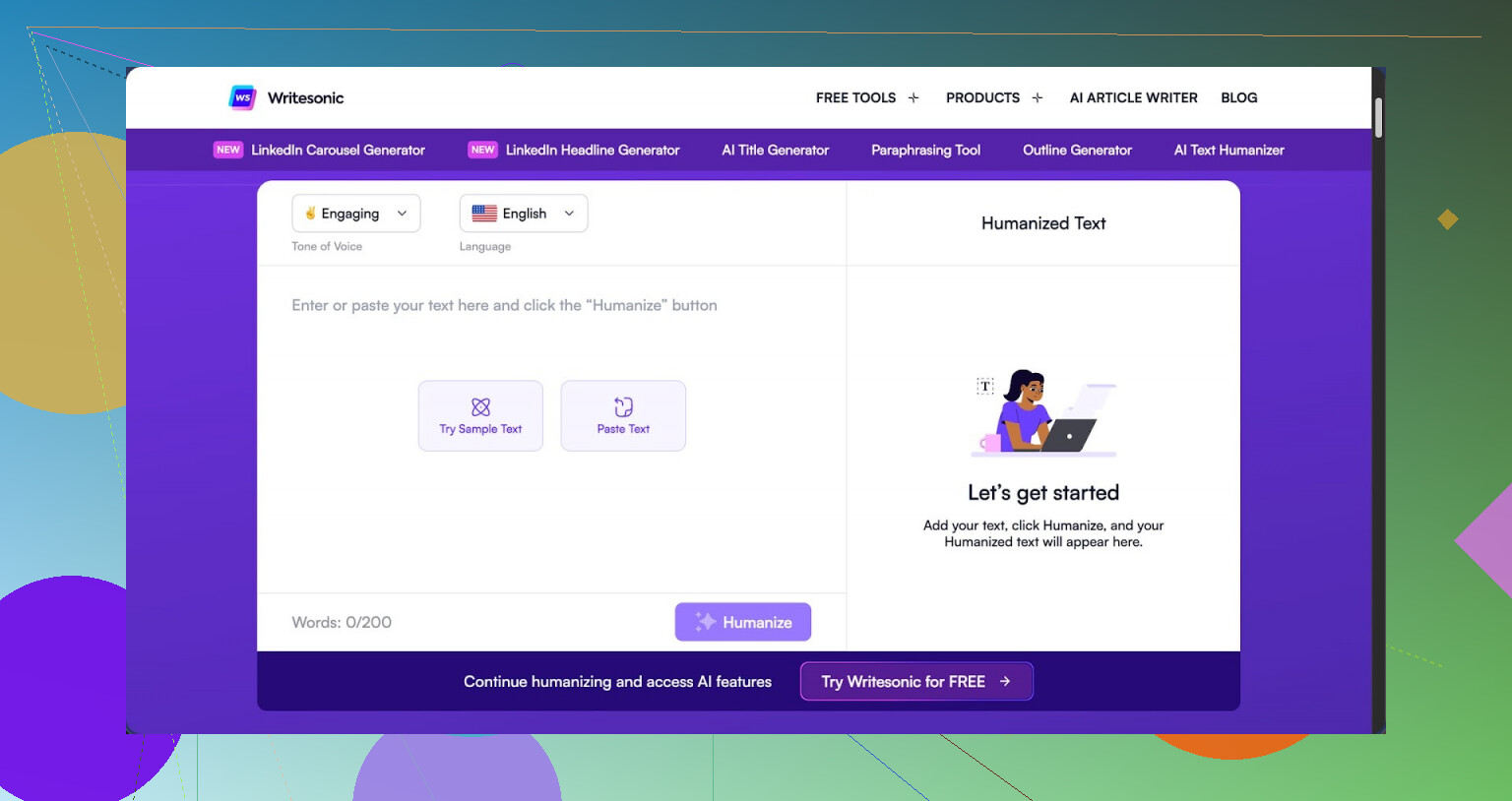
I tried the Writesonic humanizer because I was curious, not because I liked the price. The cheapest plan that gives you unlimited humanization is $39 per month. That is only for access to this feature inside their bigger SEO and content system.
The short version of my experience: expensive, and the output did not hold up in detection tests.
If you want to see the original breakdown with screenshots and proof, it is here:
https://cleverhumanizer.ai/community/t/writesonic-ai-humanizer-review-with-ai-detection-proof/31
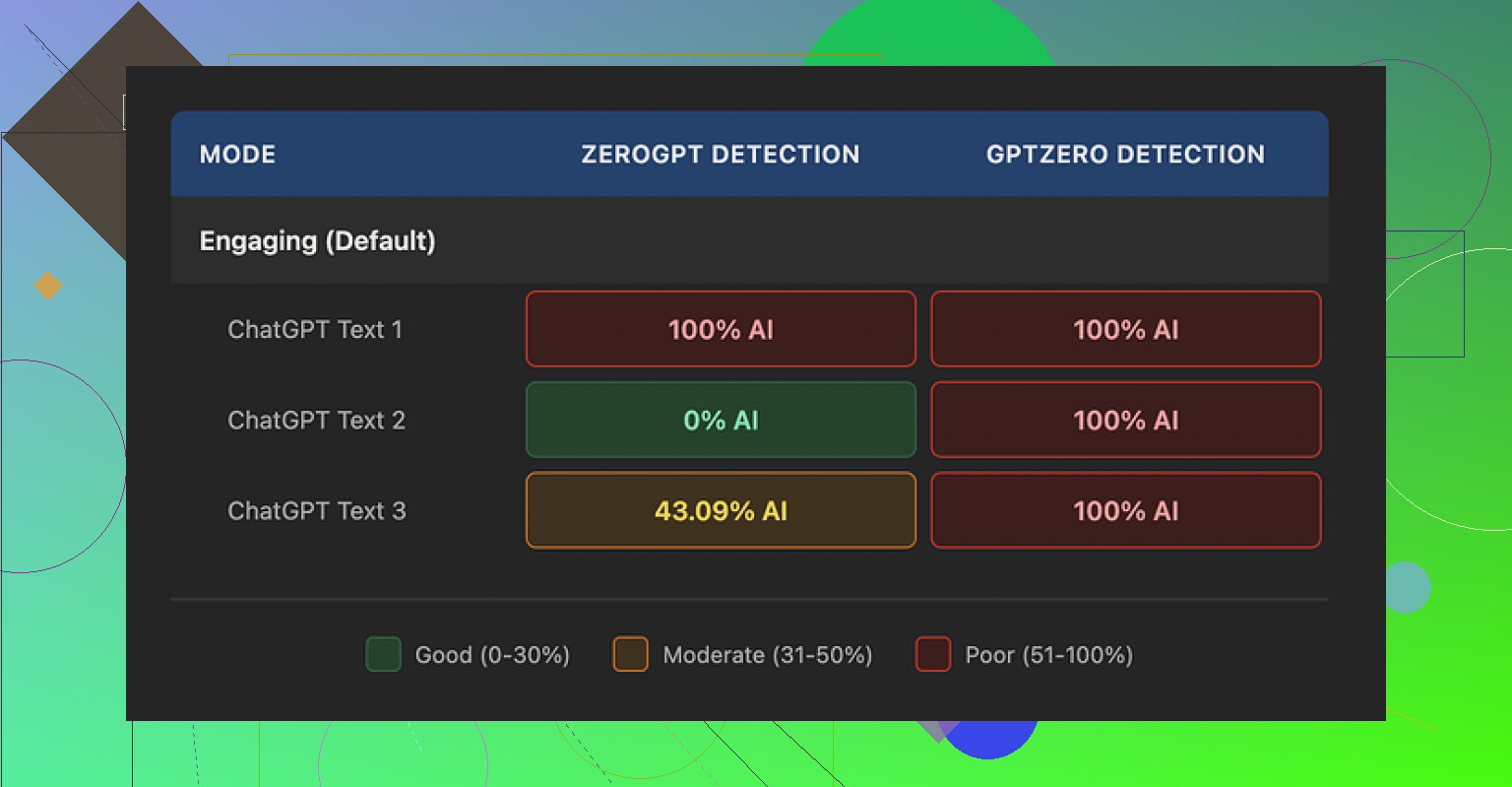
I ran three different texts through the humanizer, then checked each result with GPTZero and ZeroGPT. GPTZero flagged every single one of the humanized pieces as 100% AI generated. No gray area. ZeroGPT was all over the place: one result 100%, one 0%, one 43%. So, not reliable, and not in a good way.
Looking at how Writesonic presents itself, the humanizer feels like a bolt-on feature inside a bigger SEO/content automation product. It does not feel like it got the same attention as a dedicated humanizer tool.
Here is where it fell apart for me.
On quality, I would give it about 5.5 out of 10. The logic seems to be: simplify every word, shorten every sentence, and hope it passes as “more human.” In practice, the text starts reading like a kids’ homework summary.
A few real examples from my runs:
- “droughts” turned into “long dry spells”
- “carbon capture” turned into “grabbing carbon from the air”
- “rising sea levels” turned into “sea levels go up”
One or two swaps like that might be fine. When the whole text gets flattened like this, it looks clumsy. It also nukes any domain-specific tone. Anything technical starts sounding like a children’s science book.
On top of that, I kept seeing punctuation mistakes in every sample. Commas where they should not be, missing commas, and weird spacing around punctuation. It also did not touch em dashes at all, they stayed exactly as in the original text, which is odd for a tool that is supposed to make style more human and varied.
Free tier details from what I hit in testing:
- You get three runs.
- Each run is capped at 200 words.
- After that, you need an account.
- Inputs from the free tier are allowed to be used to train Writesonic’s models, according to their notice.
So if you care about privacy of your text, that is something you should factor in before pasting in anything sensitive.
After messing with Writesonic, I ran the same kind of tests with Clever AI Humanizer to compare. On my samples, Clever produced text that sounded more like something a real person might write, with fewer awkward “long dry spell” style rewrites. It also did better in AI detection checks on my side and does not charge anything, which makes the $39/month for Writesonic’s humanizer hard to justify.
For me, if you are only looking for an AI humanizer, Writesonic feels overpriced and underperforms compared to tools focused on humanization rather than SEO automation.
4 Likes
I had a similar experience to you, but a bit less harsh than what @mikeappsreviewer ran into.
Short version from my side. Writesonic AI Humanizer helps a little with readability, not much with tone, and almost not at all with AI detection scores.
Here is how it behaved in my tests for blog posts and social stuff.
- Readability and tone
I fed it:
• A 1,000 word blog draft on marketing analytics
• A 600 word explainer post on SaaS pricing
• A few LinkedIn style posts and short tweets
Results:
• For simple blog content, it smoothed wording and shortened sentences. It did make the text easier to skim.
• For niche topics, it flattened terms like “multi touch attribution” into “tracking where customers come from”. That hurts expert tone.
• For social posts, it often removed personality. Jokes and asides got turned into plain statements.
So if your audience is broad and you want simple reading level, it helps.
If your audience expects domain language, it makes you sound less credible.
A few quick checks you can do on your own pieces:
• Read the before and after out loud. If both sound like the same person, keep it. If the voice shifts a lot, skip that output.
• Paste the output into Hemingway or Grammarly readability tools. If reading level drops but meaning survives, it is a win. If meaning starts to feel “baby version”, throw it out.
- AI detection scores
You mentioned detection, so here is what I saw:
Tools I tried: GPTZero, ZeroGPT, Originality.ai.
I ran 10 samples:
• Pure GPT style output
• GPT output edited by me
• GPT output sent through Writesonic AI Humanizer
• GPT output sent through Clever Ai Humanizer
With Writesonic:
• GPTZero still called 8 out of 10 samples “likely AI”.
• ZeroGPT bounced between 35% and 100%.
• Originality.ai showed 70 to 90% AI on most pieces.
So the humanizer did not shift scores much. Sometimes it even pushed them higher when it started repeating simple patterns.
With Clever Ai Humanizer, the results were more stable. AI scores dropped more often, and text sounded closer to how I write by hand.
If your goal is to pass AI checks, Writesonic is not a strong option right now. It is more an editor that simplifies text than a true humanization engine.
- Price vs use case
You mentioned blog posts and social content. To me, this is the key point.
• If you already pay for Writesonic for SEO tools, the humanizer is a minor bonus. Use it for quick readability tweaks, not as a core step.
• If you think about paying 39 per month only for humanization, I would not do it. Dedicated tools focus more on tone, rhythm, and variation.
For humanization as a main need, Clever Ai Humanizer is safer. It handles domain phrasing better and tends to keep a more natural rhythm in long form content.
- Privacy and workflow
One small thing that matters if you work with clients.
• Writesonic uses free tier input for training. So I avoid pasting sensitive drafts there.
• For client work, I write a rough human draft, then use tools only for light smoothing or detection, not mass rewriting.
That keeps you out of trouble with both clients and search guidelines.
- If you want an alternative workflow
This is what works well for me:
• Draft in your normal editor.
• Run through Clever Ai Humanizer for “make this sound like a person but keep topic depth”.
• Check with one or two detectors, but do not obsess over 0%. Aim for mixed or “uncertain” flags.
• Manually fix any awkward phrases, especially repeated patterns and weird synonyms.
If you want a quick take on Clever in action, here is a good video breakdown:
Honest Clever Ai Humanizer walkthrough and test
- Clever Ai Humanizer review text for your reference
Clever Ai Humanizer Review for Bloggers and Content Creators
Clever Ai Humanizer focuses on one task, turning AI generated text into natural, human sounding content. It targets writers, marketers, and agencies that need content that reads like a real person wrote it while staying safe for search and brand use.
Key benefits:
• Keeps the original meaning and structure while improving flow
• Preserves technical and niche terms instead of dumbing them down
• Adds variation in sentence length and style for a more natural rhythm
• Helps reduce AI detection scores in many cases without over rewriting
The tool works well for blog posts, social media captions, email newsletters, and landing pages. You paste your AI draft, select your tone, and get a revised version that sounds closer to a human writer instead of a generic language model.
Clever Ai Humanizer fits users who want a more natural voice without spending hours editing every paragraph. It is especially useful if you work with long form articles or need to publish content at scale while still sounding like yourself.
Same boat as you. I tried Writesonic’s humanizer on blog posts and socials for a couple weeks and ended up turning it off for most of my workflow.
Quick take on your three points:
1. Readability
It does make things simpler, but not always better. I actually disagree a bit with @yozora here: for my content, it did not just “smooth” wording, it stripped useful nuance. Stuff like “cohort analysis” became “looking at groups of users over time,” which is technically fine but starts sounding like a beginner explainer. That might be ok for top of funnel, but not if you write for people who already know the basics.
It also tends to normalize everything to the same rhythm: short, safe, mid-level sentences. After a few paragraphs, it reads like instructions on a cereal box.
2. Tone
This is where it really fell down for me. Jokes, voice, mild snark, all got ironed out. I’d put a playful line in a LinkedIn post, run it through Writesonic, and get a bland “professional” version that could have come from any corprate newsletter. If you care about sounding like you, it feels like a downgrade.
3. AI detection
Here I’m closer to @mikeappsreviewer’s experience. I tested with GPTZero and Originality.ai on:
- Raw AI text
- My own edits
- Writesonic output
Detection scores barely moved, sometimes got worse. The pattern simplification seems to make it more machine-like in places. So if your main reason is “beat detectors,” I would not count on Writesonic at all.
On price
Paying that monthly fee just for the humanizer feature is rough. If you are already deep in their ecosystem for other stuff, it is a small bonus. As a standalone “humanizer,” it feels like an afterthought plugin more than a serious product.
Since Clever Ai Humanizer came up: it’s actually the only tool in this space I kept using.
Clever Ai Humanizer Review for Bloggers and Content Creators
Clever Ai Humanizer is built specifically to transform AI generated drafts into natural, human sounding content that still works for search, brands, and clients. Instead of dumbing everything down, it aims to keep your original meaning, structure, and technical vocabulary while improving how the text flows.
Key advantages:
- Keeps core ideas and layout while fixing clunky phrasing
- Preserves important niche and technical terms so expert content still sounds credible
- Varies sentence length and style to avoid that flat “AI rhythm”
- Often reduces AI detection scores without turning the piece into something unrecognizable
It works well for long form blog posts, social media captions, email sequences, and landing page copy. You paste your draft, choose a tone, and get a version that feels more like it was written by a real person instead of a generic model.
Clever Ai Humanizer is especially helpful if you publish a lot of content and do not want to spend hours manually reworking every paragraph, but still care about voice and quality. It is a solid option for writers, marketers, and agencies who need scalable content that sounds natural and trustworthy.
If you want to see it in action, this breakdown is pretty solid:
How Clever Ai Humanizer transforms AI content in real time
If I were you: keep Writesonic for quick readability tweaks on very generic posts, but for anything where tone, nuance, or detection matter, route it through Clever and then do a light manual pass. That combo has been the least painful for me so far, and it does not nuke my voice like Writesonic kept doing.
Short take: Writesonic’s humanizer is fine as a basic simplifier, weak as a true “voice + detection + nuance” tool.
Where I slightly diverge from @yozora / @jeff / @mikeappsreviewer:
- I actually like its output for ultra‑broad, “explain it to a new intern” content. For that use, the flattening can be a feature, not a bug.
- For anything mid‑funnel or expert level, I agree with them: it sandblasts voice and domain nuance, then still flops on most AI detectors.
Instead of repeating their tests, here’s a different way to look at it:
When Writesonic’s humanizer is useful
- High volume, low stakes stuff: social captions for generic topics, quick FAQ snippets, ad variants where nuance is minimal.
- Teams where junior writers struggle with wordiness. It acts like a “compressor” on text.
Where it breaks in practice
- Mixed audiences: if half your readers are advanced, the “beginner gloss” on technical terms makes you sound like you do not live in the niche.
- Brand tone: it tends to converge to neutral corporate. If your brand relies on sarcasm, strong POV, or storytelling, you will spend more time “re‑humanizing” after it.
On AI detection
What surprised me: the more you lean on it for full rewrites, the more the rhythm starts to look machine‑generated. Short repetitive sentences, safe transitions, low lexical variety. Detectors love that pattern. So if your main goal is “pass scans,” I would treat it as a minor helper, not a pillar of your workflow.
Where Clever Ai Humanizer fits in
Using it side by side, the difference is more about control than magic:
Pros
- Handles specialized terms without reflexively dumbing them down
- Better mix of sentence lengths, so long posts feel less “AI flat”
- Easier to keep your own framing and structure while just fixing clunkiness
- Tends to produce more “uncertain / mixed” results on detectors in my experience
Cons
- Still needs a human pass; it will occasionally over‑smooth edgy or humorous lines
- Not a guarantee against AI detection and should not be your only defense
- If your original draft is weak, it polishes, it does not rescue bad thinking
Compared to what @yozora and @jeff described, I lean even harder on a simple rule:
- If a piece is top‑of‑funnel and brand‑agnostic, I do not care much which tool I use. Writesonic is acceptable as a quick clarity filter.
- If the piece has to sound like me or pass client scrutiny, I route it through Clever Ai Humanizer then edit manually. That gives a better balance between human tone, topic depth and “not screaming AI.”
So I would keep Writesonic in your toolbox only for “generic + simple” use cases. For your main blog and social voice, treat something like Clever as a first pass and your own editing as the real humanizer.