I’m setting up several legacy serial devices that need to be accessed over Ethernet, and I’m overwhelmed by the different serial device server options (ports, baud rates, security features, industrial vs. office use, etc.). I need help understanding what specs and brands actually matter for reliability and remote management so I can pick the right serial device server for long‑term use in a small business environment.
If you’re overwhelmed, that’s normal. Serial networking is a rabbit hole. Here’s a pretty clean way to choose a serial device server without going insane.
1. Start with the basics: how many ports and what kind?
- Count how many serial devices you actually need online now, then add 20–30% for “future me forgot about this” growth.
- If you only have 1–2 devices in a comfy office, a cheap 1 or 2 port box is fine.
- If you’re in a panel or rack and have a ton of gear, get a multiport (4, 8 or 16) so you don’t end up with a zoo of little wall bricks everywhere.
- Make sure it supports the right interfaces: RS 232 only, or RS 232/422/485 combo if you have industrial or longer cable runs.
2. Check protocol support, not just “it has a DB9 so it’s fine”
You want a box that supports:
- “Virtual COM port” drivers (so Windows apps think it is a local COM port).
- Raw TCP / Telnet modes for gear that talks directly over TCP.
- Possibly RFC2217 if your software can use it. That helps with control signals and dynamic baud stuff.
If you need pure software based access from different PCs without wiring changes, something like Serial to Ethernet Connector can help. It turns local COM ports into network devices via software and can be a lot more flexible when you don’t want to buy hardware for every spot.
3. Baud rate and weird serial settings
- Check your legacy gear’s highest baud rate. Most decent device servers will happily do 115200 or higher but not all handle it well under load.
- If you have odd stuff like 7E1, 5 data bits or strange flow control, verify the spec sheet, not the marketing fluff.
4. Industrial vs office
Go “industrial” if:
- Panel mount or DIN rail is required.
- You have temperature extremes, vibration or dust.
- You need isolation and surge protection so lightning does not turn your controller into a toaster.
For a clean office or lab, a normal desktop style serial device server is fine and cheaper.
5. Network and security features
At minimum you want:
- Static IP support plus maybe DHCP.
- Web interface that doesn’t feel like it’s from 1997.
- SSH / SSL if you are on any network that is not fully isolated.
- User auth if you have multiple people connecting.
If this lives on a production network that the IT department actually cares about, make sure the box supports modern crypto and firmware updates, and isn’t just plain Telnet forever.
6. Management and firmware
Check if:
- Firmware is updatable and the vendor still exists.
- Config backup and restore are possible.
- There is a way to see logs or at least basic stats when things go sideways at 3 a.m.
7. Software vs hardware mix
For a lot of setups, the most flexible approach is a mix:
- Use a hardware serial device server near the equipment to get serial onto IP.
- On your PCs or VMs, use something like Serial to Ethernet Connector to share or map those ports as virtual COM ports. That is very handy if multiple users or machines need to talk to the same physical port, or if you’re virtualizing older apps.
If you want an actually readable guide instead of vague marketing, this page is pretty useful:
choosing the right serial networking solution
Quick sanity checklist:
- Count ports and future expansion
- RS 232 vs 422/485 support
- Baud rate and odd serial configs
- Virtual COM driver quality
- Security (SSH/SSL, auth)
- Industrial rating if needed
- Vendor still alive and updating firmware
If you list your device types, environment (office vs plant floor) and whether your software requires virtual COM or can talk TCP directly, people can probably suggest konkrere models.
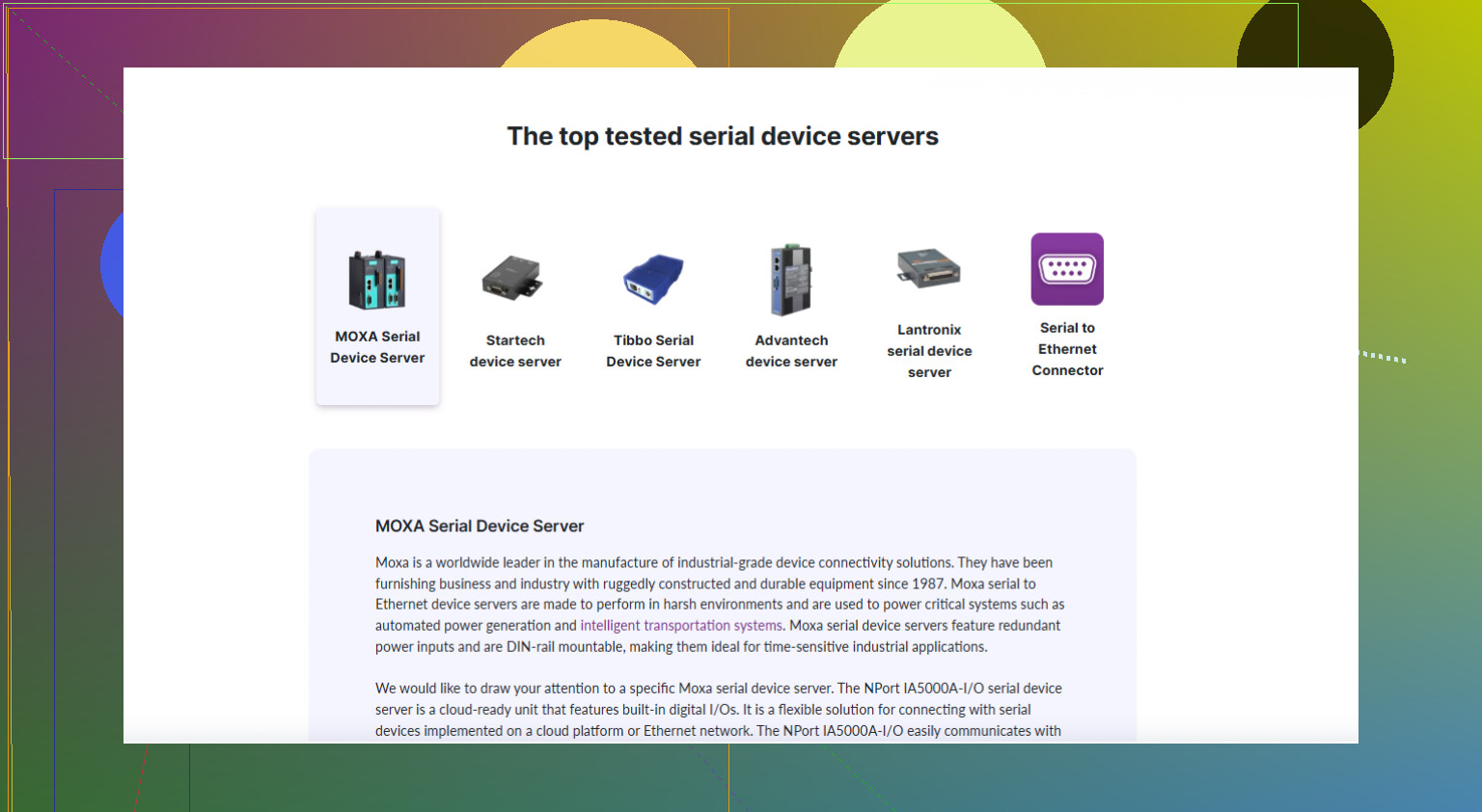
You’re not alone, everyone hits this “serial-over-Ethernet” wall at some point.
I agree with a lot of what @andarilhonoturno said, but I’d slice the decision a bit differently so you don’t get stuck overthinking hardware specs and forget how your actual software works.
1. Start from the software side, not the hardware
People usually start with “how many ports” and “RS‑232 vs 485,” which matters, but the real killer is:
How does your existing software talk to the serial gear?
- If it absolutely must see COM1 / COM2 / etc and can’t be changed, you want:
- A device server that has solid virtual COM drivers, or
- A PC near the gear with real serial ports and use Serial to Ethernet Connector to share those ports over IP.
I’ll be blunt: many cheap hardware device servers technically “have a virtual COM driver,” but the drivers are flaky or leak handles under load. That’s how you get those random 3 a.m. freezes.
If your software can talk raw TCP or you can script around it, then you have way more freedom in hardware and can go cheaper or more industrial as needed.
2. Decide where you want the “brains”
You basically have two architectures:
-
Smart box at the gear, dumb network
- Multiport serial device server in the panel/rack.
- Each serial port gets its own TCP port or virtual COM mapping.
- Great if you don’t want PCs sitting next to machines.
-
Dumb box at the gear, smart PC on the network
- Minimal hardware or existing RS‑232/485 cards in a local PC.
- Use Serial to Ethernet Connector on that PC to:
- Share its COM ports over the LAN.
- Map them as virtual COMs on multiple remote PCs.
- This is often easier when multiple users or VMs need intermittent access to the same device.
@andarilhonoturno leans a bit toward “buy the right box first”; I’d argue for many mixed legacy setups, pushing the logic into software saves grief, especially when IT changes networks or you add VMs later.
3. Top three specs that actually bite you
Forget the giant spec sheet for a second. The things that really break deployments:
-
Buffering and latency behavior
- Some device servers are terrible for chatty protocols or tight timing.
- If your devices use simple polling or command/response with timeouts in the hundreds of ms, almost anything works.
- If you have very timing‑sensitive gear (old CNCs, lab analyzers), test one unit first and hammer it.
-
Handshake and control signals
- If anything relies on RTS/CTS, DTR/DSR, RI or DCD, confirm the server really supports those lines and that their state is preserved over virtual COM.
- This is where many low‑end boxes cheat.
-
IPv4 vs “future IT nonsense”
- If your org is creeping toward IPv6, VLAN segmentation, or VPN‑only access, check the device can live with that world.
- A lot of no‑name units are IPv4‑only and get cranky in modern networks.
4. Industrial vs office: be honest about the environment
Slight disagreement with the “office vs industrial” simplification:
- If your “office” gear is anywhere near:
- Motors
- Welders
- Long cable runs in cable trays
Get something with isolation and surge protection even if it is not branded “industrial.” Noise on RS‑485 is pure chaos.
- If it’s literally on a bench in a lab with 2‑meter cables, yeah, a small plastic desktop server is fine.
5. When software beats buying more hardware
If you already have a machine with spare serial ports near the legacy devices, I’d seriously consider using Serial to Ethernet Connector as the core of your setup instead of hunting the “perfect” hardware box.
It lets you:
- Turn local COM ports into network‑accessible ports.
- Map those as virtual COM ports on any number of remote PCs.
- Control who has exclusive access (so two apps don’t stomp on the same device).
- Avoid running serial cables all over the place.
If you want to try it out, grab it from
easy serial over IP tools
and spin up a quick test between two PCs before you buy any hardware. That quick test will tell you if the “virtual COM over IP” approach fits your apps or if you really need a dedicated serial device server.
6. Rough decision tree
Very simplified, but it works:
- Need 1–2 ports, short runs, single user, office:
- Small 1–2 port device server, or a PC + Serial to Ethernet Connector.
- Need many ports in a panel/rack, multiple users:
- Multiport industrial server + virtual COM drivers,
- or multiport serial card in a PC + Serial to Ethernet Connector for more flexible sharing.
- Very old, picky software that can’t be touched:
- Prioritize driver stability and protocol transparency over fancy hardware.
- This is where the PC‑plus‑software model usually wins.
If you list what your legacy devices actually are (brand/model) and what software talks to them, you can narrow this to a couple of very concrete options instead of staring at catalog PDFs all week.