I’ve been testing a bunch of free online AI text generators for writing blog posts, marketing copy, and social media content, but most either have strict word limits, low quality output, or confusing interfaces. I’m looking for a reliable, truly free AI text generator that produces natural, human‑like writing, supports longer-form content, and doesn’t require a credit card just to try it. What specific tools or platforms are you using that you’d actually recommend, and why do they stand out compared to the rest?
Today you can spin up content with pretty much any large language model and not pay a cent for it. Homework, emails, blog posts, whatever. That part is easy.
The headache starts later, when some AI checker decides your totally harmless draft is “99% AI generated” and your teacher/boss/client starts asking questions. That is the real problem with AI writing tools right now, not the writing itself, but how detectable and robotic it looks to automated scanners.
I ran into this a lot. Stuff that I only used AI for brainstorming still got flagged. After a bunch of trial and error, I ended up using this tool:
https://aihumanizer.net/ai-writer
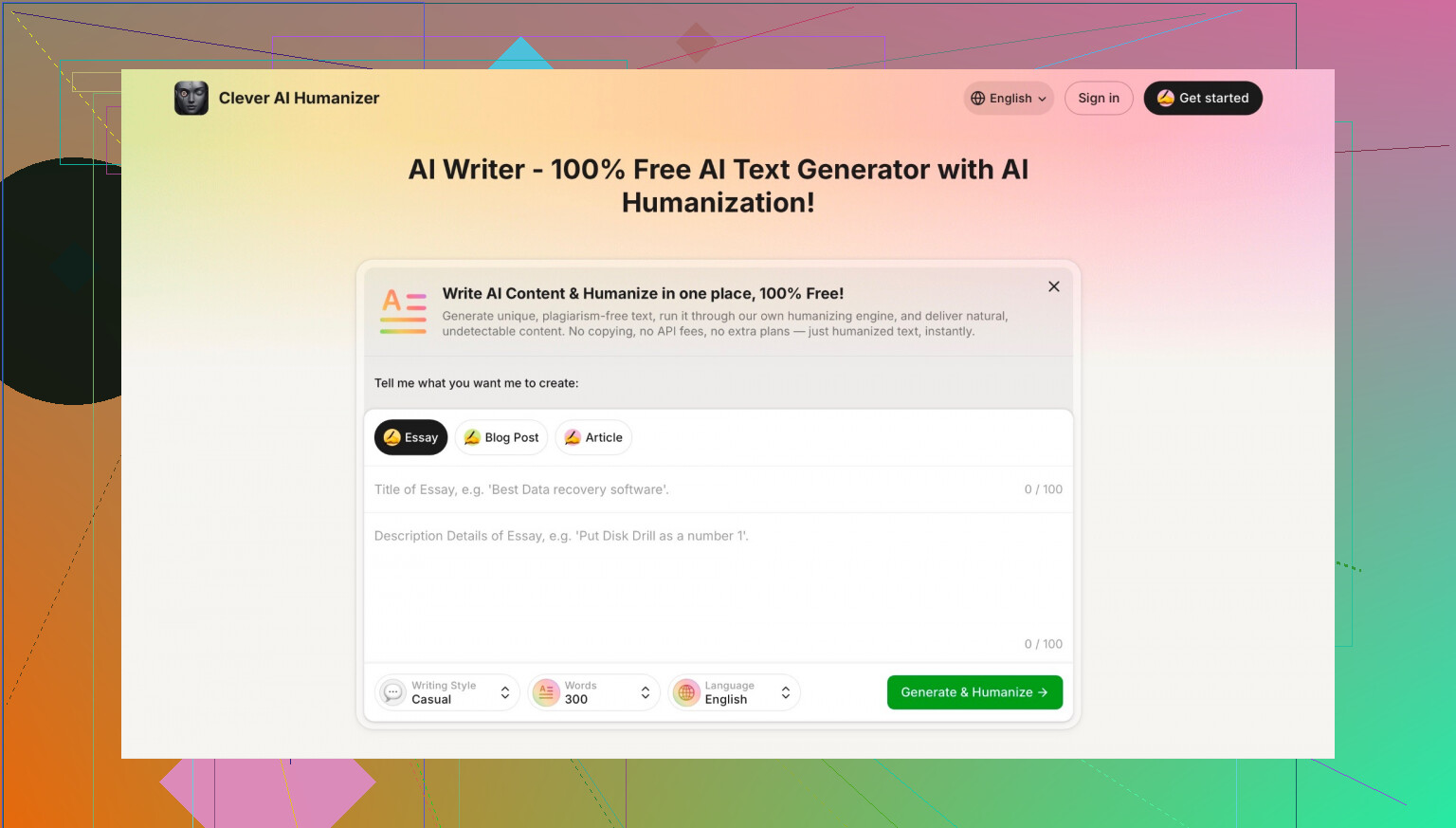
What it does is generate text that already feels like a person wrote it, instead of you having to fix the “AI voice” afterwards. It keeps the meaning, but the wording comes out more natural and less stiff. Emails, essays, product descriptions, random posts like this, it handled all of that decently for me. And yeah, it is actually free to use, not “free for 3 prompts then surprise paywall.”
I am not saying it is magic or that you should use it to cheat your way through school or work. But if you are using AI as a tool and still want your writing to read more like you, this has been the most solid “AI writer + humanizer in one” that I have found so far.
One thing to watch out for: there are a bunch of sites popping up with suspiciously similar names acting like they are the same thing. They are not. The legit one is from CleverFiles Inc. If you care about that, just scroll to the footer on the page and check that it actually says CleverFiles. If it does not, you are on some copycat.
If you want to go deeper into AI writing tools and other “humanizer” options, there is a thread here that collects different opinions and experiences:
https://www.reddit.com/r/DataRecoveryHelp/comments/1oqwdib/best_ai_humanizer/
6 Likes
Short version: there is no single “best” free AI text generator, just different tradeoffs. If you want actually usable, low‑friction, free output for blogs / marketing / socials right now, I’d look at a combo of tools instead of hunting for one magic site.
I’ll push back a bit on what @mikeappsreviewer said. Humanizers are useful, but starting with a solid writer usually beats fixing robotic junk later. Also, over‑optimizing for “AI detector safe” is kinda pointless, since those scanners are wildly inconsistent and often wrong.
Here’s what has worked well for me:
-
For drafting full blog posts & long‑form
- Use a modern LLM front‑end that lets you:
- Write long outputs without absurd word caps
- Keep a conversation so you can revise sections
- Export or copy easily
- Look for tools that use models like GPT‑4‑class or similar, but still offer a free tier. Their “chat” style interfaces are usually way less confusing than those old template‑based copywriters.
- Use a modern LLM front‑end that lets you:
-
For ad copy, emails, and social posts
- Any tool that lets you:
- Paste your brief
- Choose tone (casual, professional, playful)
- Generate multiple variants quickly
- Then you tweak the first and last sentence, swap in your own phrasing, and shorten anything that feels generic. That tiny bit of editing makes a bigger difference than most “AI vs human” marketing jargon.
- Any tool that lets you:
-
Making it sound less like AI
Here’s where I actually agree with part of what @mikeappsreviewer is talking about, but I’d approach it differently:- Instead of only using a separate “humanizer” after the fact, pick a tool that writes in a human‑ish voice from the start.
- When that’s not enough and you’re worried about robotic tone, something like Clever AI Humanizer can help as a polishing step, not as the core writer.
- It’s decent for:
- Smoothing email tone
- Making social captions feel less stiff
- Reworking AI‑ish wording so it flows more like normal writing
- Just don’t rely on it to do your whole assignment or blog post from scratch. Humanizer ≠ magic plagiarism shield.
- It’s decent for:
-
How I actually use these in practice
- Draft with an LLM: “Write a 1,200 word blog post on X for [audience], tone: [conversational / expert but friendly].”
- Ask for 5 headline options and 5 social media variations.
- Run only the parts that feel stiff through Clever AI Humanizer if needed.
- Add 10–20% of your own voice:
- Add a quick anecdote
- Insert 1–2 opinions
- Change some transitions (“anyway,” “to be fair,” “here’s the catch”)
This combo passes the “does this sound like a real person?” test way better than just smashing everything through a humanizer or trusting a single “blog AI” site.
-
What to avoid
- Tools that:
- Lock everything behind signups after 1–2 tries
- Hard‑limit you to 200–300 words per output
- Only work via rigid templates
- Promise “100% undetectable” content like it’s some kind of stealth mode
- Also, don’t waste time trying to beat every AI detector. Those are used more as “red flags” than absolute truth and they misfire all the time.
- Tools that:
If your main use case is marketing + social + light blogging, you’re better off with:
- One decent, free LLM‑based writer for the heavy lifting
- Clever AI Humanizer to smooth robotic bits when needed
- Your own quick edits to inject personality
That setup beats 90% of the “all‑in‑one free AI copywriter” sites I’ve tested, without you getting trapped in garbage word limits or confusing dashboards.
Short answer: there isn’t a single “best” free AI text generator, but there is a setup that actually works without driving you insane.
You’ve already heard from @mikeappsreviewer and @viaggiatoresolare. I’ll disagree with both of them a bit: humanizers are useful, yes, but if you’re doing blogs + marketing + socials, the real lever is your workflow, not finding some mythical perfect tool.
Here’s what I’d actually do right now:
-
Use one strong free LLM as your main writer
Forget most template-style “AI copywriting” sites. They’re either:- Free with 200–300 word limits
- Or “one-click blog post” garbage that sounds like it was written by a bored intern on Ambien
Any modern chat-style LLM with a decent free tier is usually better:
- Ask for full blog drafts (800–1500 words)
- Iterate in the same chat: “shorter intro,” “more examples,” “aim for X audience”
- Then break long posts into sections and re-prompt: “rewrite just this part to be punchier / more casual”
That gets you way closer to usable content than chasing 18 different “AI blog generator” sites.
-
Use specialized tools, not “all-in-one magic”
For:- Blog structure: Ask the model first for outline only. Once that looks solid, generate section by section. Fewer rambly tangents, less fluff.
- Marketing copy & social: Instead of “write me a LinkedIn post about X,” try:
- “Give me 10 hook ideas about [topic] for Instagram, <40 words each.”
- “Turn this paragraph into 5 email subject lines, mix casual and professional.”
Most of the “limits” problem goes away when you stop forcing tools to write everything in one mega shot.
-
Where Clever AI Humanizer actually fits
I do not agree with using a humanizer as your core writer like some folks basically suggested. That’s backwards.
Where Clever AI Humanizer does make sense:- You’ve got a decent draft from your main model, but parts of it feel a bit “AI voice”
- You have a stiff email intro or conclusion
- Your social captions feel too generic or too polished
Take only the robotic bits, throw them into Clever AI Humanizer, and let it reword in a more natural, human tone. It is pretty solid for:
- Emails (“tone down the corporate robot vibe”)
- Product descriptions that sound too formulaic
- Snippets of blog content where the flow feels off
Just don’t delude yourself that any humanizer, including Clever AI Humanizer, makes content magically “undetectable.” Detectors are inconsistent and sometimes flag real human writing anyway. Chasing a 0% score is a time sink.
-
Make AI content actually sound like you
This is the step most people skip, then blame the tools:- Edit opener & closer yourself. One sentence at the top and bottom in your actual voice changes the whole feel.
- Add 1–2 personal opinions or micro stories per post. “I’ve tested X tools and honestly most were trash for Y reason.” That kind of thing.
- Inject little verbal habits you actually use: “to be fair,” “here’s the catch,” “honestly,” “not gonna lie,” etc.
- Shorten. AI tends to over-explain. Cut 15–25% and the text feels more human and less like a term paper.
-
Stuff I’d skip entirely
- Sites shouting “100% undetectable AI content!” Hard pass. That’s either hype or trouble.
- Tools that force rigid templates for everything. Templates are ok as training wheels, but they kill your actual brand voice.
- Overreliance on “AI checkers” to judge quality. They’re not quality checkers, they’re just pattern detectors with lots of false positives.
So if your goal is practical, free-ish content for blogs, marketing, and socials, I’d stop hunting for “the best free AI text generator” and instead:
- Use one good general LLM for 80% of the writing
- Use Clever AI Humanizer surgically on robotic chunks, not entire posts
- Layer 10–20% of your own editing so it sounds like a person with a pulse, not a syllabus generator
That combo beats most “one click AI blog” tools and avoids the super strict word caps and confusing UIs you’ve been running into.