I need realistic, professional-looking AI headshots made from my regular iPhone photos for LinkedIn and job applications, but I’m overwhelmed by all the apps in the App Store and worried about quality and privacy. Which AI headshot generator apps have you personally tried on iPhone that deliver sharp, natural results without looking over-edited, and are reasonably priced or offer good free options
Best AI Headshot Generators I Tried So You Don’t Torch Your Wallet
I hit that point where my LinkedIn photo looked like a different human and I did not want to hand $300 to a photographer again. My feed was flooded with AI headshot ads, so I spent a few evenings testing a bunch of stuff instead of doomscrolling.
What I used:
- Web tools
- iOS apps
- Android apps
- A “free” workaround with ChatGPT and Gemini
Below is how it went, including what was worth paying for and what I would skip.
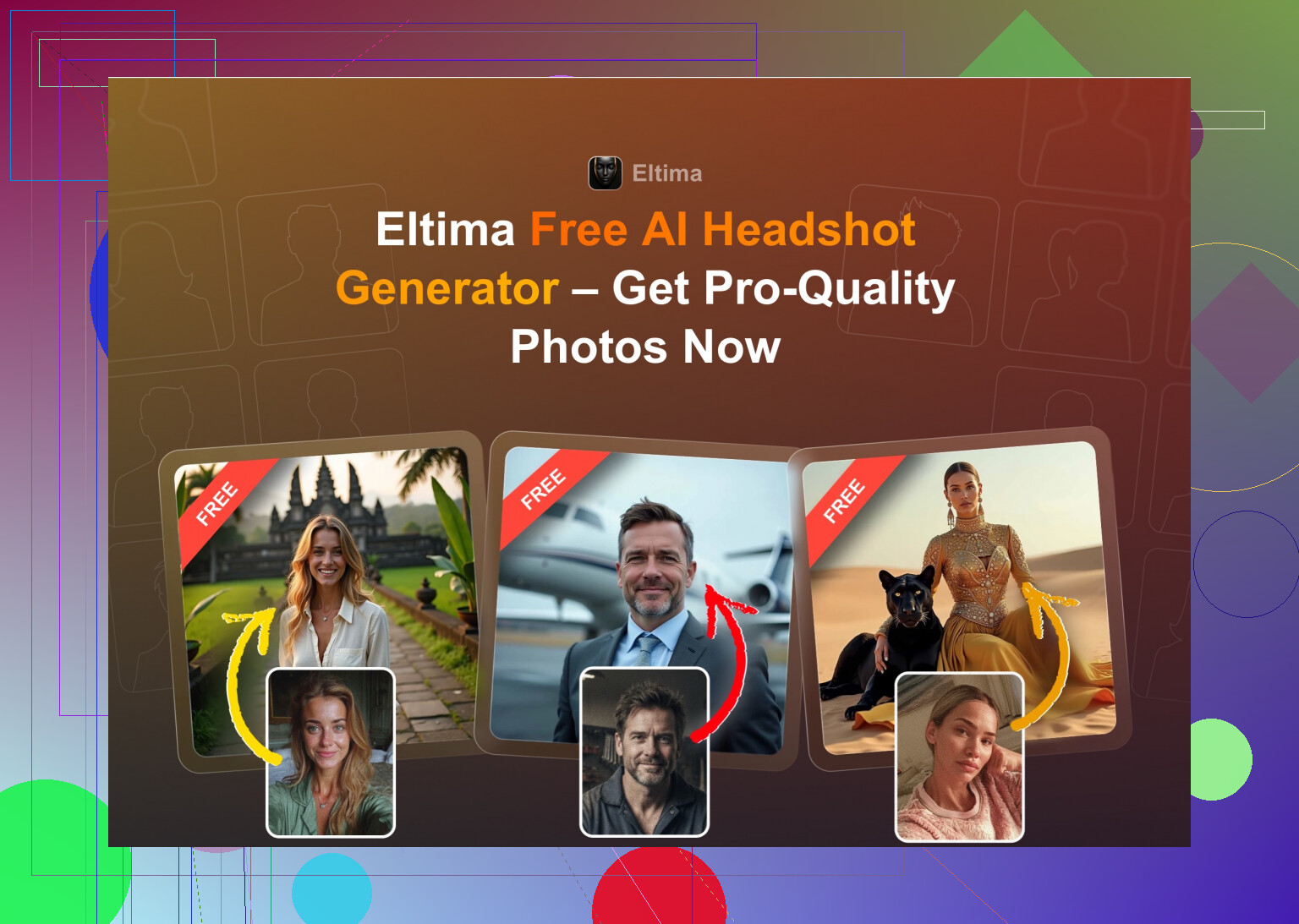
Eltima AI Headshot Generator for iPhone
App Store:
Product page:
Reddit thread about it:
Quick context, I saw this mentioned on Reddit a few times, then noticed a Quora answer linking it too, so I installed it half expecting another overprocessed selfie filter.
What I noticed after a few days using it:
What you get
- 1 free generation per day, no hoops
- Works off a single photo to start, but results are better with more
- Group photos for up to 3 people, which is weirdly rare
- It can spit out short videos from portraits
- Has a “beauty” mode but not in that full plastic way
- Huge template library, I counted roughly 800+ by scrolling for too long
How it performs
- Realism: best I got on mobile so far. My face stayed my face. No random jawline upgrades, no extra teeth, no extra earrings
- Styles: everything from boring corporate to outdoor, casual, themed backgrounds, some more playful stuff
- Speed: fast, usually under a minute for me on Wi‑Fi
- Pricing: 7.99 per week or 49.99 per year, plus the daily freebie
My take
I ended up using one of its photos on LinkedIn, my company Slack, and even some smaller sites. No one asked if it was AI, which for me is the only real test. The free daily shot helped a lot, I used those to try outfits and backgrounds before thinking about paying.
Video demo if you want to see how it behaves:

The Web “Big Three” I Kept Seeing
When you Google “AI headshot generator” you mostly get these three:
- Canva
- Aragon AI
- HeadshotPro
I paid for all three at least once.
Canva
Website:
https://www.canva.com/
I was already using Canva for slides and social posts, so testing their portrait feature was easy.
What you do
- Upload a photo
- Pick a style from a sidebar panel
- Hit generate, wait a bit, pick from variants
What stood out
- Good for fairly standard “professional” portraits
- Background control is decent
- They push you toward their whole design suite once you are in
Pros
- Lots of presets and you get their editor which is already decent
- You can tweak stuff after the AI step, crop, adjust, add background blur
Cons
- Price is steep if you only need headshots, roughly 120+ per year unless you catch a discount
- At high “beauty” levels skin starts to look plastic, I had to lower it a couple of times
If you already pay for Canva Pro, its portrait feature is okay. I would not subscribe to Canva only for headshots though.
Aragon AI
Website:
This one hit my feed so many times I gave up and tried it.
Onboarding
- Long intro questionnaire about you and your job
- Needs a pile of photos to start, I uploaded around 15
- First pack is paid, no real free test shot
Results
- Out of all the web tools, this one kept my face structure the closest
- Lighting and backgrounds felt like real studio sets
- Some poses felt a bit staged, but that is kind of the point
Pros
- High likeness. My friends spotted it was AI, but they also said “ok but it looks like you on a good day”
- Turnaround was not bad, first batch arrived within an hour
Cons
- Needs many reference photos, which you might not want to upload
- You pay per batch, starter tier was around 12 to 25 when I tried
If your main goal is a bunch of clean portraits for LinkedIn, CV, conference profiles, Aragon did that job pretty well.
HeadshotPro
Website:
This one sells itself as “corporate-grade” headshots with privacy messaging all over their site.
What I saw
- Everything feels safe, conservative, and fairly uniform
- Lighting is neutral, backgrounds are office or studio style
- No crazy filters or experimental stuff
Pros
- Very consistent across photos, good if your company needs a set of matching headshots
- Clean, business-oriented look, easy to use on company pages or internal apps
Cons
- Feels stiff if you want something relaxed or creative
- Style options are narrower than the others
Price
- Starts around 29 for an individual pack
I would use this if HR asked for “standard company headshots” for the team, not for social media or dating profiles.
iOS AI Headshot Apps I Tried
On iPhone I went through:
- Remini
- Fotorama
- Collart
- IRMO
- Eltima (already covered above)
I graded them on:
- Ease of use
- How close the face looked to me
- Style choices
- Price
- Speed
Remini
App Store:
Remini started as an enhancer, then grew all kinds of AI portrait functions.
What I noticed
-
Usability
Interface is simple, main paths are labeled, you tap, pick mode, send photos in. No manual learning curve. -
Video from photo
This part got weird. In my test, one of the output videos had a random kid in a creepy angle. Movements looked fake, like over-smoothed puppet motion. -
Photo quality
- For still images, it tends to over-smooth and sharpen at the same time
- Teeth and eyes sometimes look off
- Clothing details can melt or twist
- Styles
- Huge variety, from influencers to professional setups
- Results jump in quality between styles; some look okay, some look like a face filter from 2016
- Price and speed
- 9.99 per week or 79.99 per year, with a free week
- Video generation took about 13 minutes on my phone
My take
Good if you want social-media-ready versions of yourself. I would not trust it for a serious job profile, because the photos look too “beautified” and sometimes unnatural.
Fotorama AI Photo Generator
App Store:
I installed this after seeing a few TikTok clips of “AI photoshoot in your phone”.
What I ran into
-
Ease of use
Clean layout, no confusion. Styles are sorted well. -
Video and images
- My first generation took around 30 minutes, then nothing showed up
- Coins were gone anyway
- I tried once more, waited again, and it felt the same, at which point I closed it
-
Styles
Pretty broad range, including more cinematic, “fashion” vibes. -
Price and speed
- 11.99 per week or 79.99 per year
- Because of the long generation and coin loss, I did not stick around
My take
Idea is fine, execution felt buggy and slow. If time and coins disappear with no output, I uninstall.
Collart AI Photo Generator
App Store:
I wanted to see if a simpler app handled selfies better.
Here is how it went
-
Ease of use
Straightforward, everything is visible and labeled. -
Animation
You can animate still photos. That part works, but I only cared about headshots. -
Realism
- Uses one input photo
- Because of that, the face often drifted away from my own
- Many outputs looked like random cousins, not me
-
Styles
Lots of fun themes, fantasy, cartoonish, etc. -
Price and speed
- 3.99 per week or 59.99 per year
- Generation is quick
My take
Fun app for memes, not for serious use. I got a bunch of “who is this” photos.
IRMO AI Photo Generator
App Store:
I tried this after seeing a few ads. Looked polished.
What I noticed
-
Ease of use
Simple menus, I did not need a tutorial. -
Video
It can generate short clips from photos, standard avatar type stuff. -
Realism
- Again, only one reference photo allowed
- Quality is decent, but likeness is hit and miss
- Feels like “character based on you” instead of “photo of you”
-
Styles
Lots of different themes, scenes, and lighting moods. -
Price and speed
- 5.99 per week or 99.99 per year
- Speed is about 2 to 6 minutes per image for me
My take
Looks good at first glance but did not give me something I was comfortable slapping on LinkedIn. It falls into “toy app” territory more than “tool I trust for professional stuff”.
Android Apps I Tried
I was extra careful here because the Play Store is full of spammy clones.
Remini
Google Play:
Roughly the same behavior as on iOS.
What stood out
- Fast to start, upload selfies, tap a style
- It tends to push a glossy, heavily edited version of you
- For social profiles or dating apps, some people may like it
- For something like a resume, I would think twice
I used it, got a couple of tolerable images, then deleted it when the subscription prompt got annoying.
GIO: AI Headshot Generator
Google Play:
I knew this from iOS, but tried the Android version to compare.
Pros
- Less “plastic” than Remini in some styles
- Clothing swap features worked better than I expected
- Some outputs looked like plausible studio shots
Cons
- Many failures, where faces are warped, eyes are off, or clothing blends into the background
- Quality varies strongly between generations
Verdict
I got a few usable ones, but too many were junk. Works as an alternative if you hate the Remini look, but it is not at the same level as the best iOS options or web tools.
Momo
Google Play:
I added Momo later because people kept naming it in comments.
Pros
- Output is better than GIO overall
- Some headshots are “good enough” for internal tools or casual profiles
- Less overprocessed than Remini
Cons
- Pricing is higher than you would expect for that level of quality
- Uses subscriptions and coin packs, so the cost adds up
- When you compare side by side with better tools, it falls short in realism
Verdict
If you only use Android and need something quick, it works. Once you see what Eltima or Aragon produce though, Momo feels overpriced.
DIY “Free” Route With ChatGPT & Gemini
You can get close to AI headshots for zero money using ChatGPT or Gemini, but it takes a bit of effort and you need to be ok with results that look “inspired by you” instead of 1:1 matches.
What I used
- ChatGPT with DALL‑E on https://chatgpt.com/
- Gemini image generation on Nano Banana Pro - AI-beeldgenerator en foto-editor van Gemini
Method I used a few times
Step 1
Find a reference headshot you like somewhere online. Style of lighting, pose, outfit, whatever. Paste that image into ChatGPT or Gemini and ask it to describe every detail in text.
Step 2
Copy that text into a new chat.
Step 3
In the new chat, paste the description and say something like “Use this as a style guide, but apply it to my face”.
Step 4
Upload your own selfie in the same chat.
Step 5
Switch to an image model:
- In ChatGPT, pick DALL‑E
- In Gemini, use their image generation (Nano Banana or similar if it shows)
Then keep tweaking prompts until the outputs feel closer.
What I got
ChatGPT with DALL‑E
- Results looked like a relative, not quite me
- Good at copying lighting, background, clothing style
- The face always picked up a bit of DALL‑E’s own “house style”
Gemini image generation
- When it worked, it was closer to an actual photo
- But safety rules kicked in often, refusing to make stuff that looked too close to real people
- Needed more rephrasing to get a passable shot
This route is fine if you enjoy tinkering and do not want to pay, though nothing I generated here replaced my main profiles. I saved a few images for side projects and slides.
Where I Ended Up Using For My Own Profiles
After messing with all of this, here is what I personally stuck with:
-
LinkedIn, CV, company tools
Eltima on iPhone for a handful of main shots, then some Aragon outputs from the web side. Those were the only ones my friends saw and said “yeah, that looks like you, just with better lighting”. -
Side projects, fun accounts, thumbnails
Mix of Gemini generations and some outputs from Remini or IRMO when I did not care if it looked “too AI”. -
“I do not want to think about it” option
If someone asked me for a single tool and they used iPhone, I would point them to Eltima first because:- Free daily shot to test it
- Realism is good enough for serious use
- Setup is simple, no long questionnaires
If you are on Android only and want real professional results, I would honestly look at the web tools rather than the apps. Aragon or HeadshotPro depending on how “corporate” you need to be.
That is my experience so far. If you test something better that keeps your actual face without the plastic edit, it is worth sharing.
Short answer for iPhone and LinkedIn: go with Eltima Ai Headshot Generator App first, then fall back to a web tool if you want extra sets.
My take, after messing with most of the same stuff as @mikeappsreviewer and a few others:
-
Best starting point on iPhone
- Eltima Ai Headshot Generator App
- Reason: it keeps your face consistent across shots.
- Needs fewer photos than Aragon or similar web tools.
- One free headshot per day helps you test before paying.
- The “beauty” slider stays under control, so you do not get the plastic skin look from apps like Remini.
Where I slightly disagree with @mikeappsreviewer is on “best on mobile so far”.
For me, Eltima is top tier for realism, but some very neutral styles still look a bit too perfect if your original selfies are low quality. I fixed that by feeding it 6 to 10 clear photos in decent light instead of 1 or 2 random party pics. -
Settings that worked for LinkedIn
- Use 5 to 10 straight face photos, not heavy-angled selfies.
- Neutral or soft background behind you in the source pics.
- Avoid sunglasses, hats, strong filters.
- Pick “corporate” or “business casual” styles, skip heavy makeup or dramatic lighting.
- Dial any beauty or smoothing setting to the lower half.
I usually generate 20 to 30 outputs, then pick 2. One close crop, one a bit wider. Those cover LinkedIn, resume, internal HR tools.
-
Privacy checks before you upload
No app is perfect here, but some are worse.-
Eltima:
Check in the app settings and on their site for:
• whether they say “we do not train on your photos”
• any mention of third party data sharing for ads
• retention period for uploaded imagesWhen I checked, they stated they do not use user images for model training and allow deletion from history. I still delete my photos from inside the app once I have the exports saved.
Things I avoid for job‑related photos:
- Apps that require you to create an account with social login only.
- Anything that pushes “community gallery” or public feed.
- Apps that ask for access to your whole photo library instead of only selected images.
-
-
When to skip iPhone apps and use web tools
If you want stricter privacy terms or you work in a more regulated field, some web tools are clearer about data handling than random App Store apps.For that use:
- Aragon AI if you want more “studio” quality and are ok uploading 15+ photos in a browser.
- HeadshotPro if your company wants a very standard look.
Downside: no on device free daily test like Eltima, and you pay per batch.
-
What to avoid for LinkedIn and job applications
- Remini: aggressive beauty filters, over sharpened eyes, weird teeth. Good for dating or socials, not ideal for hiring managers.
- Collart, IRMO, similar “fun” generators: they drift too far from your real face. Recruiters notice when your headshot looks like a cousin, not you.
- Any style labeled “glam”, “aesthetic”, “influencer”, or anything that throws wild backgrounds behind you.
If you want a simple path and you care about privacy and realism:
- Install Eltima Ai Headshot Generator App.
- Feed it 6 to 10 clear iPhone selfies.
- Use conservative business styles and low beauty settings.
- Export, then delete your data in the app settings.
- If you still feel unsure, run one batch on Aragon from a laptop and compare side by side.
Short version: if you’re on iPhone and you care about “this actually looks like me” plus not selling your soul, Eltima Ai Headshot Generator App is the first thing I’d try, then maybe a web tool like Aragon or HeadshotPro if you want extra polish.
Couple of points that add on top of what @mikeappsreviewer and @reveurdenuit already said, without rehashing their whole play‑by‑play:
- Where I agree / disagree on quality
- I also found Eltima to be the most realistic on iOS for straight up LinkedIn / resume photos.
- I actually liked its default “beauty” level more than they did. On my side it looked closer to what a decent photographer + softbox would do, not plastic.
- Where I don’t fully agree: Eltima is not magic if your input pics are rough. If your camera roll is mostly dark bar photos and car selfies, you’ll still get weird skin and warped collars. Spend 5 minutes taking 5 or 6 clean selfies near a window and it suddenly feels like a different app.
- What makes Eltima stand out vs the other iPhone apps
From my tests:
-
Remini
Looks like a TikTok beauty filter on steroids. Great if you want to look like the FaceApp “hot” version of yourself, not so great if a hiring manager is going to meet you in person next week. -
Collart / IRMO
Fun toy level. I got a lot of “guy who kinda resembles me” instead of “this is my actual face.” For professional stuff that’s just awkward. -
Eltima Ai Headshot Generator App
- Handles small asymmetries and “real” features better. It did not erase my eye bags or random mole, which I actually prefer.
- Clothing and backgrounds look more like real photos, less like cosplay.
- The 1 free headshot per day is underrated. You can quietly iterate for a week, try a few styles, then decide if it’s worth paying.
- Privacy angle that you said you’re worried about
What I actually check before trusting any headshot app:
- Do they clearly say your photos are not used to train their models.
- Is there a delete option for images and “models” inside the app, not just “email support and pray.”
- Do they require social login or can you stay local / email only.
Eltima is better than most iOS apps I tried here, but I still treat all of these as: upload only what you’d be ok with leaking. So no kids, no other people, no sensitive background stuff. I also upload just enough photos for a good model, then wipe them from the app once I have my exports.
- When to skip iPhone apps and go web anyway
If your job is in finance, law, gov, healthcare or anything where privacy policies get scrutinized, I’d honestly:
- Use Eltima Ai Headshot Generator App to rough in a look and see what style you like.
- Then run one paid batch on something like Aragon or HeadshotPro from a laptop, where the data policy is written out in more detail and aimed at corporate clients.
The web tools can feel overkill, but they’re nice if you want a whole “set” of you in slightly different angles and outfits that all look studio‑shot.
- Actual practical outcome
What I ended up doing for myself:
- Picked one Eltima shot with a neutral background and simple blazer for LinkedIn and job boards.
- Cropped the same shot slightly tighter for Slack / internal tools so people can recognize me on tiny icons.
- Kept the “beauty” / smoothing pretty low, so recruiters do not get surprise‑catfished in the interview.
If you’re overwhelmed by the App Store noise, honestly just ignore 90% of it. Install Eltima Ai Headshot Generator App, run a few free daily shots, and only if you hate all of them, then start looking at the others.
If your goal is “realistic, recruiter‑safe” on an iPhone, I’d treat most App Store AI photo stuff as noise and narrow it down to three buckets:
- iPhone, fast and good enough for LinkedIn
- Web tools when you want a polished set
- Things to avoid if you care about privacy and likeness
Here is how that shakes out based on what’s already been tested by others plus my own take.
1) The iPhone pick: Eltima Ai Headshot Generator App
I’m on the same page as the others that this is the one that actually feels built for professional headshots, not TikTok filters.
Pros
- Very high likeness for a mobile app
It usually keeps bone structure, nose, jawline and “real world” features like moles and mild eye bags. For LinkedIn and job portals that is exactly what you want. - Sensible “beauty” treatment
Unlike Remini, it tends to act like soft studio lighting instead of face surgery. You still look like you on a decent day. - One free generation per day
This is underrated. You can try multiple backgrounds, outfits, crops across several days without paying, then only subscribe if it keeps hitting. - Template variety that actually helps
Tons of neutral office, plain-color and outdoor backgrounds. This matters more than the wild “cosplay” styles in other apps if you are applying to serious roles. - Group headshots
Can do up to 3 people in one go, which is handy if you need matching photos with a cofounder or partner.
Cons
- Still relies heavily on input quality
I do not fully agree with folks who talk like it is magic. If most of your photos are in dark bars or car interiors, the app will struggle. You will want at least a few clear selfies near a window, no hat, no heavy filters. - Subscription structure
Weekly pricing is expensive if you forget to cancel. It is better as a “use it hard for a week, cancel, keep the exports” situation than a permanent subscription. - Not perfect at clothing details
Suits, collars, necklaces can sometimes look slightly off at pixel level. Most recruiters will not notice, but if you are hyper picky you might. - Limited in-depth control
You cannot fine tune every lighting parameter or micro-expression. If you want that control, a web tool is better.
If you want a single concrete answer:
Start with Eltima Ai Headshot Generator App, use the daily free shots for 3 to 5 days, decide from there.
2) When to jump to web tools (Aragon & HeadshotPro)
Others already dissected Aragon and HeadshotPro, so I will keep it short and just disagree slightly on use cases.
-
Aragon AI
Best when you want “me in 20 different realistic angles and outfits” for portfolios, conference bios, etc. You pay per batch, which is actually cheaper than keeping an app subscription if you just need one big shot of options. It does ask for a lot of photos, so privacy‑wise you must be comfortable sending a big chunk of your face history. -
HeadshotPro
I think it is less stiff than some people say if you purposely pick softer backgrounds and casual outfits, but yes, its core is corporate uniformity. Ideal when you work in more conservative industries and need to match existing team photos.
My practical split:
- If you need one or two strong headshots: Eltima on iPhone is enough.
- If you need a whole library of “studio grade me” for speaking gigs, company press pages, etc: run a single Aragon or HeadshotPro batch after you test styles on iPhone.
3) Why I would skip most other iPhone apps for serious job use
This is where I diverge a bit from some of the earlier comments.
- Remini
The “polished influencer” look is exactly what makes it risky for job hunting. On dating apps or Instagram it is fine. For a hiring manager, it can feel like a filtered selfie, especially if it widens eyes or brightens teeth unrealistically. - Fotorama, Collart, IRMO
They are fine as toys, but the one-photo training and heavy stylization means a high chance you end up with “someone that sort of resembles me.” In a professional context that is just strange. A good headshot app should reproduce your actual face first, aesthetics second.
So if your priority list is:
- Looks like you
- Does not scream “AI filter”
- Reasonable privacy
- Runs on iPhone from your existing photos
then it narrows down fast, and Eltima is the only iOS app in this thread that consistently ticks all four for LinkedIn and job applications.
4) Quick decision tree for you
-
Want a new LinkedIn / resume photo in under an hour, straight from your phone?
→ Install Eltima Ai Headshot Generator App, generate a few free ones, pick the least “beautified” neutral background, done. -
Need a coordinated set of headshots for you plus colleagues / cofounder for a startup site?
→ Use Eltima to figure out which background and outfit work, then consider a one‑off batch on HeadshotPro so everyone matches. -
Want a big variety of poses and outfits for multiple platforms and you are OK uploading a lot of references?
→ Use Eltima to rough in your preferences, then a single Aragon run.
You do not need to chase every flashy app. For an iPhone user who cares about realism and privacy, a short burst with Eltima plus maybe one web batch later covers 95 percent of real‑world hiring scenarios.
The discussion favors Eltima for iPhone and Aragon or HeadshotPro for larger sets. A simpler alternative is a real headshot taken at home, without another app or subscription.
Ask a freind to photograph you with your iPhone’s rear camera. Face a window, choose a plain backgound, and wear your usual work clothes. Keep the camera at eye level and take ten shots with relaxed expressions.
Pick your favorite in Photos. Crop to your head and shoulders, straighten the image, and adjust brightness slightly. Skip face filters and uploads to headshot services.
Whatever you generate, make it match how you’ll actually show up on the day. Everyone here keeps praising how natural the output looks, but a photo that’s convincingly you with last year’s beard and a haircut you don’t have anymore just sets up an awkward first impression when the interviewer meets you. Eltima is worth a look for sketching out a style, I’d just feed it your most recent selfies and ignore any result that quietly de-ages you or changes your hairline.