I’m considering paying for Walter Writes AI Reviews to streamline content research and product comparisons, but I’ve seen mixed opinions online. Has anyone here used it for a while, and is it accurate, unbiased, and worth the cost for serious blogging or affiliate sites? I’d really appreciate honest experiences before I commit my budget.
Walter Writes AI review, after a weekend of testing
I spent a couple of hours poking at Walter Writes AI and wrote this up so you do not have to burn credits blindly.
Walter Writes AI test results
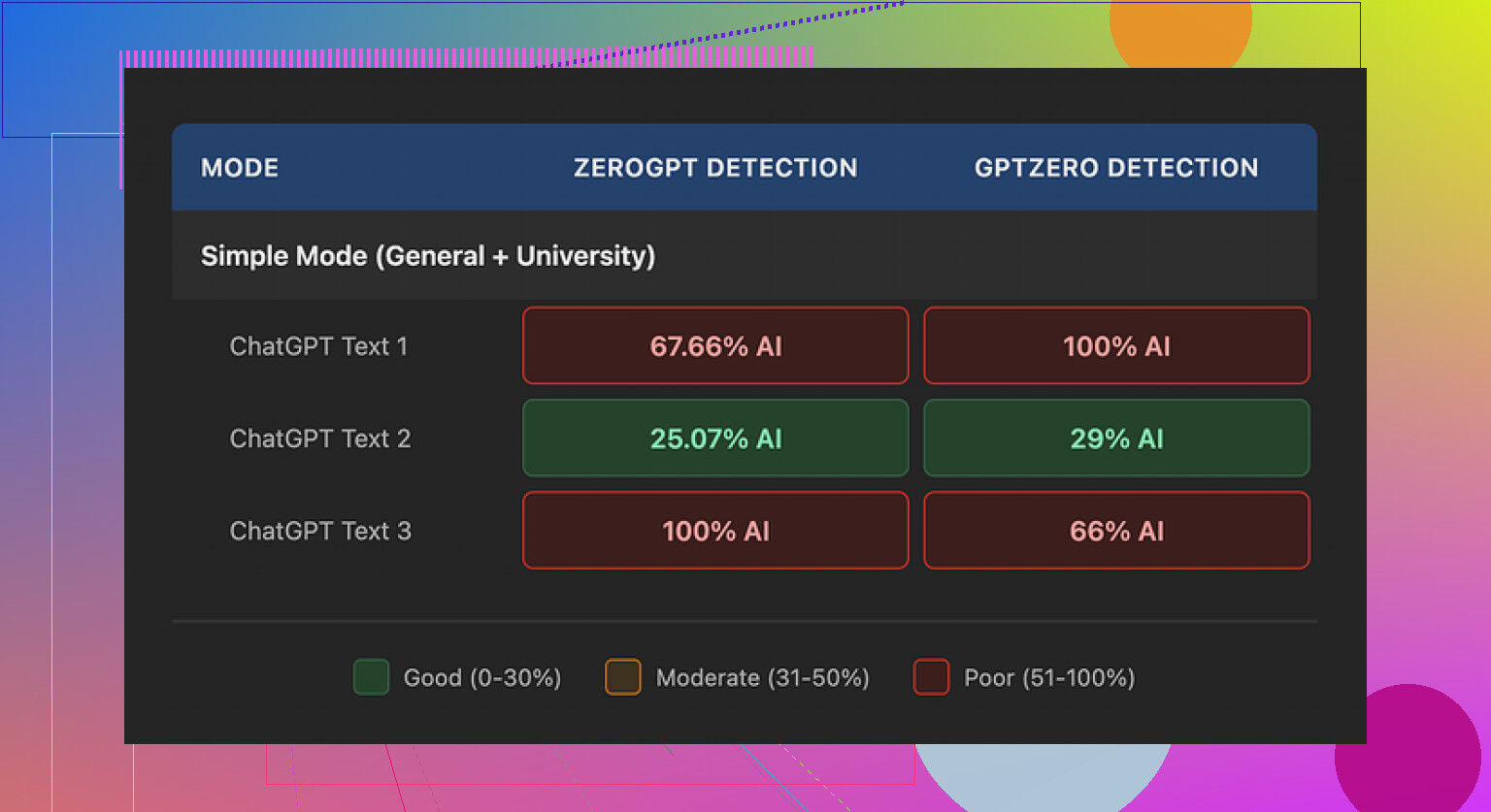
I ran three different samples through Walter using only the free “Simple” mode here:
Then I checked each output with GPTZero and ZeroGPT.
Here is what I got:
• Sample 1
GPTZero: 29% “AI”
ZeroGPT: 25% “AI”
This one looked decent on paper. Those numbers are better than what a lot of free “humanizers” give.
• Samples 2 and 3
One of them hit 100% AI on GPTZero
The other hit 100% AI on ZeroGPT
So, same tool, same mode, same general type of input, totally different results. Not random noise either. Either it sailed through or it slammed into 100%.
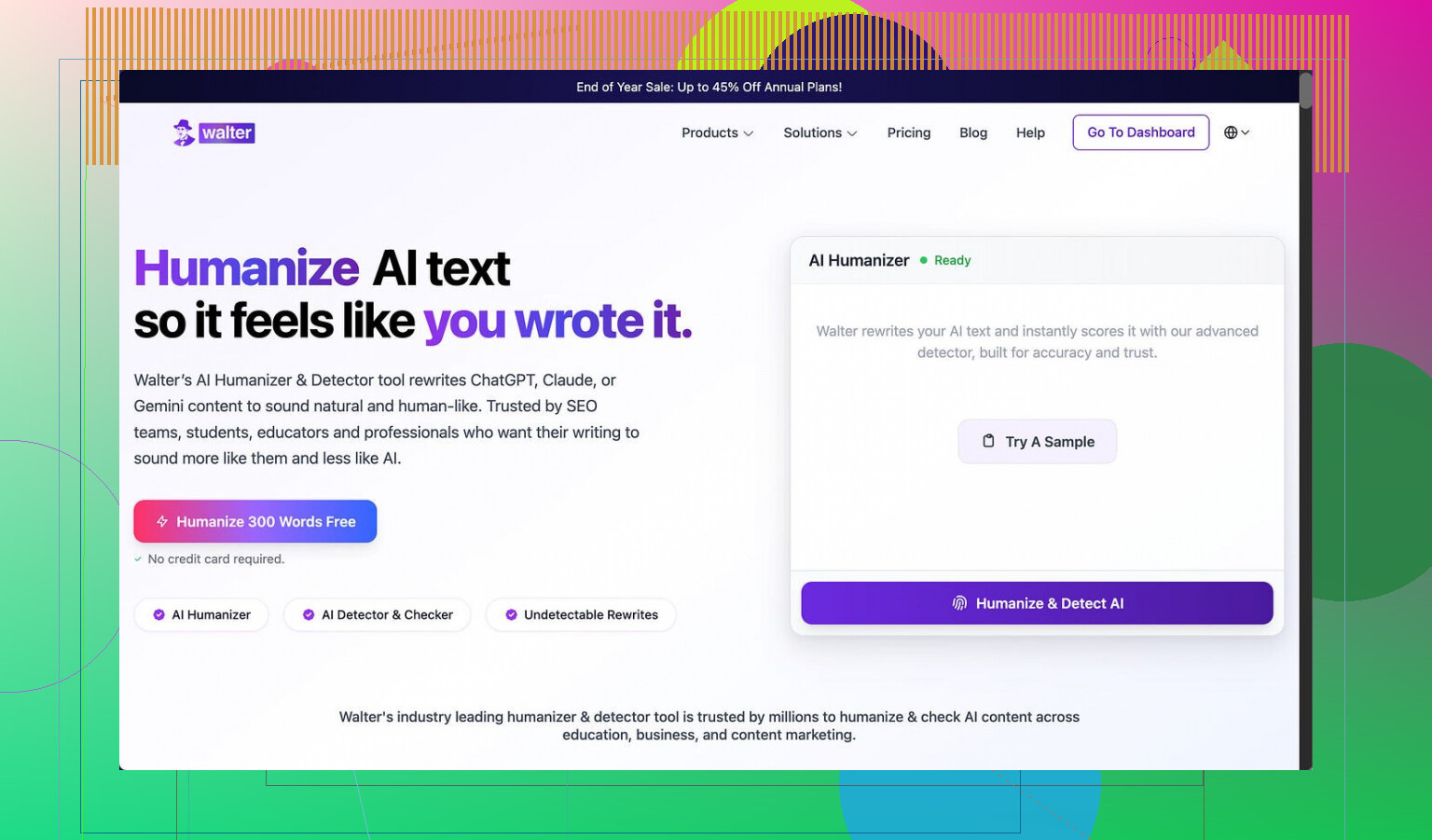
From what I can tell, the free account is locked to “Simple” mode. There are “Standard” and “Enhanced” options behind the paywall that are supposed to “bypass” detectors better. I did not pay to test those, so I have no idea if they fix this inconsistency.
Style issues that kept showing up
When I read the outputs line by line, a few patterns repeated enough that I stopped trusting it for anything serious.
Stuff I noticed:
- Weird semicolon addiction
It kept dropping semicolons where a comma or period should sit. Not once or twice. Repeatedly. Example pattern:
“Climate change affects many regions; including coastal areas; where flooding today is becoming more frequent.”
You see that kind of punctuation misuse a lot in auto-generated text. People who write a lot rarely do it in that specific way.
- Word repetition in short bursts
One sample used the word “today” four times in three short sentences. Something like:
“Today, we face new challenges. These challenges affect people today at home and at work. Addressing them today requires…”
That sort of repetition is a pretty clear “I did not read this back to myself” signal.
- Parenthetical lists that feel machine-made
Another thing that jumped out was the constant use of parenthetical examples:
“(e.g., storms, droughts)”
“(e.g., social media platforms, news outlets)”
And it reused the same pattern multiple times in long outputs. I see that structure a lot when raw model output has not been edited. It looks formal in a stiff way, which is exactly what some detectors look for.
Pricing, limits, and the part that bothered me
Here is how the pricing looked when I checked:
• Starter: $8 per month (billed yearly)
About 30,000 words included
• Unlimited: $26 per month
They call it “unlimited” but each submission limit is 2,000 words
• Free tier:
300 words total, not per day, total. Once you hit that, you are done unless you pay
That word cap per submission is rough if you deal with essays, reports, or longer blog posts. You have to chop your text into pieces, run them separately, then stitch them back together and hope you do not break the flow or trigger detectors by mistake.
Two more things I did not like:
-
Refund and chargeback policy
The refund section reads more like a threat than a policy. It talks about chargebacks with language that hints at legal action and “fraudulent disputes.” It might not matter to everyone, but I do not like that tone in a tool built around trust and text handling. -
Vague data handling
There is no clear detail about how long they keep your submitted text or what they do with it behind the scenes. For anything sensitive, that is a hard stop for me. If I do not know retention windows or storage rules, I assume the worst.
Compared to Clever AI Humanizer
While I was testing Walter, I kept a second tab open with this one:
I pushed similar inputs through it. My experience:
• The text read more like something a normal person would write
• Repetition patterns were less obvious
• I did not see the same semicolon spam or repeated parenthetical “(e.g., …)” structure
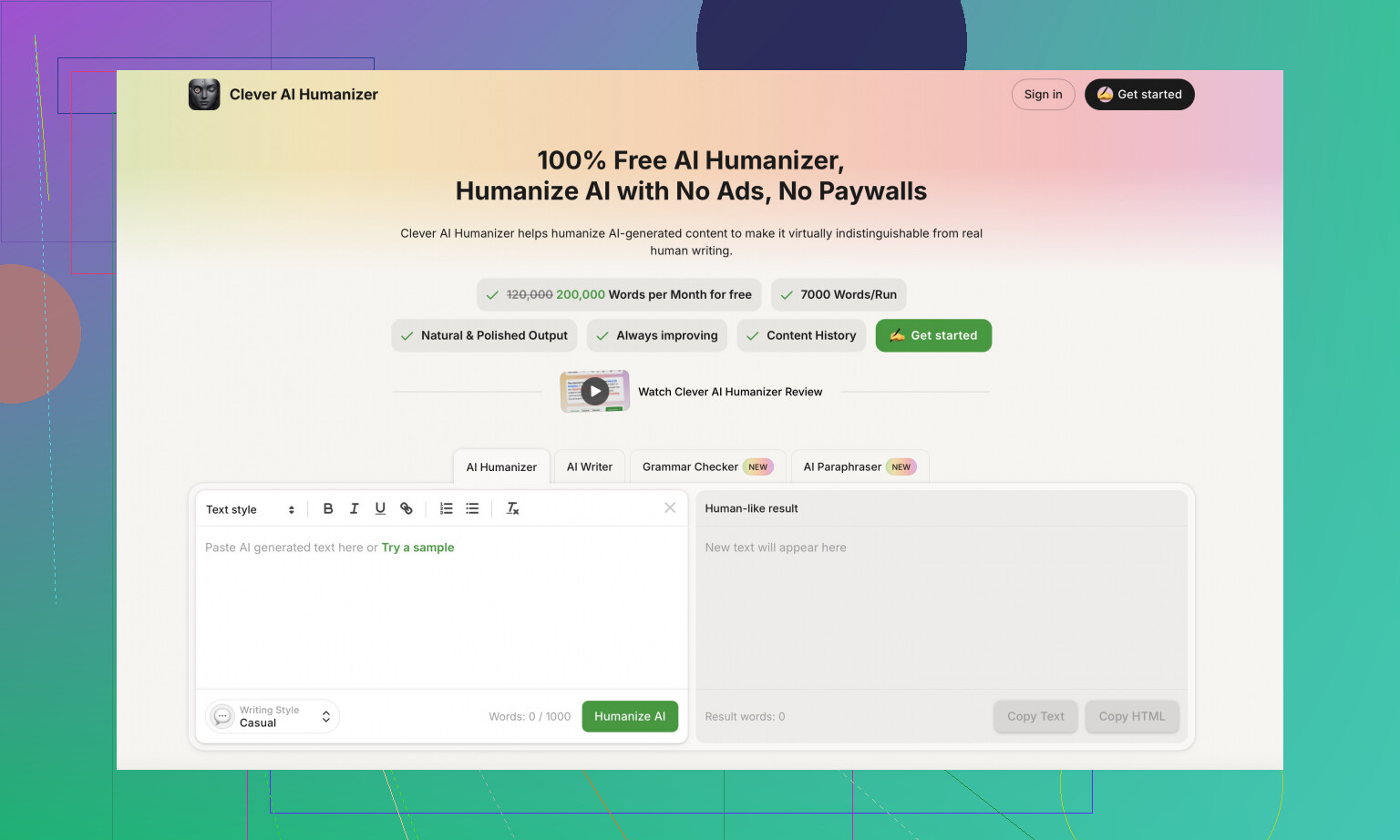
• No paywall to get started, so I did not feel like I was burning money while experimenting
For what I needed, Clever AI Humanizer gave me more stable output with less cleanup work.
Extra resources I found useful
If you want to see how other people handle this stuff, two Reddit threads helped:
Humanize AI tutorial on Reddit
Clever AI Humanizer review on Reddit
There is also a YouTube review of Clever AI Humanizer here, if you prefer to watch someone walk through it step by step:

Quick takeaway from my tests
If you use Walter Writes AI on the free Simple mode, expect:
• Sometimes it slips past detectors with decent scores
• Sometimes it gets flagged 100% AI for no clear reason
• You will likely need to clean up punctuation, repeated words, and those robotic parenthetical examples
• Pricing is okay on paper but the per-submission word limit and the policy language made me step back
If your priority is natural-sounding output with less detective work after the fact, I had better luck with Clever AI Humanizer here:
Short answer from my side after a couple weeks of testing it for comparison content and roundup posts: I would not pay for Walter Writes AI Reviews for what you want.
Key points for your specific use case, content research and product comparisons:
-
Accuracy on product details
It pulled generic info fine, but it missed specs and current pricing more than I liked.
For example, it mixed up feature sets between two similar SaaS tools and kept repeating older pricing that was already changed on the vendor site.
I had to double check every claim against the source pages. That killed the “streamline research” idea. -
Bias and affiliate style output
A lot of outputs felt like templated affiliate copy.
It overemphasized pros, downplayed cons, and often ended with “this is a great choice for most users” type lines.
If you want clear pros and cons for honest comparisons, you will need to rewrite a lot to keep it neutral. -
Consistency issues
I saw the same inconsistency that @mikeappsreviewer mentioned, but in a different way.
Sometimes it wrote tight, useful comparisons.
Other times it repeated the same benefit in three different sentences and skipped obvious dealbreakers like missing features or short trial periods. -
Style quirks
On my end it was not only semicolons or parenthetical spam.
It leaned hard on phrases like “on the other hand” and “that said” in every second paragraph.
Once you notice those tics, your readers will too, and your posts start to feel uniform and mechanical. -
Workflow fit
You want to streamline research and comparisons.
What Walter did well:
• Turn bullet notes into semi-structured comparison tables
• Generate intro and outro sections fast
What it did poorly:
• Pull reliable, up to date product data
• Weigh tradeoffs in a balanced way
So you still need your own manual research and judgment. -
Pricing vs value
The word caps and per submission limit felt cramped once I tried long “best X for Y” posts.
You end up chunking content, which breaks flow and adds time.
For that price range, I got more value pairing a general LLM with a manual research process.
Alternative that fit better for me
For humanizing and polishing AI content after I had accurate notes, Clever AI Humanizer worked better.
I fed in my own researched bullets and early drafts, then used Clever AI Humanizer to smooth tone, reduce repetition, and keep things sounding more like a real reviewer, not sales copy.
That combo, manual research plus a humanizer, beat relying on Walter to “do the research” for me.
If you want to test it anyway, I would:
• Use the free credits only
• Run one real comparison article through it
• Time how long you spend fixing facts and tone
If your edit time stays high, your money is better in a general AI tool plus something like Clever AI Humanizer for the final pass.
Short version: I wouldn’t pay for Walter for what you’re trying to do.
I’ve been using it on and off for a few weeks for “best X tools for Y” and SaaS roundups. My experience lines up partly with @mikeappsreviewer and @stellacadente, but not 100%.
Where I disagree a bit:
- It’s not totally useless.
If you already did your own research and have bullet notes, Walter can spit out halfway decent comparison tables and intro / outro sections. For quick drafts of “Tool A vs Tool B” layout, it’s fine.
Where I strongly agree:
-
Accuracy & research
As a research helper, it kinda fails.- It confused feature sets between competing tools multiple times.
- It kept using outdated pricing and plan names that vendors changed months ago.
- It often glossed over huge cons like missing integrations or strict usage caps.
Net effect: you have to manually re-check everything. That kills the whole “streamline content research” idea.
-
Bias / affiliate tone
Outputs read like generic affiliate blogs:- Overhyped pros
- Weak, softened cons
- “This is a great choice for most users” type endings over and over
You can force it more neutral with stronger prompts, but then you’re fighting the tool instead of saving time.
-
Style & repetition issues
I hit a slightly different set of quirks than @mikeappsreviewer, but same vibe.- Overuse of “on the other hand,” “that said,” “in conclusion”
- Repeated phrases in back to back paragraphs
- Awkward transitions that feel mechanical
You can edit around it, but again, time sink.
-
Workflow reality
For product comparisons, what actually works is:- Manual research from vendor pages, docs, G2/Capterra, etc.
- Turn those into your own bullet notes: features, pricing, pros/cons, who it’s for.
- Then use AI to help write, not research.
Walter tries to do both and ends up being mediocre at the part you care about most: trustworthy info.
-
Pricing vs benefit
The word caps and submission limits are annoying once you’re doing full “Top 10” style posts. Chunking content into 2,000 word blocks broke flow for me and made editing more annoying than just using a general LLM that doesn’t get in the way.
Where I’d put my money instead:
- Use a general AI (ChatGPT, Claude, Gemini, w/e) to help structure your comparison based on your notes.
- For polishing and “make this sound like a real reviewer instead of a brochure,” a dedicated humanizer works better.
In that lane, Clever AI Humanizer is actually useful: I feed it my own researched outline or rough draft, and it cleans up tone, cuts repetition, and keeps it sounding like a person with opinions instead of a sales bot. No weird semicolon chaos either in my tests.
If you still want to try Walter:
- Stick to the free tier first.
- Run one real comparison article end to end.
- Track how much time you spend fixing facts and de-hyping the language.
If your editing time is high (it probably will be), you’re better off doing: manual research + general LLM + something like Clever AI Humanizer for the final pass, instead of paying Walter to “research” for you.
I’d skip Walter for product research. The inconsistent detector scores matter less than its factual errors, outdated pricing, and soft affiliate tone. If you still test it, use one real article and log correction time. Over 30 minutes of fact fixing means poor value.
A simpler option is hiring a freelance researcher to fill a fixed spreadsheet. Ask for current price, limits, integrations, three pros, three cons, and a source link for every claim. Pay per completed sheet. You get verified notes without wrestling with prompts or robotic rewrites. Then write the review yourself. Its faster and easier to audit.
Something nobody flagged yet: any humanizer pass can quietly reword numbers, plan names, or feature claims while it smooths the tone, and for product comparisons that is the exact stuff you cannot afford to get scrambled. So the Clever AI Humanizer combo people keep pointing to is fine for the final polish, but only if you lock your facts down first and reread the price/spec lines after the rewrite. I mostly agree with @darkfalcon_22 that the detector scores are a sideshow here. If you’re paying Walter to research, you’re paying it for the one thing it’s worst at. Do the fact gathering yourself, then let a tool clean up the voice, not the other way around.