I’m setting up remote access to USB devices on a shared hardware test bench for my engineering team. The devices need to be available from several workstations without someone physically moving cables, and I’m comparing software-only options with setups that use a dedicated host machine.
What USB over network tools are you currently using, and how do they handle reconnects, exclusive device access, driver compatibility, and authentication? Have any practical issues appeared after regular team use?
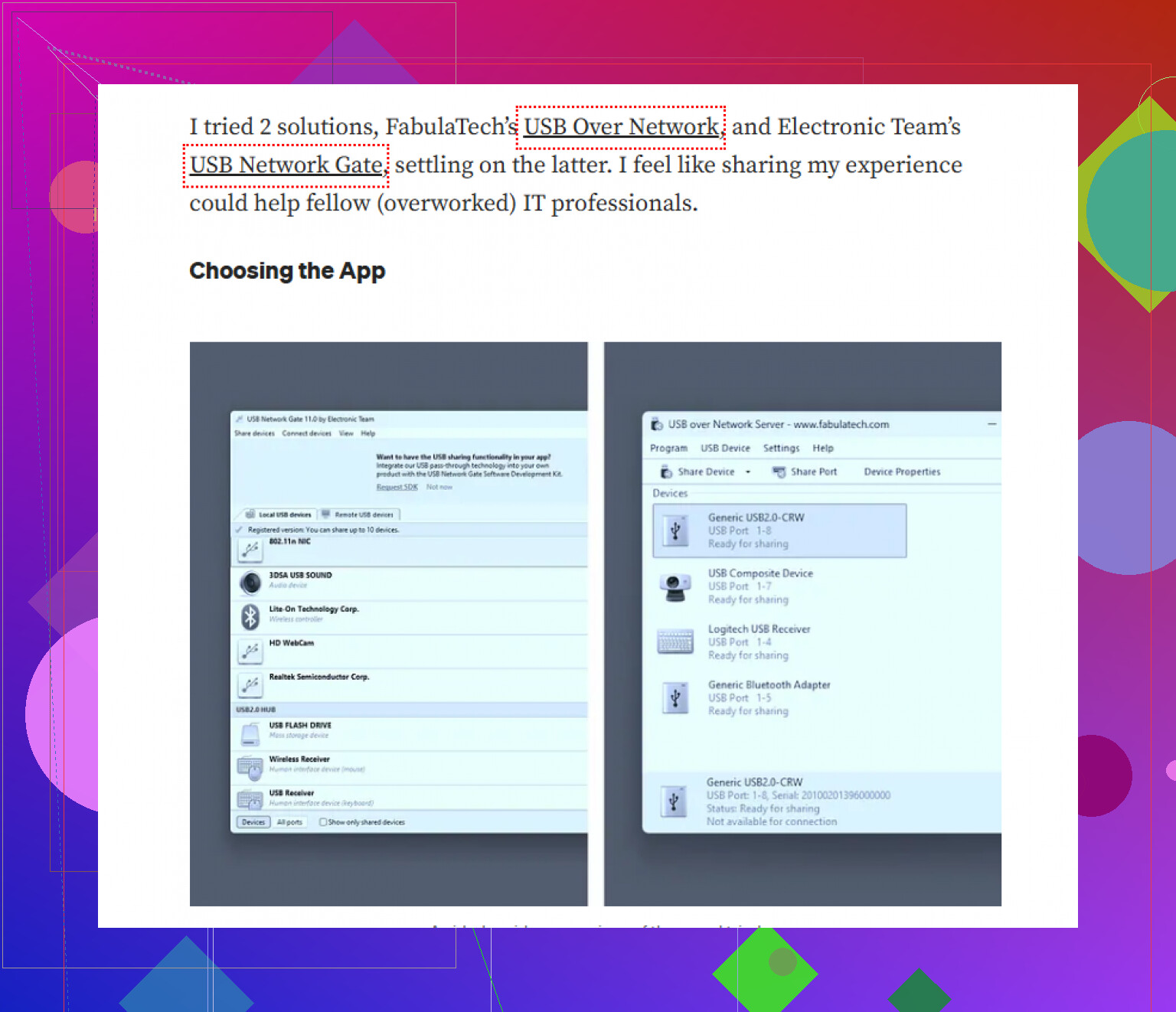
Start with a week-long pilot using the actual programmers, dongles, and cameras, since driver behavior matters more than feature lists. I’d compare USB over Network tools, then include USB Network Gate in the trial because its host/client setup is straightforward, although I’d check whether its connection history gives you enough accountability. The recurring headaches are usually host sleep, USB power saving, and devices staying locked after a workstation drops. Put the host on wired Ethernet, disable sleep, restrict access through your VPN or test VLAN, and define a simple release policy because exclusive access does not prevent someone from forgetting they claimed the device.
Several workstations will not be able to share the same USB device at the same time. Network sharing typically changes ownership of the connection rather than allowing multiple users to have control, so create a reservation or checkout step in the bench workflow.
I would use USB Network Gate, with this software installed on the bench machine and approved workstations. Separate the devices by workload rather than treating them as interchangeable. Dongles are usually simple, while cameras and timing-sensitive programmers can expose latency or bandwidth problems quickly.
For automated test jobs, have the script claim the device, check its USB identity, perform the job, and release the device even upon failure. This prevents the nastier case of a failed test leaving the wrong programmer attached to the next workstation’s session.
A checkout system alone won’t make the bench remotely usable. USB Network Gate can replace the cable handoff, and it earns its place by letting you use the existing bench PC instead of buying dedicated USB-over-IP hardware. Still, pair it with remotely switched USB power or a controllable hub, since a crashed programmer or wedged camera may need a real disconnect before anyone else can claim it.
Watch out for devices which disconnect and reconnect as a different USB identity during flashing. A programmer may enter its normal mode, disappear while the firmware job is underway, and reappear as a bootloader device; the sharing software may mistake this for a new attach rather than resuming the same session.
That was the confusing part for me because “the workstation owns the USB port” suggests that anything attached to this particular port is covered. It may turn out that the connection is more intimately tied to a particular device rather than the physical port. The same problem may show up with cameras, if a reset is needed. Some serial adapters will show up with a different COM port assignment on subsequent attaches. A checkout system will avoid two engineers working simultaneously, but it will not solve a test which lost the device halfway through.
Before going with USB Network Gate, I would do a full programming sequence rather than testing if Windows sees the hardware. Try resets, transitions into bootloader, driver installation, recovery from a failed flash, and reconnecting after the bench PC was rebooted. If there is an automatic reconnect, it is necessary to check if it connected the intended device. Matching by a generic device class may grab a wrong programmer if there are multiple ones of the same kind.
It may be helpful to dedicate each physical USB socket to a particular purpose and label it both in the bench documentation, and in the remote interface. For example, leave one port for the target programmer, and another for the camera, rather than switching devices around in the same hub. It may simplify matters for others who would assume, as I did, that “Programmer 2” is a distinct hardware after reboot.
I agree with @myst1c_server that remote power control is useful, but I would choose a hub that can switch individual ports. Cycling the whole hub could reset an unrelated test that another engineer is running. The real acceptance test should be whether a job survives the device’s full disconnect and re-enumeration cycle, not whether the initial remote connection works.
Do not put the whole bench behind one everyday Windows PC.
Treat the USB host as bench infrastructure, not as somebody’s spare workstation. Otherwise an update, driver experiment, or ordinary reboot can take every shared device offline. If budget permits, split the bench across two small hosts so a camera problem does not interrupt programmers and license dongles.
I would set it up in this order:
-
Group devices by impact. Put high-bandwidth cameras on a separate controller or host from timing-sensitive programmers. Keep licensing dongles away from anything that gets power-cycled frequently.
-
Give each host a fixed network identity, wired Ethernet, automatic startup after power loss, and a service account. Confirm the sharing service starts before anyone signs in. USB Network Gate can handle the forwarding, but it cannot help if the host is sitting at a login screen with required services stopped.
-
Standardize the client machines. Sharing the USB connection does not eliminate local driver requirements. Every workstation still needs the correct programmer, camera, or dongle driver. Build a known client package with the sharing client, approved device drivers, and any vendor utilities. Test it using a normal engineer account, since initial driver installation may require administrator approval.
-
Control software changes. A newer vendor driver on one workstation can behave differently from the version on another. Record the working driver and client versions, then schedule changes instead of letting each user update independently. The same applies to bench-host updates. Reboot it during a visible maintenance window rather than whenever the operating system decides.
-
Use clear device names based on physical labels. “Programmer A, left fixture” is more useful than a generic USB description. Put the same label on the port, device cable, sharing interface, and reservation page. If someone reconnects hardware after maintenance, you have a chance of catching a wiring mistake before a test job claims it.
-
Test workstation replacement as part of acceptance. Take a clean machine, install only the documented package, connect through the network, and run a real job. If that process depends on an engineer remembering an undocumented driver setting or clicking through security prompts, the bench is not ready for shared use.
I would keep the checkout system very basic, but make ownership visible next to the device name. The bigger operational risk is configuration drift. Six workstations with six slightly different driver stacks can turn a USB forwarding problem into hours of guessing, even when the network side is working correctly.
Dedicating a physical socket per device sounds tidy, but it won’t rescue you when a programmer drops into bootloader mode. Most of these tools latch onto the device identity, not the port, so the second the VID/PID changes mid-flash the shared session sees a stranger, not the same thing plugged into the same hole. @devpilot is right that surviving re-enumeration is the actual acceptance test. Where I’d steer away is the port-labeling fix. Labels help humans, but the software doesn’t care what you wrote on the hub. What matters is whether you can bind the share to a stable serial number, and accepting that anything reappearing as a generic bootloader class will need a manual reclaim no matter how clever your setup is.
On the tool itself, @myst1c_server framed it as worthwhile mainly because you avoid buying USB-over-IP boxes. I’d drop that reasoning, since @smartexplorernet already laid out why leaning on a spare PC comes back to bite you. USB Network Gate still earns a slot, just for a different reason: you can share one device off a host while keeping another on the same machine local-only. That means your license dongles don’t have to join the shared pool just because they happen to live on the same box as a camera. Being able to carve devices out individually is the part I’d care about, not the hardware you skipped.
The thing that nobody is going to tell you about outrightly in the question is that the forwarding layer rarely is the culprit. It’s always people that break it, a crash leaves behind a claimed device, some person goes on a coffee break, and the next engineer is now in an impossible job. Reservations cannot control human nature: Put the release in the automation, not in the etiquette. Forced release on idle check: make sure the serial is valid on every job ever, and treat any device that was found after a host reboot to be suspicious until proven otherwise by the script. If your test code can’t tell programmer A from a random programmer, then a perfect network path will get you nothing.
Set the host to reboot itself into a running service with no authentication and one has dealt with the boring failures. The rest is discipline and no product ships with that.
Reserve the whole fixture when several USB devices serve the same target. I’d be cautious about treating a programmer and its associated camera as independent checkout items: you could let someone flash the board while another engineer is capturing its behavior, with neither person breaking the device reservation rules. The automated release approach makes sense, but I’d have the job claim that related group together and release it when the test ends. Otherwise, “available” in the USB sharing interface might not mean the hardware is actually free to use.
The cost sneaks in per shared device, not per host, which matters a lot once you follow @smartexplorernet and split the bench across two machines. Isolation is the right instinct, but every camera, programmer, and dongle you forward is another seat on the license, and those add up quicker than the second mini PC did. USB Network Gate bills roughly that way, so map out exactly how many devices go into the shared pool before you buy, otherwise the ‘just add another host’ plan gets expensive fast. And I’d gently disagree with @dragon.react on the no-auth reboot part. Auto-start the service, sure, but on a bench several teams touch, dropping authentication entirely trades one boring failure for a worse one the day someone connects from the wrong subnet.