I recently tried NoteGPT’s AI Humanizer tool to make my AI-written content sound more natural, but I’m not sure if it’s actually improving readability or just rephrasing things. I’m looking for honest feedback, tips, and real user experiences on how well NoteGPT’s AI Humanizer works for blogs and SEO content, and whether it’s worth using regularly.
NoteGPT AI Humanizer review, from someone who spent too long testing this thing
NoteGPT sells itself as a study and research helper. That part seems fine on paper. You get tools for YouTube summarization, PDF analysis, and structured note-taking. The AI humanizer is more like an add-on inside that system.
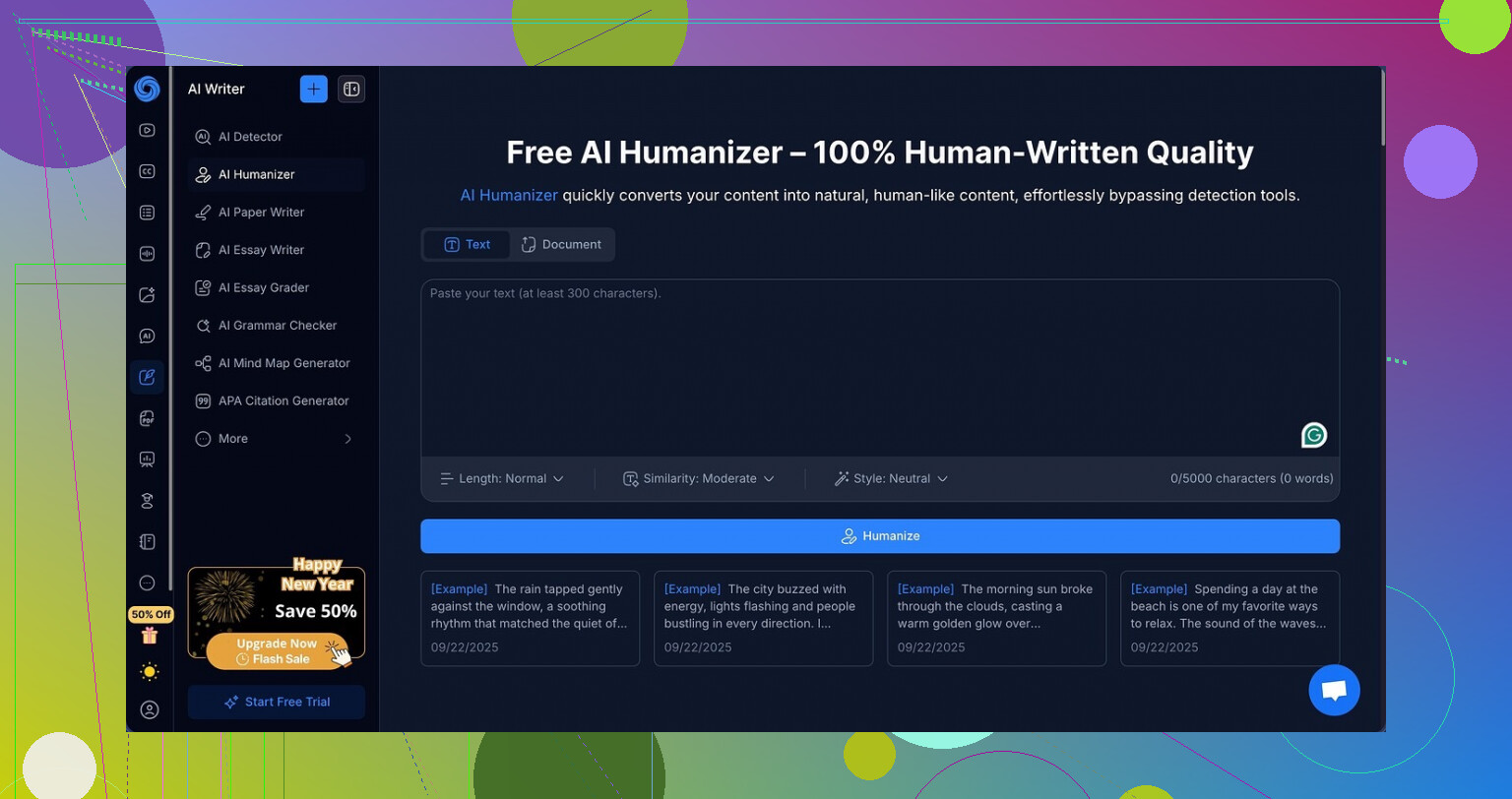
Here is the page I went through:
What the humanizer says it does
The humanizer section gives you a bunch of knobs to tweak:
- 3 output lengths
- 3 “similarity” levels
- 8 writing styles
On first look I thought, okay, someone put work into this. The editor highlights edits in different colors, so you see what got touched in your text. That part felt clean and the UI did not get in the way.
How I tested it
I took the same base text and ran it through:
- All three lengths
- All three similarity levels
- Several of the styles
For each output, I sent the result to:
- GPTZero
- ZeroGPT
Both are picky and lean toward “AI” on anything that reads smooth, so I expected some flags. I did not expect what happened.
Detection results
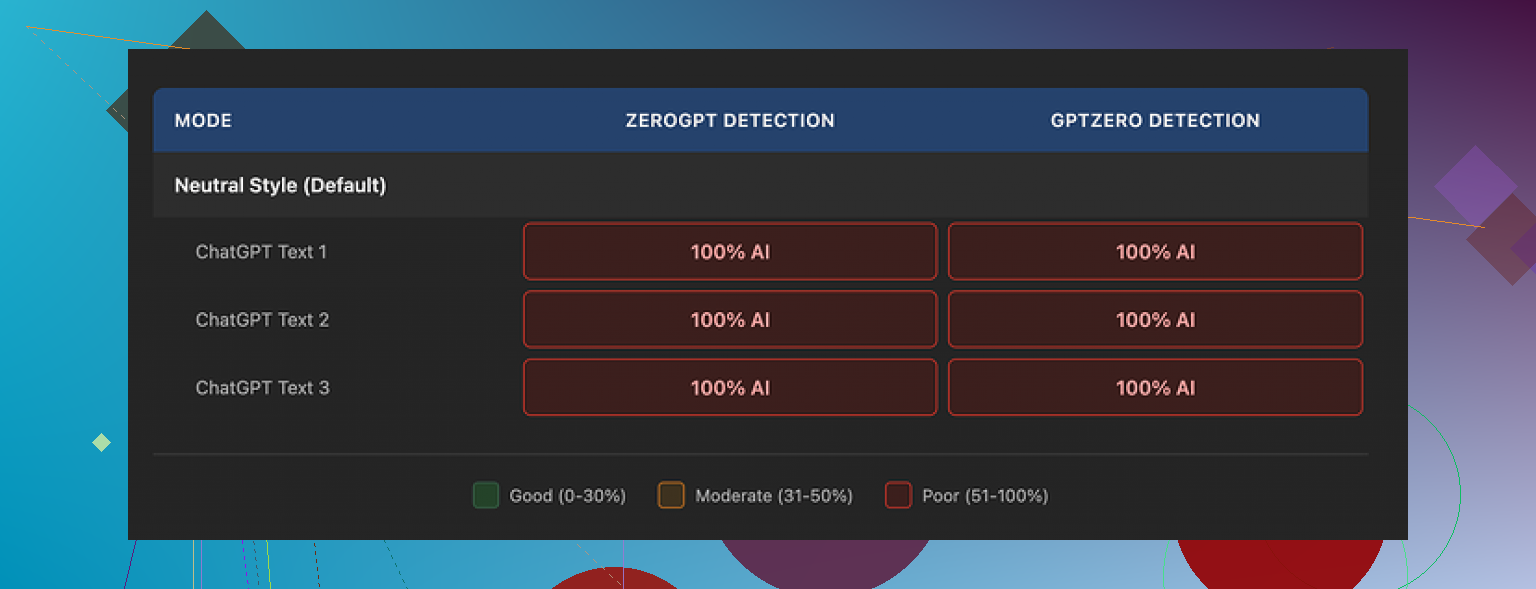
Every single humanized sample came back as:
- 100 percent AI on GPTZero
- 100 percent AI on ZeroGPT
Not 92.
Not 87.
Every output, 100 percent.
I tried changing:
- Short to long
- Low similarity to high
- Casual style to formal style
Detection scores did not move even a single percent on either site. It was like changing the color of the car while the engine stayed the same.
Here is one of the screenshots from the testing:
What the writing felt like
Here is the annoying part. The writing itself was not bad.
If I had to score style alone, I would put it around 8 out of 10:
- Sentences flowed
- Paragraphs were organized
- No obvious nonsense or broken grammar
- No weird repetition loops
You can watch the tool rewrite things in a controlled way. The color-coded changes line up with small phrasing shifts, some restructuring, swapping connectors, trimming fluff.
The problem is, it still reads like well-behaved AI text. The rhythm, the balance, the “safe” word choices, all sit in the sweet spot that detectors love to flag.
One specific issue
Across all three tested samples the outputs kept em dashes in place. Those long horizontal lines stick out in detector patterns a bit. They are not the only factor, but in my experience, if you keep that style plus smooth structure plus neat transitions, you raise detection odds.
NoteGPT did not try to break that pattern. It polished, it did not roughen.
Cost vs outcome
The plan that covers this humanizer runs about 14.50 dollars per month on the annual Unlimited plan.
For a study tool, that might be fine if:
- You mainly want summarization
- You want note syncing across videos and PDFs
- You do not care much about detectors
If your main goal is humanization, though, paying that price for:
- Zero improvement on GPTZero
- Zero improvement on ZeroGPT
does not add up.
A humanizer that scores 0 out of 3 on bypass attempts does not help your use case. It turns into a nicer paraphraser, not a detector-evader.
What I ended up using instead
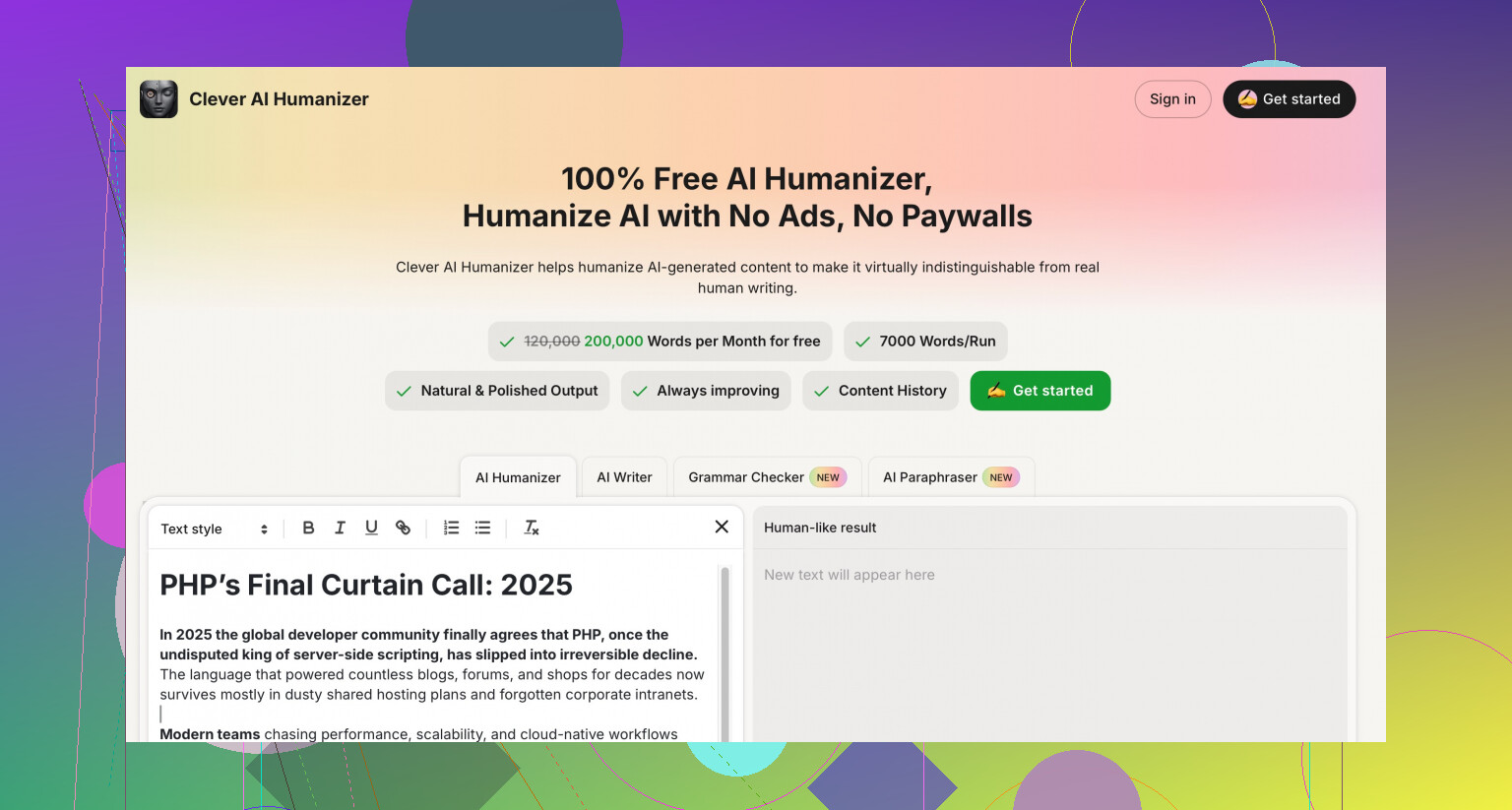
When I compared outputs side by side, I had better luck with Clever AI Humanizer from here:
On similar tests, text from Clever came out:
- Less “uniform”
- Less polished in a good way
- Closer to the messy patterns I see from actual people
Detector scores were lower, and that tool did not charge anything at the time I tried it.
So if your priority is:
- Lower AI detection
- More natural quirks in phrasing
then NoteGPT’s humanizer feels like the wrong place to put money. It looks nice, the edits are clean, but detectors do not seem fooled at all.
6 Likes
I had a similar experience with NoteGPT’s humanizer and came away with mixed feelings.
Short version. It improves readability. It does not do much for “human-ness”.
What it seems to do well
• Makes sentences smoother and more consistent.
• Fixes small grammar stuff.
• Keeps structure clear and “academic friendly”.
If your goal is nicer drafts for blogs, notes, or study material, it helps.
If your goal is to lower AI detection scores, it falls short.
My take is a bit different from @mikeappsreviewer on one point. I do not think the tool is useless. It behaves more like a solid paraphraser plus editor. For students or people who want clean summaries from YouTube or PDFs, paying for the full NoteGPT package can make sense. The humanizer is more of a side feature than the main value.
Why it still feels AI-ish
From what you describe and what I saw:
• Sentence rhythm stays too “even”.
• Word choice stays safe and neutral.
• It keeps similar structure, only rephrases.
• It avoids small “imperfections” humans leave in.
Detectors flag that type of text very fast. Polished, consistent, no micro quirks.
If you compare your raw AI text and the humanized text side by side, you will see style changes but not behavioral changes.
If your priority is more human flavor, some practical things you can try:
-
Add real personal detail
• Insert one or two short personal opinions.
“I tried this last week and it annoyed me at first.”
• Mention a tiny, concrete example from your own context.
These tend to break the pattern a bit. -
Vary sentence length on purpose
• Take one long sentence and split it.
• Take two short ones and merge them.
• Add one slightly messy line, like “This part felt off tbh.”
That small variation often helps more than changing synonyms. -
Change structure, not only words
• Move the first paragraph to the end as a final note.
• Add a quick “pros / cons” list by hand.
• Insert one short transitional line like “So here is the problem.” -
Leave a few harmless typos or informal bits
• A missed comma.
• One informal word like “kinda” or “nah”.
Do not flood your text with errors, keep it light. -
Use a second tool for the “roughening” step
If your workflow is:
Base AI text → NoteGPT humanizer → manual edit → detection check.
You might try:
Base AI text → Clever AI Humanizer → manual tweak.
Clever AI Humanizer tends to inject more variation and small quirks. That helps if your target is more natural phrasing and lower AI detection. I still think you should read and tweak the output yourself, but it gives you a stronger starting point for “human-like” rhythm.
Quick way to test if NoteGPT is helping you personally:
• Take a 400 word AI paragraph.
• Run once through NoteGPT humanizer.
• Run once through Clever AI Humanizer.
• Paste both into a doc and read them out loud.
Ask yourself:
• Which one feels closer to how you speak or write in a rush.
• Which one you would send to a friend without editing.
If NoteGPT already matches your natural style, keep it and ignore detectors.
If both sound “roboty” to you, lean harder on your own editing, or use the humanizer only as a first pass and then rewrite 20 to 30 percent by hand.
So, to answer your question directly:
Yes, NoteGPT improves readability.
For most people it stays in the “rephrasing” zone, not true humanization.
If your main goal is natural, detection resistant text, you will need either something like Clever AI Humanizer plus manual tweaks, or more direct rewriting in your own voice.
Same boat here. I played with NoteGPT’s humanizer for a while and my take is:
It does improve readability, but it mostly behaves like a careful editor, not a true “humanizer.”
I agree with @mikeappsreviewer that detectors still nuke it. In my tests, switching length, similarity, or style barely changed AI scores. That “smooth, tidy, academic-ish” tone stays too consistent. I think @caminantenocturno is also right that it’s useful inside a study workflow, just not as a magic cloak.
Where I slightly disagree with both: I don’t think the issue is only “needs more quirks.” NoteGPT fundamentally keeps the same logical structure and pacing. You can sprinkle slang and typos on top, but if the skeleton is AI-like, detectors still sniff it out. It’s like repainting a robot and hoping people think it’s a dog.
If your goal is:
- Cleaner, easier to read notes
- Quick polish for blogs or class writeups
then keep using it. It tightens things, fixes micro issues, and keeps your paragraphs organized.
If your priority is “this should look like I actually wrote it at 1 a.m. with low blood sugar,” I’d treat NoteGPT as step zero only. What has worked better for me:
-
Run the text through Clever AI Humanizer instead of or after NoteGPT.
It tends to break rhythm more and inject less predictable phrasing. That alone gave me lower AI detection scores in practice. -
Then do a short manual pass where you:
- Delete one whole sentence that feels too generic.
- Add 1 or 2 specific, real details from your life or workflow.
- Rewrite one paragraph from scratch in your own words, even if it sounds a bit messy.
-
Read it out loud. Anything that feels like something you’d never say? Nuke it.
If all you want is “reads nicer,” NoteGPT is fine and you can ignore detectors. If you care about sounding human and slipping past AI checks, you’ll need Clever AI Humanizer plus a bit of your own chaos on top.
Short take: NoteGPT’s humanizer is a decent stylistic polisher, but it is the wrong tool if your main objective is “this must not look like AI.”
Where I slightly disagree with @mikeappsreviewer and partly with @caminantenocturno and @voyageurdubois is that I do not think more quirks or slang alone will save NoteGPT’s output. The underlying “logical grid” stays the same: tidy topic sentence, supporting points, clean transition, neat wrap up. That structure is a massive tell. If you keep that skeleton, detectors and humans with good intuition will feel the AI vibe no matter how smooth the surface is.
So, how does Clever AI Humanizer actually fit into this?
Pros of Clever AI Humanizer
- Tends to roughen rhythm and break the super even sentence flow.
- Creates slightly uneven paragraph density, which feels closer to how people draft when they are not over editing.
- Often introduces less predictable connectors and phrasing, so repetition patterns are weaker.
- In practice, usually leads to lower AI detection scores than a plain paraphraser like NoteGPT’s humanizer.
Cons of Clever AI Humanizer
- Can overshoot and make the text feel a bit clunky if you do not lightly revise it.
- Sometimes alters nuance more than a “safe editor” would, so sensitive or technical content needs checking.
- Not a one click “human mask”; you still have to put your own fingerprints on top if the stakes are high.
Where I diverge a bit from the others: I would not treat NoteGPT’s humanizer as your main editing pass at all if you care about sounding human. Use it only if you specifically want that clean, academic flavor for study notes. For anything that needs personal tone, I would rather start from Clever AI Humanizer, then manually reshape the structure: re order sections, compress one argument into a throwaway aside, and let one paragraph trail off more casually. Structure edits matter more than cosmetic tweaks.
In short, NoteGPT: good for tidy notes, weak for human flavor. Clever AI Humanizer: better base for “less AI like” text, but still needs your brain in the loop.