I’ve been seeing more mentions of BypassGPT and I’m not sure if it’s legit, safe, or even worth the time. Can anyone share real experiences, pros and cons, and whether it’s reliable for everyday use or specific tasks? I’m trying to decide if I should trust it and would really appreciate detailed feedback and any warnings or success stories.
BypassGPT review, from someone who tried to test it and kept hitting walls
BypassGPT Review
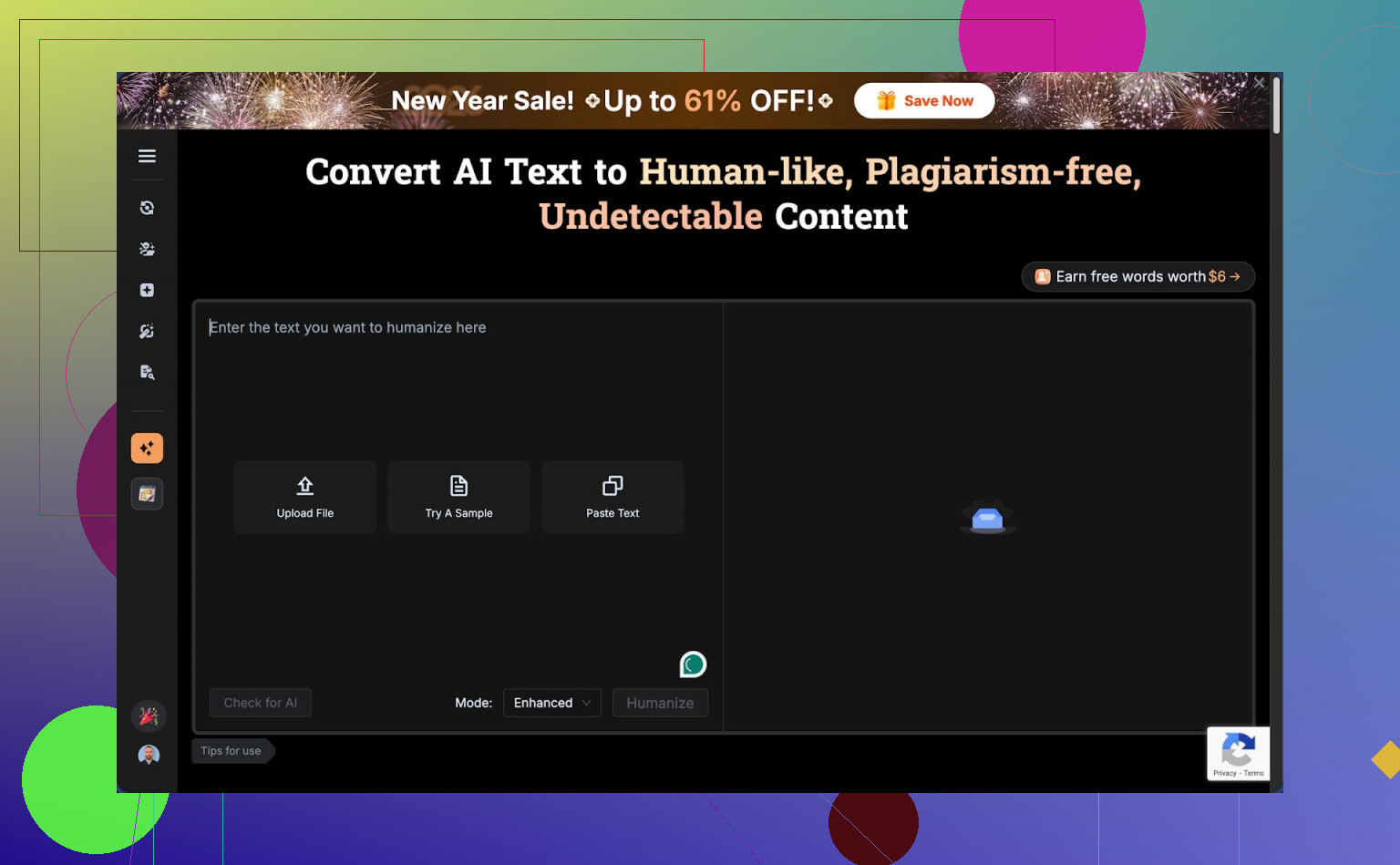
I tried to give BypassGPT a fair shot. It did not make that easy.
The free tier stops you at 125 words per input and about 150 words per month total. That is not a typo, per month. You get enough room for a short paragraph, not for a normal article or even a proper test sample.
I ended up signing up for an account to squeeze out a bit more usage. That unlocked something like 80 extra words, which let me run only one of my usual benchmark texts. After that, hard stop. The limit seems tied to IP, so making extra accounts from the same connection does nothing unless you run a VPN and hop locations.
Here is how the limit looks in practice:
So if you want to compare multiple samples, different styles, or longform content, you hit a brick wall before you even start. From a testing perspective, it is almost unusable on the free tier.
Detection results and accuracy issues
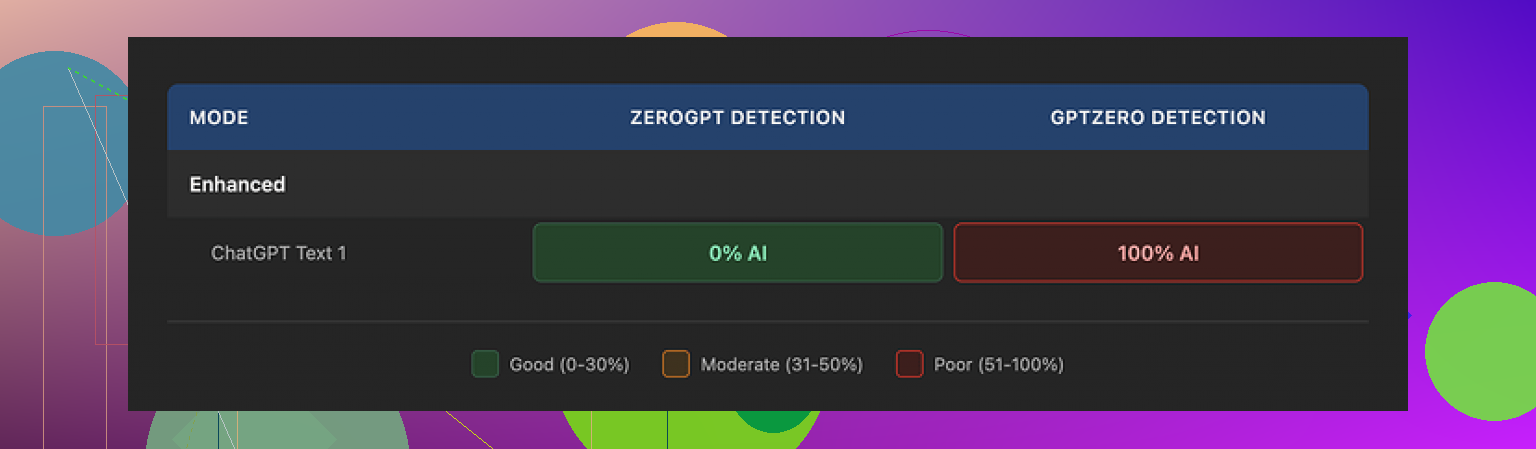
With the tiny window I had, I fed BypassGPT one of my standard AI-written test texts. Then I ran the output through different detectors.
Here is what I saw:
• ZeroGPT showed 0 percent AI detected. Full pass.
• GPTZero flagged the same text at 100 percent AI. Complete fail.
• BypassGPT’s own checker said it passed across six detectors, all green, which did not match what I saw on GPTZero at all.
That last part bugged me the most. When a tool says “you passed on all these detectors” and at least one of those external tools disagrees in live testing, I stop trusting the internal dashboard.
So if you plan to use it for risk-sensitive stuff, you will want to run your own checks on sites like ZeroGPT and GPTZero instead of trusting the built‑in report.
Writing quality
On writing quality, I would put it around 6 out of 10 from what I saw.
Issues I hit right away:
• The first sentence in one output was grammatically broken. Not unreadable, but something a native writer would not send.
• It kept em dashes in the text, even though those often trip some detectors and also tend to feel a bit “AI-ish” in bulk content.
• Several phrases felt stiff or off, closer to a lightly edited AI text than a human draft.
• I even spotted a typo in the generated text.
So it did not feel like something you would paste directly into a client email or a blog post without another careful edit. It might pass on some detectors at low word counts, but the text itself still looked like it needed work.
Pricing and content ownership
Paid plans, at the time I checked, were in this ballpark:
• Around $6.40 per month if you pay yearly, with a 5,000‑word limit.
• Around $15.20 per month for an “unlimited” tier.
Those numbers are not extreme for AI tools, but the part that made me pause was the terms of service.
Their terms hand BypassGPT broad rights over what you upload. That includes rights to reproduce your content, distribute it, and make derivative works from it. So if you are feeding it client drafts, unpublished material, or anything sensitive, you are giving up more control than I am comfortable with.
If you write SEO content for others, ghostwrite, or handle internal documents, you should read their terms line by line before you push anything important through it.
Comparison with Clever AI Humanizer
Since I was testing multiple tools, I also ran the same kind of content through Clever AI Humanizer here:
Across my trials, Clever AI Humanizer did better on two fronts:
• The writing itself sounded more like a human draft, less robotic, fewer odd phrasings.
• Detection scores tended to be stronger across multiple checkers, not only one.
On top of that, Clever AI Humanizer was free to use when I tested it, without the tiny monthly word ceiling that stopped me with BypassGPT.
If you just want to experiment or need a tool for occasional use, being able to run full samples without hitting 150 words per month makes a big difference.
Bottom line from my runs
If you:
• Need to evaluate tools with larger samples,
• Care about consistent detection results across different checkers,
• Or watch your content rights closely,
BypassGPT did not feel like the best choice in my tests. The strict free limits, the mismatch between internal and external detection results, and the broad content rights in the terms made it hard for me to trust it for anything serious.
For my own use, Clever AI Humanizer became the one I kept going back to, mostly because I could run more text, get more natural outputs, and not fight a hard monthly word ceiling every time I tried a new sample.
2 Likes
Short version from my side after a week of messing with BypassGPT:
-
Is it legit
Yes, it is a “real” service, not a scam site. Payments work, dashboard works. No shady redirects or malware stuff on my end. -
Limits and use cases
The free word limit is extremely tight, similar to what @mikeappsreviewer saw. For quick tests or a short paragraph it works. For real workflows like blog posts, reports, or long emails, the cap gets in your way fast.
If you plan daily or heavy use, you end up in a paid tier almost immediately. -
Detection vs reality
I saw the same mismatch they mentioned, but I want to add one thing. AI detectors themselves disagree with each other a lot.
Example from my tests:
• One “humanized” output passed ZeroGPT and Originality.ai.
• The same text failed GPTZero and another internal checker I use for clients.
So when BypassGPT says “passed X detectors” and you see something else on your side, do not trust any single dashboard. If you do serious content work, you need your own small workflow:
• Run the text through 2 or 3 external detectors.
• Look at averages and patterns, not one score.
• Read it out loud and check if it sounds like you.
- Text quality
For me, quality landed closer to 5 out of 10 than 6.
Weak spots I hit:
• Repeated sentence structures.
• Slightly weird word choices that no normal human uses in email.
• Tone shifts inside one paragraph.
You can fix most of it with manual editing, but then the “time saver” value drops. If you write for clients, you need to proof every line anyway.
-
Privacy and terms
The terms of service are the main red flag for me too.
I do client SEO and some internal docs. I will not push client drafts or contracts through a tool that grants itself broad rights to reproduce or derive content from what I upload.
If you only use it for school homework or rough drafts, you might not care. For agency, legal, or corporate work, I would avoid it. -
Reliability for daily use
For daily content work, I found it unreliable for three reasons:
• Hard limits slow you down.
• Detector results swing a lot across tools.
• You still need heavy manual editing.
I ended up using it only for quick experiments, not for production.
- Alternatives
If your main goal is humanizing AI text, Clever Ai Humanizer performed better for me.
Concrete differences from my tests:
• Longer inputs without hitting a monthly wall.
• Output looked closer to a fast human draft.
• Detection scores more stable across multiple checkers.
I still edit every output, but the edit time dropped a lot compared to BypassGPT.
- When BypassGPT might still make sense
• You want to try a different style on short texts.
• You need another tool in your rotation and do not mind juggling multiple services.
• You are not dealing with sensitive or client owned content.
If your question is “should I build my everyday workflow on BypassGPT,” my personal answer is no.
If your question is “is it safe enough to play with short non sensitive stuff,” then yes, with your eyes open and extra checks on your side.
Tried BypassGPT for a week because I was curious too. Short version: “usable in a pinch, but not something I’d build a workflow around.”
A few things I haven’t seen emphasized, on top of what @mikeappsreviewer and @yozora already covered:
- Use cases where it sort of works
For very short stuff it’s… fine. Stuff like:
- Tweaking 1–2 paragraphs of an email
- Lightly “humanizing” a short AI answer for a discussion board
- Changing tone on short snippets (formal to casual, etc.)
If you stay under ~150–200 words and do not care too much about style consistency, it can get the job done, especially if you already know how to edit. But it is not plug‑and‑play “paste and submit.”
- Detector obsession is a trap
Both of them mentioned mismatched detector results. I’ll push that a bit further: if your main reason to use BypassGPT is “I want to beat AI detectors,” you’re already playing a losing game. Detectors are noisy, change often, and your teacher or client can still just read the text and say “this feels off.”
BypassGPT sometimes does lower AI scores, but so do:
- Rewriting key parts yourself
- Cutting fluff
- Adding real personal details and specific anecdotes
In my tests, a half‑manual rewrite + small edits in a normal AI model got me similar or better results than wrestling with BypassGPT’s tiny limits.
- Quality vs effort tradeoff
Where I slightly disagree with the others: I did not find the quality that terrible. I’d put it at like 6.5 / 10 on short texts. It is not unusable, but the main issue is efficiency. If you need to:
- Run text through BypassGPT
- Then run through multiple detectors
- Then manually re‑edit awkward bits
You start to wonder why you did not just write or rewrite it yourself in the first place.
- Reliability for everyday use
For daily use, these were the practical problems I hit:
- Context loss on longer tasks because you need to chop everything into tiny chunks
- Tone shifts between chunks
- Inconsistent “humanization” style if you process a big article piece by piece
That makes it pretty bad for blogs, client reports, or anything that needs a consistent voice across 1k+ words.
-
Privacy / terms
The content rights thing is not a small detail. If you handle client docs, corporate stuff, or anything under NDA, BypassGPT’s terms are a big red flag. If it’s school work or random side content, you might not care, but for professional use it is a serious stopper. -
Alternatives
If you just want an “AI text to more human text” pipeline without insane limits, Clever Ai Humanizer is honestly more practical right now. Bigger input, more natural‑sounding output in my experience, and less time wasted juggling 50‑word chunks. Still not magic and you still need to edit, but for “humanizing AI text” specifically it fit that niche better.
So, is BypassGPT:
- Legit: Yes, it works, it’s not a straight scam.
- Safe: Technically safe to visit, questionable for sensitive content because of the terms.
- Worth it: Only for small, noncritical snippets and experimentation. For everyday or serious work, it feels more like a backup tool than a core one.
BypassGPT is basically fine for “it exists and takes your money,” but weak as a foundation for daily work.
What I found that slightly differs from what @yozora, @sonhadordobosque and @mikeappsreviewer said:
Where BypassGPT actually helps
- Short, low‑stakes stuff where consistency does not matter much
Quick comment replies, single‑paragraph intros, tweaking tone for a short blurb. In those cases the tiny limits are annoying but not fatal. - Mixing voices
If you already wrote something but it feels too stiff, it can nudge it toward casual or vice versa. As a lightweight stylistic filter it is okay.
Where it breaks down
- Anything that needs context across multiple paragraphs
Splitting a 1 000 word article into tiny chunks gave me visible tone jumps and repeated structures. You can smooth that out, but you are doing more editing than writing. - “Beat every detector” scenarios
I agree partly with the others, but I would go harsher. On longer content the detector game stops being predictable at all. Once you cross a few hundred words you are back to manual work plus your own detector juggling. At that point BypassGPT stops adding value.
Trust and transparency
The internal “all green” AI detection view does not match external tools often enough for me to rely on it. I would treat that panel as marketing, not as a risk gauge. Combine that with the broad content rights in their terms and it is a bad fit for client, corporate or academic work where consequences actually matter.
Clever Ai Humanizer comparison
If your main goal is to turn rough AI text into something more readable, Clever Ai Humanizer is simply more practical in day to day use.
Pros for Clever Ai Humanizer:
- Larger workable inputs so you keep more context
- Output usually closer to what a fast human draft looks like
- Detection scores that are at least less erratic across multiple tools
- Better for “one pass then light edit” workflows
Cons for Clever Ai Humanizer:
- Still not safe to use blindly for plagiarism or detector evasion
- You must edit for personal details and domain expertise
- Long, highly technical content can still come out a bit generic
- No guarantee it will stay free or as generous with limits forever
So what would I actually do?
- For serious, public or paid work
Write a solid draft yourself or with a regular AI model, then lightly use a humanizer like Clever Ai Humanizer only as an optional polish, and still edit carefully. Skip BypassGPT here because of the limits and terms. - For quick, disposable text
BypassGPT is “okay if you already have it open,” but I would not sign up just for that. Clever Ai Humanizer has a better balance of quality, length and effort for those same quick jobs.
If your question is “can I rely on BypassGPT every day for blogs, reports or client docs,” my answer is no. As a side tool you poke occasionally, sure. As a core part of a workflow, it creates more friction than it removes.