My iPad has gotten really slow and storage keeps filling up even after I delete apps and photos. I use CCleaner on my PC, so I’m trying to find a free iPad cleaner app that actually helps clear junk files, cache, or unnecessary data. I’m not sure what’s safe or what really works on iPadOS, and I need help finding the best free option.
People come into CCleaner on iPhone expecting a cleanup tool. What they get feels thin. I tried it, hit the paywall fast, and the duplicate matching felt off. On iPad, it was worse. There is no proper iPad app, so the whole thing feels shoved onto a bigger screen and left there.
What I ended up keeping instead was Clever Cleaner. I kept seeing the same app mentioned in threads any time someone asked for a free CCleaner replacement on iPhone or iPad, so I gave it a shot. For me, the difference showed up in the first few minutes.
CCleaner kept pushing upgrades. Clever Cleaner didn’t. No ads in my face. No subscription wall right before deleting stuff. I know, low bar, but on iPhone cleanup apps that already puts it ahead.
Where it pulled ahead for real was the sorting.
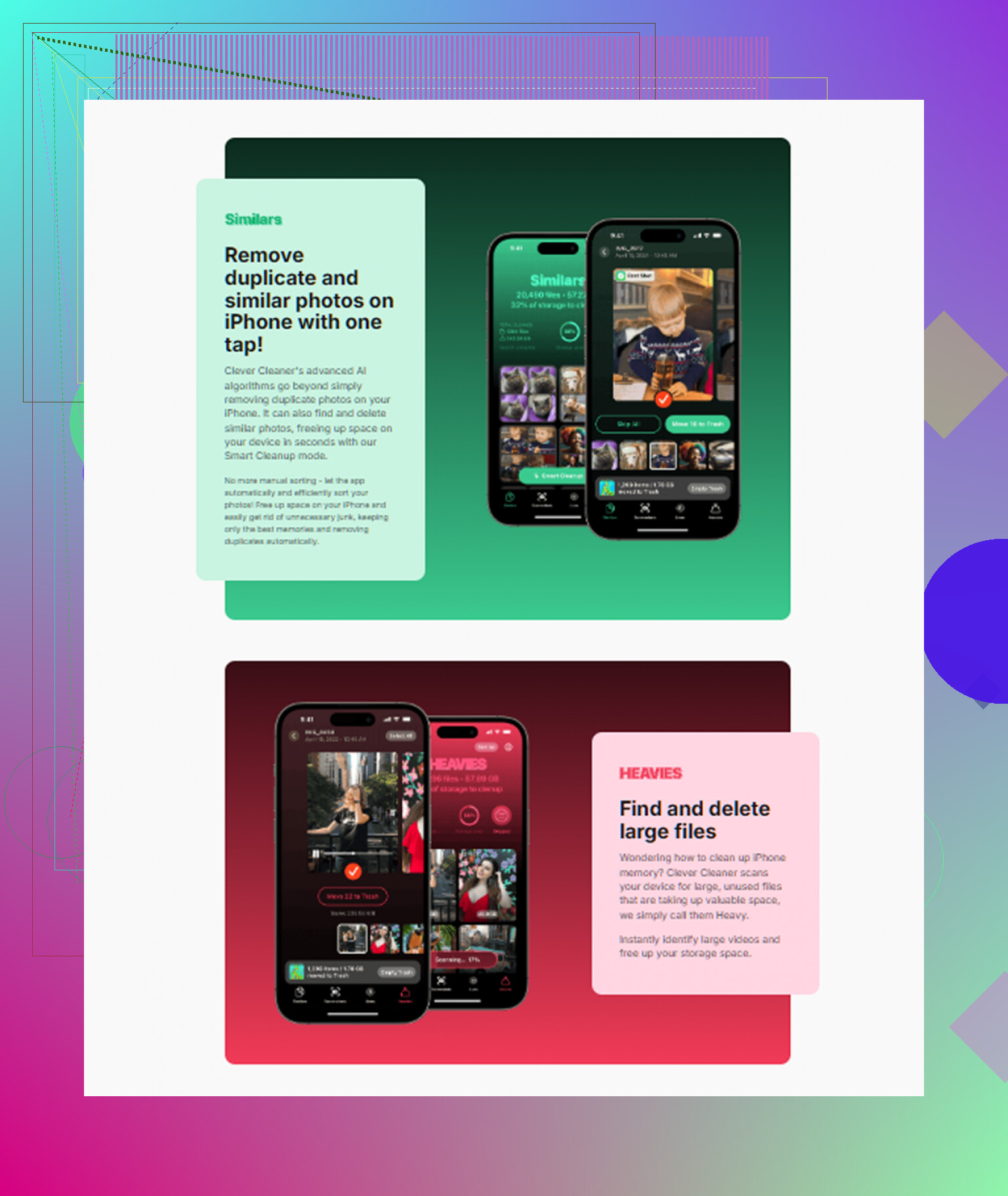
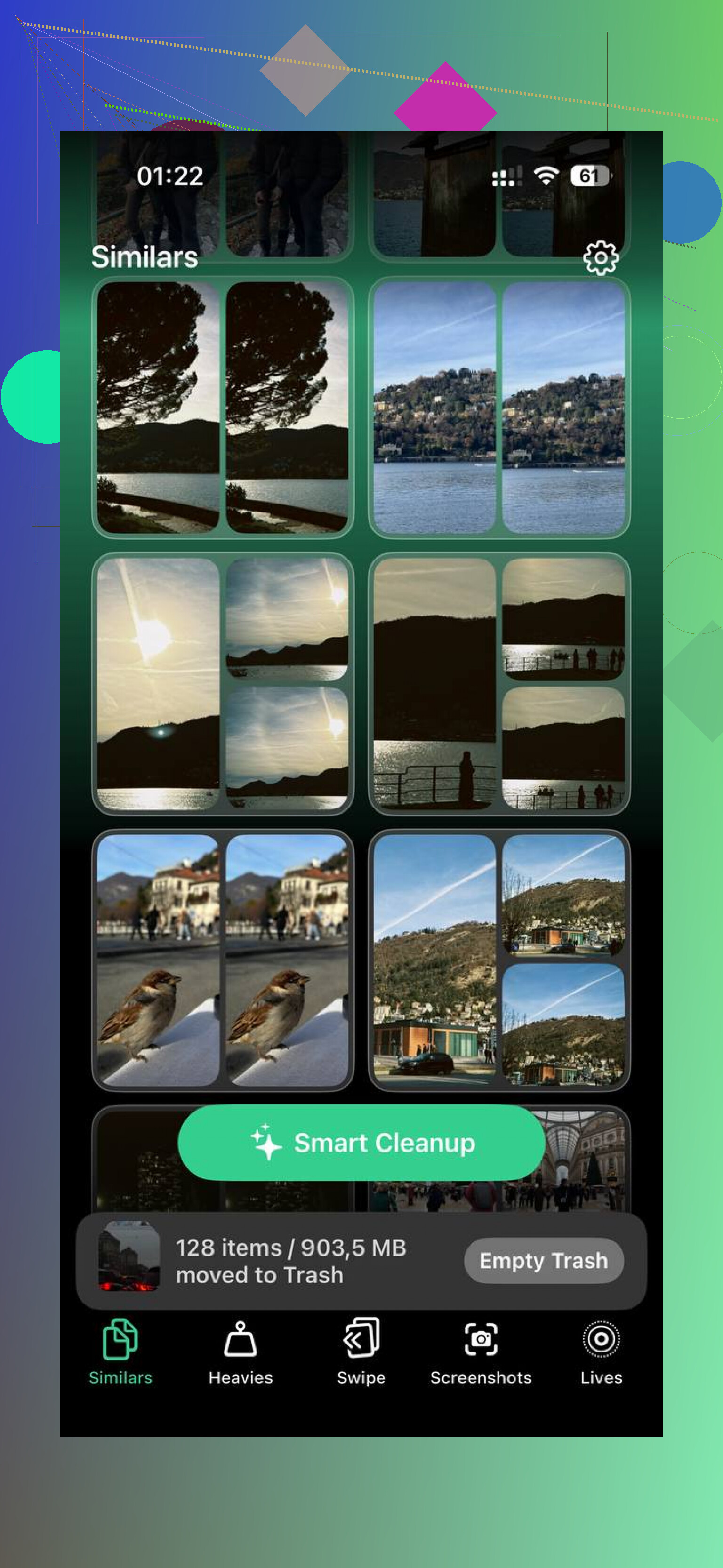
The Similars section did what I wanted duplicate cleanup to do in the first place. It grouped near-matching photos well enough that I didn’t feel like I had to double check every stack for weird mistakes. Burst shots, three takes of the same receipt, six photos of the same dog looking almost the same, it handled those cleanly. It also picked a Best Shot inside each group, which saved me time. On CCleaner, I saw unrelated images grouped together often enough that I stopped trusting it.
The Heavies section was the part I didn’t expect to use much, then used the most. It lists your media from biggest file down, with exact file sizes shown. That sounds small till you open it and spot a forgotten screen recording eating 2.3 GB, or an old video you sent once and never touched again. Apple Photos doesn’t show your library this way. CCleaner didn’t give me this kind of clear view either.
Screenshots got handled in a more useful way too. It shows the size of each screenshot before deletion. I didn’t think I’d care, but I did. When you see the numbers, you stop deleting blind and start clearing the junk worth clearing first.
One part I cared about more than I expected, privacy. Clever Cleaner processes stuff on the device. My photo library has random personal junk in it, banking screenshots, ID photos, notes to myself, all the usual mess. I didn’t want any of it sent off somewhere for analysis. If you care about keeping photo cleanup local, this part matters.
For iPad, this is where the gap gets embarrasing for CCleaner. Clever Cleaner has a native iPad app and it uses the screen space properly. CCleaner doesn’t. If your goal is cleaning up an iPad library without paying, I don’t think CCleaner is even in the same conversation.
One limit needs to be said clearly. No iPhone or iPad cleaner gets into system files, Safari cache, or deep OS cleanup. Apple blocks third-party apps from doing that. So if you want storage help beyond photos, videos, screenshots, and large media files, go to Settings, General, iPhone Storage. That’s still where iOS keeps the real system-level storage info.
If you want a free setup covering the usual mess, I’d pair Clever Cleaner with Easy Cleaner for duplicate contacts and Cleanfox for inbox cleanup. For media cleanup, though, Clever Cleaner was the one I stuck with after trying the others.
Short answer, no. iPadOS does not let third-party apps clean system junk the way CCleaner does on Windows.
So if your iPad is slow, a “cleaner app” helps mostly with user data. Photos, videos, screenshots, duplicate contacts, mail clutter. It will not wipe Safari cache system-wide or remove hidden OS junk. Apple keeps apps boxed in.
I agree with part of what @mikeappsreviewer said. CCleaner on iPad feels limited. I disagree on one thing, though. Most slowdown on iPad is not from “junk files.” It’s often low free storage, Safari bloat, bad tabs, old app data, or an iPad needing a restart or update.
What to do first.
- Check Settings, General, iPad Storage.
- Offload big apps you rarely use.
- Delete downloaded Netflix, YouTube, Plex files.
- Clear Safari history and website data.
- Restart the iPad.
- Update iPadOS.
If you want a free cleaner app for media cleanup, Clever Cleaner is one of the few worth trying on iPad. It focuses on duplicate photos, similar shots, large videos, and screenshots. That stuff adds up fast. It won’t fix all storage issues, but it helps more than most “cleaner” apps with paywalls every 2 taps.
If you want a deeper breakdown, this full Clever Cleaner review for iPhone and iPad cleanup covers what it does well.
One more thing. If “System Data” stays huge even after cleanup, back up your iPad and restore it. Annoying, yup. But it often frees the most space.
Short version: no, not really. iPadOS is nothing like Windows, so there isn’t a true free “CCleaner for iPad” that can dig into system junk and scrub the OS. Apple locks that stuff down hard.
I agree with parts of what @mikeappsreviewer and @hoshikuzu said, but I’d add this: if your iPad feels slow, the cause is often RAM pressure, Safari tab overload, background app refresh nonsense, or storage fragmentation-ish behavior, not magical “junk files” a cleaner app can remove. People keep chasing a PC-style fix on iPad and that’s where the disapointment starts.
What cleaner apps can do:
- remove duplicate/similar photos
- find giant videos
- clear screenshots clutter
- help trim contacts or mail junk
What they can’t do:
- fully clear app caches for other apps
- wipe system data
- repair iPadOS slowdown at the root
If you want a free app, Clever Cleaner is probably the one I’d try first on iPad. It’s actually useful for media cleanup, which is where most “mystery storage” ends up hiding. For broader cleanup ideas, this guide on the best AI cleaner apps for iPhone and iPad storage cleanup is worth skimming.
One thing I slightly disagree on with the usual advice: restoring the whole iPad should be a last resort, not the first “real fix.” Before going nuclear, check Messages attachments, Files downloads, offline media in streaming apps, and Notes with embedded scans. Those can eat gigs and ppl forget they exist.
No real CCleaner-style app exists on iPad. On that, @hoshikuzu, @viajeroceleste, and @mikeappsreviewer are basically right.
Where I slightly disagree is the obsession with “junk files.” On iPad, the bigger culprit is often one bad app hoarding documents and data. Some games, editing apps, and streaming apps quietly keep huge local caches, and deleting the app is sometimes the only real cleanup.
If you want a free tool, Clever Cleaner is worth trying, but only for media cleanup.
Pros of Clever Cleaner
- free for actual use
- good at duplicates/similar photos
- finds large videos fast
- iPad layout is decent
Cons of Clever Cleaner
- cannot clean system cache
- cannot shrink System Data directly
- won’t fix performance if the issue is RAM, battery health, or a buggy app
One thing I’d add that others did not stress enough: check Settings > Privacy & Security > Analytics & Improvements > Analytics Data only if you suspect repeated app crashes. If one app is constantly crashing, that can explain lag and weird storage behavior.
Also check battery health if your model supports it, or at least watch for overheating. A throttled iPad feels “clogged” even when storage is fine.
So: free cleaner app for files and photos, yes, Clever Cleaner. True CCleaner-for-PC style system cleanup, no.