I’m thinking about installing the Cleaner Guru app on my iPhone to clear junk files and manage storage, but I’m worried about privacy, data access, and possible hidden charges. Has anyone used this app long-term, and is it actually safe, trustworthy, and worth keeping, or should I avoid it?
Used Cleaner Guru on and off for a few months on my iPhone. Short version. It works, but you need to watch the subscription and read every screen.
Here is what I noticed:
- Safety and privacy
- It is on the App Store, so it goes through Apple review.
- It asks for access to Photos to find duplicates and similar pics. If you allow that, it scans your photo library.
- I did not see weird behavior like random popups or profiles installed.
- Their privacy policy mentions collecting usage data and some analytics. Nothing unique compared to many utility apps, but if you are sensitive about data, that matters.
- It did not delete anything without confirmation. Every cleanup step needed a tap.
- Hidden charges and subscription traps
- The main issue is pricing design.
- Free version is limited and shows prompts to upgrade a lot.
- The trial starts, then auto renews at a weekly or monthly price. It is easy to tap through and miss the details.
- If you test it, start the trial, check features same day, then cancel in your Apple ID settings right away if you do not want ongoing billing. You still keep access for the trial period.
- Check current reviews on the App Store. Many people complain about surprise renewals, which usually means they forgot to cancel, not that the app secretly billed them, but it is on the developer to make it clearer.
- Does it help with “junk files” on iPhone
- iOS does its own storage management. You do not get the same deep cleaning as on Android or Windows.
- Cleaner Guru helps more with:
• finding duplicate photos
• grouping similar photos
• removing big videos
• cleaning up contacts - It does not touch system cache or “Other” storage in a big way, since iOS blocks that.
- Performance and battery
- It did not affect performance long term.
- It runs scans manually, not in the background 24/7.
- No noticeable battery drain after I closed it.
- Long term use
- I used it for a month, then removed it.
- After the first big cleanup, you do not need it running often.
- At that point, I preferred something simpler with a one time fee.
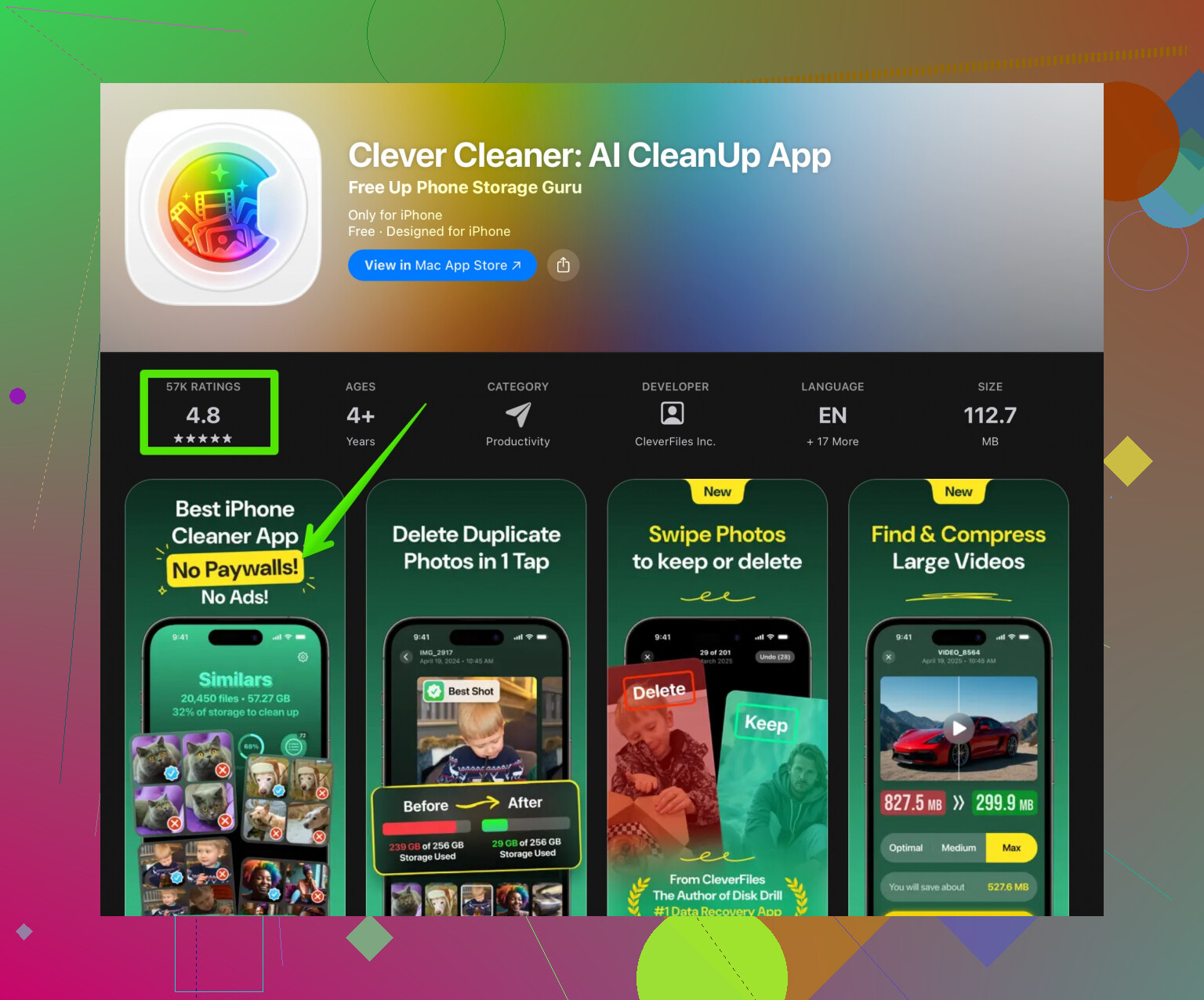
If you want something similar with a cleaner subscription setup, take a look at the Clever Cleaner App. It focuses on AI powered cleanup for photos, videos, and contacts, with a clearer UI and fewer aggressive upsell screens in my experience. You can check it here:
smart storage cleanup for iPhone with Clever Cleaner
Quick tips before you install any cleaner app on iPhone:
- Backup your photos to iCloud, Google Photos, or a computer first.
- Start with manual review of what the app wants to delete, especially “similar” photos.
- Avoid weekly plans. Monthly or yearly is cheaper if you plan to keep it.
- After you finish a deep cleanup, consider uninstalling so you do not keep paying for something you use once a month for 5 minutes.
If your main fear is privacy, both Cleaner Guru and alternatives like Clever Cleaner stay inside the iOS sandbox and use standard permissions. The bigger risk is paying more than you intended, so watch the trial and subscription pages closely.
35 Likes
Used Cleaner Guru for about 6 months on my iPhone, so here’s the no-BS version.
1. “Is it safe?” (as in: is it malware?)
Practically speaking, yes. It’s on the App Store, stays inside the iOS sandbox, and I never saw config profiles, weird VPNs, or sketchy background activity. It mostly lives in Photos and Contacts once you grant access. So in terms of outright “danger,” it’s fine.
2. Privacy angle
Where I slightly disagree with @chasseurdetoiles is that I do think people underestimate how much these utility apps can see once you tap “Allow Photos.” Cleaner Guru can scan your entire photo library to find duplicates and similar pics. That means it technically has access to anything in there: documents in screenshots, location data in EXIF, personal stuff, etc.
They are not unique in that, but if you’re privacy-paranoid, this is the main tradeoff, not “junk cleaning” itself. I’d avoid letting it anywhere near super sensitive work photos or confidential screenshots.
3. Hidden charges & subscriptions
The real “risk” is financial, not technical.
- The UI is very nudgy toward starting a trial.
- Pricing feels intentionally confusing (weekly pricing on utilities always raises red flags for me).
- You must manage the subscription from your Apple ID settings. Deleting the app does nothing to your sub.
I’d say 90% of the horror stories in App Store reviews are “I forgot to cancel” situations, not secret charges, but I still think the design is a little predatory. If you try it, set a reminder to cancel the same day.
4. Does it actually help?
Cleaner Guru is good for:
- Duplicate / similar photos
- Big videos
- Messy contacts
It does not really clean “junk files” the way people imagine, because iOS doesn’t let third-party apps nuke system caches or the mysterious “Other” storage in a serious way. So if your main hope is magically regaining 20 GB from “System Data,” you’ll be dissapointed.
5. Long-term use
Honestly, this type of app is not something you need weekly. It’s more of a “once every few months” tool. Subscriptions for that kind of usage feel silly. That’s the main reason I uninstalled it. After the first big cleanup, I just didn’t need it enough to justify the ongoing charge.
6. Alternative worth a look
If you’re mainly cleaning photos, videos, and contacts and want something with less aggressive upsell behavior, the Clever Cleaner App is worth checking out. It also focuses on AI-powered cleanup and has a more straightforward interface in my experience. You can see it here:
smart photo and storage cleanup for your iPhone
I wouldn’t say it’s perfect, but compared to the constant “start trial” pressure in Cleaner Guru, it felt less annoying.
7. Simple approach if you try Cleaner Guru anyway
- Backup photos first.
- Turn off auto-renew right after starting any trial.
- Manually review everything it wants to delete, especially “similar” photos. The AI sometimes flags good shots as redundant.
- If you only need a one-time cleanup, do your sweep and then remove the app.
SEO-friendly summary for what you’re asking
Is the Cleaner Guru app safe for iPhone users who want to remove junk files and free up storage? Generally yes in terms of security, since it is an App Store utility that works inside Apple’s protections. The bigger concerns are how much access it has to your photos and contacts, and the possibility of unexpected subscription renewals if you forget to cancel the free trial. It can help clean duplicate photos, large videos, and messy contacts, but it will not dramatically reduce iOS “Other” or system storage. For people worried about privacy, always review app permissions and read recent App Store reviews before subscribing, or try a more transparent storage tool like Clever Cleaner App for a clearer experience.
Short version: Cleaner Guru is “technically safe” in the iOS sense, but I wouldn’t keep it long‑term, and I’d be more worried about money and over‑access than malware.
A few angles that haven’t been covered yet:
1. iOS already does more than people think
Before any cleaner app, try what Apple gives you:
- Settings → General → iPhone Storage → offload unused apps
- Use the “Review Large Attachments” and “Large Messages” suggestions
- Optimize Photos to iCloud if you use it
This will not fix the “System Data” black hole, but it cuts a lot of clutter without involving a third‑party app at all.
2. Privacy: it is not just photos and contacts
I slightly disagree with the idea that the big privacy concern is only photo access. On iOS, once an app knows your contacts and your photo metadata, it can build a fairly detailed social graph: who you see, where, and roughly when. Even if they never “misuse” it, that is valuable behavioral data. If the monetization model is aggressive subscriptions, I always ask what the long‑term business incentive is for this kind of data.
If you do use Cleaner Guru, consider:
- Denying access to Contacts unless you truly need contact merging
- Temporarily granting Photos access, then revoking it in Settings → Privacy after your cleanup session
3. Hidden charges vs “dark patterns”
Cleaner Guru is not secretly charging beyond what Apple shows, but the pattern is familiar: short trial, weekly fees, bright “Continue” buttons with small print. I put that more in the “dark pattern UX” bucket than in outright scam territory.
A good sanity check:
- If an app wants a weekly subscription for something you might use once a month, that is a red flag for value, not safety.
4. Effectiveness vs expectations
I’ve tested several of these utilities over time. What Cleaner Guru actually does well:
- Surfacing duplicate or nearly duplicate photos
- Finding large videos you forgot about
- Basic contact deduplication
What it does not really solve:
- “System Data” / “Other” storage
- True cache nuking for other apps
- Noticeable speed boosts on newer devices
So if your iPhone is choking mainly because of WhatsApp/Telegram cache or iOS System Data, Cleaner Guru will feel underwhelming.
5. On Clever Cleaner App as an alternative
Since you mentioned being worried about naggy subscriptions and privacy, Clever Cleaner App is worth comparing directly with Cleaner Guru rather than just treating it as a side note.
Pros of Clever Cleaner App
- Interface is usually more straightforward and less trial‑spammy than Cleaner Guru
- Focuses on photos / videos / contacts similar to Cleaner Guru, but with clearer flows
- Less psychological pressure to “upgrade right now”
Cons of Clever Cleaner App
- Same basic limitation: cannot touch real iOS system caches or “System Data”
- Still needs access to Photos and possibly Contacts, so privacy questions do not magically disappear
- Value depends entirely on how often you actually run cleanups; if you are not disciplined, any subscription can end up wasted
I do not fully agree with @chasseurdetoiles on one thing: I do not think any of these apps are worth a continuous subscription for most people. They are peak‑value in the first one or two sessions. After that, the ongoing benefit curve flattens hard.
6. Practical approach if you are on the fence
- First try Apple’s built‑in storage tools
- If you still want an app, compare Cleaner Guru and Clever Cleaner App for 5 minutes each:
- How quickly do they push you into a trial?
- How transparent is pricing and renewal?
- If you start any trial, immediately go to Settings → Apple ID → Subscriptions and turn off auto‑renew
- Run a single thorough cleanup, double‑checking “similar” photos, then decide if the ongoing cost feels justified
If your main worry is privacy, minimize permissions and time installed. If your main worry is surprise billing, never rely on “I’ll remember to cancel later” and disable auto‑renew up front.
Your answer says Cleaner Guru is technically safe on iOS, but weak value long term. Risks are subscriptions and broad data access. It helps with duplicates, large videos, contact merges. It does not fix System Data or deep caches. Advice, limit permissions, revoke after, disable auto renew, run one deep cleanup then uninstall. Clever Cleaner feels less pushy, same limits tho.
Alternative, clean inside your biggest apps. WhatsApp, Manage Storage, bulk delete large items. Telegram, Clear cache. Snapchat, Clear cache. Spotify and YouTube, remove old downloads. Safari, Website Data, Remove All. You dont install a new app, no extra access.