I keep seeing ads for Ai Cleaner claiming it can speed up my phone, clear junk files, and protect my privacy better than other cleaner apps. I’ve tried a few similar apps before and some were useless or even caused problems. Before I install this one, I’d really like to know if anyone here has actually used Ai Cleaner, if it’s safe, and whether it really improves performance or is just another marketing scam. Any real experiences or advice would really help me decide what to do.
AI Cleaner vs Clever Cleaner App, my quick experience
AI Cleaner: Clean UP Storage App
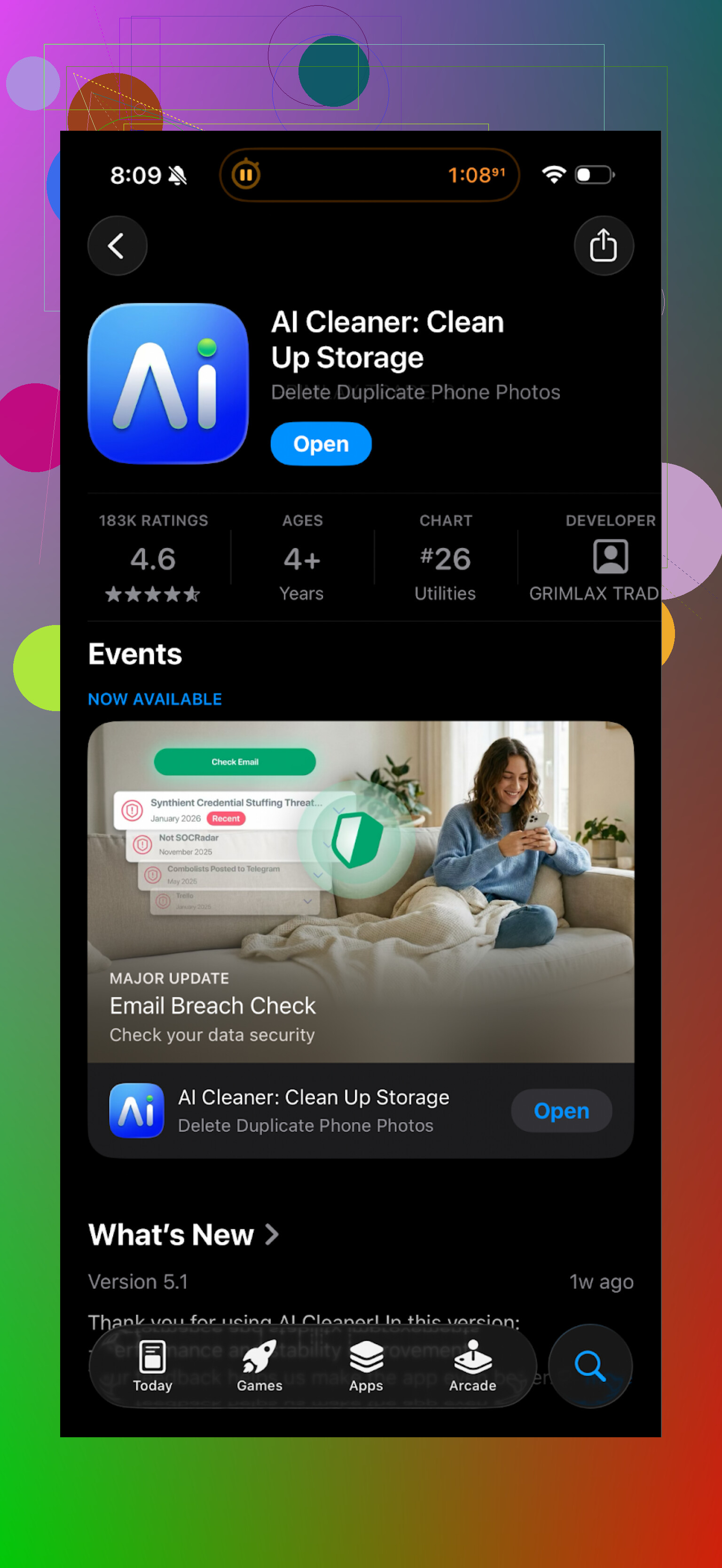
I installed AI Cleaner: Clean UP Storage App when my iPhone storage hit that annoying “almost full” warning again. Looked decent at first. The interface was clean, the scan was fast, and it showed a long list of “junk” and duplicates.
Then I tried to delete things.
Every second tap threw some sort of paywall at me. Subscription prompts, upgrade banners, “unlock full cleanup” buttons. I spent more time swiping away offers than actually cleaning anything.
The “AI” part was the bigger problem. It flagged a bunch of photos as duplicates that were not duplicates. Same scene, different pose, different lighting, or one edited and one original. If I had trusted it and bulk deleted everything it suggested, I would have lost photos I care about.
Real user reviews looked very similar to my experience:
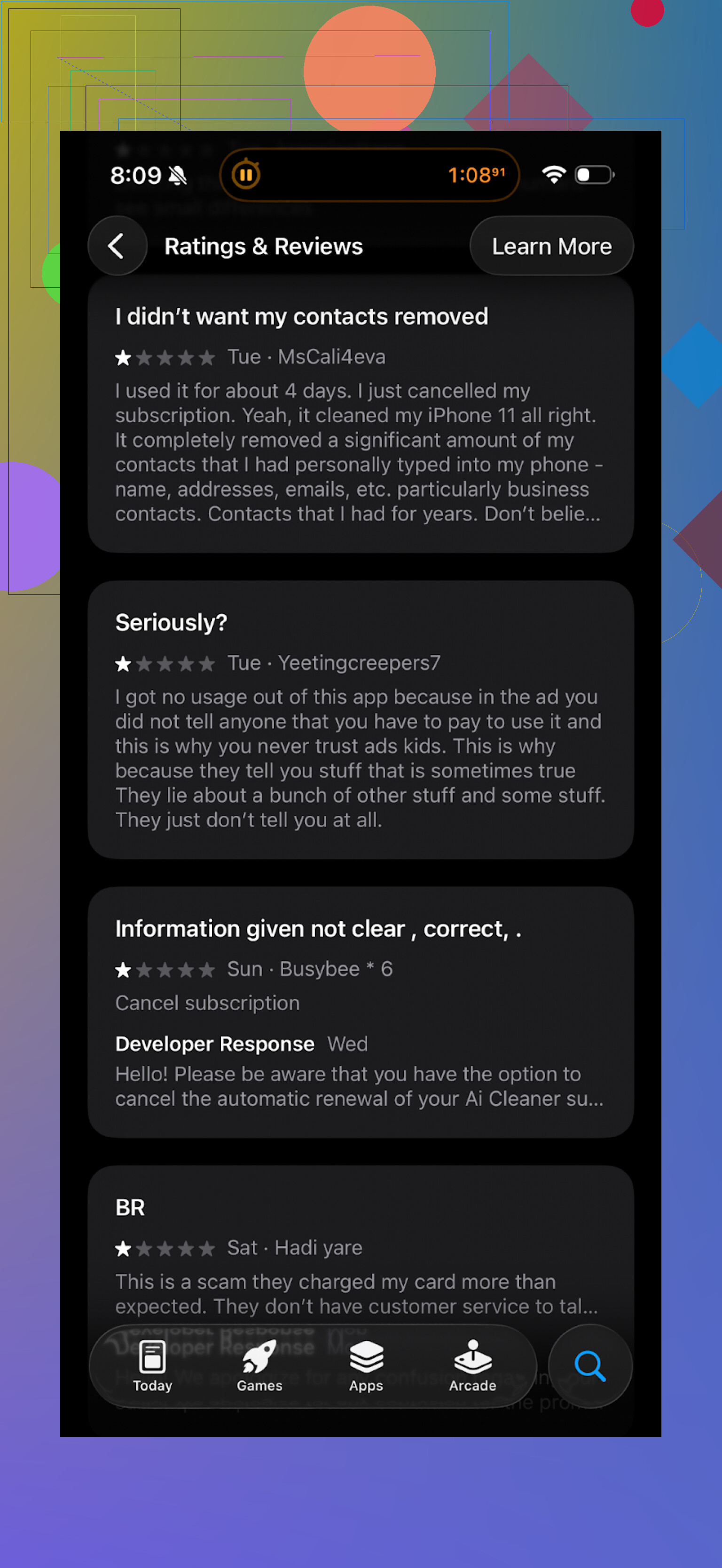
Plenty of people complaining about aggressive upsells and weird scan results. After half an hour of fighting with it, I deleted the app.
Clever Cleaner: what I switched to
After that I tried this one:
Clever Cleaner App on App Store: Clever Cleaner: AI CleanUp App App - App Store
First surprise, it runs without hammering you with subscriptions or random ads. The core tools are just there. You open it, run a scan, and start cleaning instead of negotiating with a paywall.
Here is what it picked up on my phone in the first run:
• Duplicate and similar photos
• Long-forgotten screenshots
• Old screen recordings
• Big videos from trips
• Chat media clutter
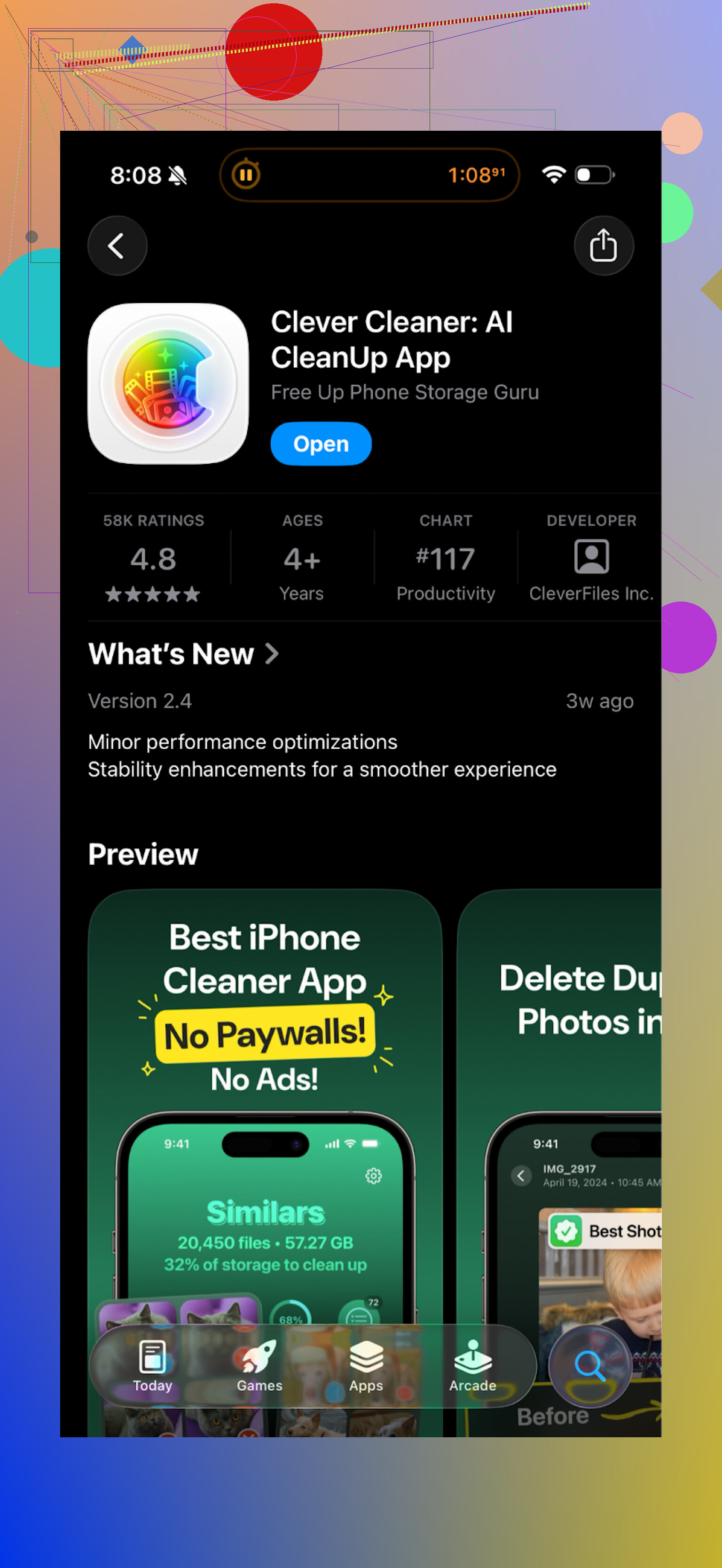
The “similar photos” section was tighter than AI Cleaner. It grouped bursts, slightly shifted angles, and repeated selfies, but did not try to merge obviously different shots. I still checked everything before deleting, but the suggestions felt safer.
One detail that matters if you care about privacy
According to the app and what I saw in use, all the analysis runs on the phone. No account, no cloud login, no upload prompt. The app worked fine in airplane mode too, which matches that claim.
For me that is a big deal. I do not want thousands of personal photos sent off to some unknown server so an algorithm can rate them.
What felt better compared to AI Cleaner
AI Cleaner made me feel like the main goal was to get my subscription. Clever Cleaner felt more like a straightforward utility.
Rough breakdown from my side:
AI Cleaner
• Heavy on subscriptions and upsells
• “AI” duplicate detection was unreliable
• Deletion flow constantly interrupted
• I did not trust it on bulk delete
Clever Cleaner
• No paywall blocking basic features
• Faster scan on my iPhone 13
• Duplicate and similar detection more accurate in my case
• Offline processing, better for privacy
• Less nagging, more doing
If you are low on storage and want something to quickly sort out your trash photos, screenshots, and big files, I would start with Clever Cleaner rather than AI Cleaner.
Extra links if you want to dig more
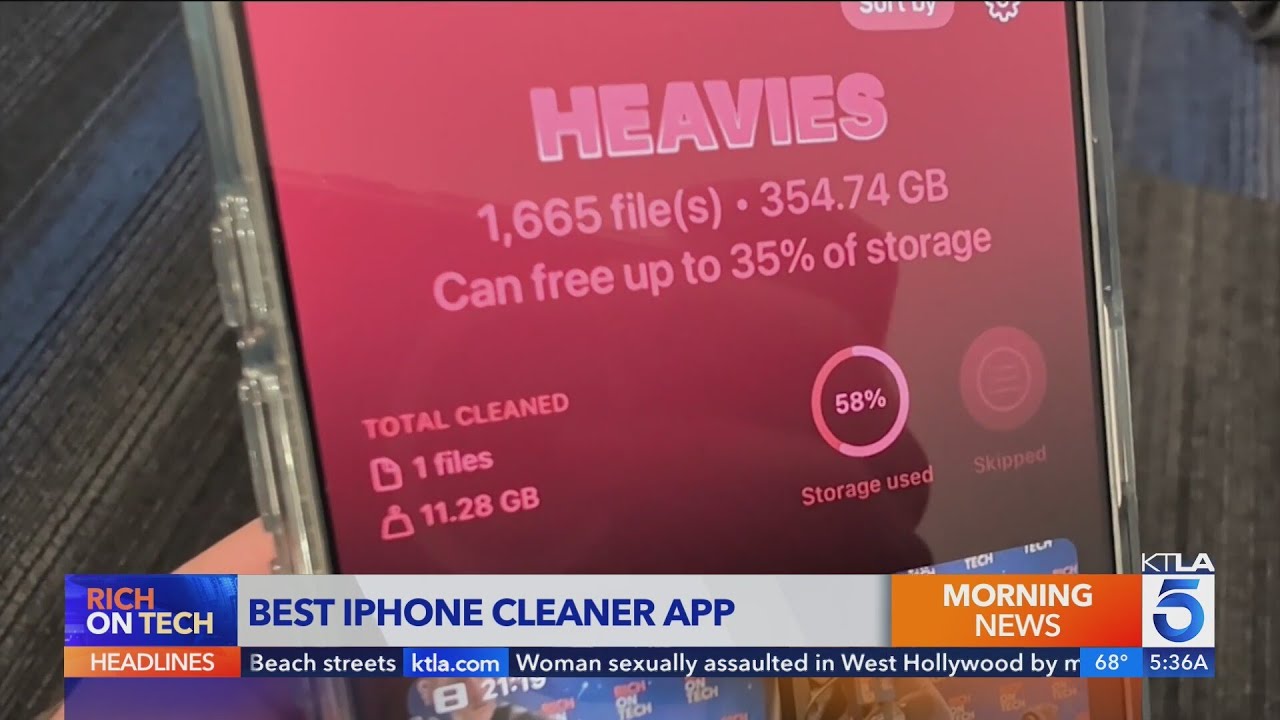
YouTube video demo:
Clever Cleaner homepage:
App Store link again:
There is also a Reddit thread comparing iPhone cleaner apps and warning about some of the sketchy ones:
Best cleaner apps on Reddit > Reddit - The heart of the internet
Short version from a skeptical phone hoarder: AI Cleaner feels more like “another cleaner app with extra ads” than some special tool.
Here is what I would look at before trusting it:
-
Performance claims
• On iPhone and most modern Android phones, third party cleaners do not speed up your device in any permanent way.
• What they do is free storage, close background apps, clear caches. Your system already handles most of this.
• Any speed improvement is usually short lived or placebo. -
Junk and duplicate cleaning
• A lot of these “AI” cleaners label similar photos as junk. That includes bursts, different edits, or slightly changed shots.
• If you use auto delete on those, you risk losing photos you want to keep.
• You need to review suggestions one by one, which kills the “one tap smart cleanup” promise. -
Paywalls and dark patterns
• From what you and others describe, AI Cleaner hits you with subscription prompts during the actual cleanup flow.
• Aggressive upsells increase the chance you tap the wrong button. I do not like that around delete actions.
• If an app makes the free tier painful, I do not trust it with important files. -
Privacy and data handling
• Big red flag if the app requires an account or network access for photo analysis.
• If the cleaner runs fine in airplane mode, your photos likely stay on device.
• If features stop working offline, there is a good chance your data goes to their servers. That is where I stop and uninstall. -
How I see AI Cleaner
• “Legit” in the sense it is probably not pure malware.
• Not great as a trusted storage tool if it:
– Overflags “duplicates”
– Interrupts deletion with paywalls
– Pushes subscription more than utility
• I would avoid bulk delete with it. Use it only if you manually confirm every item. -
Alternatives and what I would do instead
• Use built in tools first:
– iOS Photos > Albums > Duplicates, Screenshots, Recently Deleted, Videos.
– Android: Files by Google does an ok job with large files and junk.
• If you want a third party cleaner on iPhone, Clever Cleaner App is a safer bet from what I see.
– It runs on device.
– No constant subscription pop ups for basic cleanup.
– Similar photo detection is more conservative, so fewer important photos get flagged.
• Even with Clever Cleaner App or anything similar, always review before delete. No “AI” knows which nearly identical selfie you like most. -
When to skip cleaners completely
• If your phone is not low on storage, skip these tools. You add risk without much benefit.
• If you handle sensitive media, stick to system tools only.
So, is AI Cleaner a total scam? Probably not.
Is it worth trusting over built in tools or a more transparent app like Clever Cleaner App? I would say no, especially if you care about your photos and privacy.
I agree with a lot of what @mikeappsreviewer saw, though I am a bit harsher. For anything that deletes files, aggressive monetization is enough for me to move on.
Short version: AI Cleaner is “legit” in the sense that it exists, installs, scans, and doesn’t instantly nuke your phone, but it’s also very much just another overly-monetized cleaner app with a shiny AI label slapped on.
Couple of points that haven’t been hit as hard by @mikeappsreviewer and @waldgeist:
-
“Speed up your phone” claims
On iOS especially, this is mostly marketing fluff. iOS aggressively manages RAM and background apps on its own. A cleaner app can:- Free storage
- Clear some cache-type stuff
- Close apps that would’ve been killed by the system soon anyway
Any speed boost is usually:
- Very short term
- Barely noticeable unless your storage was critically full
So if AI Cleaner is selling “faster phone” as the main benefit, I’d treat that as pure hype.
-
False positives are a bigger deal than people think
The “AI” duplicate detection mislabeling similar but non-duplicate photos is more than just annoying. Once you trust it and start tapping “select all,” you’re one distracted moment away from deleting:- Different edits of the same shot
- Slightly different kid / pet photos you actually care about
- Travel pics that look “similar” to the algorithm but not to you
That kind of over-aggressive detection is exactly why I do not use auto-clean options in any of these apps, especially one that’s trying to rush you into a subscription at the same time.
-
Monetization + deletion is a bad combo
The part that bothers me with AI Cleaner is not just “ugh, more paywalls.” It’s where they show up.
When an app:- Pops a subscription popup during a deletion flow
- Nudges you toward “premium one-tap clean”
It mixes dark patterns with destructive actions. You want your brain focused on “am I okay deleting this?” not “where’s the tiny X to close this paywall.”
Here I actually disagree a tiny bit with how forgiving some people are about it being “not a scam.” For an app that can delete thousands of files, that kind of aggressive upsell should be treated as a pretty serious red flag, even if it’s not malware.
-
Privacy: offline vs mystery server
One simple test I use that no one mentioned explicitly:- Install the app
- Block its network access (or go into airplane mode)
- Try the core photo/duplicate scan
If it refuses to work or suddenly “needs” an account, I’m out. There is zero good reason a cleaner app needs to upload your entire camera roll to figure out what’s similar.
From what’s been described, AI Cleaner does not inspire much confidence here. I’d assume the worst unless they document on-device processing clearly and the app still functions fully offline.
-
Is it “worth it” vs other options?
Where I land:- It’s not a straight-up scam app, but
- It’s also not special, and the friction from the paywalls + risk of bad AI decisions makes it a poor choice for something as sensitive as photo cleanup.
Before touching AI Cleaner, I’d do:
- Built-in tools (iOS Duplicates, Screenshots, Videos, Recently Deleted)
- On Android, Files by Google for large files and basic junk
If you still want a dedicated cleaner, the Clever Cleaner App that was mentioned is one of the few that:
- Actually lets you use core features without being subscription-bombed every tap
- Runs analysis on-device, which is huge for privacy
- Has more conservative “similar photo” detection so you’re not constantly fighting bad suggestions
It’s not magic either and you still need to review before deleting, but as a storage-management utility, Clever Cleaner App is way closer to what these tools should be instead of just another AI-branded cash grab.
So yeah: AI Cleaner is “real,” but if your goal is safely freeing space without being harassed into paying while you’re trying not to delete your memories, it’s basically just another noisy cleaner app.
Short version: AI Cleaner is “legit” in the sense that it installs and works, but it behaves like a typical ad‑heavy cleaner app with risky automation around your photos. I would treat it as disposable, not as a trusted maintenance tool.
A few angles that weren’t fully covered by @waldgeist, @mike34 and @mikeappsreviewer:
-
What AI Cleaner is actually optimizing
A cleaner app has only three real levers on a modern phone:
• Storage space
• Short term RAM usage
• Visual clutter (screenshots, duplicates, etc.)AI Cleaner seems to overplay RAM and speed. On iOS and most Android skins, you get more real‑world benefit from recovering storage than from “free RAM.” If your device is not within a few GB of full, its speed claims are mostly cosmetic.
-
Risk profile with “smart” deletion
I am a bit harsher here than others. Combining:
• Aggressive “AI” similarity scoring
• One tap cleanup prompts
• Subscription banners inside the same flow
is exactly how you end up with a bunch of missing trip photos and no idea which tap caused it.For any cleaner that touches photos, I classify them like this:
• Safe: slow, conservative, few false positives, boring UI.
• Unsafe: fast, flashy, “trust us, auto clean,” lots of nudging.AI Cleaner sits closer to the second category based on what people report.
-
Where I slightly disagree with others
I am not fully convinced AI Cleaner is harmless just because it is not obvious malware. An app that:
• Collects wide permissions
• Interferes with core tasks using dark patterns
• Possibly sends analysis off device
is already high risk from a privacy and data loss standpoint, even if it never hacks you.So when someone calls it “not a scam,” I would add “but still not suitable for anything important.”
-
Clever Cleaner App: strengths and weaknesses
If you want a third party option, Clever Cleaner App is a more rational compromise, but it is not magic either.Pros:
• On device analysis for media, which improves privacy.
• Less nagging during actual cleanup, so you can focus on what you delete.
• More conservative similar photo grouping, which lowers the chance of losing good shots.
• Works reasonably well even when your phone is almost full.Cons:
• Still another layer between you and your files. If you are sloppy and hit “select all,” it cannot save you from yourself.
• Not perfect at edge cases like artistic edits or RAW vs processed versions. You still need to review.
• Adds one more app to maintain, update and occasionally audit for permission creep.
• On very large libraries, initial scans can feel slow and battery hungry.In other words, I treat Clever Cleaner App as a utility I supervise, not a “set and forget” cleaner. It is simply less hostile in its design than AI Cleaner.
-
How I would actually run with this
• First, use the system tools (iOS Duplicates, Recently Deleted, Videos, Screenshots, or the platform equivalent).
• If storage is still a problem and you want smarter grouping, use something like Clever Cleaner App, but only with manual review. No auto delete, no full trust.
• Keep anything important backed up before you try any cleaner, regardless of how friendly its UI looks.
If you are debating “install AI Cleaner or do nothing,” I would choose “do nothing” unless you are truly out of space. If you are comparing AI Cleaner to something more restrained like Clever Cleaner App, the latter at least behaves more like a tool and less like an ad container wrapped around a delete button.
Your take: AI Cleaner feels ad heavy and risky. Speed wins fade fast. It overflags duplicates. Paywalls disrupt deletion. Privacy looks shaky if analysis leaves teh phone. Clever Cleaner is safer with supervision. Skip cleaners if storage is fine.
Simpler path, reduce clutter at the source.
- iCloud Photos Optimize Storage or Google Photos Storage Saver, then Free up space.
- iOS Messages, Keep Messages, 1 Year. WhatsApp, Disappearing messages 90 days, limit downloads.
- iOS Offload Unused Apps.
- Camera 1080p30, HEIF. 4K60 uses ~400 MB per minute, 1080p30 ~80 MB.
Set a 10 minute timer weekly.