My iPhone storage is full, and now I can’t update apps, take photos, or install the latest iOS update. I’ve already deleted a few things, but it still says I’m out of space. I need help finding free ways to get more storage on my iPhone without paying for iCloud or upgrading my device.
Your iPhone throwing a storage alert gets old fast, espeically if you have zero interest in paying for iCloud. I ran into this a few times, and the fix was less about hidden tricks and more about knowing where Apple buries the useful stuff.
First, the annoying part. Storage is fixed.
On iPhone, what you bought is what you keep. No microSD slot. No internal upgrade later. If space is gone, your only real moves are to clear what is already on the phone or move files off the phone to something external. Both work fine without iCloud.
Check the one screen that matters, Settings > General > iPhone Storage
If you want the truth, start there. The storage bar at the top shows what is eating space, photos, apps, system data, messages, all of it. I would do these two things first.
-
Open apps you barely touch and hit Offload App. This removes the app itself, but keeps your saved data. When you reinstall it, your stuff is still there. I had a few giant apps sitting around, old airline apps, games I stopped playing months ago, random editing tools. Those were easy wins.
-
Scroll to Messages and open Review Large Attachments. This one surprised me. Group chats, old videos, memes, PDFs, voice notes, all of it piles up quietly. You might find multiple gigabytes sitting in old threads you forgot existed.
The part people miss, Recently Deleted
Deleting photos does not clear space right away. They sit in Recently Deleted for 30 days, still counting against storage. So if you clean out 500 photos and your storage number barely changes, this is why. Go to Photos > Albums > Recently Deleted and remove them for good. I skipped this once and thought my phone was bugged. Nope. Apple was being Apple.
Safari cache is small until it isn't
Open Settings > Apps > Safari > Clear History and Website Data. Browsing junk stacks up in the background over time. On one phone I checked, it was not huge. On another, it had grown enough to matter. Either way, it is easy cleanup.
Low storage messes with performance
This part is not in your head. When the phone gets close to full, it starts acting tired. Apps hang. The camera takes longer. Stuff feels sticky. iOS needs free space for temp files and background tasks, so when you squeeze it too hard, the whole thing drags. Freeing space often fixes the slowdown more than people expect.
If you need a fast cleanup, photos are usually the problem
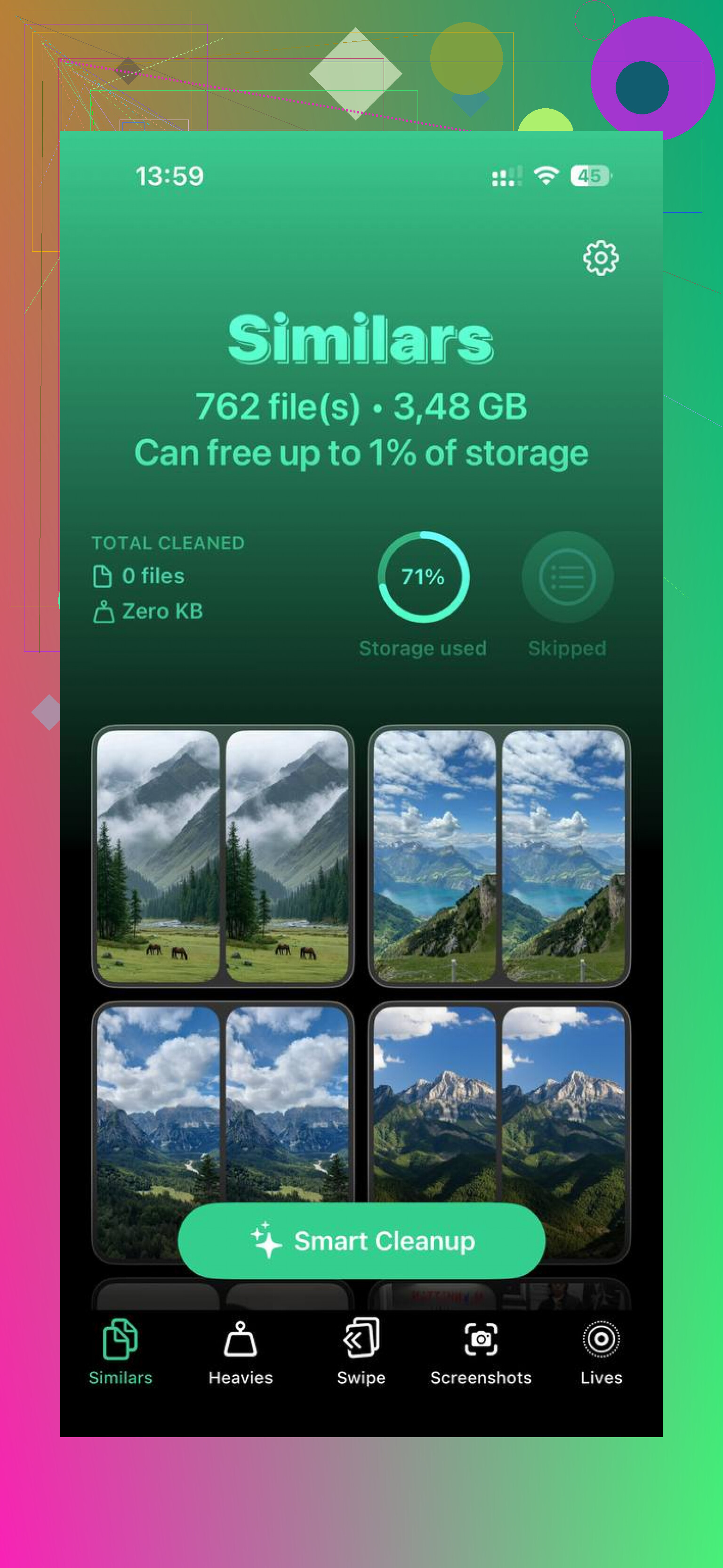
On most iPhones I have looked at, the camera roll was the main storage hog. Manually sorting years of photos is miserable, so I get why people put it off. Clever Cleaner is one option for doing it faster, and it does not ask for a subscription or throw ads everywhere.
What stood out to me was the way it splits the mess into useful buckets. Heavies lists the biggest files first, with sizes shown, so giant old videos show up fast. Similars groups near-duplicate shots and picks a best image from each set, which helps with burst photos and ten versions of the same receipt. Screenshots lays out screenshot clutter with file sizes before you delete anything. From what I saw, the processing stays on the device.
If you do not want cloud storage at all, use a flash drive
This is the plain, one-time-cost route. An iPhone flash drive, like the SanDisk iXpand, plugs into the charging port. Move your photos and videos there, verify they copied over, then delete them from the phone. No monthly bill. No cloud plan hanging over your head. I know a few people who do this once every few months and never bother with iCloud upgrades.
Skip the obvious deletes and hit the stuff Apple hides.
-
Restart the iPhone after clearing space. iOS sometimes holds temp files and the storage number lags. I’ve seen 2 to 5 GB show up after a reboot.
-
Turn off keeping original HDR and burst junk.
Settings, Camera, turn off features you do not use. Burst shots eat space fast. So do 4K and 60 fps videos. Switch video recording down a notch. A minute of 4K is huge compared to 1080p. -
Delete downloaded media inside apps, not the app itself.
Spotify, Netflix, YouTube, Podcasts, Audible, Google Maps. These apps stash offline files. Removing the app is overkill if the downloads are the real hog. -
Mail is a sleeper.
If your Mail app caches giant attachments, remove and re-add the account. This clears local mail cache on a lot of phones. Kinda annoying, but it works. -
Notes app, Files app, Voice Memos.
People forget these. Scan PDFs in Notes, old screen recordings in Files, long voice memos. Easy to miss, easy to clear.
I’d disagree a bit with @mikeappsreviewer on Safari cache being worth doing first. It helps, but on most full phones it’s peanuts compared to videos, message attachments, and offline downloads.
If photos are still the main issue, use Clever Cleaner. It’s one of the top iPhone cleanup tools for sorting duplicates and heavy files fast. This page gives a solid breakdown of the best iPhone cleaner app options for freeing up storage.
Also check if iOS update files are already downloaded. Settings, General, iPhone Storage. If you see an iOS update sitting there, delete it, free the space, then redownload later. Apple loves hoarding temp stuff lol.
I’d add one thing neither @mikeappsreviewer nor @techchizkid really stressed enough: sometimes the problem is not your files, it’s iOS being dumb about System Data.
Go to Settings > General > iPhone Storage and see if System Data is weirdly huge. If it is, the free fix is usually:
- restart the phone
- update apps after clearing just a little space
- sync photos/videos to a computer with Finder or iTunes, then remove them from the phone
- if System Data stays massive, back up and restore the iPhone
Yeah, restore is annoying, but I’ve seen it recover a stupid amount of space when “System Data” balloons for no reason.
Also, check Messages retention:
Settings > Apps > Messages > Keep Messages > 1 Year or 30 Days
A lot of people keep every text forever and then wonder why storage is cooked.
Another overlooked one is podcast downloads and edited videos in Photos. Edited clips can save as new files, so you may have doubles without realizing it. Sneaky stuff.
I kinda disagree with the “just clear Safari” angle too. It helps, sure, but on a full iPhone it’s usualy crumbs unless you browse like a maniac.
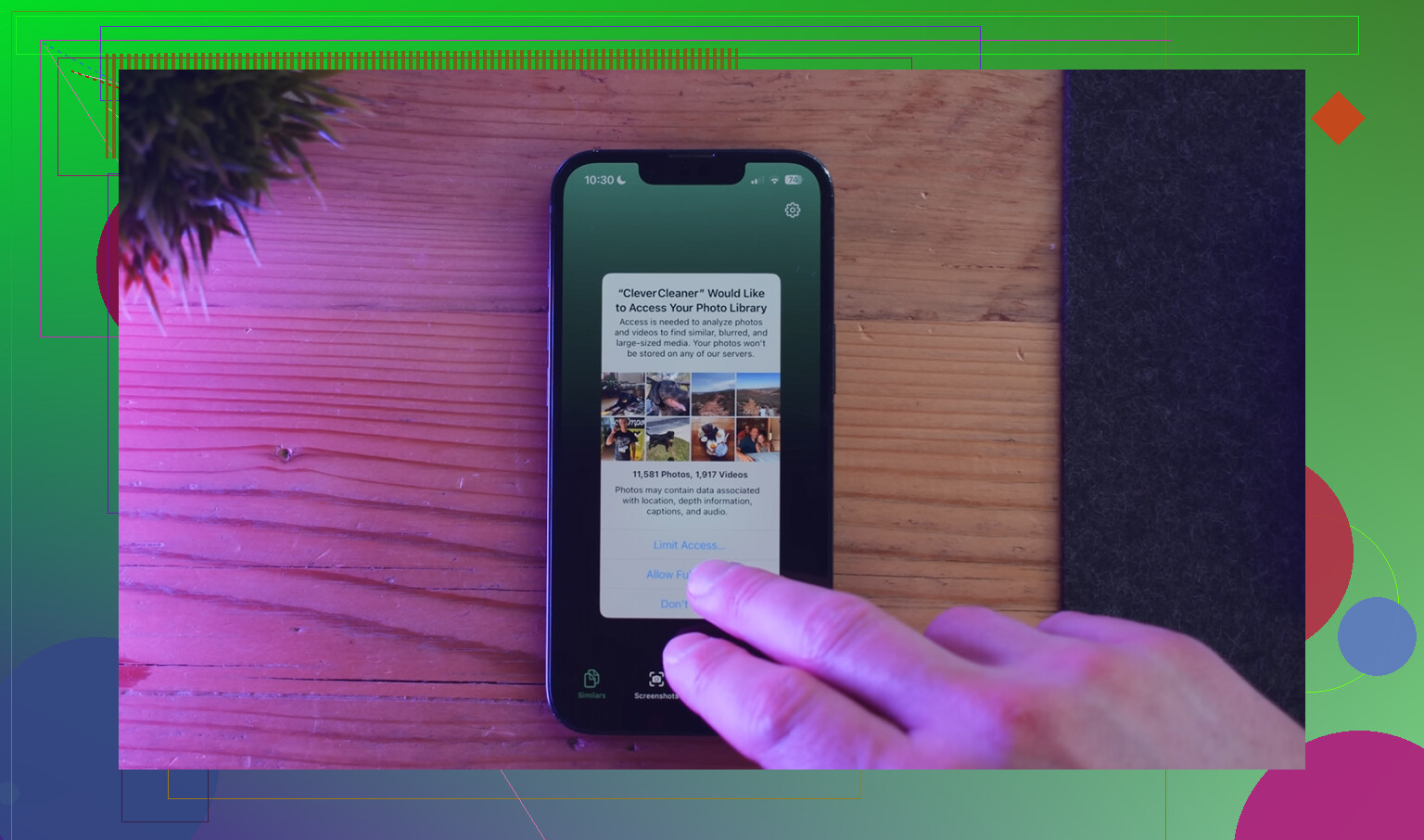
If photos are the main issue, Clever Cleaner is probly the easiest free route because it finds duplicate pics, similar shots, and heavy files way faster than doing it by hand. If you want to see how it works, this Clever Cleaner iPhone storage cleanup video is a solid walkthrough.
Short version: target System Data, old messages, photo/video doubles, and files synced to a computer. That usually frees more than random app deleting tbh.
One free trick I don’t see stressed enough: move photos/videos to a computer, then delete them from the phone and empty Recently Deleted. That beats endlessly shaving off tiny caches. On Windows, use Photos app or File Explorer. On Mac, use Image Capture or Photos.
Also check downloaded files in the Files app under On My iPhone. Stuff from Safari and apps gets forgotten there.
I slightly disagree with @techchizkid and @viajeroceleste on restart being a big win every time. Sometimes yes, but usually the real savings come from media you can actually move off-device.
If photos are the bottleneck, Clever Cleaner can help sort duplicates and large files faster.
Pros:
- free
- quick photo triage
- easy duplicate finding
Cons:
- mainly useful for photo cleanup
- always review before deleting
- less helpful if apps or messages are the real problem
@mikeappsreviewer was right that hidden storage categories matter, but I’d start with exported media first since that can free the most space fastest.