I’m trying to access a serial device remotely by creating a virtual COM port that works over Ethernet, but I’m struggling to get a reliable connection. I’m not sure which software, drivers, or configuration settings I should be using, or how to deal with latency and disconnect issues. Can someone explain the best way to configure a virtual COM port over Ethernet, recommend stable tools, and outline any common pitfalls or troubleshooting steps?
You’re basically trying to get a “network serial port” that looks like a real COM port to Windows and talks over TCP/IP. The usual term people use is something like virtual serial port over network or network-based COM port for remote serial devices.
Here’s how I’d tackle it step by step:
-
Decide the architecture first
- Serial device is local, PC is remote: use a hardware serial device server or a PC next to the device that “shares” the local COM over TCP.
- Serial device server already in use (Moxa, Lantronix, USR, etc.): configure it to work in “virtual COM” mode instead of raw TCP or RFC2217, then install matching driver on the PC.
Reliability depends a lot on this part.
-
Use a proper virtual COM port over IP tool
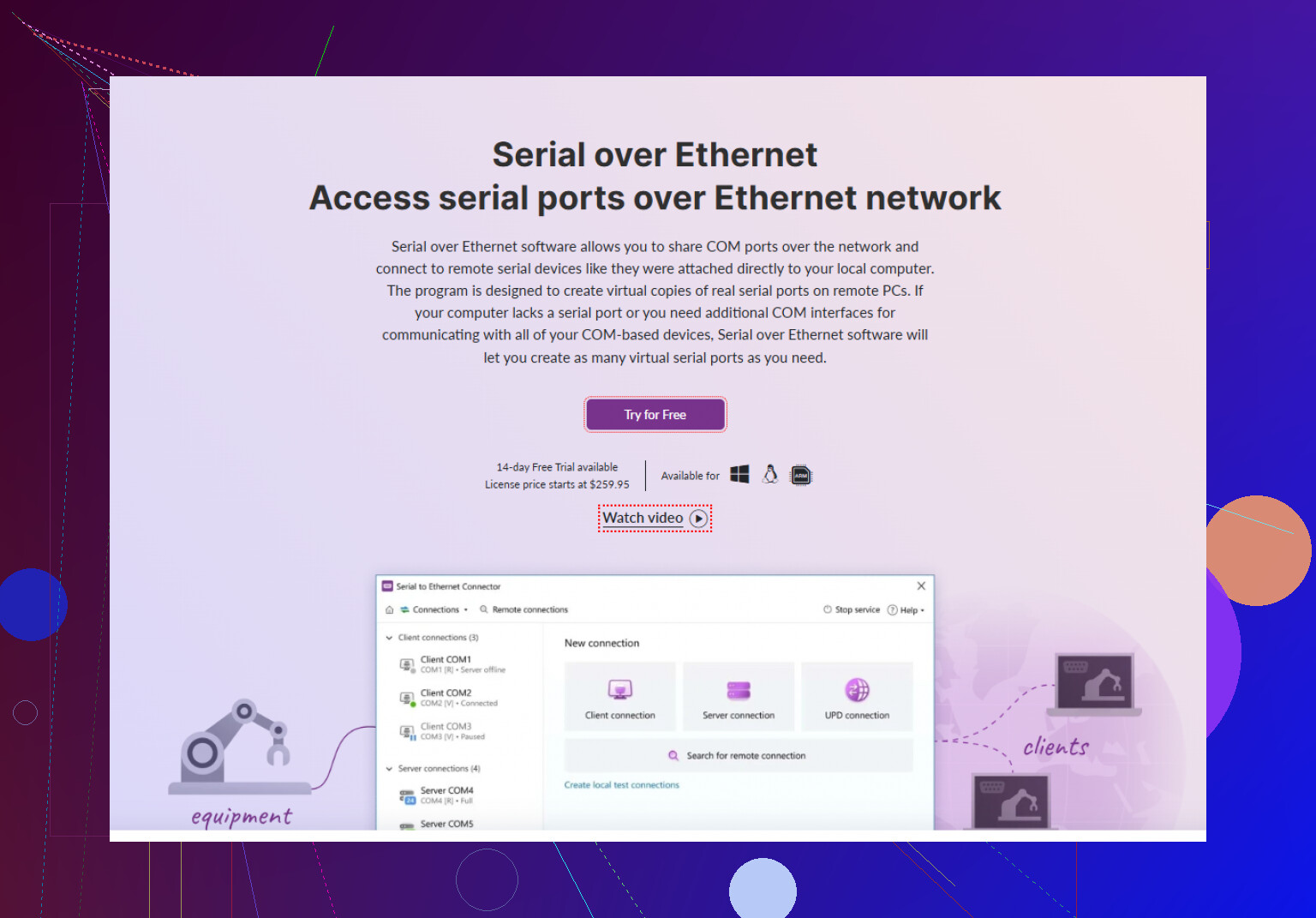
Free random tools are hit or miss. If you want something stable on Windows, I’d seriously look at Serial to Ethernet Connector.
It creates a virtual COM port on your PC and links it to a remote serial port over TCP. You can:- Create a virtual COM that connects to a remote IP and port
- Share a local serial port over the network
- Use it on servers or VMs where you don’t have physical COM ports
This page has a pretty clear breakdown of how to set that up and what options matter:
set up a reliable virtual serial port over Ethernet -
Key settings to check for reliability
- TCP mode: usually client mode from the PC to the device server works best.
- Fixed remote port (e.g. 4001) and static IP or reserved DHCP for the device.
- Timeouts:
- Keepalive enabled but not too aggressive.
- Reconnect on failure turned on.
- Serial settings must exactly match the hardware: baud rate, data bits, parity, stop bits, flow control. One mismatch and you’ll get garbage or drops.
-
Common failure points
- Firewalls blocking outbound TCP to the device’s port.
- VPNs or WiFi causing jitter and packet loss, which kills some flaky virtual COM drivers.
- Power saving on NICs in Windows disabling or throttling the connection. Turn that crap off in Device Manager for the network adapter.
- Using super high baud (115200 or more) on a weak network. Try 9600 or 19200 first to see if stability improves.
-
Testing before you blame the COM driver
- Use
ping -t <ip>and check for drops. - Use a raw TCP test (like
telnet <ip> <port>ornc) and see if the connection itself is stable. - Hook a second PC with a USB to serial adapter to the remote device and log the traffic with something like RealTerm to verify the device behaves properly.
- Use
-
If you still get weird behavior
- Disable Nagle’s algorithm on the device server if it supports it, or enable “low latency” options in the Serial to Ethernet Connector config.
- Avoid sharing the same virtual COM between multiple apps. Some drivers pretend to support it and then fall apart.
- Check if your app can talk via TCP directly. If so, skipping the virtual COM layer is more stable and faster.
In short, pick a single purpose-built driver like Serial to Ethernet Connector, configure your serial and TCP settings very strictly, and test the raw network path separately before you keep chasing COM port ghosts.
You’re basically trying to fake a local COM port over TCP/IP and keep it from flaking out every 5 minutes. Totally doable, but reliability depends less on “magic drivers” and more on how the stack is put together. @sterrenkijker covered the classic virtual COM approach nicely, so I’ll poke at some other angles and a few gotchas that usually get ignored.
1. First question: do you really need a virtual COM?
If your app can talk TCP directly (or via a small shim), that will always be more stable than pretending TCP is a UART. The virtual COM layer is basically extra glue that can crack under:
- High latency / jittery WiFi
- VPN tunnels
- Crappy NIC power-saving settings
- Overly “chatty” serial protocols
If the software is ancient and hard‑coded to “COM3 at 9600” then yeah, you’re stuck with a virtual COM. Otherwise, strongly consider:
- A tiny TCP proxy app that speaks to the device on IP:port
- Or a small wrapper that exposes a local API instead of a COM port
Sounds more work, but debugging TCP logs is less painful than debugging fake serial ports.
2. When you do need a virtual COM: pick the right tool
I’ll slightly disagree with the idea that “free tools are all trash.” Some open solutions (like RFC2217-capable stuff) actually work fine in controlled environments. But if you’re fighting reliability across multiple Windows versions, the commercial ones are usually less drama.
Serial to Ethernet Connector is honestly one of the more robust options in this niche:
- Creates a virtual COM port that maps to a remote IP and TCP port
- Can also share a real serial port over the network
- Works well on servers and VMs with no physical COMs
If you want to try it, grab it here:
get reliable Serial to Ethernet tools for Windows
That “software” is basically a Windows serial over IP solution that lets you:
- Add virtual COM ports that behave like real hardware
- Bind each port to a specific remote device over Ethernet
- Fine tune connection options like reconnection, encryption, and traffic handling
- Use old serial‑only apps in modern networked setups without rewriting them
3. Config stuff people often screw up
Try these, even if some were already mentioned:
-
Use a fixed mapping
- Example: Virtual COM3 → 192.168.1.50:4001
- Make the device IP static or reserve it in DHCP. COM mappings + changing IPs = random pain.
-
Stop Windows from sabotaging you
- In Device Manager → your network adapter → Power Management:
- Uncheck “Allow the computer to turn off this device to save power.”
- On laptops, also turn off aggressive power-saving plans.
- In Device Manager → your network adapter → Power Management:
-
Drop the baud rate for testing
- Temporarily run 9600 or 19200 even if production needs 115200.
- If it becomes rock solid at low speed and flaky again at high speed, your network / driver combo is the bottleneck.
-
Turn off “fancy” serial features first
- No hardware flow control unless you know both sides use CTS/RTS correctly.
- No XON/XOFF until it’s stable.
- Get it working in basic 8N1, then layer extras.
-
One app per virtual COM
- Don’t let multiple processes share the same virtual COM port at the same time, even if the driver claims it supports it. That’s a crash waiting to happen.
4. Network-level sanity checks
Before blaming the virtual COM driver, prove the network is innocent:
ping -t <ip>for a while- If you see random spikes or timeouts, your “serial problem” is actually a network one.
- Use
telnet <ip> <port>orncto open a raw socket- If it drops or stalls, your COM driver is not the villain.
If you’re going over VPN or WiFi and your device is chatty, expect hiccups. Sometimes the “fix” is literally “put the serial device on the same wired LAN as the PC” or run a small local PC next to the device and remote into that instead.
5. If you use a hardware serial device server
If you have a Moxa / Lantronix / similar box:
- Try RFC2217 mode if available, not just “raw TCP.”
- On the PC, use a driver that speaks RFC2217 so it can handle modem signals & config dynamically.
- Disable Nagle if there’s a setting like “low latency mode” or “disable Nagle’s algorithm.”
- This helps when each serial byte is time critical and small packets matter.
I’ll gently disagree with the idea that you must always run client mode from PC → device. Sometimes server mode (PC listens, device connects out) is more stable in NAT/VPN hell, as long as your topology demands it.
6. “It works but sometimes locks up” symptoms
Typical causes and fixes:
-
Symptom: Data pauses, then bursts in chunks
- Look for buffer aggregation, Nagle, or big TCP delayed ACK issues.
- Check if your software is polling instead of event-driven.
-
Symptom: App freezes when the network blips
- Some virtual COM drivers block app reads/writes on TCP timeout.
- Serial to Ethernet Connector lets you tweak reconnection behavior to reduce this.
-
Symptom: Random garbage chars
- 90% chance of wrong baud / parity / stop bits / flow control.
- 10% chance of noise on the physical serial line or cheap USB adapter.
If you share some details like:
- Exact serial device model
- Baud rate / parity / stop bits
- Whether you’re on wired LAN, WiFi, or VPN
- Which virtual COM solution you tried so far
you’ll probably get more targeted tips instead of generic “check your firewall” answers.