I recently received a HIX bypass review result that I don’t fully understand, and it’s affecting my access to coverage and next steps. The notice wasn’t very clear about why the decision was made or what options I have to appeal or fix any issues. Can someone explain how HIX bypass reviews work, why they might be denied or flagged, and what I can do now to resolve this as quickly as possible?
HIX Bypass AI Humanizer Review
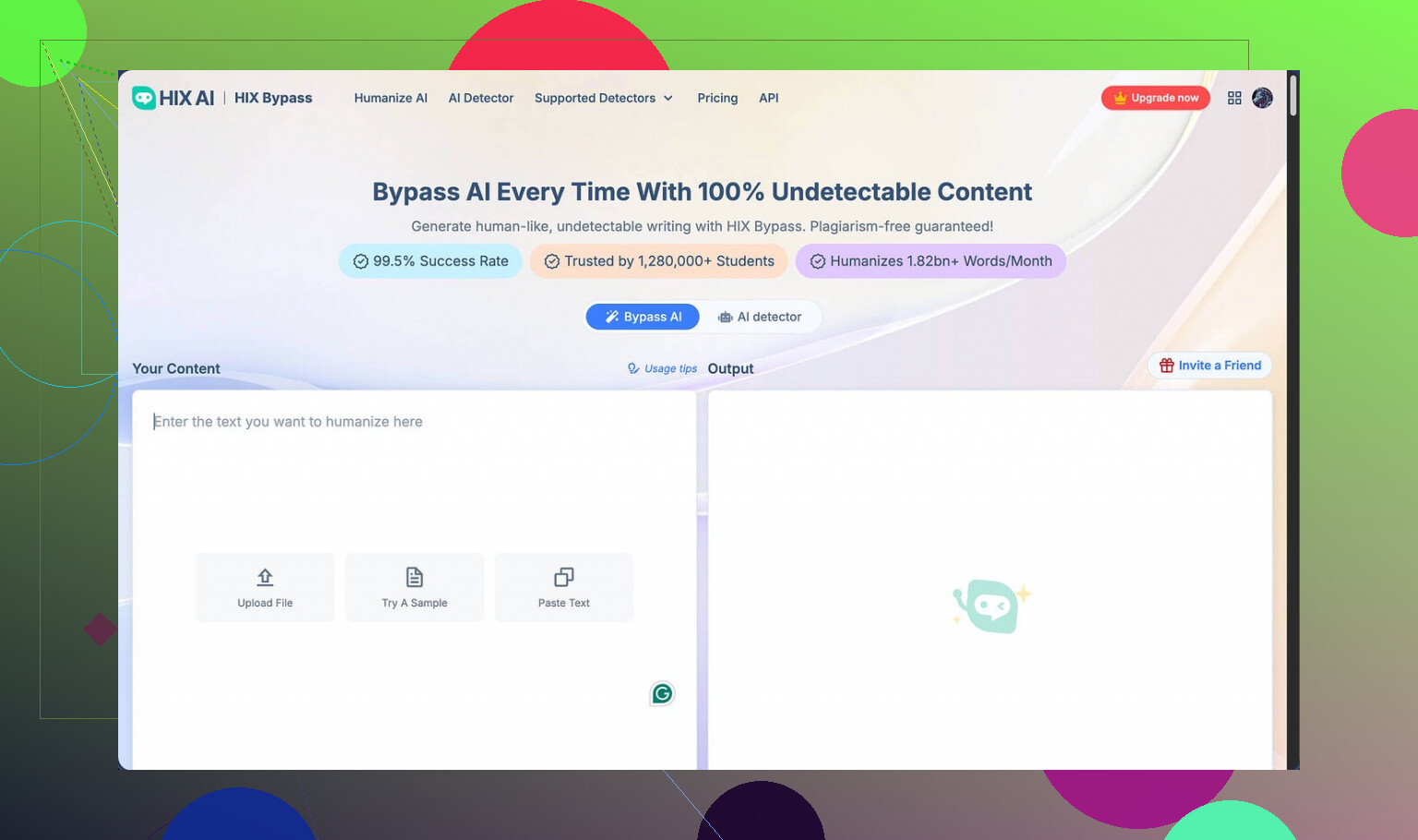
I spent some time playing with HIX Bypass after seeing their big claim of “99.5% success rate” slapped on the homepage, plus the Harvard, Columbia, and Shopify logos for extra gloss. The page links out to this writeup too:
On paper it looks solid. In practice, for me, not so much.
Here is what happened when I tested it:
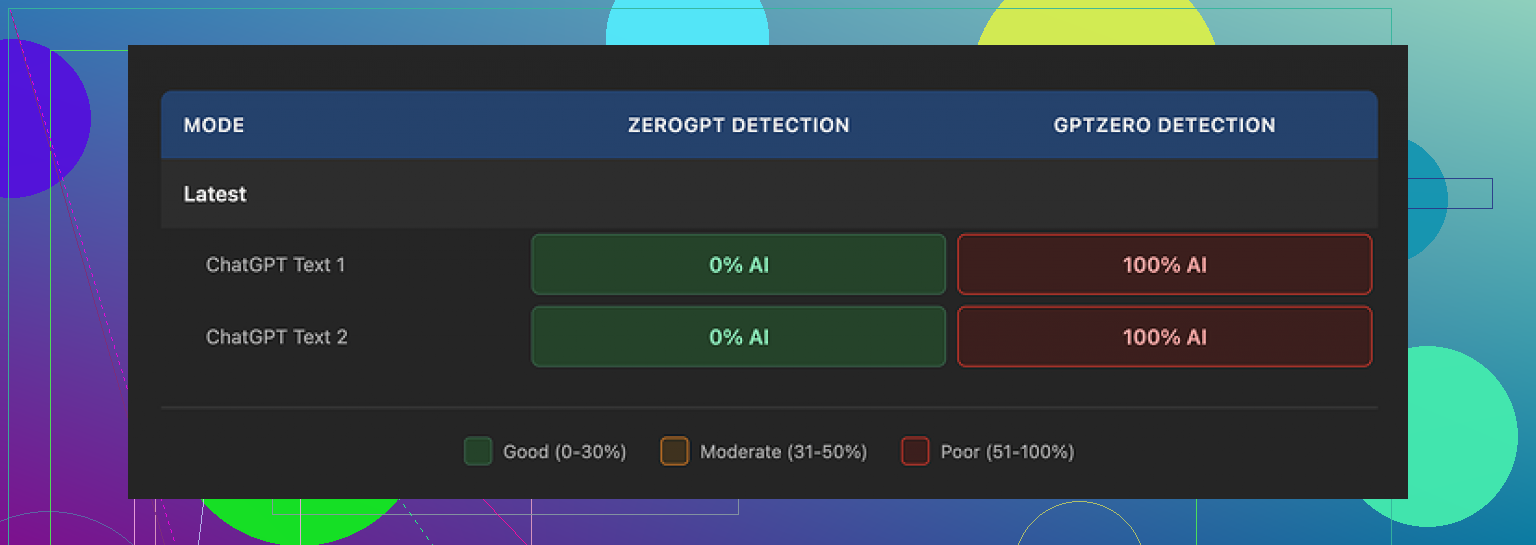
• I took two samples, ran them through HIX Bypass, then checked them against detectors.
• Both humanized samples passed ZeroGPT without any issues.
• GPTZero, on the other hand, flagged both as 100% AI generated.
So you get this weird split where one detector says “all good” and another one screams “AI”. That “99.5%” number started to look more like marketing than a real benchmark.
Their own built‑in checker made things worse. It confidently labeled the output as “Human-written” across most integrated detectors, while GPTZero still nailed it as AI. The internal tool gave me way more confidence than it should have.
On writing quality, I scored it around 4 out of 10.
Why so low:
• The output still contained multiple em dashes, which are a common AI tell.
• One sentence came out broken, like it got chopped mid‑generation.
• Another sample wrapped an entire sentence in square brackets for no obvious reason.
If you are trying to make text look like it was written by a person, random brackets and broken sentences are not helping you.
The usage limits and refund setup are also awkward.
Here is how it works right now:
• Free tier: 125 words total per account. That is barely enough to test anything.
• Paid plans: the 3‑day refund policy only applies if you stay under 1,500 words used.
So if you run a few decent‑sized tests, you risk crossing that 1,500‑word line fast, and at that point you are locked out of a refund. It pushed me to test less instead of more, which feels backwards for a tool you need to validate with multiple detectors and use cases.
Pricing looks cheap at first glance. The “Unlimited” annual plan is listed at about $12 per year, which sounds like a throwaway expense.
Then I read the terms of service.
Two things jumped out:
• They allow themselves to change usage limits after you pay. “Unlimited” is not really guaranteed in any stable way.
• They grant themselves broad rights over submitted content. It reads like they are free to reuse or process your inputs in ways you might not be comfortable with.
If you are sending client work, drafts under NDA, or anything sensitive, this should matter to you.
On top of that, free‑tier users have another catch. Your inputs can be used to train their models. So even if you are only poking around on the free plan, you are feeding their system with your text.
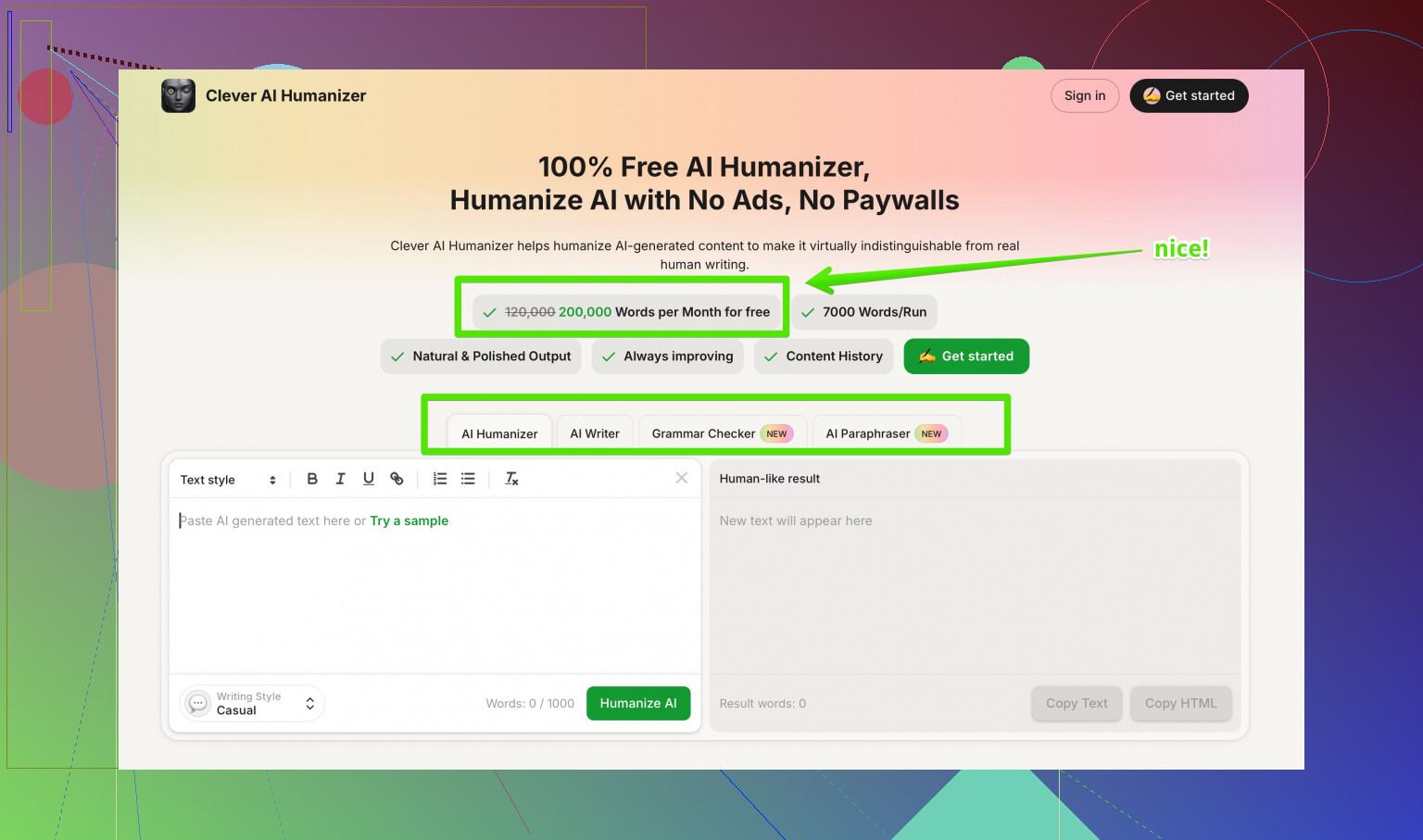
After trying multiple humanizers side by side, I ended up preferring Clever AI Humanizer. Its rewrites felt closer to how I write and scored better across detectors, without the word caps and refund traps, and at no cost to me.
For my use, HIX Bypass looked impressive on the homepage, then fell apart once I started testing it against real detectors and reading the fine print.
10 Likes
I went through something similar with a HIX Bypass review result, and it caused a lot of confusion on my end too. The wording on those notices is rough and often leaves out what you actually need to do next.
First, quick SEO friendly version of your situation, since others will search for this later:
“I received a confusing HIX Bypass review result, and now I am unsure why my AI content was flagged and how it affects my account, coverage, and future use. The decision notice did not explain the reason clearly or list my options to fix the issue or appeal the decision.”
Now, on to the practical parts.
- Figure out what the “review” is about
Some HIX Bypass messages relate to:
• AI detection failures on platforms like GPTZero or Turnitin
• Policy issues on a specific site you posted to
• Usage or plan limits on the HIX Bypass account
Go back to the notice and look for:
• The line that mentions a policy name, AI detection result, or “usage limit”
• Any dates, like when access or coverage changes
• Any mention of “appeal”, “dispute”, or “contact support”
If there is a code or short label on the notice, screenshot it and save it. Support teams ask for that often.
- Do your own quick detection check
This is where I slightly disagree with @mikeappsreviewer. I would not rely much on the HIX Bypass internal checker, but I also would not focus on only GPTZero either. Different tools use different signals.
Run the same text through at least three detectors:
• GPTZero
• ZeroGPT
• One extra of your choice, like Copyleaks or Originality.ai
If:
• All or most flag it as AI, then platforms will treat it as risky text.
• Only one flags it, you still need to be careful, but you have more room.
Save screenshots of these results, with timestamps. They help a lot if you contact support or appeal.
- Check how the review affects “coverage” or access
When you say “coverage”, that often means one of these:
• Some “AI protection” or “detection safe” promise from HIX Bypass
• Access to an app, course, or platform that does not allow AI content
• Some kind of plan feature that gets blocked if your text fails a review
Look for wording like:
• “Future content will not be covered”
• “Your access is limited”
• “We cannot guarantee detection safety”
If the review affects a platform like a school LMS, Upwork, or a client portal, read their own AI policy. HIX Bypass will not override that at all.
- Next steps you can take now
A. For your current text
• Shorten long complex sentences.
• Remove odd punctuation, like extra em dashes, brackets, or repetitive structure.
• Mix in real personal details, examples, and specific references to your own work or context.
• Change the structure, not only synonyms. Paragraph order, sentence length, and the way you explain things.
After edits, recheck with the same detectors. Compare old and new scores.
B. For HIX Bypass itself
Given the refund wording and usage traps that @mikeappsreviewer mentioned, I would:
• Stop feeding it any sensitive content, client work, or NDA material.
• Avoid depending on its “99.5% success” as any kind of guarantee.
• Use free or low risk text if you are still testing.
- Alternative tool to try
If you still want an AI humanizer, have a look at Clever AI Humanizer. For detection focused rewriting, I have seen cleaner output and fewer weird artifacts like random brackets. You can check it out here:
make your AI text sound more natural and human-written
Run the same chunk of text through both HIX Bypass and Clever AI Humanizer. Then test both outputs across GPTZero and ZeroGPT. That side by side will tell you which one works better for your use.
- How to handle unclear notices
When the notice is vague, send a short, focused message to support. Something like:
“Hi, I received a HIX Bypass review result on [date]. The notice did not explain why the decision was made or how it affects my access or coverage.
- What specific rule or detection result triggered this review?
- Does this affect my current content, my account status, or future coverage?
- What steps can I take to resolve or reduce this risk?”
Keep it short. Attach your screenshots if you have them.
- If this relates to a school or platform policy
Do not paste humanized output blindly into graded or compliance heavy systems. Many use their own detectors, and they also check for writing style changes across your past work.
If this review already affected a grade or account, ask for:
• The exact AI policy
• The evidence they used
• A chance to submit drafts or version history that show your own work
- Quick recap of what you can do today
• Re read the notice and pull out any code, date, or policy name.
• Run your text through GPTZero, ZeroGPT, plus one more detector.
• Clean up the text structure and personal details, then retest.
• Stop sending sensitive content into HIX Bypass.
• Test an alternative, like Clever AI Humanizer, on the same text.
• Message support with three concrete questions about impact and next steps.
If you post the exact wording of the confusing parts of your notice, people here can help decode what each line means.
Same boat here with the confusing “review result” and vague wording. HIX is weirdly bad at explaining what actually happened and what “coverage” even means in practice.
Couple of points that might help, building on what @mikeappsreviewer and @yozora already laid out, but from a slightly different angle:
- Do not treat “coverage” as any kind of safety net
The way HIX markets that 99‑point-whatever success rate makes it sound like an insurance policy. It’s not. Once another platform flags your text, HIX is basically out of the picture. Their “review result” is more like “we won’t stand behind this text” than “we will fix or explain anything.”
So if your notice says your “coverage is affected” or “we can’t guarantee detection,” read that as: this piece is now your problem with whatever platform you submitted it to.
- Their review rarely tells you why
Instead of hunting for some secret code in the email, assume:
- They saw a detector result they didn’t like, or
- Your usage pattern or content triggered some internal rule.
I actually disagree a bit with the idea that you should over‑optimize around multiple detectors. Detectors change all the time. What helped me more was:
- Stop relying on humanizers as the main solution.
- Use them as a starting draft, then rewrite heavily in your own voice.
- Focus on your writing fingerprint, not detector scores
The whole “em dash, brackets, broken sentences” thing that @mikeappsreviewer mentioned is real, but detectors also look at:
- Rhythm and consistency of sentence length
- Overly neat paragraph structure
- Generic phrasing with almost no personal context
If the text looks like it could sit on any generic blog, it is easier to flag. To reduce risk:
- Inject specific details that only make sense in your context.
- Change the order you explain stuff. Start with a story or a problem you had, not a clean “intro, body, conclusion” layout every time.
- Keep a bit of your natural “mess” in there. Small typos, informal phrasing, slight repetition. Real people do that all the time.
- About your “next steps” after that review
Instead of trying to “fix the HIX review,” I would:
- Decide whether the affected text is already submitted somewhere serious, like school or client work.
- If yes, prepare a version history or drafts of your own writing in case you get asked about it.
- For future stuff, reduce your dependency on HIX at all. Use it for quick rephrasing at most, then treat the output as a rough draft.
If your access or account on some platform is affected, contact that platform directly. HIX can’t reverse their decision. Ask them:
- What specific policy was triggered.
- Whether this is a warning, suspension, or permanent mark.
- If you can submit original drafts or earlier versions to show your own work.
- Tools side of things
You already know HIX’s own checker is not reliable if GPTZero is still yelling at you. I would not waste much time trying to reconcile those numbers.
If you still want an AI rewriter in your toolbox, I’ve had better luck running text through Clever AI Humanizer and then doing my own edit pass. It tends to avoid some of the more obvious patterns that get picked up and has cleaner phrasing in general. Still not “magic,” but it gave me a better starting point than HIX for getting past basic AI detection and sounding more like myself.
- On finding better info and reviews
If you want to see how other people are breaking down these tools in more detail, check out discussions like this one on Reddit that walk through detector tests, pros, cons, and real use cases:
in depth community discussion of the best AI humanizer tools
Those threads tend to be more honest than marketing pages and you can see people post their own screenshots and fail cases.
- What I’d do in your spot today
- Ignore the “coverage” buzzword from HIX. Assume it is basically gone for that text.
- Decide whether the flagged piece is critical. If yes, prepare to explain or revise it manually.
- For new work, use something like Clever AI Humanizer as a starting draft, then rewrite it so it matches how you naturally write, not how a tool writes.
- Save all notices and timestamps in case the platform that actually matters asks questions later.
If you can post the vague parts of the notice here (strip out anything sensitive), people can usually translate the corporate-speak into “this is a soft warning” or “this might cost you your access if it happens again.”
Short version: the HIX Bypass “review result” is mostly a CYA notice, not a real explanation. Treat it as “this text is now on you” rather than “we will help you fix it.”
A different angle from what @yozora, @cazadordeestrellas, and @mikeappsreviewer already covered:
1. Decode what the review actually means in practice
Ignore the fluff words like “coverage” and “bypass outcome” and look at impact in three areas:
- Is any feature on your HIX account limited or removed
- Is some external platform now blocking or scrutinizing your content
- Is HIX just saying they will not claim responsibility if detectors flag it
Most of the time it is number 3. In other words:
“If someone else’s detector catches this, that is your problem, not ours.”
That is why the notice feels vague. They are not motivated to tell you exactly why.
I disagree a bit with focusing heavily on trying to reverse engineer their internal logic. You will never see the real rule set. Use their review result as a red flag, not a puzzle you can solve.
2. Separate the tool problem from the policy problem
Two parallel situations:
-
Tool side
HIX output is being seen as risky by at least one detector. The review is just a symptom. -
Policy side
Your school, client, or platform has rules about AI use. If those rules matter for grades, money, or access, their policy is more important than anything HIX says.
So for next steps:
- If the notice only affects HIX “coverage” and nothing else changed, you can safely ignore it and just stop trusting them as any sort of shield.
- If your school, client, or platform access is affected, talk directly to them about:
- Which policy was triggered
- Whether you can provide drafts or version history
- Whether this is a warning or a formal violation
Do not waste time arguing HIX’s “review” with the platform. They do not care what a humanizer tool thinks.
3. Fix your process, not just this one piece of text
Others already walked through detector hopping and structural edits. I would focus more on your workflow:
A. Stop pasting raw HIX output anywhere important
Treat humanizers like noisy paraphrasing tools:
- Generate a version.
- Read it as if it came from someone else.
- Rewrite at least 30 to 50 percent in your own rhythm and tone.
Your writing fingerprint matters more than ZeroGPT or GPTZero percentages.
B. Build a small “reference set” of your own writing
Take 2 or 3 genuine samples of your natural writing where you did not use any AI:
- Similar length to your usual assignments or client work
- Written in one or two sittings
Use these as:
- A style template to imitate while editing AI or humanized drafts
- Evidence if anyone questions a piece you submitted
Some people rely on detectors as proof. That is weak. Version history and older writing samples are much stronger.
4. About Clever AI Humanizer vs HIX
You asked what to do next, not just what went wrong. If you still want a humanizer in your stack, Clever AI Humanizer is worth testing, but treat it realistically.
Pros of Clever AI Humanizer
- Tends to produce cleaner sentences with fewer strange artifacts than what people are reporting from HIX
- Often gives more natural variation in sentence length and phrasing which helps you blend it with your own edits
- Works well as a first pass to “de AI-ify” stiff model output before you do your manual rewrite
- No weird ultra tiny free limit like 125 words where you can barely test anything
Cons of Clever AI Humanizer
- Still not a magic invisibility cloak for AI detection
- Needs your manual editing on top or it will still smell “too neat” for some policies
- Can occasionally over smooth your text so it loses specific personal detail
- If you paste in very generic AI text, it can keep some of that generic feel and you must add your own real examples
Compared with the HIX experience you described, Clever AI Humanizer is better positioned as a drafting aid that you then heavily customize rather than a “bypass service” with “coverage.”
5. Where I partially disagree with others here
- I would not spend a lot of time running every single piece of text through three or four detectors. That can easily become an obsession and policies shift faster than detector accuracy. Use detectors for spot checks, not as gospel.
- I would also avoid betting on any single tool’s internal checker, whether HIX or anyone else. Internal checkers have a marketing incentive to tell you “you are safe.”
What @yozora, @cazadordeestrellas, and @mikeappsreviewer contributed is useful for understanding how these tools behave. I just think the more sustainable strategy is:
- Fewer tools
- More manual rewriting
- Stronger evidence trail of your own work
6. Concrete next moves you can take right now
- Re read the HIX notice only long enough to confirm:
- Does it limit your HIX account
- Did anything outside HIX get affected
- If nothing external changed, treat the review as a warning sign and stop trusting HIX for anything critical.
- For future content:
- Draft with whatever you use
- Run a pass through Clever AI Humanizer if you want a cleaner base
- Then rewrite sections so they sound like your older genuine writing samples
- If a school or platform is involved, gather:
- Earlier drafts
- Prior writing samples
- The exact policy text they are applying
and talk to them directly instead of forwarding the HIX review.
If you are comfortable sharing the key phrases from your notice that mention “coverage,” “limitations,” or “future use,” you can get more targeted interpretations of what that specific message actually implies for you.