I’ve tried several AI humanizer tools that promise to beat AI content detectors, but my text still keeps getting flagged as AI-generated by most major checkers. I’m confused about what actually works and what’s just marketing hype. Can anyone share real experiences, methods, or tools that have legitimately reduced AI detection rates without ruining content quality?
You’re probably here for the same reason I was: you’ve got something written by an AI, it reads fine, but every detector on the planet is screaming “100% AI.” I ended up testing Clever AI Humanizer pretty hard to see if it actually helps or if it’s just another “pay first, cope later” type of tool.
Here’s what I found, in plain language, as someone who actually used it instead of just copy‑pasting their landing page.
So… What Is Clever AI Humanizer, Really?
Clever AI Humanizer (site: https://aihumanizer.net/) is basically a rewriter that takes AI‑generated text and reshapes it so it looks and reads more like something a person would write. Not just swapping words, but changing sentence structure, rhythm, tone, and flow so AI detectors are less likely to flag it.
There’s also a write‑up about it here: [https://www.insanelymac.com/blog/clever-ai-humanizer-review/[sc%20name=](https://www.insanelymac.com/blog/clever-ai-humanizer-review/[sc%20name=)
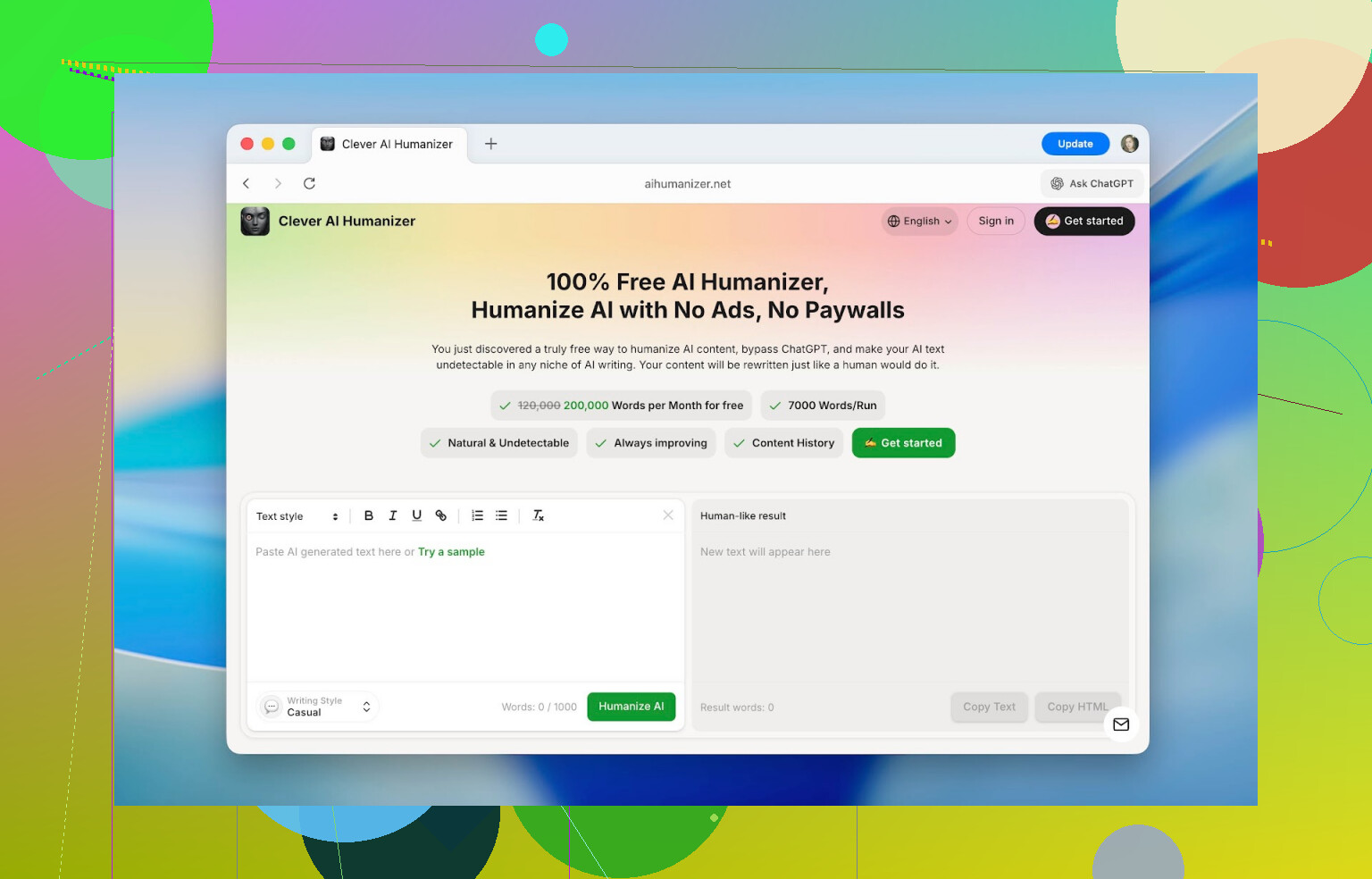
Interface-wise, it does not have that “weekend side project” look a lot of these tools have. The layout is clean, you instantly see where to paste your text, where the output will show up, and there’s a word counter that actually makes sense. You don’t spend time hunting for buttons.
The best part for a lot of people: you can use it for free.
- Max per run: 1,000 words
- Daily limit: 7,000 words
- 4,000 without an account
- +3,000 after free sign‑up
For school assignments, articles, or docs, that’s enough to do real work instead of just “test paragraphs” before it shoves a paywall in your face.
Core Features That Actually Matter
When I first opened it, I expected “paste text, click button, shrug.” But a few things ended up being more useful than I thought.
1. Detector Scores Before vs After
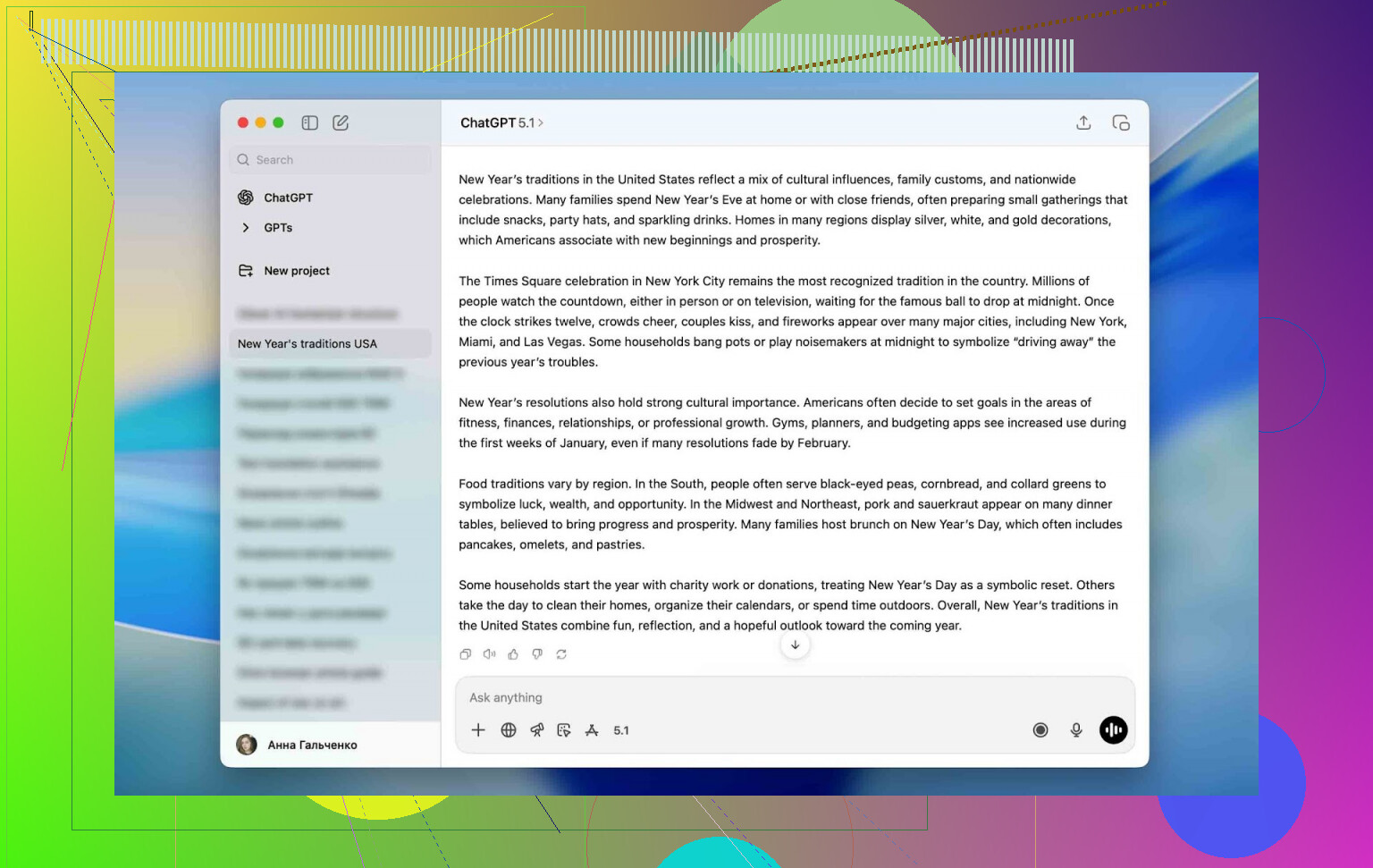
I used raw ChatGPT output for testing. I mean the kind you get from a simple prompt, no editing, no cleanup.
Detectors like ZeroGPT were reading it as 100% AI across the board.
After running that same text through Clever AI Humanizer, I consistently saw drops into the low teens or single digits. Stuff like:
- 13%
- 6%
- Sometimes almost 0%
No, it doesn’t magically guarantee 0% on every detector (nothing does). Different detectors use different math and assumptions. But the drop in “AI‑likeness” was big enough that the same text went from obviously machine‑written to “plausibly human” in terms of both how it reads and how tools scored it.
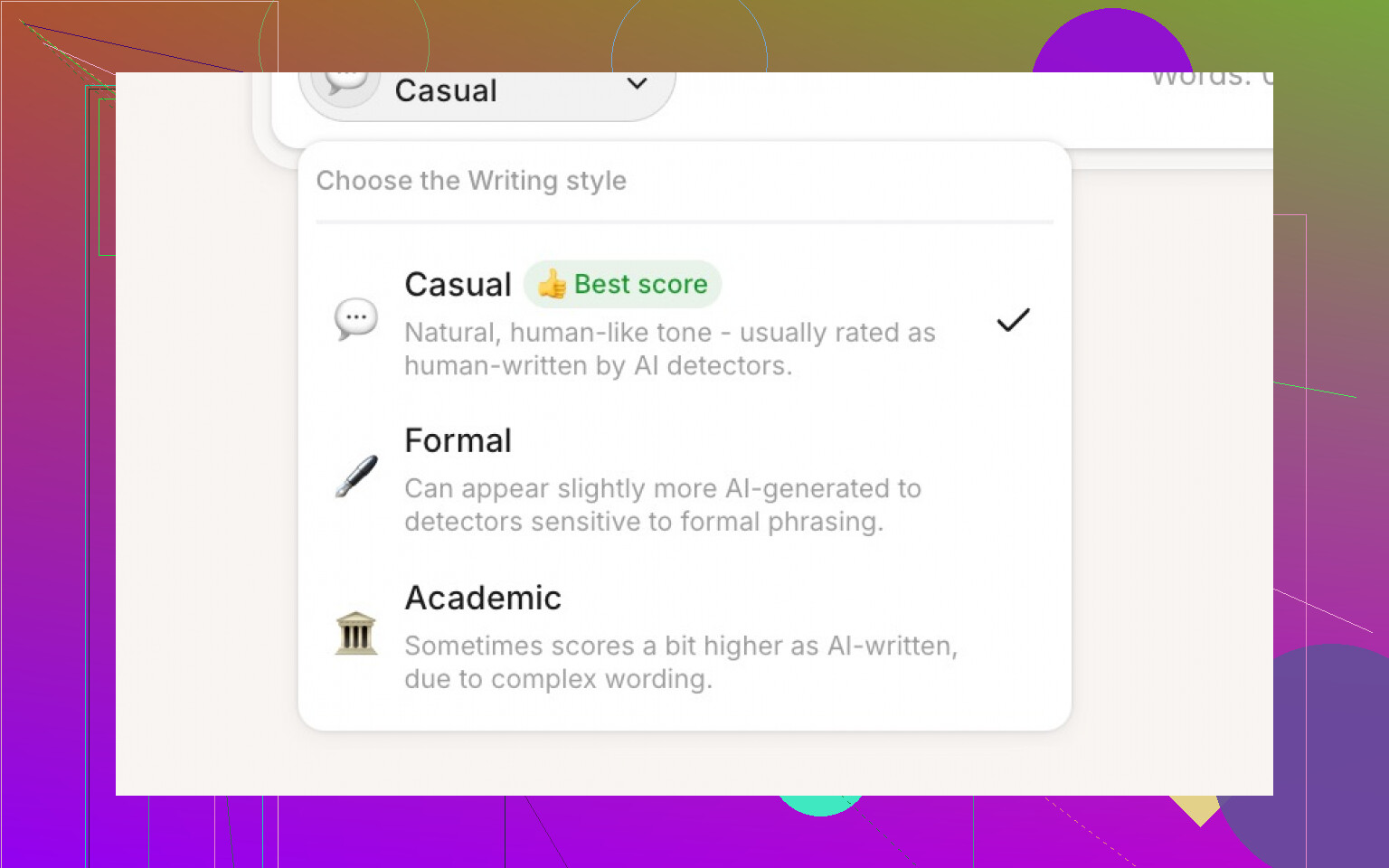
2. Style Modes: Casual, Formal, Academic
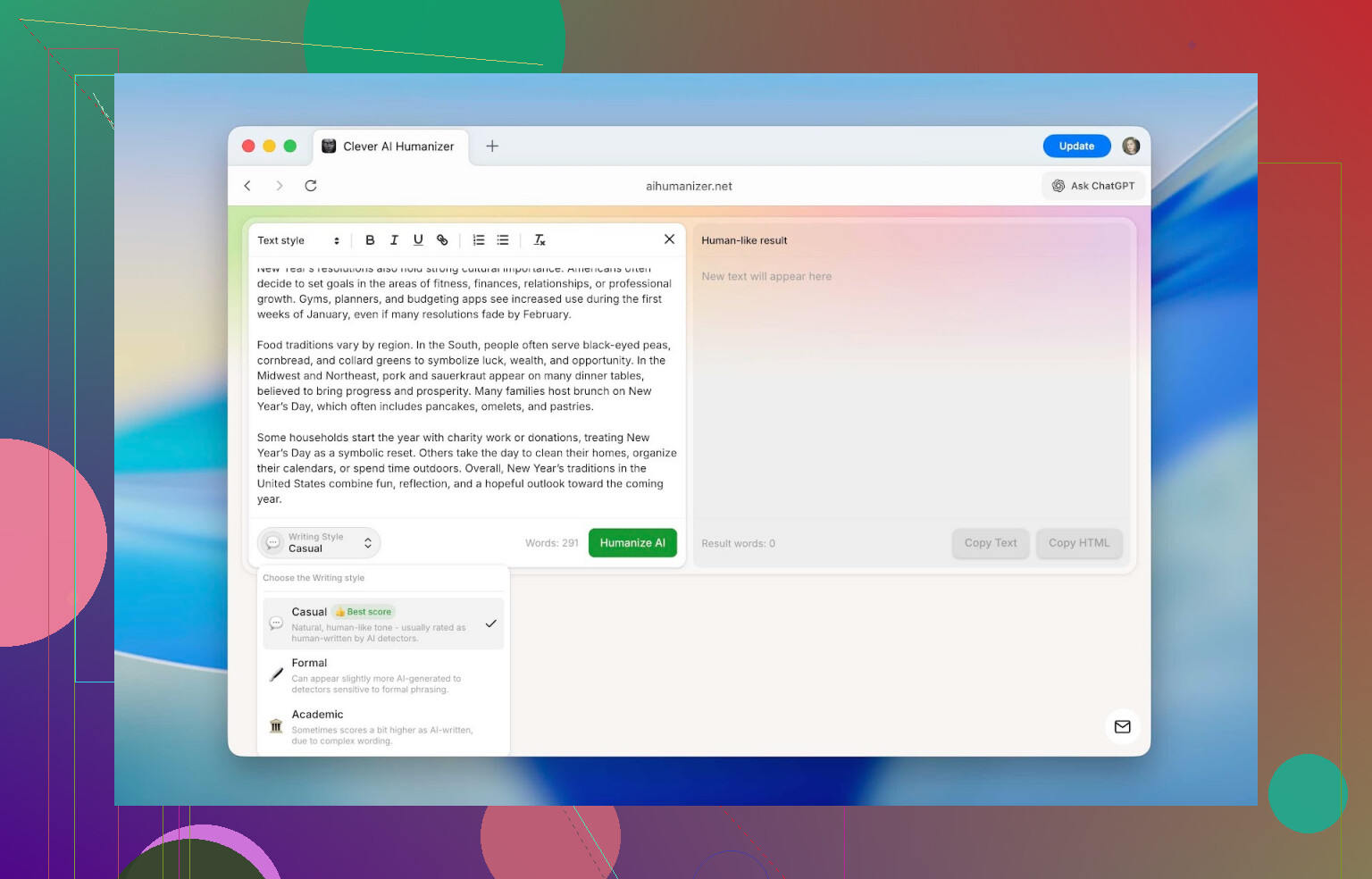
You can pick between three tones:
-
Casual
Reads like a normal person talking. Good for posts, social content, and anything conversational. -
Formal
More structured, neutral, less chatty. Think corporate email or business docs. -
Academic
Pushes it toward research/paper style phrasing.
Detectors did give slightly different scores depending on the style, but the spread was usually around 3–5%, so not a huge deal. For most tests, I just stuck to Casual to keep things consistent.
3. Built‑In Rewrite History
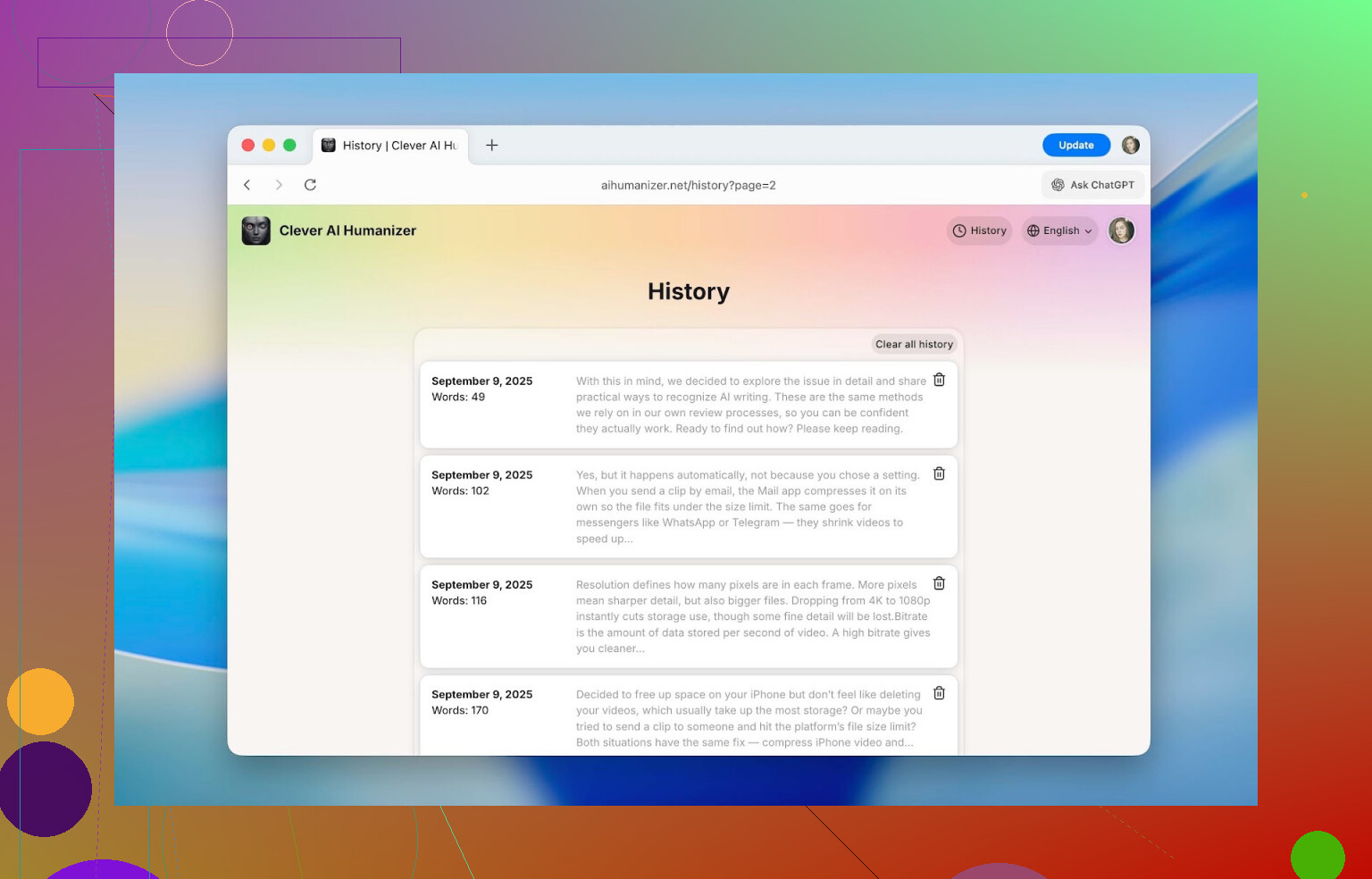
Once you create an account, it saves a history of everything you’ve run through it:
- Date
- Word count
- Short preview of the text
I was able to pull up stuff I’d tested back in September and it was still there. If you’re working on a long project over weeks or months, this is way better than trying to remember “which paragraph did I humanize last Tuesday?”
4. Formatting That Survives the Process
This one surprised me.
Inside the editor, you can use:
- Headings
- Bold / italics / underline
- Links
- Bullet and numbered lists
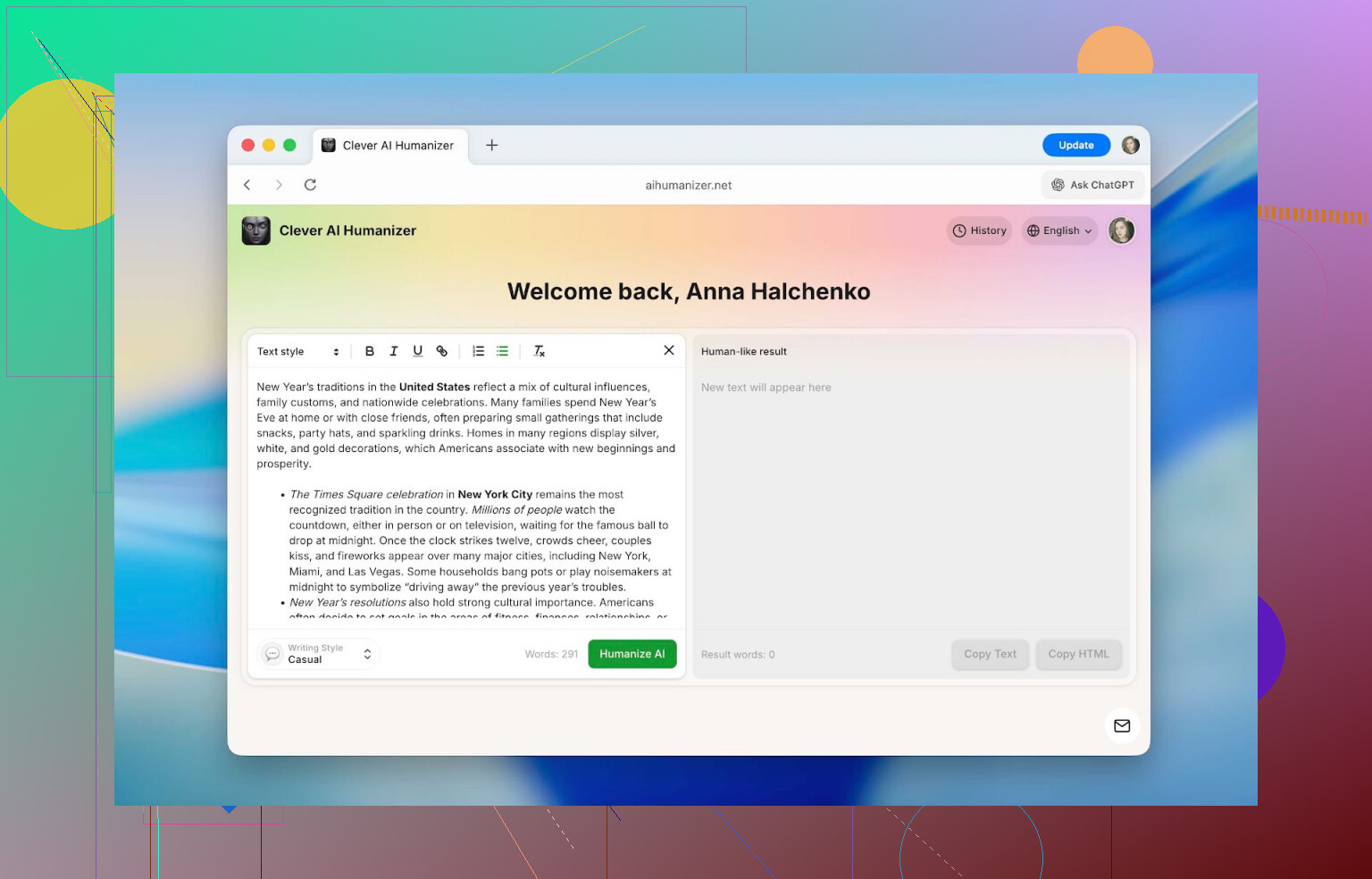
And here is the critical thing: the formatting stays intact after humanizing and copying.
So if you paste in a formatted doc (for a class, internal SOP, blog post, etc.), you don’t have to redo all the headings and lists afterward. A lot of similar tools strip everything to plain text and force you to rebuild. This one doesn’t.
5. Multilingual Support
It’s not just for English.
You can humanize texts in languages like:
- French
- Spanish
- Italian
- German
- Dutch
- Portuguese
- Polish
- Plus a bunch more
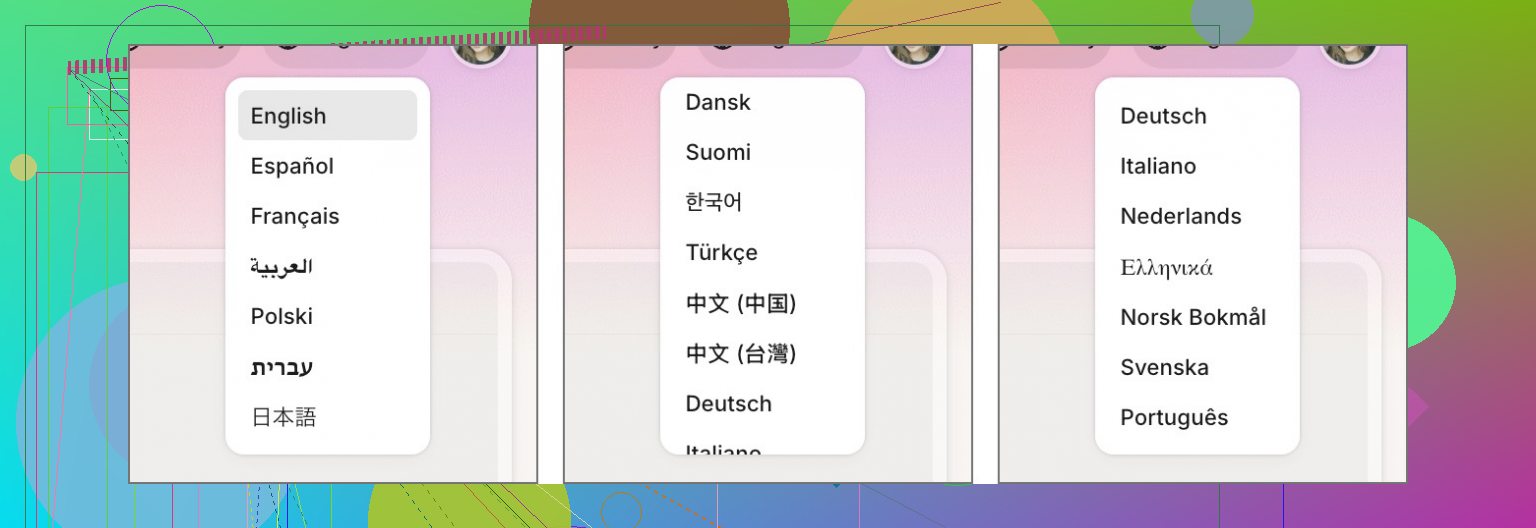
Also, the interface itself can be switched into multiple languages, so people who don’t live in English all day don’t have to rely on Google Translate just to navigate the site.
How To Use Clever AI Humanizer (Step By Step)
This part is not reverse‑engineering. I have no clue what’s going on inside their model, and they’re obviously not going to post the algorithm. This is just how it behaves from the user side.
It’s basically a few clicks:
-
Open the site: https://aihumanizer.net/
-
Optional but recommended:
Click Sign In (top right). You can log in with:- Apple
- Email + password
This unlocks the extra daily limit and enables the rewrite history.
-
Paste your original text into the left-hand box. That’s the input area.
-
At the bottom, pick your style (Casual, Formal, or Academic), then hit Humanize AI.
-
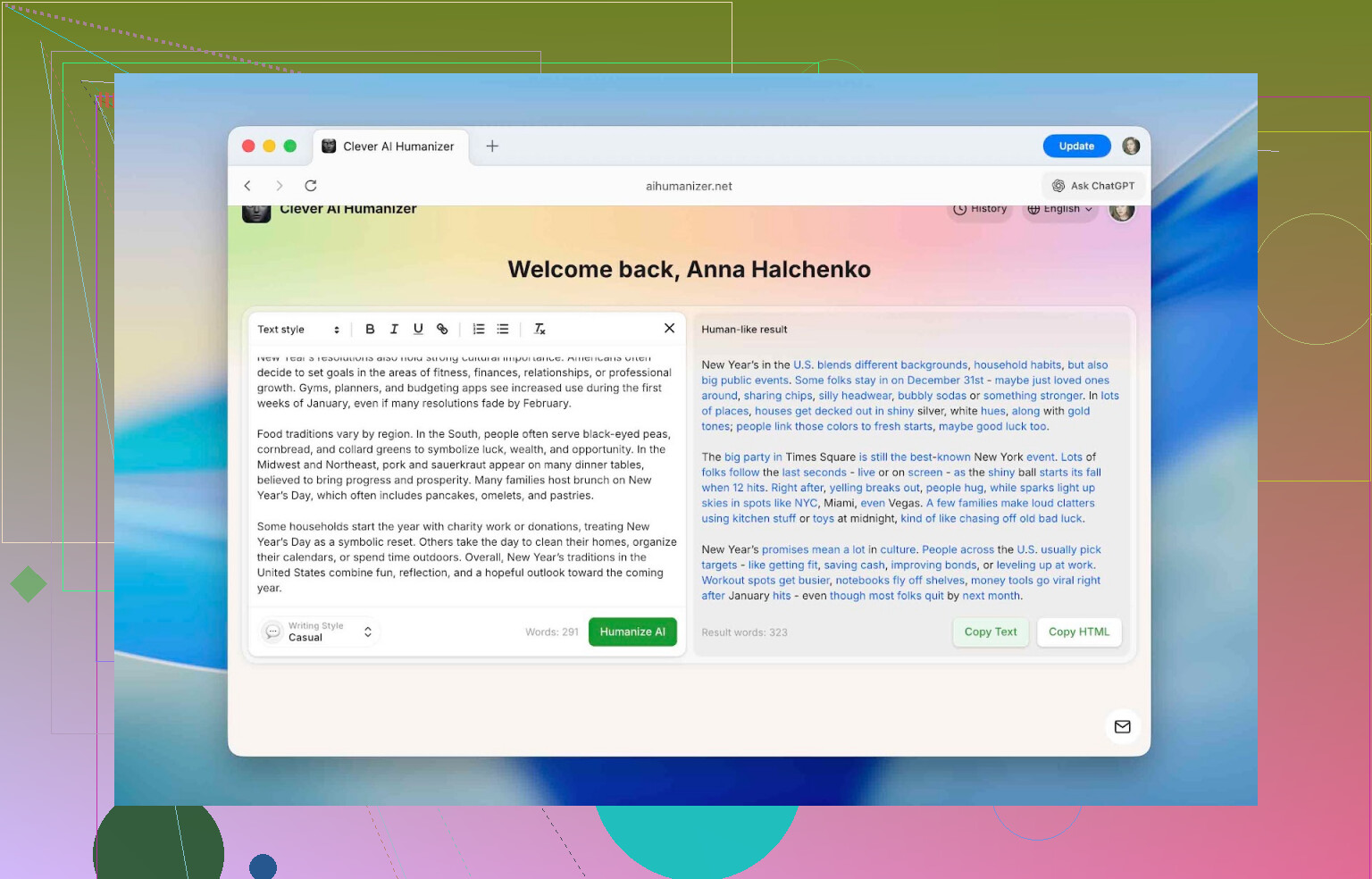
After a short pause, the right side shows the humanized version. Changed parts are highlighted in blue so you can quickly see what got altered.
From there you can:
- Copy the text into your doc
- Paste it into an AI checker
- Keep tweaking if needed
Does It Actually Beat AI Detectors?
This is what most people want to know.
To keep things realistic, I used a simple test flow:
-
Generate text with ChatGPT
Nothing fancy. Typical, generic AI output. -
Run that raw text through several detectors:
- QuillBot AI Checker
- ZeroGPT
- GPTZero
- Undetectable AI detector
Result: everything basically screamed “this is AI” with extremely high percentages.
-
Run the same text through Clever AI Humanizer using Casual mode. No manual edits.
-
Send that humanized output back into the same detectors, log the scores.
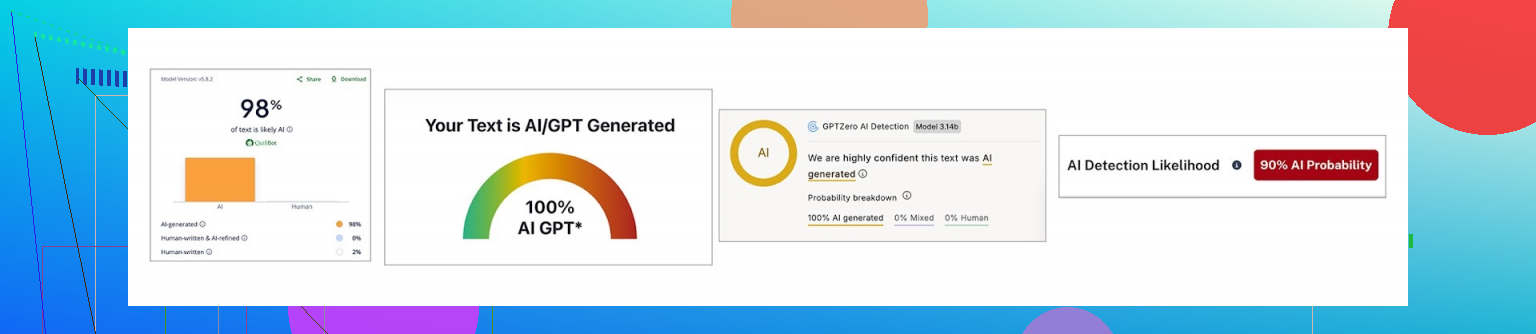
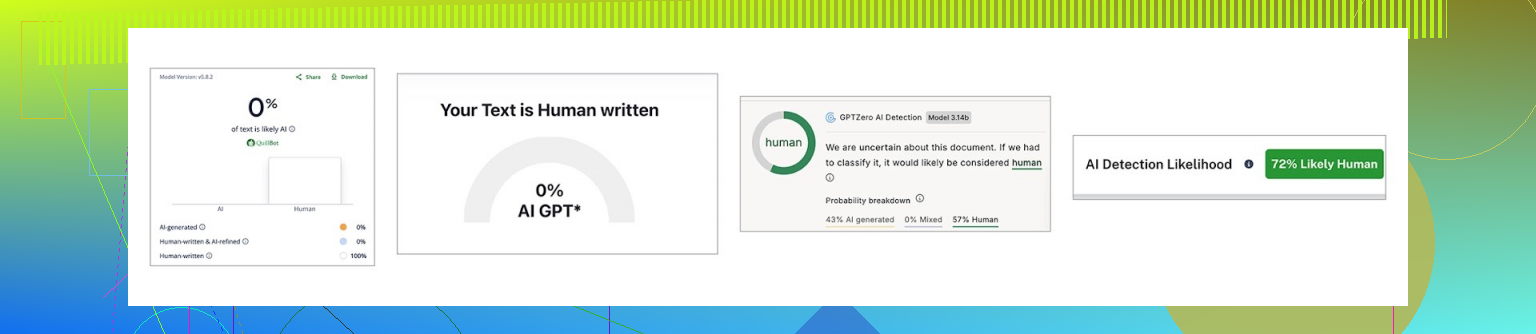
Here’s the before/after:
| QuillBot | ZeroGPT | GPTZero | Undetectable AI | |
|---|---|---|---|---|
| Before, % | 98 | 100 | 100 | 90 |
| After, % | 0 | 0 | 43 | 27 |
So:
- On QuillBot and ZeroGPT, it went straight to 0%.
- On GPTZero and Undetectable AI’s detector, it dropped but didn’t fully vanish: 43% and 27%.
The takeaway: it’s not just changing words. It’s altering patterns in ways that line up less with what these detectors are looking for. But different detectors have different formulas, so you won’t get one universal guaranteed score everywhere.
There’s also a more detailed comparison of detectors here if you’re into that:
[https://www.insanelymac.com/blog/clever-ai-humanizer-review/[sc%20name=](https://www.insanelymac.com/blog/clever-ai-humanizer-review/[sc%20name=)
One Important Disclaimer
I don’t recommend (and they don’t either, to be fair) dumping 100% AI output into this and submitting it as your own original academic or professional work.
A reasonable way to use a tool like this looks more like:
- You write the core content yourself.
- You let AI suggest edits, structure, or expand some parts.
- You run those AI‑flavored chunks through a humanizer to remove that obvious “ChatGPT voice.”
That way the substance is still yours, but you avoid flagging purely because your editor was an LLM.
How It Stacks Up Against Other “Humanizer” Tools
Using a tool in isolation is one thing. The real question is: how does it compare to others doing the same job?
I lined it up against several popular options people see when they Google “AI humanizer”:
- Humanize AI
- Originality.ai Humanizer
- Undetectable AI Humanizer
- QuillBot AI Humanizer
- AI Humanize
- Decopy AI Humanizer
All of these showed up in search results. I picked them the same way any normal user would: open top results, see what they offer.
To make the comparison fair, I used:
- Pricing model
- Monthly word limits
- Extra features
- Performance on the same ChatGPT text, checked with ZeroGPT after humanization
Here’s the summary:
| Metrics | Clever AI Humanizer | Humanize AI | Originality.ai Humanizer | Undetectable AI Humanizer | QuillBot AI Humanizer | AI Humanize | Decopy AI Humanizer |
| Pricing model | Free | Light $19 / Standard $29 / Pro $79 | $14.95/month or pay-as-you-go $30 | from $19/month | $9.95/month | Basic $15 / Pro $25 / Unlimited $40 | Free |
| Monthly word limit | 210000 | 20000 | 200000 | 20000 | Unlimited | 15000 | Unlimited |
| Additional features | Formatting preserved, rewrite history, 3 tone modes | Humanization style | Plagiarism/AI detection, scan history, 4 tone modes, control of the output text length | – | Rewrite history | 8 tone modes, rewrite history | 8 tone modes, control of the output text length |
| Detection drop in tests (ZeroGPT) | 0% | 100% | 100% | 17.76% | 65.12% | 53.74% | 62.4% |
Some of these tools either:
- Barely give you any free usage
- Or throttle so hard you cannot test them properly without paying
In those cases, the numbers above are based on the cheapest real subscription tier they offer, since that’s what you’d have to pay to use them in any normal workflow.
When you strip away all the fluff, two metrics actually decide whether a humanizer is worth using:
- How much it actually reduces AI detection
- How much you pay for that result
Looking only at those two, Clever AI Humanizer ends up in a pretty sweet spot: best detection scores in this group and no subscription.
The biggest disappointment for me personally was:
- QuillBot AI Humanizer
- Originality.ai Humanizer
Both are big names, heavily marketed, and charge monthly. But in tests, their “humanized” output still hit around 100% AI according to ZeroGPT. Which kind of defeats the entire point of using a humanizer in the first place.
If someone specifically needs a tool to lower AI detection (and not just paraphrase for style), those two would not be my pick based on these tests.
From this batch, the only ones that actually did their job well were:
-
Clever AI Humanizer
Best reduction, free, with useful extras -
Undetectable AI Humanizer
Decent performance but paid, with prices changing depending on your monthly word usage (starting around $19).
Where Clever AI Humanizer Is Actually Useful
Outside of school or uni contexts, AI‑written stuff is everywhere now. That’s why so many things online read like they were all written by the same slightly too‑polite robot.
This is where a humanizer can help: it cleans off the “AI gloss” and makes text sound more individual.
Some real‑world uses:
-
Cleaning up obvious AI fragments in:
- Essays
- Homework
- Reports
- Slide decks and presentations
-
Rewriting social posts:
- Instagram captions
- Threads posts
- TikTok or YouTube descriptions
-
Making marketplace product descriptions feel less generic and more trustworthy.
-
Polishing blog or website sections that started out as AI drafts.
-
Tidying internal company docs originally written with AI assistance, so they read like something an actual colleague would send.
-
Adjusting guest posts or sponsored articles so they pass editorial sniff tests and don’t scream “generated.”
In all those cases, the goal isn’t just “fool the detector,” it’s “stop sounding like a bot.”
Final Thoughts After Using It
After running a bunch of tests, here’s the short version:
- It does significantly reduce AI detection scores across several major tools.
- It stays free, with a daily limit of roughly 7,000 words, which is enough for multiple essays or a solid day of content work.
- Features like rewrite history, three tone modes, formatting preservation, and multilingual support make it usable for more than just quick one‑off fixes.
There’s a ranking write‑up that also puts it at the top of their list:
[https://www.insanelymac.com/blog/clever-ai-humanizer-review/[sc%20name=](https://www.insanelymac.com/blog/clever-ai-humanizer-review/[sc%20name=)
If your aim is to make AI‑touched writing read closer to your own voice and not trigger every detector on contact, it’s absolutely worth a try.
Just don’t outsource your entire brain to it. Use AI and humanizers as tools to polish what you already think and want to say, not as a replacement for that thinking.
If you’ve tried Clever AI Humanizer or any of its competitors and have your own results, there’s an ongoing discussion over here:
https://www.insanelymac.com/forum/
4 Likes
Short version: yes, people do slip past detectors with humanizers sometimes, but it’s way less reliable than the marketing makes it sound, and it depends a lot on the combo of:
- Which model wrote the text
- How edited it is
- Which detector is used
- How aggressive the “humanizer” is
What @mikeappsreviewer posted lines up with what I’ve seen: Clever Ai Humanizer actually moves the needle on several detectors, especially things like ZeroGPT and QuillBot’s checker. I’ve had similar results: raw GPT text flagged at 90–100%, run through Clever Ai Humanizer, then suddenly sitting in single digits or even 0% on some tools.
Where I’d push back a bit on the hype:
-
Detectors are not all the same
You can “pass” ZeroGPT and still get nailed by GPTZero or an internal university tool. So when a site says “undetectable,” that’s marketing, not a guarantee. A lot of people see one 0% screenshot and assume they’re invisible. Nope. -
If you just paste raw AI and never touch it, it’s still risky
Humanizers like Clever Ai Humanizer can break up the obvious patterns, but they do not magically make bad, generic content suddenly “yours.” The more you manually edit before and after, the less likely detectors and humans are to flag it. -
Context matters
- A casual blog post or product description that passes a web checker? Very doable.
- A high‑stakes academic submission where the instructor knows your usual writing style? Much harder to fool, even if the detector score is low.
-
Overusing them can backfire
If you keep running the same kind of text through the same humanizer, you can end up with a different kind of detectable pattern: weirdly rounded phrasing, overly neat transitions, that “polished but personality‑free” vibe. Some newer detectors lean on that.
What has actually worked best for me (and people I’ve seen post results):
- Use AI to draft ideas / outlines.
- Write at least 50–70% yourself in your own voice.
- Only run obviously robotic chunks through a tool like Clever Ai Humanizer.
- Then do a final human pass: add your own examples, personal opinions, small tangents, even a couple typos or broken sentences. That sort of human messiness still throws off a lot of detectors.
So if your experience so far is “I tried a bunch of humanizers and still get flagged,” that doesn’t mean no one is getting through. It usually means:
- The tools you used are just glorified spinners, or
- You’re feeding fully AI‑written essays and expecting a 1‑click jailbreak.
If you must use one, Clever Ai Humanizer is one of the few I’d even bother testing right now. Not because it’s magic, but because:
- It actually changes structure and rhythm instead of just synonyms
- It preserves formatting, so you can keep headings and lists intact
- It gives decent drops on multiple detectors without immediately paywalling you
Just treat the whole “beat AI detectors” claim as “reduce how obvious this looks,” not “you are now undetectable.” If it’s academic or compliance‑sensitive, assume a human might still read it and ignore the detector score entirely.
Short answer: yes, people slip past detectors with humanizers, but what you’re doing (paste AI → click “humanize” → submit) is exactly where most of them fall apart.
A few points that might explain why you keep getting flagged, even after trying multiple tools:
-
Detectors don’t agree with each other
This is the part a lot of the marketing never mentions. You can get:- 0% AI on ZeroGPT
- 90% AI on GPTZero
- Some random “mixed” result on a school’s internal checker
So when a tool screams “undetectable,” they usually mean “we showed a nice screenshot from one detector.” @mikeappsreviewer and @techchizkid both showed exactly this: Clever Ai Humanizer dropped scores a ton on some detectors, but not all of them.
-
Most “humanizers” are just dressed‑up spinners
A lot of the ones you probably tested just:- Swap synonyms
- Shuffle phrases
- Maybe add filler words
That doesn’t change the deeper patterns detectors look for: repetitive structure, flat rhythm, statistically “too clean” sentences, etc. That’s why your content still gets nailed.
-
Clever Ai Humanizer actually changes the pattern
I’m not going to rehash all the steps they already walked through, but the reason Clever Ai Humanizer does better than the usual junk is that it really messes with:- Sentence length
- Flow and pacing
- How ideas are grouped
That’s why @mikeappsreviewer saw 100% AI drop to 0% on some tools while GPTZero still showed 40-ish percent. It’s not magic, it’s just better at disrupting the “classic ChatGPT fingerprint” than the cheap tools.
Where I slightly disagree with both of them: I don’t think “use AI a bit, then humanize a chunk” is automatically safe for academic use. Even low detector scores do not save you if:
- Your writing style suddenly jumps 3 grade levels
- The prof uses their own detector or just reads it and goes “no way you wrote this”
-
Full‑AI + humanizer is the riskiest combo
If the entire thing is:- Model writes essay
- Humanizer rewrites essay
- You change 1–2 words
You’re basically asking to get flagged. Detectors are getting more sensitive to “LLM-on-top-of-LLM” text. It looks weirdly smoothed out in a way human writing usually isn’t.
What actually works better in practice:
- Outline with AI
- Write a messy draft yourself
- Use AI + humanizer only to clean specific robotic paragraphs
- Then add your own small quirks back in (asides, mild repetition, even a couple typos or slightly broken sentences)
-
Your use case really matters
- Blog posts / product descriptions / random site content: humanizers like Clever Ai Humanizer can be enough to get you under the radar of basic web checkers.
- Graded essays / theses / compliance docs: detector scores are almost secondary. If a human reviews it, they only need to suspect AI use, not “prove” it with a number.
-
Why Clever Ai Humanizer keeps coming up specifically
You mentioned you tried “several” tools. Odds are some of them were:- “Undetectable” type sites that barely touch structure
- Tools from detector companies that, frankly, don’t seem great at humanizing their own target
Compared to that pile, Clever Ai Humanizer actually:
- Preserves formatting, so your headers and lists survive
- Shifts sentence rhythm instead of only swapping words
- Tends to do well against ZeroGPT and QuillBot’s checker in particular
That makes it one of the few that’s worth testing if your goal is to lower AI detection, not just rephrase. Not perfect, not invisible, just better odds.
-
Why your stuff is still getting caught
Common reasons:- You’re checking with the strictest tools (GPTZero, Originality, institutional detectors)
- The topic is super generic, which naturally looks “AI-ish”
- Your own writing style is very different from the polished output
- You’re relying 100% on tools, 0% on real editing
So in plain terms:
- Yes, people do dodge some detectors with tools like Clever Ai Humanizer.
- No, there is no one-click way to beat all detectors reliably.
- Anything “100% AI → 1 click → totally safe” is marketing, not reality.
- If you keep using them, treat Clever Ai Humanizer as a polishing step, not as a magic invisibility cloak, and expect that serious academic or workplace systems may still flag or question it.
If you’re using this for school: the more the assignment “matters,” the less I’d bet on any humanizer saving you, regardless of what the detectors show.
Short version: some people absolutely slip past certain detectors with humanizers, but what you’re bumping into is the “multi‑detector wall.” If you’re checking against several tools, almost nothing works as a universal cloaking device.
A few angles that haven’t been stressed yet:
1. Detector roulette is the real problem
You’re probably seeing something like:
- Tool A: “Looks human”
- Tool B: “50/50”
- Tool C: “Highly likely AI”
That inconsistency is not your fault and not the humanizer’s fault either. Detectors are mostly pattern guessers, not lie detectors. If your school or company uses one tuned aggressively, your “pass” on public checkers won’t matter much.
This is why what @techchizkid, @waldgeist and @mikeappsreviewer measured on public tools is useful, but not a guarantee for your specific checker setup.
2. Where Clever Ai Humanizer actually helps
If your goal is “stop my writing from screaming ChatGPT,” as opposed to “perfectly erase all AI traces,” Clever Ai Humanizer is one of the few that changes the texture of the text instead of just doing synonym acrobatics.
Pros:
- Genuinely shifts sentence length and rhythm so it doesn’t read like default LLM output
- Preserves headings, lists and basic formatting so you are not rebuilding posts from scratch
- Multiple tones (casual / formal / academic) that actually feel different in voice
- Free tier is big enough for real use, not just a teaser
Cons:
- Still not consistent against stricter detectors like GPTZero‑style systems
- Output can be a bit “too clean” unless you inject your own quirks afterward
- If your original prompt was generic and bland, it will still feel generic and bland, just less robotic
- No tool‑side way to match your personal writing fingerprint automatically
I slightly disagree with how relaxed some people are about “use AI, then humanize a chunk, you’re fine.” If your teacher or manager knows how you normally write, a sudden jump to perfectly structured prose is its own red flag, detector or not.
3. Why your text may still be flagged even after humanizing
Even with a stronger tool like Clever Ai Humanizer, these factors often sink the result:
-
Topic is overused
“Benefits of exercise,” “impact of social media,” “remote work productivity” and similar prompts have a very narrow range of plausible phrasing. Both AI and humans sound repetitive there, which helps detectors. -
Voice mismatch
If previous work from you is full of short sentences, minor errors and informal transitions, and this piece reads like polished corporate copy, you are depending entirely on the detector being lazy and the human not caring. -
Too much AI stack
Generating in ChatGPT, regenerating, then humanizing, sometimes paraphrasing again, can actually over‑stabilize the text. It becomes statistically more LLM‑like because multiple models optimized it the same way.
4. What tends to work better in real use
Not repeating everyone’s steps, just the pattern that survives detectors + human review more often:
- Start with a rough outline or bullet list in your own words
- Use an AI model to expand or clarify tricky sections, not the whole document
- Run those obviously robotic parts through Clever Ai Humanizer to roughen the edges
- Manually inject your normal habits: a couple of blunt sentences, a slightly awkward transition, maybe a short anecdote or specific detail only you would know
That last step is where most people cut corners, and it is also where detectors and humans diverge. Detectors chase patterns; humans notice authenticity and specificity.
5. Where competitors fit in
Very short take, since others already went deep:
- Some tools @techchizkid and @waldgeist mentioned behave like glorified thesaurus buttons. They lower AI scores a bit on tolerant detectors but often stall on harsher ones.
- The testing that @mikeappsreviewer posted shows why Clever Ai Humanizer keeps getting name‑dropped: it produces bigger drops on at least a couple of major detectors while staying free to try.
That does not mean it “beats the system.” It just means if you are going to use a humanizer, it is one of the few that changes structure enough to be worth your time.
6. If you are doing this for anything high‑stakes
Reality check:
- Detectors: noisy, inconsistent, sometimes unfair
- Institutions: often treat any AI suspicion as your problem to prove otherwise
- Humanizers: tools for smoothing style, not legal shields
For blog posts, affiliate pages, basic marketing copy: Clever Ai Humanizer is a solid choice to reduce the “AI sheen” and get friendlier scores on most public detectors.
For serious academic or professional submissions: no humanizer removes the risk that someone just reads it and thinks “this isn’t you.” Use them to polish, not to fully replace your own writing.