I keep seeing FileZilla recommended in older tutorials and forum threads, but I’m not sure how relevant that advice still is. If you’ve been using it for a while, I’d love to hear what your day-to-day experience has been like.
I’ve been using FileZilla for quite a while to move files between my computer and various servers, and I would be glad to share my FileZilla review.
What is FileZilla?
FileZilla is a free, long-standing FTP client that has been the go-to choice for years. It’s probably the most recognized tool in the space, mostly because it doesn’t cost anything and it handles basic file transfers well enough. It supports the standard FTP protocol, along with the more secure SFTP and FTPS options, and you can run it on Windows, Mac, or Linux.
While it has a massive user base, its reputation is a bit of a mixed bag. Over the years, there have been a lot of complaints about the installer including bundled adware or “sponsored” software. Because of this, you really have to be careful to download it only from the official site. There are plenty of fake sites out there distributing modified versions that contain actual malware. Even with the official version, many users, myself included, usually run a malware scan after installing it just to be safe.
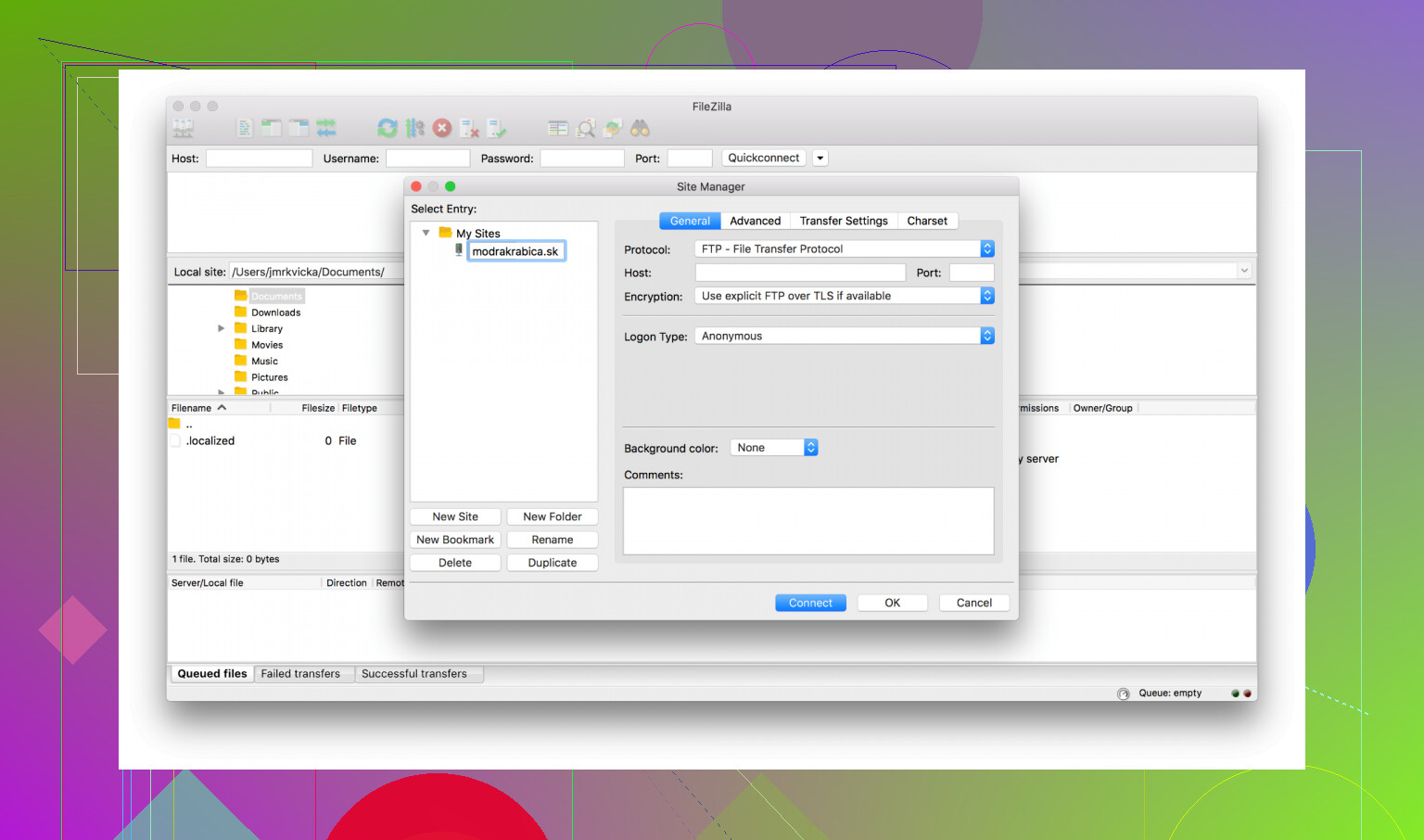
What I like
- It’s free and doesn’t require a subscription, which is why it stays so popular.
- Since so many people use it, it’s easy to find a guide or a forum post if you run into an error.
- For routine, everyday transfers, it generally gets the job done.
- It handles FTP, SFTP, and FTPS without needing extra plugins.
- The drag-and-drop setup and the transfer queue make it easy to see what’s moving.
Where It Falls Short
The biggest issue with FileZilla, and the reason many people have lost trust in it, is the recurring accusation of bundled malware. This isn’t just a one-off complaint; for years, users have reported that the installer tries to sneak in unwanted or potentially harmful software. While the core FTP program itself isn’t a virus, these bundling practices have made a lot of people uncomfortable. It’s a recurring headache that has damaged the project’s credibility. Even if you use the official installer, some versions have been flagged by antivirus tools, which is enough to make any user cautious.
Another downside is that plain FTP is the default, and it’s inherently insecure. If you don’t specifically know to choose SFTP or FTPS, you’re sending your data and login credentials without any encryption. FileZilla doesn’t really push you toward the safer options, so you have to be proactive about security yourself. The situation is made worse by the number of “lookalike” download sites. If you accidentally land on a fake site, you could end up with a malicious installer that looks exactly like the real thing.
A Better Option for Mac Users
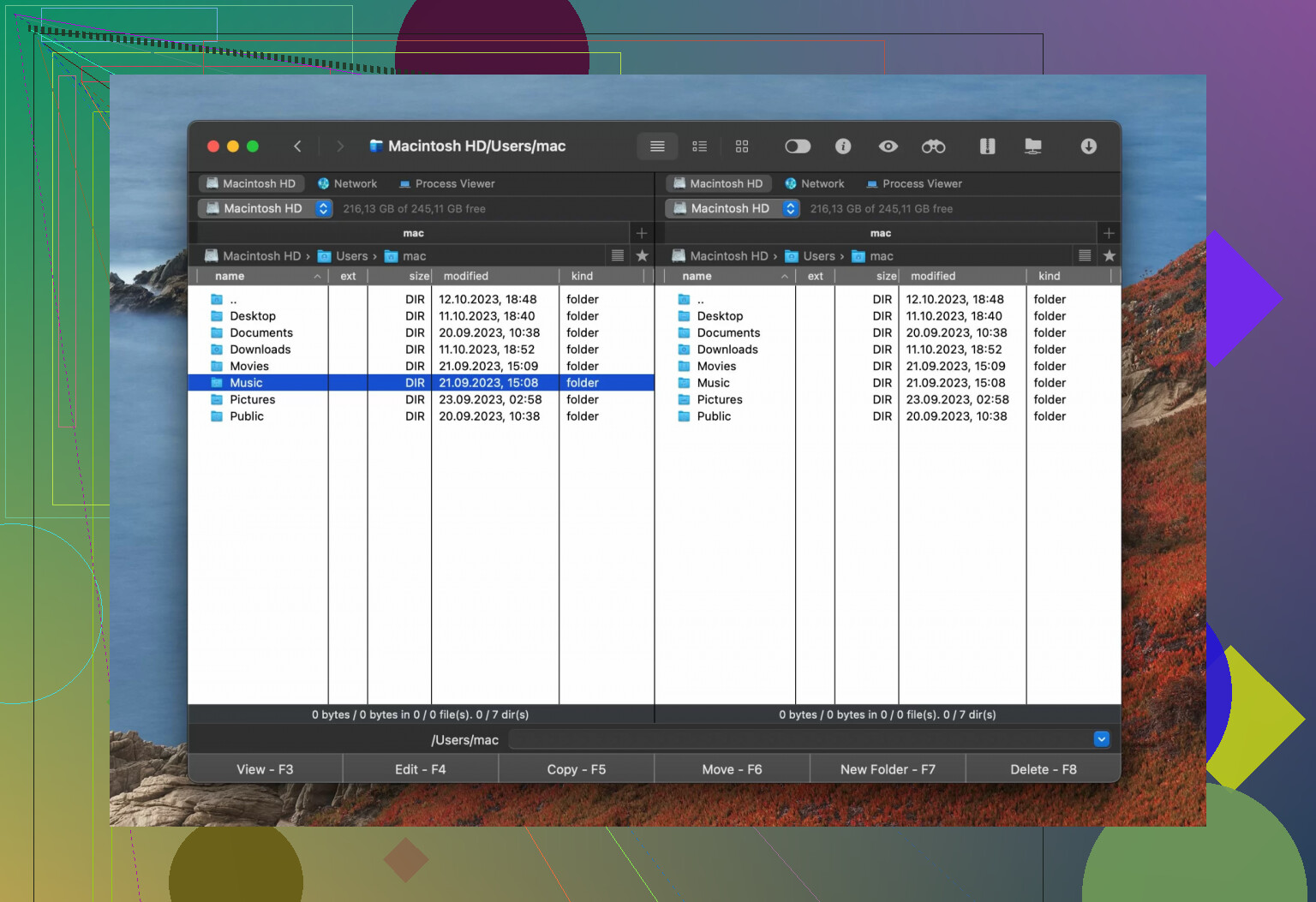
If the trust issues with FileZilla make you uneasy, I’ve found Commander One to be a solid alternative on the Mac. It handles FTP, SFTP, and FTPS just as well, but it doesn’t come with the baggage of installer controversies or bundled junk. What you install is exactly what you get.
What I like about it is that it’s more than just an FTP client; it works as a full file manager for macOS. You can queue up operations across several different servers at once, which keeps things organized if you’re managing more than one site. It also packs in features that FileZilla lacks, like built-in file encryption, a Terminal emulator, and a process viewer.
It even supports MTP, so you can manage files on your Android or iOS device from the same window you use for your web server. It is a paid app, unlike FileZilla, but for many, the extra features and the cleaner reputation make it worth the price.
Final Thought
FileZilla is a functional tool that still works for simple, occasional transfers if you’re on a budget. But the history of bundled software is a legitimate concern that has reasonably driven many users to look elsewhere. For Mac users who want more features and a more reliable reputation, Commander One is a much better fit.
Using FileZilla long term is fine for a lot of people, but it depends what “main FTP client” means for you.
My take after years of use:
-
Stability
- It runs for days without crashing on Windows and Linux in my case.
- Big uploads sometimes hang if the server is flaky. FileZilla recovers most of the time, but I have seen stalled queues that needed a manual stop/start.
- For routine pushes of themes, plugins, images, config edits, it stays stable enough.
-
Performance
- Throughput is usually limited by the server or network, not FileZilla.
- Parallel transfers help, but if you set too many, some shared hosts throttle or drop you. I keep it at 2–4 simultaneous transfers for shared hosting.
- For lots of small files, performance feels slow. That is FTP in general. Zipping on the server or locally is faster if you control both ends.
-
Security
- I agree with @mikeappsreviewer on the installer mess, but I do not bother with antivirus scans every single time anymore.
- I download from the official site, uncheck junk, then lock the version for a while instead of updating constantly.
- I never use plain FTP for production. I use SFTP only, saved in Site Manager, with “ask for password” or SSH keys.
- Turn off “save passwords” if you are on a shared machine.
-
Long term use for maintenance and backups
- For ongoing website edits, FileZilla is fine if you:
• Use SFTP
• Limit simultaneous connections
• Keep a sane timeout value - For backups, I do not rely on it alone.
• Database backups through scripts or host tools
• File backups as tar/zip pulled via SFTP, not millions of single files every time - For scheduled or automated backups, I prefer command line tools or rsync instead of a GUI client.
- For ongoing website edits, FileZilla is fine if you:
-
Where I disagree a bit with @mikeappsreviewer
- I think FileZilla is OK as a daily driver on Windows if you lock in a clean install and do not click through installers blindly.
- The security problems I have seen in real life were more from people using plain FTP on public WiFi or storing passwords, not from the FileZilla binary itself.
-
When to look at alternatives
- On macOS, Commander One is a strong pick as a long term “main tool” because you get:
• Dual pane file management that feels closer to a full file manager
• Native SFTP workflow
• Encryption for sensitive backups - If you juggle many servers or do lots of local file management plus remote work, Commander One replaces both Finder and a separate FTP client, so your daily friction goes down.
- On macOS, Commander One is a strong pick as a long term “main tool” because you get:
Practical setup if you stay with FileZilla long term:
- Use SFTP only, per site
- Set simultaneous transfers to 2–4
- Set reasonable timeouts, for example 20–30 seconds
- Keep a portable copy of a known good version
- Use other tools for automated backups and let FileZilla handle ad hoc transfers
If that fits how you work, FileZilla is reliable enough for years of maintenance, as long as you tighten up your protocols and do not treat it like a full backup system.
Long term FileZilla user here, across multiple machines and a bunch of old client sites.
I mostly agree with @mikeappsreviewer and @sterrenkijker, but my take is a bit different in a few spots:
Reliability & stability
For day to day web maintenance, FileZilla has been boring in the good way. It sits there, moves files, rarely crashes. I’ve left it running overnight on both Windows and Linux with big queues and it usually finishes fine. When transfers hang, it’s almost always the host throttling or dropping idle connections, not FileZilla quietly dying.
Where I don’t trust it fully is with massive, high churn sync jobs like “mirror this 40k file WordPress install across environments every day.” It will do it, but you start to feel the limits when you’re juggling lots of tiny files and reconnects. For that, I lean on rsync or scripted SFTP and just use FileZilla to sanity check.
Security
I’m a bit harsher than @sterrenkijker here. Plain FTP is not just “not great,” it’s basically a trap. The fact that FileZilla still presents FTP so prominently is one of its biggest sins. If you use it as your main client:
- Treat FTP (non encrypted) as disabled in your brain
- Use SFTP only, and ideally SSH keys
- Don’t let it store passwords on shared workstations
If you set it up like that once in Site Manager, it becomes muscle memory and the security “issue” mostly goes away. The installer junk that @mikeappsreviewer talked about is real, but in practice, if you grab it from the official site and actually read the prompts instead of rage clicking “Next,” it is manageable. I’m less paranoid about scanning every installer but I totally get why they do it.
Performance over time
On a decent network, FileZilla is not your bottleneck. The slow parts are:
- Shared hosting limits
- Latency with tons of small files
- Users cranking parallel transfers to 10 and getting banned by the host
If you’re doing regular backups through it, I’d strongly suggest:
- Zip / tar stuff server side and pull a single archive
- Or zip locally and upload one chunk instead of thousands of loose files
That one change matters way more than swapping clients, honestly.
Using it as a “main client”
If “main FTP client” means:
- Occasional theme edits
- Uploading releases
- Grabbing ad hoc backups
- Fixing broken sites at 2AM
Then yes, FileZilla is reliable enough long term, provided you lock your habits:
- Always SFTP
- Reasonable parallel connections
- Don’t treat it like a scheduled backup system
If “main client” means “part of a serious, repeatable deployment / backup strategy,” then I’d say: FileZilla is just the manual override tool, not the core. Use scripts, rsync, hosting backup tools, etc., and keep FileZilla as the visual wrench when something goes wrong.
Alternatives & Commander One
Where I’m completely in line with both of them: on macOS, FileZilla is fine, but it feels stuck in “old school FTP client” land. If you live in remote file systems all day, a dual pane manager like Commander One is a huge upgrade:
- It replaces both Finder and a separate SFTP app
- Multiple servers open, drag between them, proper file management vibe
- Built in encryption is a big deal for real backups, not just pushing random images
- SSH / terminal integration means fewer context switches
If you’re doing ongoing maintenance and backups from a Mac every single day, I’d actually start with Commander One as the primary tool and keep FileZilla as a familiar backup client. On Windows or Linux, though, I still think a clean FileZilla install is totally viable as your daily driver, despite the mixed reviews you’ve seen.
So: yes, FileZilla can handle long term use, but only if you fix the human side of the setup. The tool is “good enough,” your workflow is what decides whether it feels solid or sketchy over time.