I recently tried Grubby AI Humanizer to make my AI-written content sound more natural, but I’m unsure if it’s actually improving quality or just risking detection and SEO issues. Can anyone share real experiences, pros and cons, and tips on using Grubby AI Humanizer safely for blog posts and marketing content? I need help deciding if I should keep using it or switch tools.
Grubby AI Humanizer review, from someone who spent too long poking at it
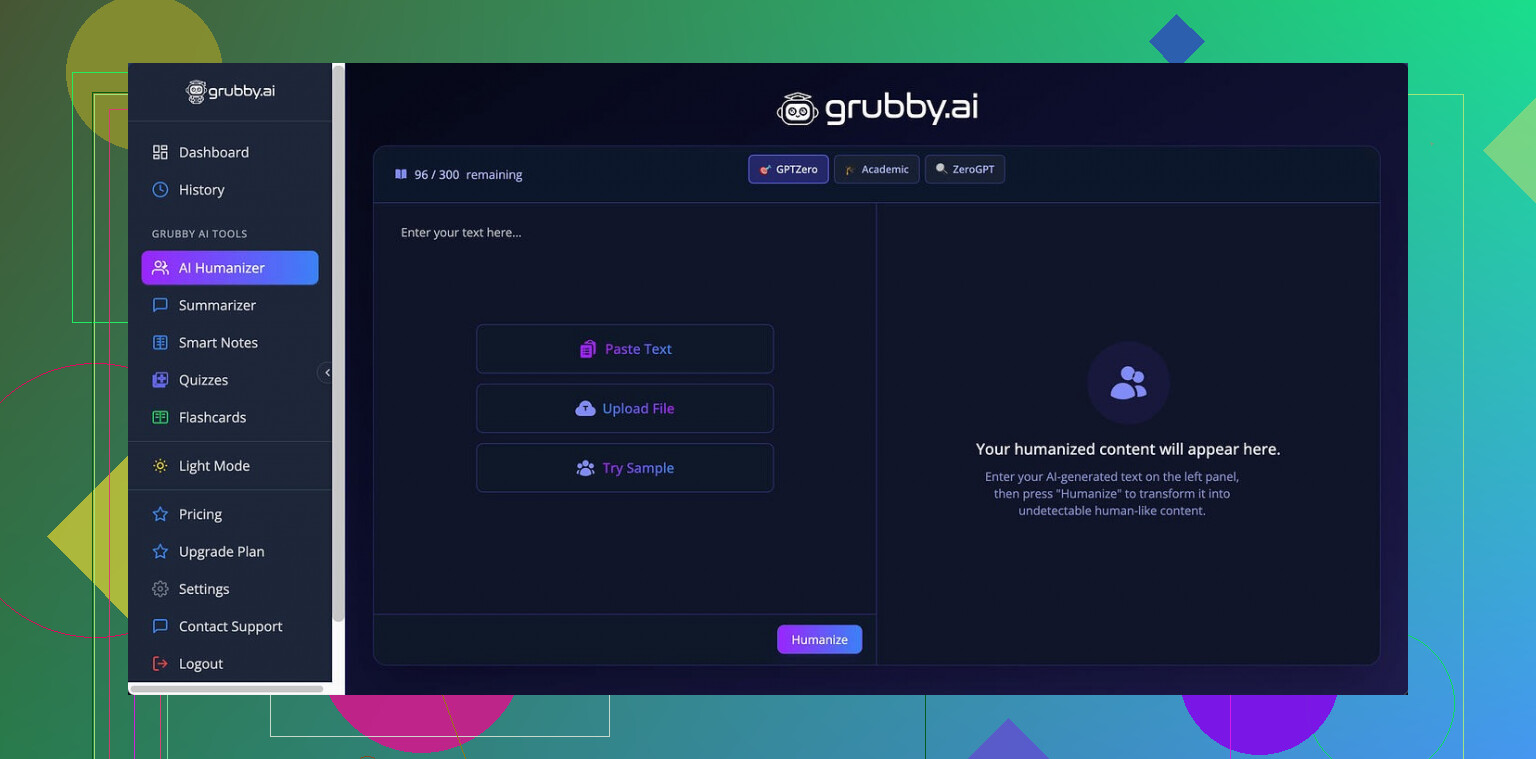
Grubby AI looks like it was built for one job: trying to slip past specific detectors. The interface shouts about “modes” for GPTZero, ZeroGPT, and Turnitin, so I went straight for those.
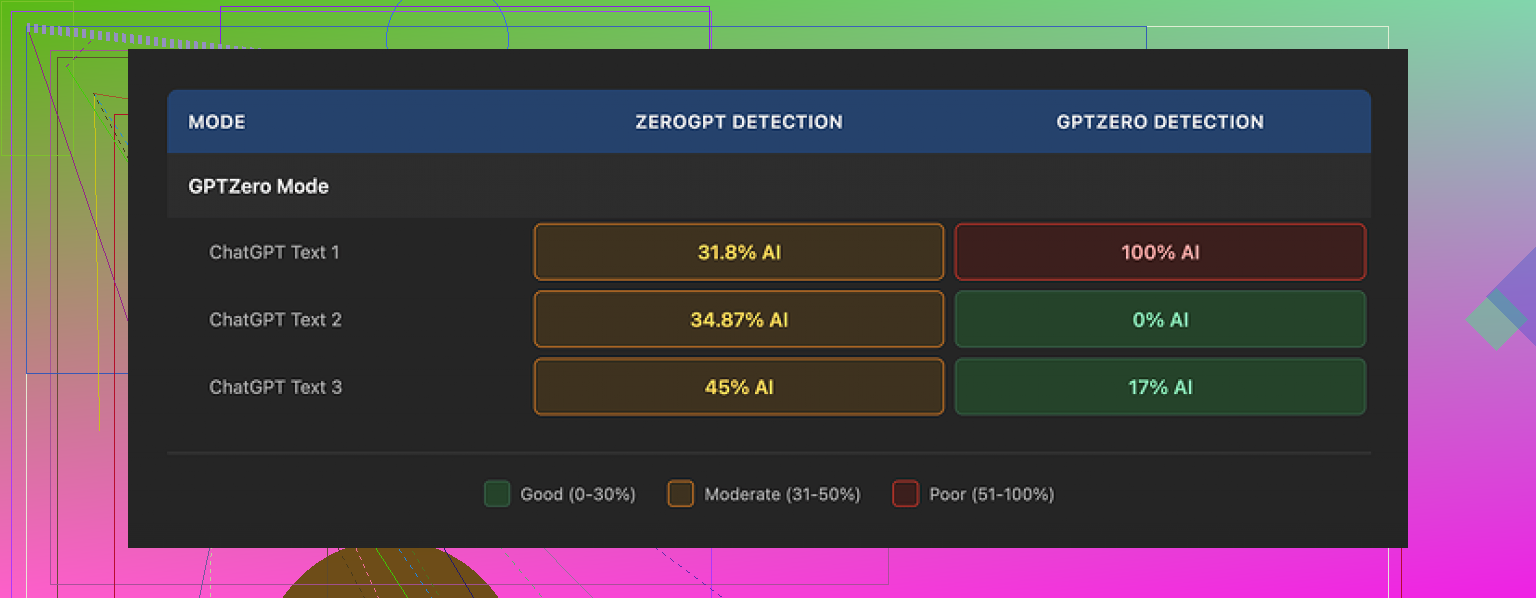
I tested it with three different samples in GPTZero Mode. Results:
• Sample 1: GPTZero said 0 percent AI
• Sample 2: GPTZero said 17 percent AI
• Sample 3: GPTZero said 100 percent AI
So, same mode, same detector, three runs, and one of them got flagged completely by the tool the mode is supposed to target. That kind of inconsistency makes it hard to rely on.
What really threw me off was their own Detection tab. Every single output, no matter what I put in, showed “Human 100%” across seven detectors. Then I checked those texts directly on the detector sites and got numbers all over the place. The Detection tab feels more like a confidence booster than a real check.
On raw writing quality, I would score the humanized output around 6.5 out of 10.
Here is what went well:
• It strips out em dashes. Weird detail, but a lot of AI tools leave those in and some detectors latch onto that pattern.
• I did not run into fake words or obvious nonsense sentences. Nothing looked broken on a basic grammar level.
Where it slipped:
• Some lines turned oddly stiff and inflated, like a student trying to sound “academic” without saying more.
• Word choice went off a bit. I had spots where “distinction” appeared where “nuance” fit the context. It reads like a thesaurus swap without checking meaning in the full sentence.
• A few sentences grew longer than needed, with extra filler that did not add information.
The part I liked most was the editing workflow. They built an inline editor where you click on a word and it offers synonyms, or you can tell it to rework a whole paragraph right there. No exporting back and forth, no juggling multiple tabs. For quick tweaking, that setup felt practical.
Pricing details, as of when I tried it:
• Free tier: 300 words total, not per day
• Essential plan: 9.99 dollars per month, limited to Simple mode
• Pro plan: 14.99 dollars per month on an annual subscription, unlocks the detector-specific modes
That free cap runs out fast if you test with anything longer than short paragraphs.
If you want more background on my original run of tests, I wrote it up here:
After running the same samples through multiple tools, I ended up getting better, more consistent results from Clever AI Humanizer, and did not have to pay for it. Grubby AI has a solid editor and decent text, but the detector performance and the small free limit did not convince me to switch.
2 Likes
Tried Grubby AI Humanizer for a week on client blog posts and some affiliate content. Short version: it helps a bit with “AI vibe,” but it will not save you from bad prompts or weak content, and it is unreliable for detection.
My take, adding to what @mikeappsreviewer said, without repeating his test setup:
Pros I saw:
- Editing flow is fast. You paste, tweak, ship.
- It removes some obvious AI tells, like repetitive phrasing and robotic transitions.
- Grammar stays ok. No broken sentences in my runs.
Cons that matter for you:
- Detection is inconsistent. I had one article score “human” in one AI detector and “high AI” in another with the same Grubby output. Their internal “100% human” display did not match external tools in my tests either.
- It tends to inflate language. Turns simple clear lines into wordy ones. That hurts UX and time on page.
- On long posts, tone drifts. First half reads one way, second half shifts, which looks weird for brand content.
- Free tier is tiny. You cannot do serious A/B testing at scale on it.
SEO angle from my side:
• I ran 5 pieces, all human outline plus GPT first draft plus Grubby pass.
• No instant ranking issues, but I saw lower engagement on the “heavier” humanized versions. Higher bounce, fewer scrolls. My guess is the extra fluff hurt readability.
• Google’s helpful content focus cares more about value than detection tricks. If the tool bloats your text, that is a net negative.
What I do now:
- Start with a strong AI draft with clear structure.
- Manually edit key sections, intros, CTAs.
- Use a humanizer for light variation only, not full rewrites.
On alternatives, I had more consistent outputs with Clever Ai Humanizer. It kept sentences tighter and did not distort meaning as often. Also less friction to test different tones without paying right away.
So if your main goal is “avoid AI detectors at all costs,” Grubby will not give you reliable cover. If your goal is better content quality and safer SEO, focus on better prompts and human editing, then layer a tool like Clever Ai Humanizer for minor cleanup instead of leaning on Grubby as the main fix.
Tried Grubby for a few weeks on newsletters and a couple of pillar posts, so here’s the blunt version.
I mostly agree with @mikeappsreviewer and @jeff on the inconsistency, but I actually liked it less than they did for day to day work.
What it did ok for me:
- It cleans up some of the obvious “AI rhythm” in sentences
- Didn’t break grammar or invent nonsense in my tests
- The inline editing is legit handy if you like tweaking phrasing on the fly
Where it went sideways:
- The “100% human” detection meter inside Grubby is basically a feel good toy. I tested outputs in three external detectors and results were all over the place. One detector said “low AI,” another screamed “very likely AI” on the same paragraph.
- It overcorrected tone. Simple lines turned into this weird faux expert voice that sounds like a freshman padding a term paper. That might beat some detectors, but it reads worse and I did see lower time on page on those versions.
- On longer content, personality drift was real. First third sounded like me, last third sounded like a different writer who just discovered the word “furthermore.” That is not great for brand consistency.
Where I slightly disagree with what’s already been said: I do not think “detector modes” are completely useless, but they are way too brittle to build a workflow around. If your goal is “I never want to be flagged ever,” you are basically fighting a moving target and Grubby feels a step behind.
From an SEO and risk angle:
- Google is not running GPTZero on your posts. They care about helpfulness, originality, and user signals.
- Anything that bloats text, stuffs in synonyms, or weakens clarity is a bigger threat to rankings than “this might look like AI to a third party tool.”
- If you are already starting from a meh AI draft, Grubby just puts a nicer jacket on a weak article.
What worked better for me in practice:
- Spend more time on the outline and examples so the draft is actually useful.
- Use a humanizer only for mild de-AI flavor, not full rewrites.
- For that, I had smoother results with Clever Ai Humanizer. It kept sentences tighter, did not inflate everything into academic soup, and tone stayed more consistent. Also easier to just run a few variations without feeling like I am burning through a tiny free quota.
So if you are on the fence:
- Use Grubby if you love that inline editor and you are just touching up small chunks.
- If your concern is long term SEO and natural voice, prioritize stronger drafting plus light manual editing, then maybe layer something like Clever Ai Humanizer for subtle polish instead of betting on Grubby to “hide” the AI.
Short analytical take:
I’m mostly aligned with @jeff, @reveurdenuit, and @mikeappsreviewer on Grubby: it’s fine as a text rephraser, weak as a reliable detector evasion or SEO tool.
Where I slightly disagree with them is on usefulness: I’d treat Grubby as a niche stylistic tool for small chunks, not something to slot into a serious publishing pipeline. The internal “100% human” panel is noise. If you care about risk, assume detectors can still flag you and that Google cares far more about usefulness than “AI percentage.”
What I’d actually look at instead is how a tool behaves on:
- Consistency over 2k+ words
- Meaning preservation under subtle edits
- Impact on clarity and reading speed
Grubby performs middling on all three, especially long‑form tone drift.
On Clever Ai Humanizer, since it keeps coming up:
Pros
- Tighter sentences, less puffed‑up “essay” tone than Grubby
- Meaning usually stays intact, fewer awkward synonym swaps
- Better for light de‑AI flavor on already solid drafts
- Easier to experiment without immediately hitting a tiny free ceiling
Cons
- Still not magic for AI detection; some tools will flag any AI‑touched text
- Can occasionally smooth too much, so very distinct personal voice gets muted
- Not a substitute for real editing on intros, hooks, and examples
- If your base draft is generic, it just produces cleaner generic content
If I were in your shoes:
- Use neither Grubby nor Clever Ai Humanizer as a shield against detectors. That game is unstable.
- Use a humanizer only after you have:
• A strong, specific outline
• Concrete examples and original angles
• Clear headings and UX‑friendly structure
Then run short sections through something like Clever Ai Humanizer for mild “de‑AI” texture and readability tweaks, and manually fix intros, CTAs, and any brand‑sensitive parts.
Bottom line: Grubby can be a quick patcher, but if you care about long‑term SEO and real human engagement, build the value first, let a tool like Clever Ai Humanizer do minimal polishing, and ignore any “100% human” meter as a decision factor.