I recently updated my LinkedIn profile using an AI‑generated headshot instead of a regular photo. Now I’m worried recruiters or hiring managers might spot that it’s not a real picture and think I’m being dishonest. Has anyone here used AI photos on professional profiles or resumes, and did it affect your callbacks, interviews, or trust with recruiters? I’d really appreciate specific experiences or expert advice on whether I should keep it or switch back to a natural photo.
With all the AI headshots floating around, this question comes up a lot in my DMs:
“If I use an AI headshot on LinkedIn or my resume, will recruiters spot it and think I’m being fake?”
Short version from what I have seen in actual hiring flows: most of them do not care, and most of them do not notice, as long as the photo looks like a normal, professional photo of a real person.
Recruiters spend their attention in a different place.
Recruiters focus on your history, not your pixels
I have sat next to recruiters scrolling LinkedIn. Here is what they do, more or less:
- They glance at your photo to confirm you look like a real adult and not a meme.
- Then they jump straight into your headline, current role, and recent experience.
- After that, they skim your skills, companies, dates, and any numbers you put in there.
The photo is a quick “is this profile spam” filter. The content is where they decide if they want to message you.
From what I have seen:
- As long as your headshot is clear, not blurry, and not weirdly stylized, they move on in under a second.
- Slight AI smoothing or background cleanup does not register. What stands out more is a confusing job history or zero quantifiable results.
- If your last few roles match the job and you show outcomes (closed X deals, reduced Y cost, shipped Z features), that sticks. Nobody is zooming in to inspect your pores.
I have heard hiring managers say things like “This person has 3 years of React and some measurable stuff, send them a message.” I have never heard “This looks like an AI face, pass.”
If someone does suspect AI, it is usually a shrug moment, not a dealbreaker. The question they care about is “Can this person do the work we need.” Not “Was this photo shot on a Nikon.”
What I did with AI headshots on my phone
On iOS, I tried a bunch of apps for professional photos. Most of them either over-smoothed the skin or made me look like a video game NPC. The one that felt usable for LinkedIn-style photos is this one:
Eltima AI Headshot Generator on the App Store:
My rough experience with it:
-
I uploaded 2 selfies, both taken indoors near a window. Neutral face, no crazy angles.
-
The app built a face model and kept my skin texture, eye shape, and nose pretty close to reality. It did not turn me into a model, which I liked.
-
There were presets for:
- LinkedIn style
- Formal business
- More casual
- Travel-ish backgrounds
The “LinkedIn” and “business” ones looked exactly like what you see on mid-level manager profiles.
-
Everything ran on my iPhone. No account creation, no social login loop, no browser jumps.
Here is the kind of preview they show:
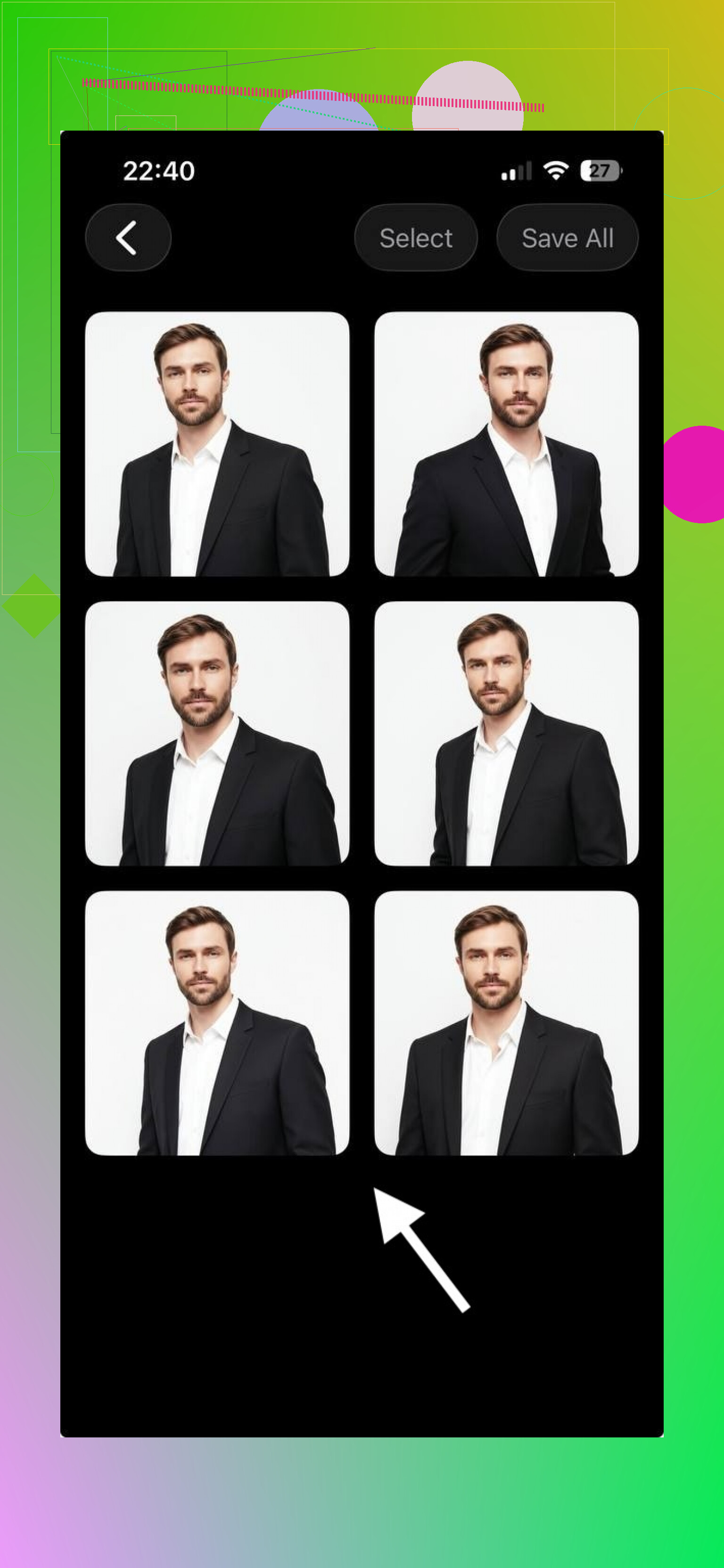
The results looked like I had paid a mall photographer. My friends did not guess it was AI until I told them. Uploaded to LinkedIn, it blended in with the usual corporate photos.
If your goal is “looks like I took a normal headshot on a workday,” this hits that level.
How to use AI headshots without making them weird
Here is what worked for me and a few people I helped:
-
Start with solid source photos
- Use 1 to 3 selfies with good light on your face.
- No harsh shadows across the nose or eyes.
- Avoid bathroom mirrors, car selfies, party backgrounds.
-
Skip the dramatic angles
- Straight-on or slight angle is fine.
- No top-down “phone above head” angle.
- No tilted “artsy” shot.
-
Pick a preset that matches where you work
- If you apply to corporate or traditional roles, pick LinkedIn or business presets.
- If you are in a more casual field, a slightly relaxed style still works, but keep it clean.
-
Keep edits light
- If the face looks too airbrushed, tone it down or pick another preset.
- If the eyes are unnaturally sharp or bright, that often screams AI.
- Avoid dramatic background colors for job platforms.
-
Check it against your real face
- Put your selfie and the AI headshot side by side.
- If someone met you in person, they should recognize you quickly.
- Watch for things like:
- Different eye color
- Different nose shape
- Different hairline
You do not want the “You look nothing like your photo” moment in an interview lobby.
What recruiters told me about photos
From conversations with recruiters and hiring managers I know:
- They filter on job titles, skills, and locations first.
- Then they open a few profiles and skim the top part of your LinkedIn:
- Photo
- Headline
- Current role
- Location
- Last 2 or 3 jobs
- If the photo looks normal and the history looks relevant, they move you to “message” or “save.”
- If your experience is off, a studio-level headshot will not fix it.
I have seen people get interviews with selfies taken in a kitchen. The image did not help, but it did not block them either. Once you reach basic “not distracting” quality, the marginal gains stop.
Using Eltima on desktop vs phone
If you want to read more on the tool itself, they also have this page:
Eltima AI Headshot Generator
My use was on the iPhone app, quick sessions between tasks. The main value for me:
- No need to book a photographer.
- Consistent background across different photos.
- Fast retries if I did not like a batch.
You get professional-looking images fast enough that you can refresh your LinkedIn photo every year without much thought.
If you want a simple checklist
Here is what I would do if I were starting from scratch today:
- Take 3 new selfies in front of a plain wall, near a window, neutral expression.
- Upload them to Eltima AI Headshot Generator:
Eltima AI Headshot Generator App - App Store - Generate LinkedIn or business presets first.
- Delete any version where:
- Your face looks like a different person.
- The eyes look too glossy.
- The skin looks like plastic.
- Pick 1 or 2 realistic shots and use them on:
- Resume
- Portfolio site
Then spend your energy on tightening your bullet points, adding metrics, and aligning your headline to the roles you want. The photo should work quietly in the background while your experience does the talking.
The short truth from what I have seen in hiring flows: a normal, believable AI headshot is fine. An inflated or fake-looking one is distracting. Your work history carries the weight.
Short answer for your situation: if your AI headshot looks like you, recruiters usually do not notice and do not care. If it looks like an airbrushed stranger, some will notice and a few will side‑eye it.
I mostly agree with @mikeappsreviewer on priorities, but I am a bit less relaxed on the “they do not care” part. Some hiring managers do read “overly fake photo” as a small integrity flag, especially in roles where trust matters a lot, like sales, client‑facing, security, finance.
Think in three levels.
- Hard no
Stuff that often triggers, or at least distracts:
• Skin that looks like plastic or clay.
• Eyes that glow or have weird light reflections.
• Backgrounds that look like a stock poster or fantasy office.
• A face that makes you look 10+ years younger or like a different person.
If your photo sits here, I would replace it. Not because AI is bad, but because it looks off.
- Acceptable “light AI” zone
Safe enough for most recruiters:
• You look like the same person in a normal selfie.
• Skin still has pores, some texture, some minor lines.
• Hair looks like real hair, not painted on.
• Background is simple, like a wall or standard office blur.
If someone met you tomorrow, they would recognize you in two seconds. If you still look like this after a weekend, the photo is fine.
- Best practice zone if you worry about honesty
If you feel uneasy about it, do two things:
• Make a quick check: take a real photo today in similar lighting and compare. If the AI version looks like “you on a good day”, you are safe. If it looks like another cousin, tone it down.
• If it ever comes up in conversation, be casual and transparent. Example:
“I used an AI headshot tool to clean up the background and lighting. It still looks like me though.”
Most sane people stop caring after that.
A few practical tips that do not repeat what @mikeappsreviewer already covered:
• Avoid “model” poses. Stand or sit how you would at work.
• Wear what you would wear to an interview for your target roles.
• Re‑generate until you get one where your face shape, nose, jawline, and hairline match your real life.
• Test it. Send the picture to two friends who know you and ask, “Does this look like me or like an AI version of me?” Use their first reaction, not their overthinking answer.
On your core fear, “Will they think I am being dishonest?”
They do not run AI detectors on profile pics. They skim your experience and skills. Dishonesty becomes a problem when:
• Your look in person does not resemble your photo at all.
• You use the same AI‑enhanced approach in your portfolio or examples, hiding real work.
If you fix those, your AI headshot becomes a non issue. Your work history and interviews decide the outcome, not the pixels in your LinkedIn icon.
They can sometimes tell, but they usually aren’t sitting there playing “spot the AI,” and they almost never care as much as you’re imagining.
Couple points that complement what @mikeappsreviewer and @mike34 said:
-
What actually triggers the “hmm” reaction
Where people do side‑eye a photo is less “is this AI” and more:- You look like a different person in real life
- You look 10–15 years younger in the pic
- The vibe is more Instagram model than “colleague I’d see in a Zoom meeting”
- Overly fake background or lighting that screams “stock image”
That reads as “trying too hard” or “not totally straight with me,” especially in trust-heavy roles.
-
Most people are bad AI detectors
A lot of folks think they can spot AI. In reality, they notice the bad stuff: plastic skin, weird eyes, odd ears, mismatched jewelry, glitchy hair.
If your headshot avoids those and looks like you on a solid day at work, it just registers as “professional photo,” not “AI scammer.” -
The honesty problem is usually solved offline
Where this bites people is the in-person / video gap:- Walk into an interview and the panel cannot reconcile your face with your profile photo.
- That plants a tiny “what else is exaggerated?” seed.
If your AI photo is basically a cleaned‑up version of reality, this doesn’t happen. If it’s a different jawline, different nose, different build… that’s when it feels dishonest.
-
If you’re worried, give yourself an easy out
Super simple fix if it ever comes up:- “I used an AI tool to clean up lighting and background. It’s basically a touched up version of me.”
That frames it as the modern version of professional retouching, which it basically is.
If you feel too awkward saying that sentence out loud, your photo is probably too stylized.
- “I used an AI tool to clean up lighting and background. It’s basically a touched up version of me.”
-
What I’d actually do in your situation
Since you already uploaded it:- Open LinkedIn on your phone, look at your photo at the same size a recruiter sees.
- Ask yourself: “If I hopped on Zoom right now, would they instantly recognize me?”
- If answer is “yeah, just a bit more polished,” leave it.
- If answer is “uhhh kind of, but I look like my hotter cousin,” regenerate or swap in a more neutral version.
-
Dishonesty vs convenience
Using AI to get a clean, consistent, non-distracting headshot is not some ethical crisis.
Lying about skills, titles, companies, dates… that is what torpedoes candidates.
If your pic is:- Professional
- Realistic
- Clearly you
then the “dishonest” label is pretty harsh for what is basically fancy Photoshop.
So: yes, some people might suspect it. No, that alone does not blacklist you. If the photo is a polished but recognizable version of you, keep it and focus your anxiety on your experience, bullets, and interview prep instead of whether someone can see AI smoothing on your forehead.
Short version: if your AI headshot looks like a believable, current you, most recruiters will not care, and a fair chunk will not even notice. Where people get into trouble is not “AI vs non‑AI,” it is “believable vs uncanny.”
A few angles that complement what @mike34, @sognonotturno and @mikeappsreviewer already covered:
1. What recruiters actually use the photo for
They are not running a Turing test on your face. The photo mainly serves as:
- A spam / fake profile check
- A quick “does this feel like a normal professional person” cue
- A memory anchor once they have spoken with you
That last part is where mismatch hurts. If you walk into a Zoom and they need a second to realize “oh, that’s the same person,” you just lost a little trust for no upside.
So I am actually a bit closer to @sognonotturno’s cautious view than @mikeappsreviewer’s “they don’t care” stance. Many will not care, but the small integrity hit in conservative industries is real when the photo is too idealized.
2. How people really detect AI in practice
Most people are not thinking “AI detection,” they are thinking “something feels off.” Common tells they subconsciously react to:
- Hyper perfect symmetry; real faces have tiny asymmetries
- Lighting that does not match the supposed environment
- Hair and jewelry that look painted on or too crisp at the edges
- Teeth and eyes that are too white, with strange reflections
If your LinkedIn avatar triggers that “uncanny valley” feeling, the label in their brain is not “AI,” it is “odd / trying too hard.” The cause does not matter; the impression does.
3. Where I slightly disagree with others
- I would not lump all AI use into “basically like Photoshop.”
There is a line between cleaning background / color and actually re‑sculpting your bone structure, age, or weight. Cross that and you are not just “polished,” you are misrepresenting. - I am stricter on age. If you look noticeably younger in the headshot, especially in senior or trust‑heavy roles, that can irritate people more than a mildly AI‑ish texture.
So my bar is:
If someone met you at 8 a.m. on a bad hair day, they should still recognize you instantly.
4. How to sanity‑check your current photo without overthinking
Instead of cycling through the same “is this dishonest” loop, test reality:
- Show the profile pic and a recent candid of you to two coworkers or friends.
Ask only: “If you saw this on LinkedIn, would you assume it is me, as I am now?” - Watch their faces more than their words. If they squint, laugh, or say “it’s you, but…,” that “but” is your problem.
- If they shrug and say “yeah, that’s you on a good day,” you are fine. Stop tweaking.
This is more reliable than your own anxiety or trying to guess what recruiters think.
5. Handling it if someone actually calls it out
It almost never happens, but if in an interview someone jokes “Is that an AI headshot?”:
- Do not get defensive.
- Simple, clean answer:
“Yeah, I used an AI headshot generator to clean up the lighting and background. It is just a polished version of me.”
If you would feel embarrassed saying that because the photo looks nothing like you, that is your signal to change it.
6. Where tools like an AI headshot generator fit in
Tools in the “AI headshot generator” category (including things under names like “Eltima AI Headshot Generator”) are basically trying to simulate a decent photographer with light retouching.
Pros for that type of tool:
- Fast way to get consistent, professional framing and backgrounds
- Often preserves key facial structure if you feed in decent selfies
- Good enough that most colleagues will just assume “studio photo”
- Helps people who hate being photographed in formal shoots
Cons to watch:
- Some presets push you toward over‑smoothed, “NPC” skin by default
- Easy to accidentally pick a version that subtly changes age or face shape
- You can become dependent on it and forget what you actually look like in photos
- Results vary a lot on darker skin tones, curly hair, glasses, etc.
Compared to what @mike34, @sognonotturno and @mikeappsreviewer are suggesting, these apps are just implementation detail. Their advice about realism and recognizability still applies no matter which generator you tapped.
7. What matters more than the photo right now
If you are already in the “light AI / realistic” zone, you will not gain much by obsessing over another 5 percent improvement in authenticity. You will gain a lot more by:
- Tightening your headline to match target roles
- Rewriting your about section with concrete results, not soft buzzwords
- Adding measurable outcomes to each job entry
- Turning on “Open to work” properly and aligning titles & keywords
Recruiters reach out because of relevant history plus clear outcomes. The photo just needs to not get in the way.
Bottom line:
Keep the AI headshot if it looks like you on a good, current day and does not trip the “weirdly perfect” radar. If it looks like your glamorized cousin or a video game avatar, regenerate or switch to something more grounded and then move on to fixing the parts of your profile that actually drive interviews.