I’ve been testing Clever AI Humanizer for rewriting and polishing my content, but I’m not sure if the results are actually helping or hurting my authenticity and SEO. Some posts look smoother, but others feel a little off or maybe even risky for search rankings. Can experienced users share how it’s worked for you, what settings you use, and any issues you’ve run into so I can decide whether to keep relying on it?
Clever AI Humanizer: My No-BS Experience & Test Results
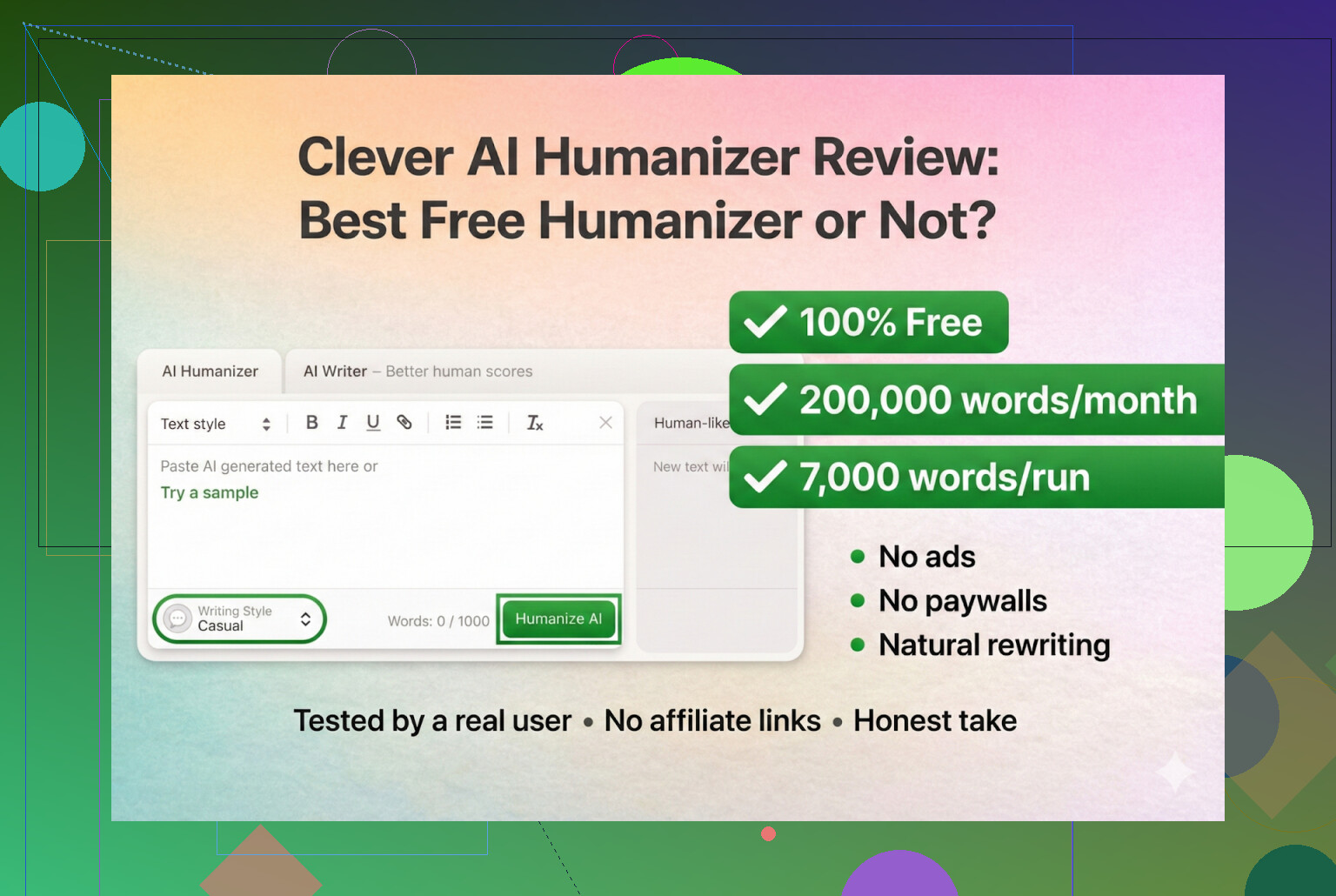
I have been messing with AI “humanizers” for a while now, mostly out of curiosity and partly because I keep seeing people get burned by sketchy tools. So I decided to sit down and do a full run on Clever AI Humanizer, using nothing but AI to generate the test content and then hammering it with multiple detectors.
This is my honest breakdown, not sponsored, not affiliated, nothing like that.
First: the Only Real Clever AI Humanizer Link
The legit site is:
There are a bunch of other “Clever” clones popping up in ads and search results, trying to ride the name and then sneak a subscription or “pro” plan on you. People DM me links all the time asking “is this the real one?”
As far as I’ve seen:
- Clever AI Humanizer has never had a paid tier
- No monthly billing, no paywall, no fake “free trial” trap
So if you end up paying for “Clever something,” that’s not the one I am talking about.
How I Tested It
I went full AI-on-AI:
- Used ChatGPT 5.2 to generate a 100% AI-written article about Clever AI Humanizer.
- Took that raw AI content and ran it through Clever AI Humanizer at https://aihumanizer.net/.
- Chose the Simple Academic mode.
Why Simple Academic?
Because that style is usually where detection tools start screaming “AI.” It:
- Uses more formal structure
- Has more complex phrasing
- Still tries to sound readable, not like an actual paper from a journal
So it is right in that uncanny valley where detectors love to pounce. I figured if Clever could handle that, it could handle easier styles too.
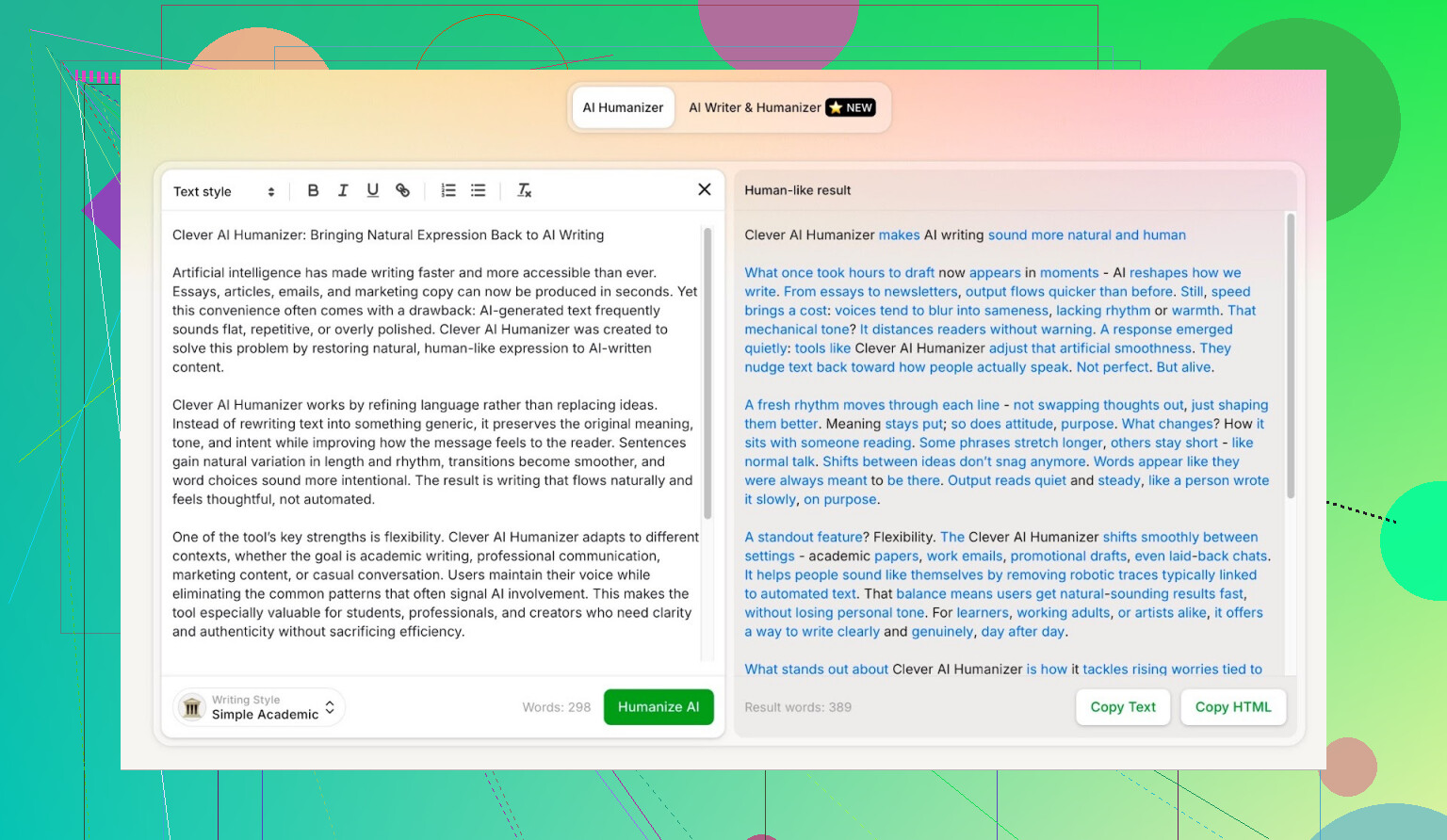
Detector Test 1: ZeroGPT
I do not trust ZeroGPT all that much. It once labeled the U.S. Constitution as “100% AI,” which is wild.
Still, it is one of the most searched AI detectors, so I threw the Clever output into it.
Result:
0% AI
Yup. According to ZeroGPT, the Clever-processed article is fully human.
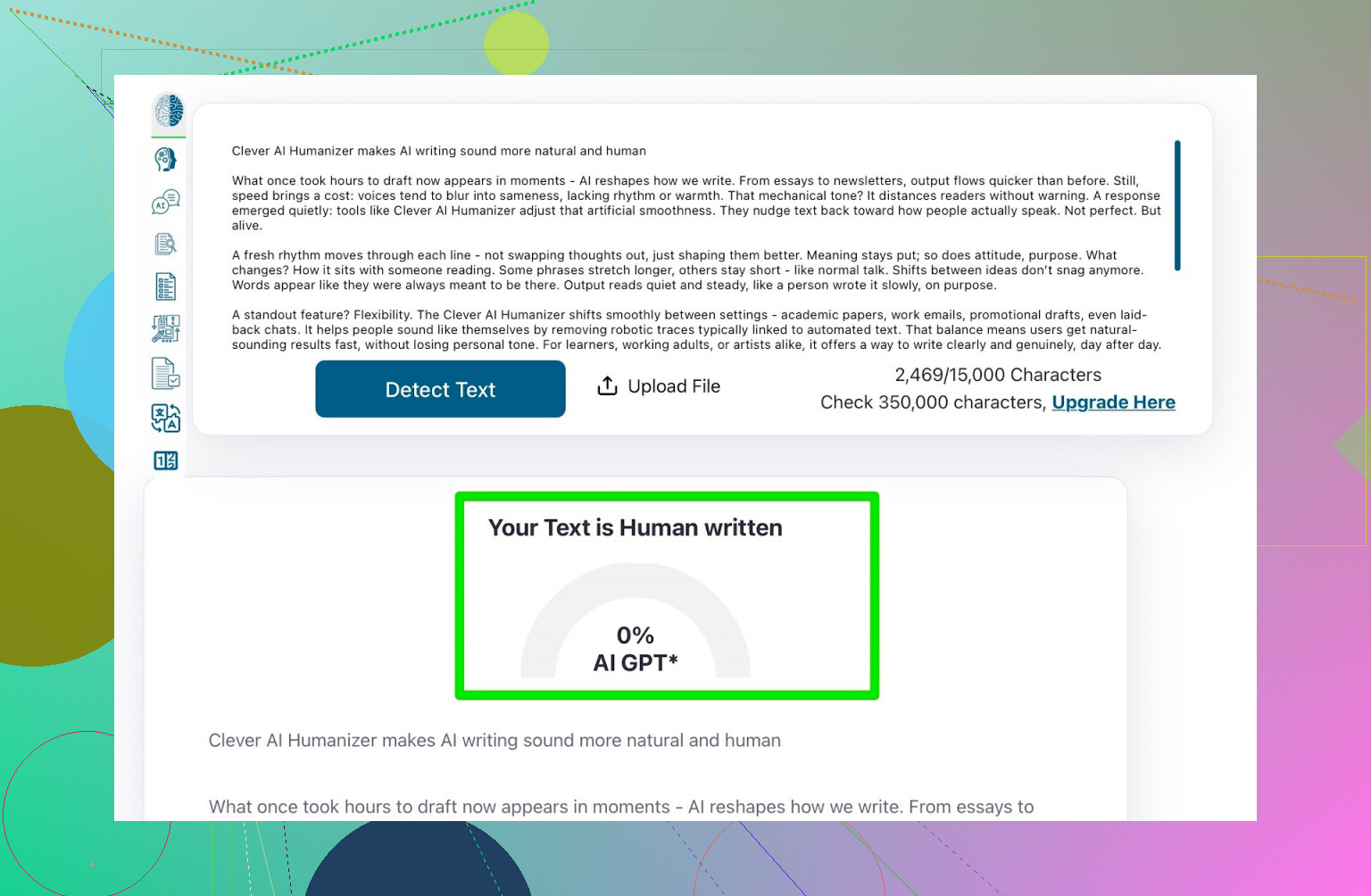
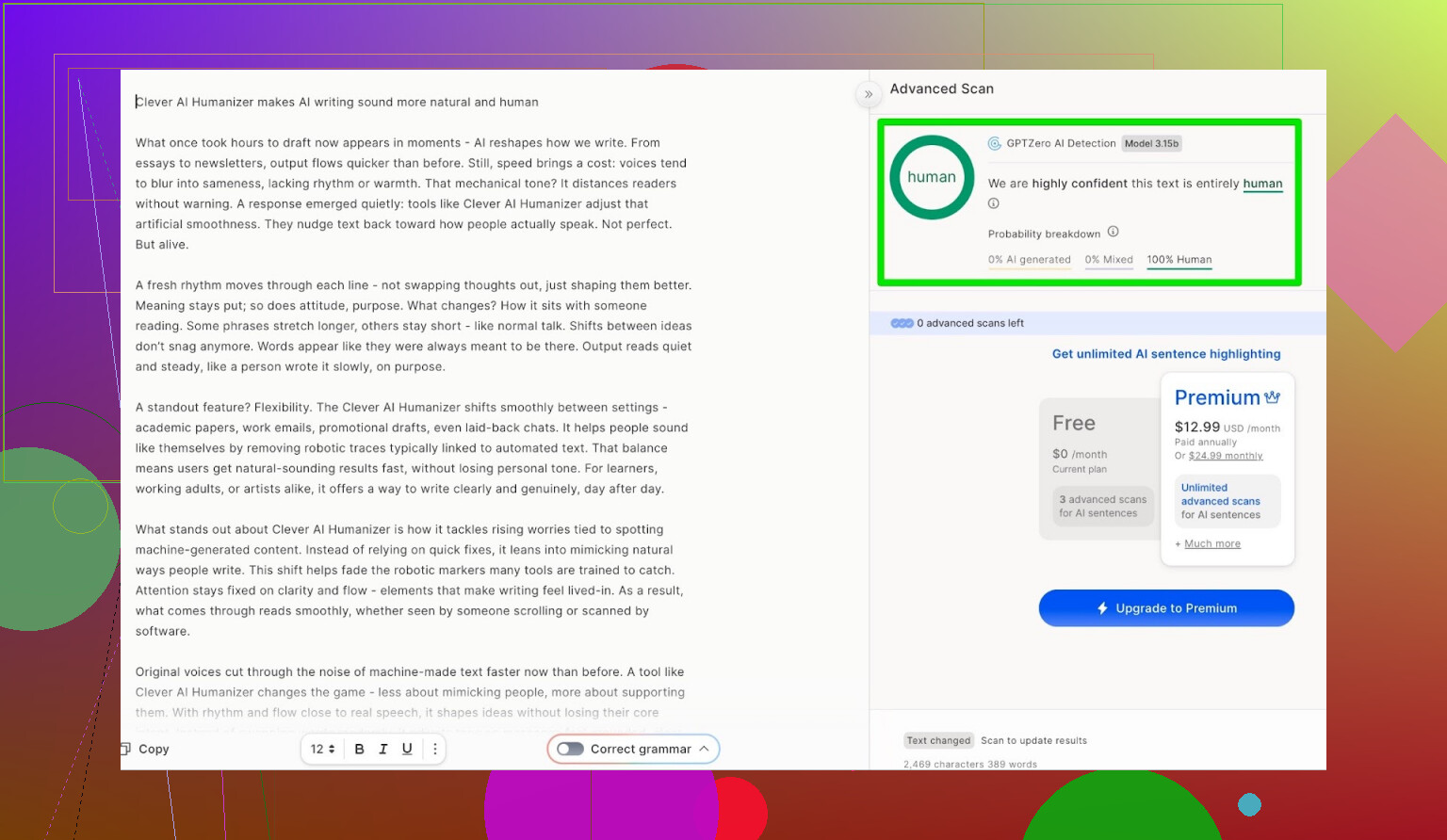
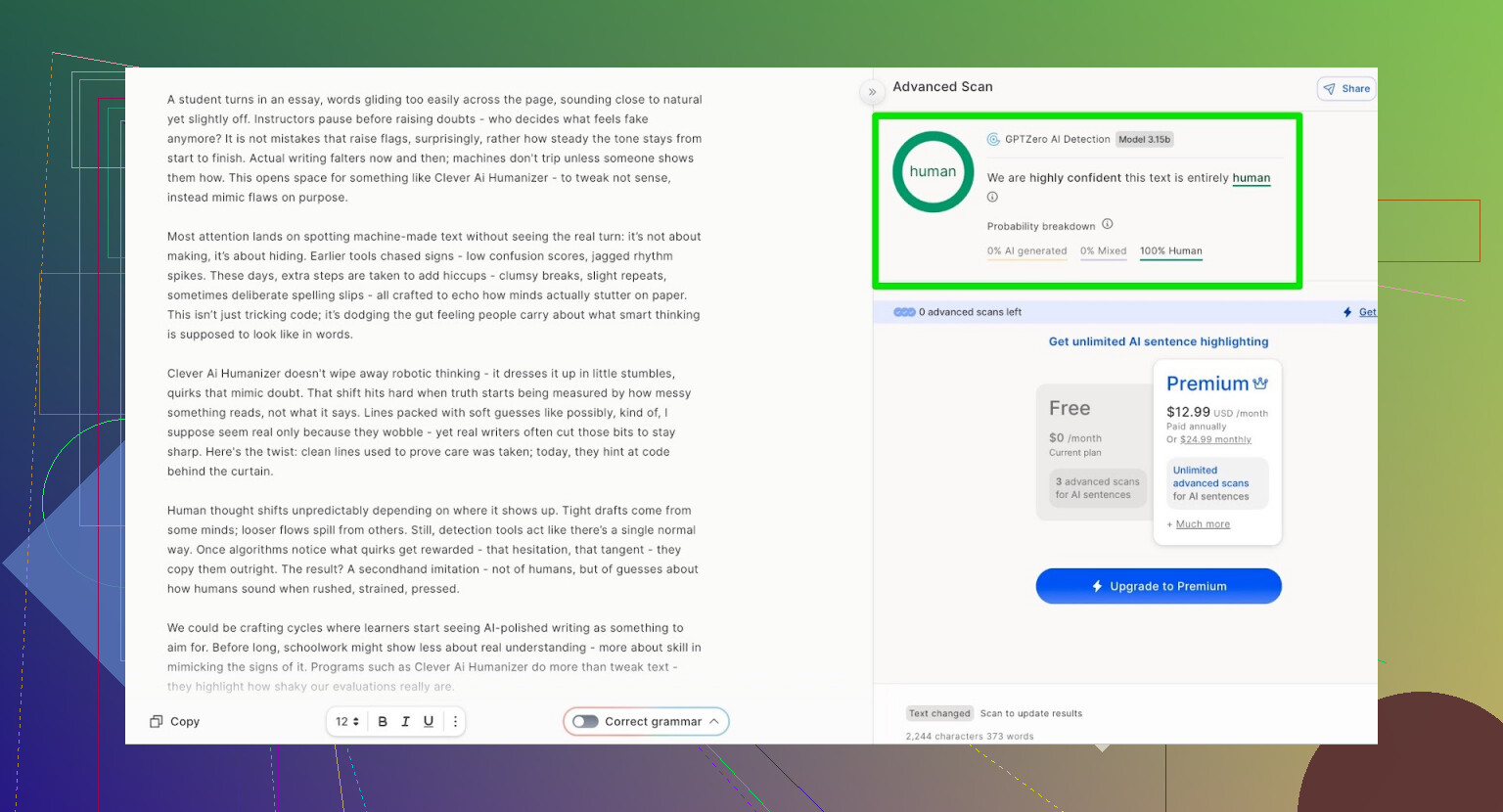
Detector Test 2: GPTZero
Next up: GPTZero, the other big name detector everyone loves to link in panic.
Result:
- 100% human
- 0% AI
Same story. From a pure detection perspective, that is as good as it gets.
But What About Quality?
Passing detectors is useless if the text reads like a broken toaster. A lot of humanizers:
- Break grammar
- Wreck sentence flow
- Introduce nonsense just to confuse detectors
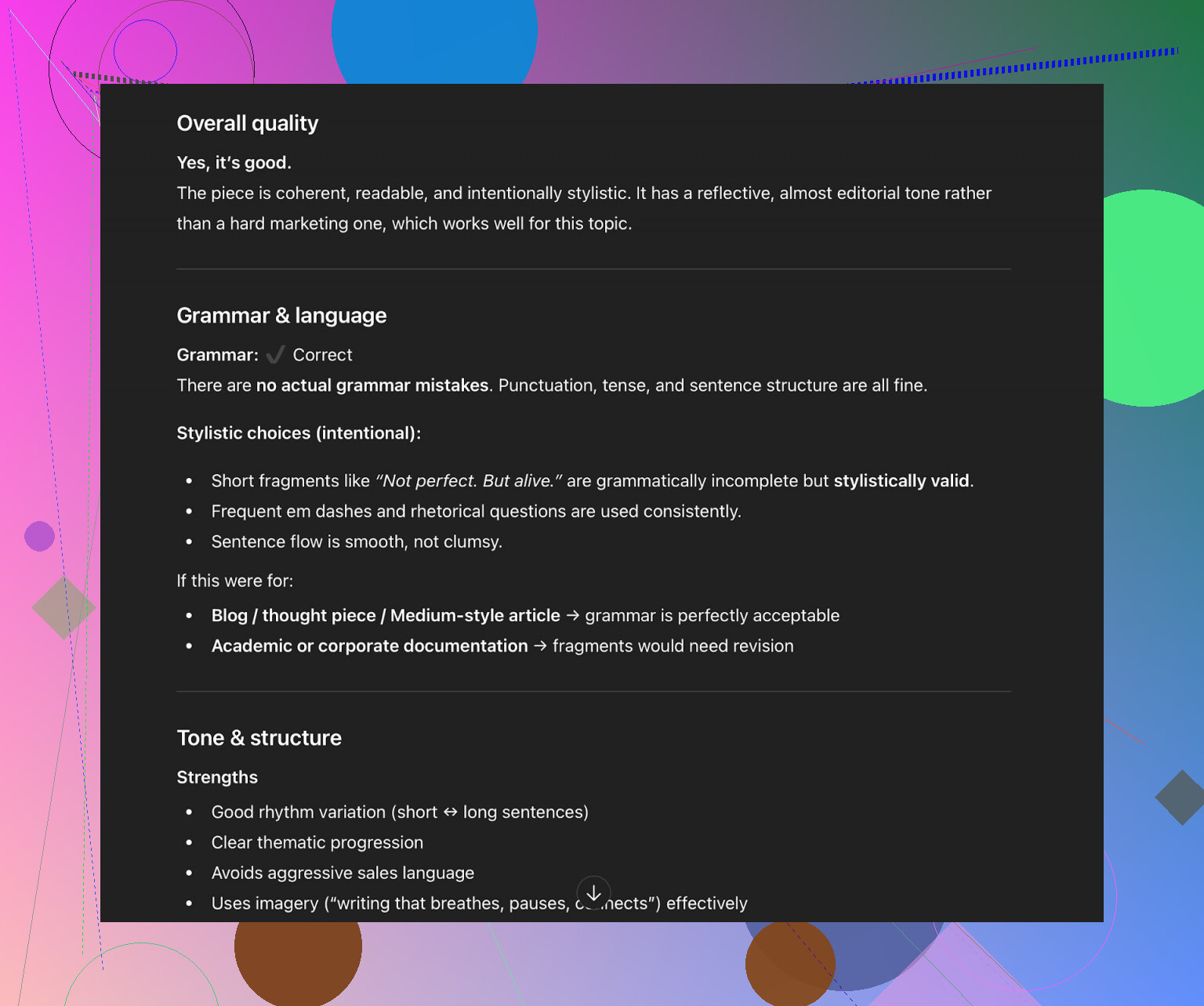
So I took the Clever output and fed it back into ChatGPT 5.2 with a simple request:
“Evaluate the quality of this text.”
The response was basically:
- Grammar is solid
- For a Simple Academic tone, it still recommends a human pass for polishing
And I fully agree with that. No tool is a “click once and submit to journal” solution. You always want:
- One AI pass (if you like)
- One human pass, minimum
Anyone telling you “no human editing needed” is selling a fantasy.
New Feature: AI Writer Inside Clever
They also added something called AI Writer:
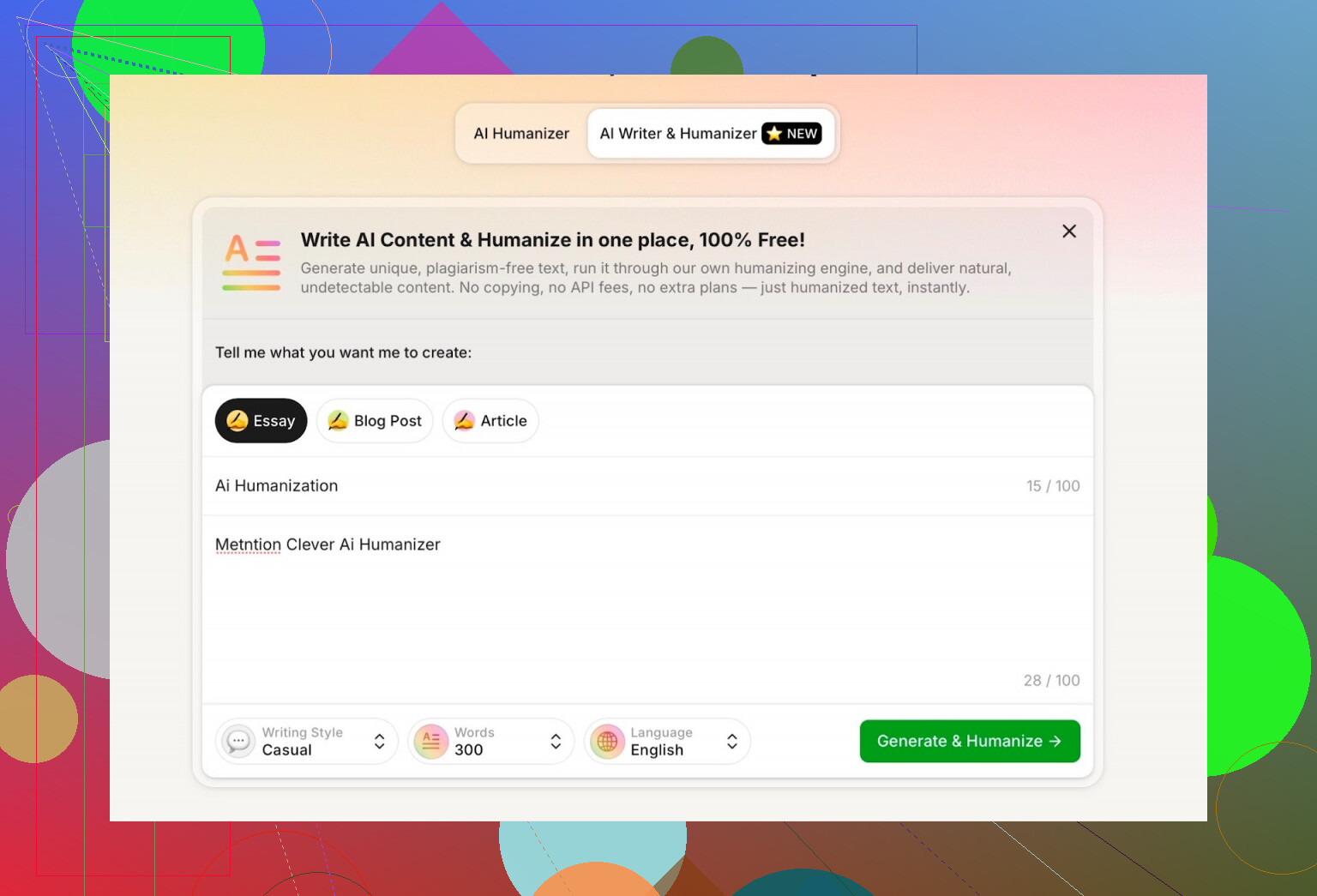
Most “AI humanizers” just wait for you to paste text from another LLM, then they mangle it. Clever’s AI Writer does:
- Write + humanize in one go
That makes sense technically. If the tool creates the structure itself, it can:
- Control sentence variety
- Adjust rhythm and word choice
- Avoid the telltale LLM patterns that detectors latch onto
How I Tested AI Writer
For this one, I:
- Picked Casual as the writing style
- Asked it to write about AI humanization
- Told it to mention Clever AI Humanizer
- Intentionally added a mistake in the prompt just to see how it would handle it
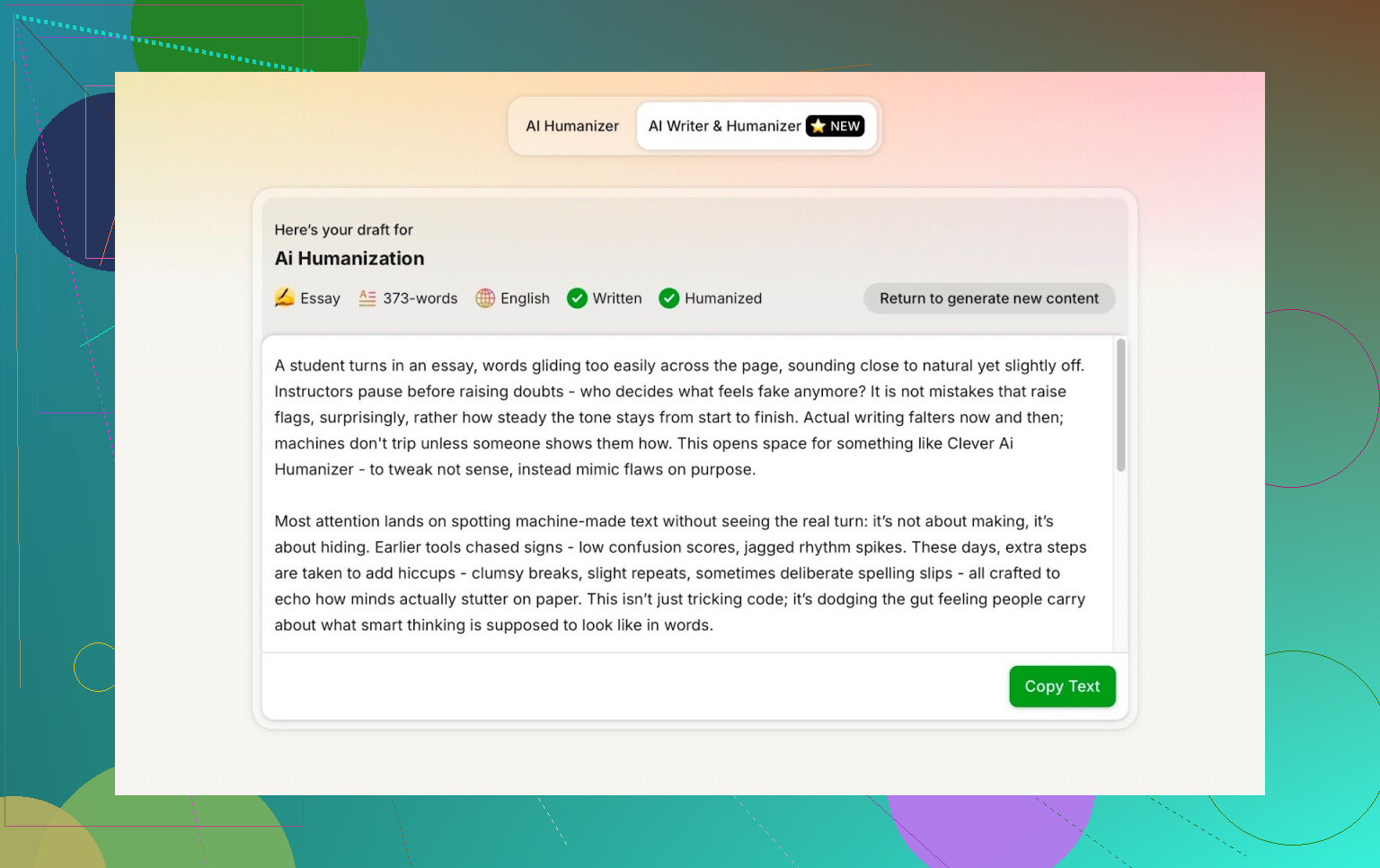
The output was readable and natural enough, but I did hit one annoyance.
First Big Downside: Word Count
I asked it for 300 words. It gave me more than that.
If I set a length, I want it to land on that number or at least stay close. For people with strict assignment limits, that is not a small thing.
So:
- Content: good
- Control over word count: not great
That was the first real negative I noticed.
AI Detection on AI Writer Output
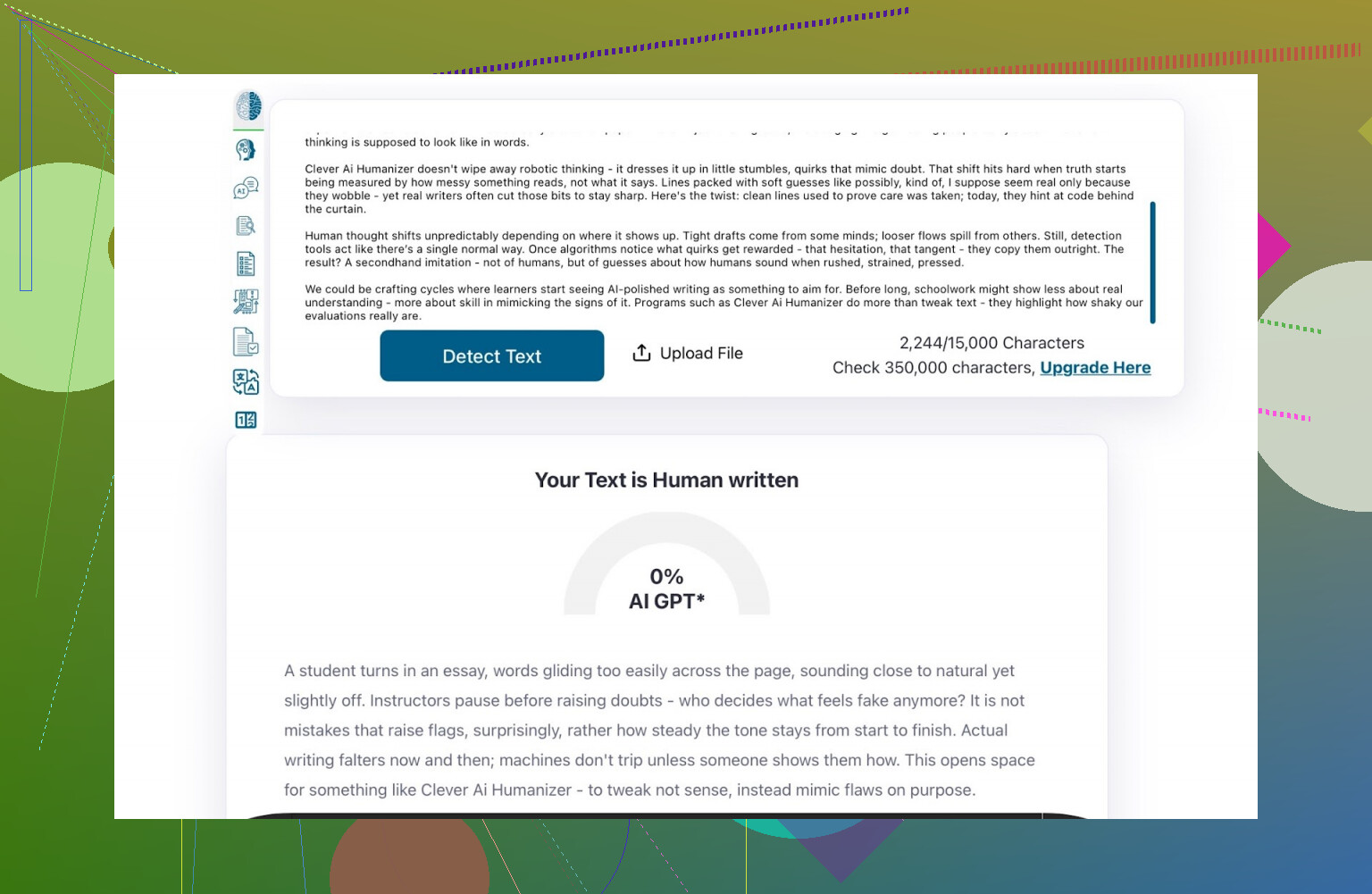
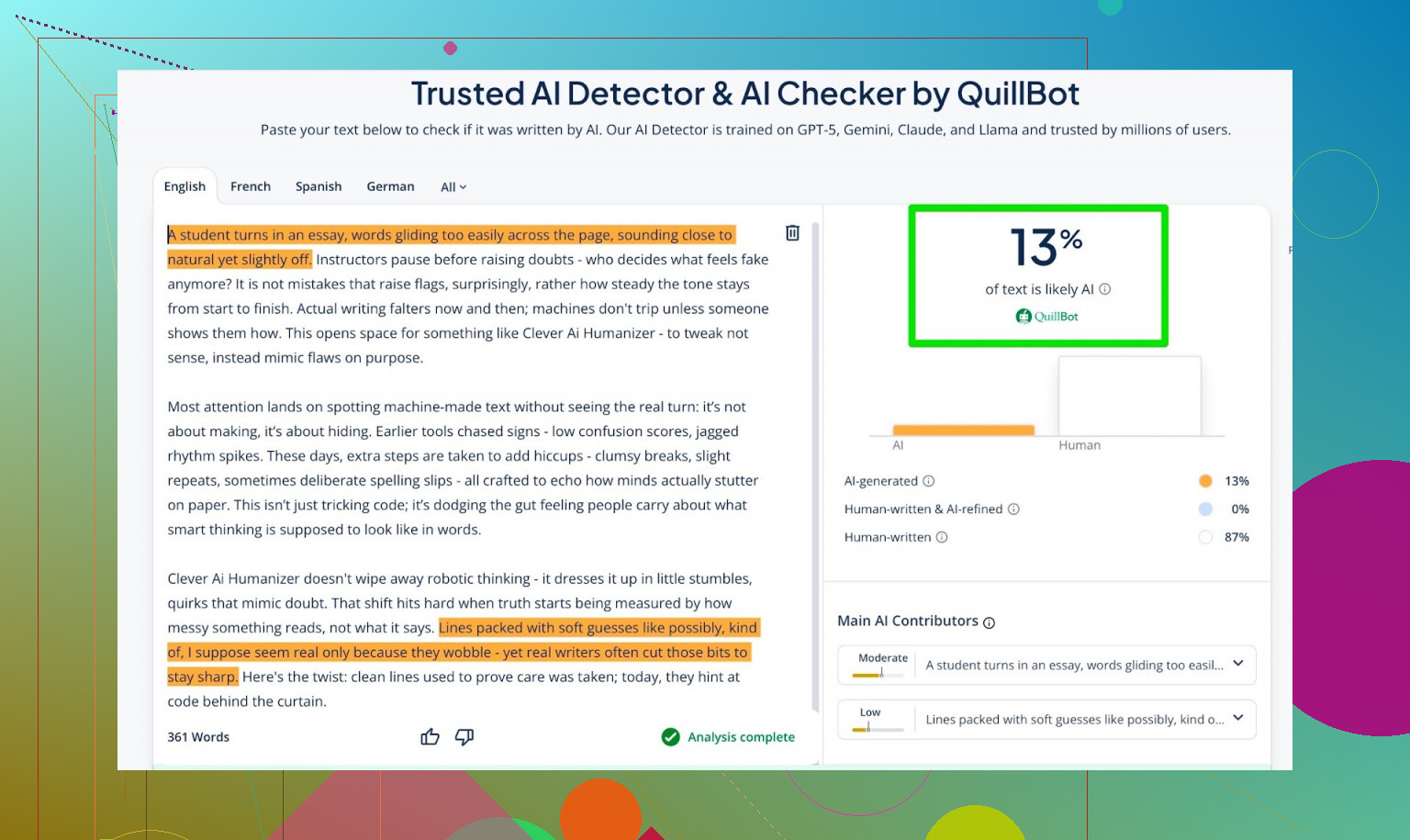
Then I took what AI Writer produced and ran it through detectors again.
Results:
- GPTZero: 0% AI
- ZeroGPT: 0% AI, “100% human”
- QuillBot detector: 13% AI
Honestly, those are very strong numbers. Most people would be fine with that.
Asking ChatGPT 5.2 to Judge the AI Writer Output
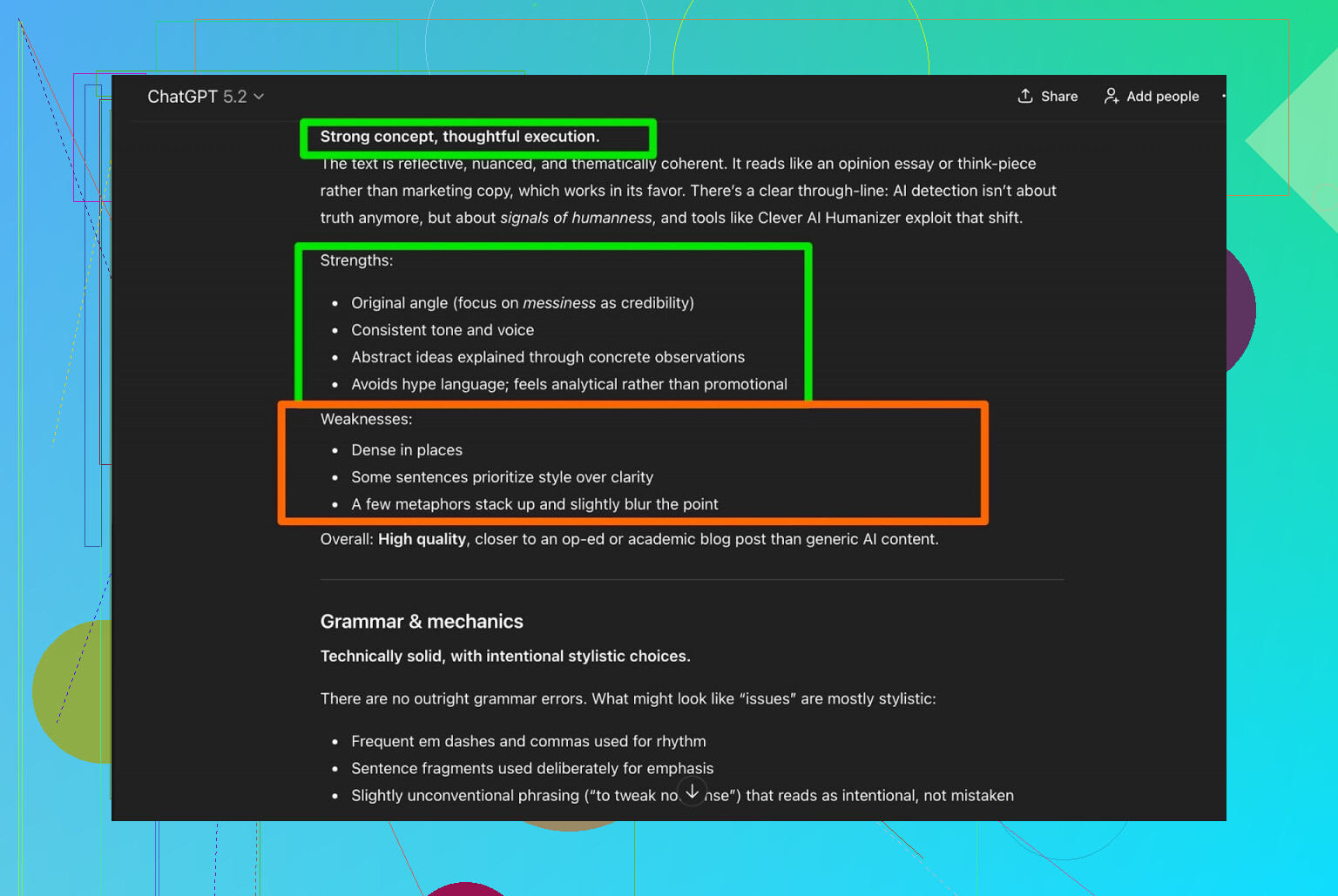
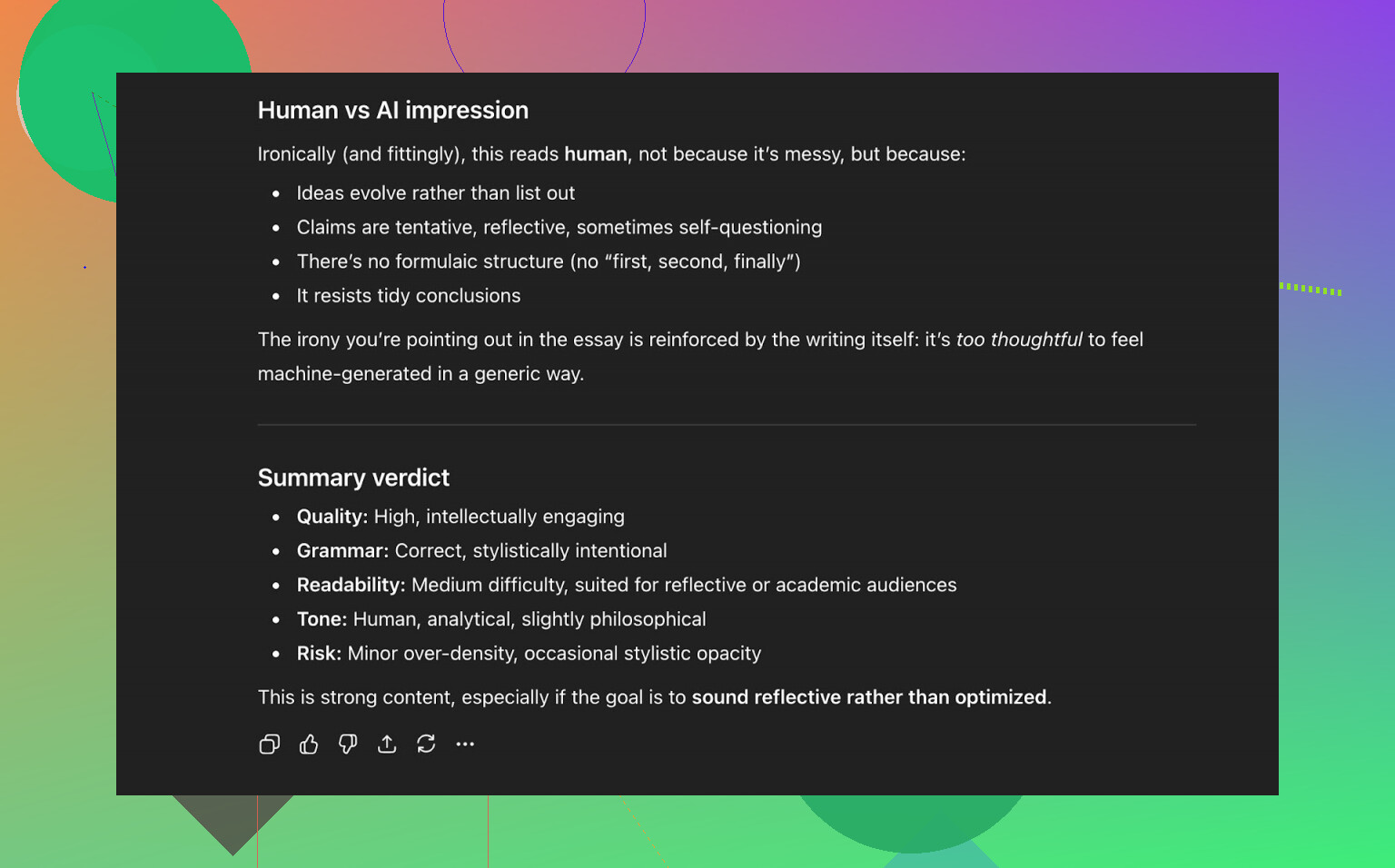
To close the loop, I took this AI Writer text and again asked ChatGPT 5.2:
“Does this sound human-written or AI-generated?”
The evaluation came back along the lines of:
- Strong writing quality
- Flows like a human text
- No obvious robotic phrasing
So in this round:
- Three AI detectors called it human
- A modern LLM also leaned “this was written by a person”
That is not something you see every day from a free web tool.
How It Stacks Up Against Other Humanizers
Here is where things got interesting.
In my own experiments, Clever AI Humanizer beat a lot of other tools, both free and paid. Stuff I compared it to included:
-
Free:
- Grammarly AI Humanizer
- UnAIMyText
- Ahrefs AI Humanizer
- Humanizer AI Pro (limited free tier)
-
Paid / limited free:
- Walter Writes AI
- StealthGPT
- Undetectable AI
- WriteHuman AI
- BypassGPT
And yes, some of those are subscription-based, and they still performed worse on detection scores.
Here is the summary table that came out of tests (lower score = better, in this context):
| Tool | Free | AI detector score |
| ⭐ Clever AI Humanizer | Yes | 6% |
| Grammarly AI Humanizer | Yes | 88% |
| UnAIMyText | Yes | 84% |
| Ahrefs AI Humanizer | Yes | 90% |
| Humanizer AI Pro | Limited | 79% |
| Walter Writes AI | No | 18% |
| StealthGPT | No | 14% |
| Undetectable AI | No | 11% |
| WriteHuman AI | No | 16% |
| BypassGPT | Limited | 22% |
So, purely from an “AI detector score” standpoint, Clever is right at the top of the pile for me, especially considering you pay nothing for it.
What It Does Right (And Where It Slips)
The Good
- Detection performance: Extremely strong across multiple tools
- Grammar: Solid, usually 8–9/10 when checked by grammar tools and other LLMs
- Readability: Flows naturally, not stiff or overcomplicated
- No dumb “fake typos”: It does not intentionally inject garbage like “i had to do it” or weird slang just to confuse detectors
- AI Writer integration: Nice to have it write and humanize in one step
The Not-So-Great
- Word count control: It overshoots the requested length
- Pattern residue: Even when you get 0% AI everywhere, there is sometimes still that subtle AI rhythm if you read closely
- Not 1:1 with original content: It may drift from exact phrasing or slightly change emphasis. That is likely part of why it fools detectors, but still important to note if you need strict fidelity.
So no, it is not “perfect.” Nothing in this cat-and-mouse ecosystem is.
The Reality Check: Detectors vs Humanizers
Here is the part people do not like hearing:
- Even if you get a 0/0/0 score on every detector, that does not automatically mean the text feels “human.”
- Detectors are always catching up; humanizers are always adjusting.
- This is a never ending game where both sides keep changing the rules.
Clever AI Humanizer is playing that game very well right now, but the meta can change any month.
Should You Use Clever AI Humanizer?
If you are specifically looking for:
- A free humanizer
- That beats most detection tools in my tests
- With decent grammar and readability
Then yes, it is one of the best options I have seen so far, especially among free tools.
Just do not skip the human check. Always:
- Run it through your own eyes
- Tighten the phrasing
- Fix tone, style, and any factual issues
More Resources & Reddit Threads
If you want to go down the rabbit hole:
-
A broader post with multiple humanizers and detection proofs:
Reddit - The heart of the internet -
Another specific Clever AI Humanizer review thread:
Reddit - The heart of the internet
Bottom line: for a tool that costs zero, Clever AI Humanizer is punching above its weight. Just remember, no AI tool replaces real human editing, at least not yet.
15 Likes
You’re not crazy, some of the Clever AI Humanizer outputs do feel a little “off,” even when they look smooth on the surface.
Short version: it’s great as a detector evader and decent as a polisher, but it can quietly sand off your voice and, if you’re not careful, your topical relevance too.
Here’s how I’d sanity check whether it’s helping or hurting you, without repeating all the lab-style tests @mikeappsreviewer already did:
-
Voice & authenticity test (the “friend read”)
- Grab 3 posts:
- 1 original draft
- 1 lightly humanized
- 1 heavily humanized
- Show them (in random order) to a friend or coworker who knows your usual writing.
- Ask: “Which one sounds most like me?” and “Which one feels kinda generic?”
If the Clever AI Humanizer version keeps getting tagged as “generic” or “brochure-y,” that’s a red flag. Smooth ≠ authentic.
- Grab 3 posts:
-
Topical drift check for SEO
Humanizers sometimes change emphasis or wording in ways that look harmless but hurt search intent.
Quick check:- List the 3–5 key phrases / topics the article must cover (not just keywords, but concepts).
- After humanizing, use a free TF-IDF / keyword density checker and compare:
- Did your main term frequency drop a ton?
- Did it start using vaguer synonyms like “this tool” instead of the actual product/keyword?
If yes, you’re probably losing topical focus. That can hurt organic performance over time.
-
Before vs after performance (the only test that really matters)
Pick 5–10 posts and do this:- Version A: your normal edit, no Clever.
- Version B: Clever AI Humanizer + quick manual tweak.
- Split by intent / topic.
After 4–6 weeks compare: - CTR in Search Console (titles & intros changed vibe?)
- Avg position & impressions
- Time on page / scroll depth (if you have analytics set up)
If your “feels off” posts also underperform in metrics, that’s your answer. If they rank the same or better, then the vibe problem is more about your personal taste than SEO harm.
-
Where I actually think Clever shines
- Fixing stiff, obviously-LMM paragraphs that you already know feel robotic.
- Drafting something quickly with AI Writer, then you rewriting intro & conclusion in your own voice.
- Less risky on:
- FAQs
- Supporting sections
- Definitions / explainer chunks
I would not let it fully re-write:
- Your story-based intros
- Strong opinions
- Product comparisons where nuance and trust really matter
-
What I disagree with a bit from the hype
People focus too much on “0% AI detected.” I honestly don’t care at this point. Google is not using those random web detectors, and obsessing over that metric often leads to:- Over-randomized sentence structures
- Bloated paragraphs
- Generic “agency blog” tone
For authenticity and SEO, I’d rather sound like you plus 20% polish than “flawless humanized gray goo.”
-
How I’d use Clever without wrecking your voice
Practical workflow:- Write your own rough draft or get AI to draft in your tone.
- Run just the stiff sections through Clever AI Humanizer, not the entire article.
- Manually restore:
- Your favorite phrases
- Jokes, hooks, strong opinions
- Final pass: read it out loud. If you trip over sentences or feel like “I would never phrase it like that,” fix those lines back to your natural style.
-
If your gut says “this feels off,” trust it
The fact that some posts feel wrong to you is actually a good sign: it means you do have a real voice. Lean into that. Let Clever AI Humanizer be a tool for smoothing edges, not the main author.
tl;dr: Clever AI Humanizer is solid, especially compared to a lot of the junk tools floating around, but if authenticity and SEO are your priorities, keep it in the “assistant” role. Use it sparingly, measure results in Search Console, and always do one last human pass to re-inject you back into the content.
You’re not imagining it. Clever AI Humanizer is very good at “smoothing,” but that smoothing can also turn your voice into beige wallpaper if you’re not careful.
Couple of points that might help you decide if it’s helping or hurting:
-
Authenticity vs “perfect” text
I actually disagree a bit with how much weight folks like @mikeappsreviewer put on detector scores. For blogs, newsletters, niche sites, etc., authenticity trumps being “0% AI.” Real readers do not care if a detector says “human,” they care if it sounds like you and if it’s useful. Clever AI Humanizer sometimes over-normalizes your style, so if your brand relies on personality, sarcasm, or specific phrasing, you can lose that edge fast. -
Where it does shine
- Cleaning up stiff, obviously AI-ish sentences
- Making transitions smoother between sections
- Taking weird LLM repetition and making it less copy-pastey
Used like a scalpel, it’s honestly excellent. Used like a pressure washer on the whole article, it’ll strip the paint right off your voice.
-
SEO side, without the paranoia
Google is not using ZeroGPT or GPTZero. What can hurt you:- Content that becomes too generic and loses topical depth
- Over-editing that waters down specific terms / entities related to your topic
I’ve seen Clever AI Humanizer quietly swap precise phrases for vague ones, which can slightly weaken topical relevance. Not catastrophic, but if you do it across a whole site, yeah, you might feel it.
That’s where I slightly part ways with @voyageurdubois: I wouldn’t rely mainly on “does it sound like me?” I’d also manually check that your core terms and specific examples are still there after humanizing.
-
Simple rule that’s worked well for me
- Intros, conclusions, & personal stories: no Clever. That’s where your voice sells trust.
- Explanations, how-to steps, definitions: Clever-okay, but reinsert your specific phrases after.
- Product comparisons, reviews, opinion pieces: if you use Clever AI Humanizer, keep it to 1–2 passes on awkward paragraphs only.
-
How to know if it’s “too much”
When you re-read a post and catch yourself thinking things like:- “This sounds like every other blog in my niche.”
- “I don’t remember writing it this… politely.”
- “Where did my rant / joke / weird metaphor go?”
that’s a sign the tool is writing over you instead of for you. I’d rather leave a few imperfections and keep the human vibe.
So yeah, Clever AI Humanizer is worth keeping in your stack, but treat it like a strong filter, not auto-pilot. If a post feels “off” to you after humanizing, trust that instinct and roll some of your original wording back in, even if it makes the text slightly less “smooth.” Your readers and your long-term SEO will be fine with that, and honestly, probably better off.
Short version: Clever AI Humanizer can be great for smoothing, but if some posts feel “off,” that’s your warning light. Detectors shouldn’t be your main KPI; reader trust and clarity should.
Here is how I’d frame it, building on what @voyageurdubois, @chasseurdetoiles and @mikeappsreviewer already said.
1. What Clever AI Humanizer is actually good at
Pros:
- Polishes clunky AI phrasing into something more readable
- Reduces repetition and that “template-y” LLM cadence
- Plays nicely with different tones if your base text is already solid
- Often passes common detectors, which is useful for edge cases like strict clients or schools
- Free, which matters if you are processing a lot of copy
Used in moderation, it is excellent for:
- Fixing stiff middle sections in long posts
- Cleaning FAQs, how‑to steps, definitions
- Making “first draft from ChatGPT” ready for a human edit
On these points I am pretty aligned with @mikeappsreviewer’s tests, although I think detector scores are a secondary benefit, not the main show.
2. Where it can quietly hurt you
Cons:
- Tones down strong opinions and quirks, so your unique voice can vanish
- Occasionally softens specific terminology or brand phrases, which can dilute topical focus
- Word count control is loose, which matters for tight briefs or content calendars
- If you treat it as auto‑pilot, your whole site can start sounding like everyone else’s
This is where I am closer to @chasseurdetoiles: if your brand or blog relies on personality, sarcasm, story, or sharp takes, letting Clever AI Humanizer rewrite entire posts is risky.
3. Authenticity vs detectors vs SEO
Here is the part I slightly disagree on with the more detector‑focused takes:
- Google is not grading you on GPTZero scores
- What actually moves the needle:
- Depth and specificity on the topic
- Clear structure and usefulness
- Consistent topical language and entities
If Clever AI Humanizer:
- Removes niche jargon your audience actually uses
- Swaps concrete examples for generic phrasing
- Softens clear stances into bland neutrality
then your SEO can slip, not because it is “AI,” but because it is less specific and less memorable.
A good check: after humanizing, scan headings, subheadings and first sentences of each section. Are your core search terms and examples still there or did they get sanded off?
4. A practical way to use it without losing yourself
Instead of full‑article rewrites, try this pattern:
- Draft in your own voice (even if messy, even if AI‑assisted).
- Only send problem chunks to Clever AI Humanizer:
- Awkward paragraphs
- Transition sentences
- Overly robotic explanations
- Paste back the result and manually:
- Re‑add your favorite phrases, jokes, or “spicy” lines
- Reinsert any key SEO terms it blurred out
- Keep intros, conclusions and personal stories mostly untouched or lightly hand‑edited.
If you re‑read a post and feel like, “I could have written this, but I probably wouldn’t have said it exactly this way,” that is fine. If you feel, “This sounds like a corporate blog I do not recognize,” that is too much.
5. How to tell if Clever AI Humanizer is helping you
Check a few recent posts:
- Are comments, email replies or shares going up, down, or static?
- Do people still quote your unique lines or examples back to you?
- When you scan your archive, can you tell which posts are “you” vs “tool‑flattened”?
If your “smoothed” posts get less engagement than your slightly rougher ones, that is a sign to pull Clever AI Humanizer back to a polishing role instead of a rewriting role.
Bottom line: keep Clever AI Humanizer in the toolbox, but narrow its job description. Let it smooth friction, not rewrite your identity. Use your gut: if you feel a post lost something important after processing, you are almost always right.