It seems like a decent free option for connecting my phone to my Mac, but I’m wondering if there are any annoying bugs I should know about first.
 So, What’s OpenMTP?
If you’ve ever plugged an Android phone into a Mac expecting it to show up like a USB drive, you already know the problem. macOS just doesn’t handle Android storage the way Windows does. You need a middleman.
That’s where OpenMTP comes in. It’s a free, open-source app that lets you browse your phone’s storage and move files back and forth over USB. Nothing extra goes on the phone itself – you just connect it and use the desktop app.

It basically fills a gap Apple never bothered to address.
 Where It Holds Up
The layout makes sense right away. You get a split view: your Mac’s files on one side, your Android device on the other. It’s simple but practical. You can drag folders across, move batches of files, create directories – it behaves like a straightforward file manager.
In normal use, it’s pretty smooth. Moving photos, music, or even larger video files generally works without drama. I’ve transferred multi-gigabyte files and it didn’t choke or crash during the process. It’s not flashy, but it doesn’t feel clunky either.
One thing people in forums seem to care about – and I get why – is that it’s free and intended to stay that way. No paid unlock, no subscription tier sitting behind basic functionality. You download it and that’s the tool. For something you might only use occasionally, that matters.
When you’re just trying to grab a folder off your phone or dump some files onto it, the app stays out of the way and does the job.
 Where It Lets You Down
The weak spot, at least in my experience, shows up when transferring files from the Mac to the Android device – especially larger batches or big video files.
It can be noticeably slow going in that direction. And more than once, I’ve started a transfer, left it running, and come back to find the connection dropped midway through. No clear explanation, just… disconnected. The app doesn’t always make it obvious what failed and what actually copied over.
That’s where it becomes more than a minor annoyance. If you’re moving a whole folder, you’re stuck figuring out which files made it and which didn’t. Do you re-transfer everything and risk duplicates? Do you manually compare folders? It turns what should be a simple drag-and-drop task into something you have to babysit.
If you’re only moving a few small files, it’s not a big deal. If you’re pushing a lot of data at once, it can feel unreliable.
 A Few Things Worth Knowing
Two bits of advice that float around in community threads:
If your phone isn’t being recognized at all, turning on USB Debugging can help. You unlock Developer Options by tapping the Build Number seven times in Settings → About Device, then enable USB Debugging. It sounds unrelated, but it sometimes fixes connection weirdness.
Also, keep file names simple. Special characters – especially forward slashes – can cause transfers to hang. Renaming a file before moving it can save you some confusion.
Nothing official, just stuff people have figured out over time.
 If You Need Something Different
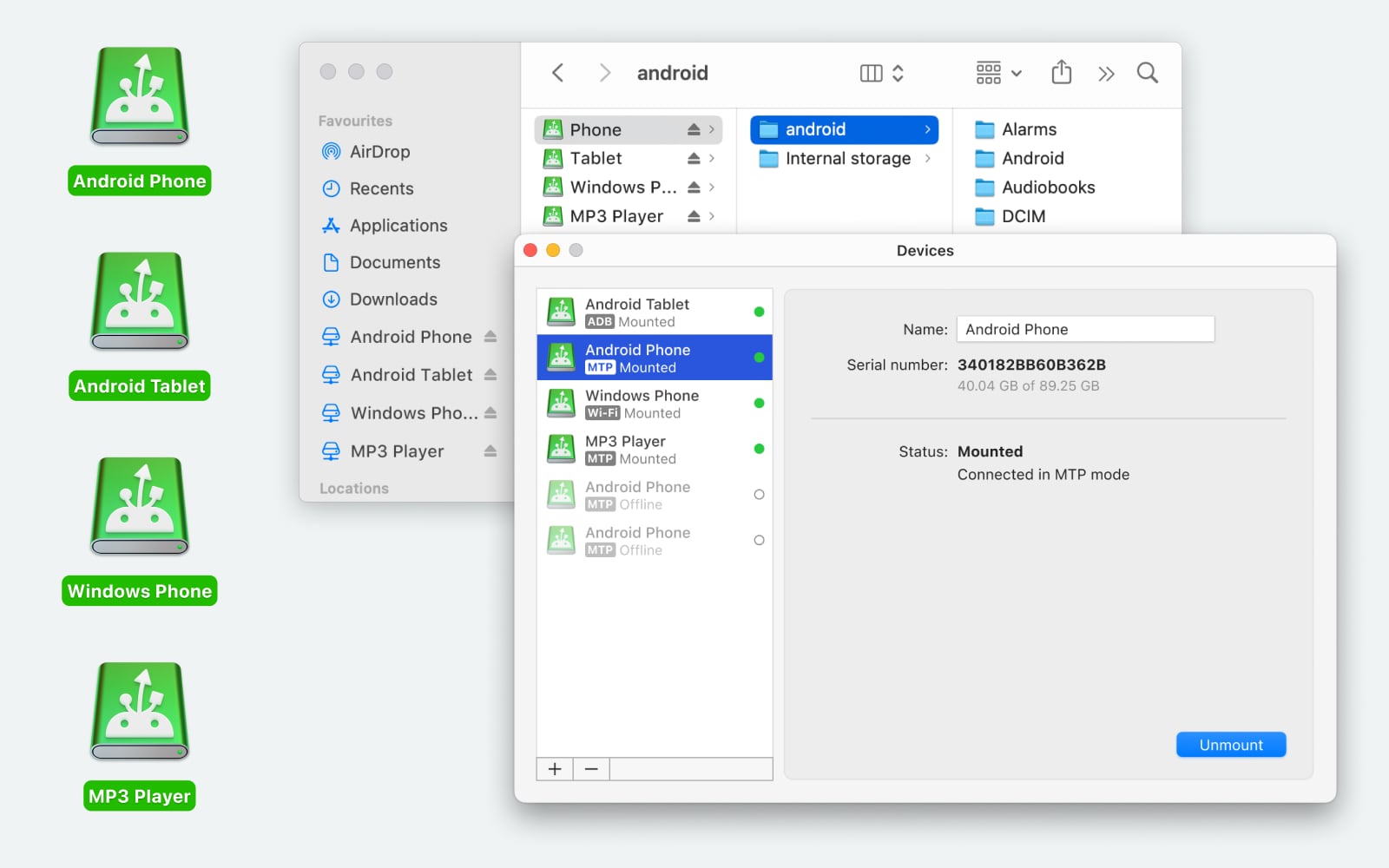
I looked into MacDroid at one point. It is a streamlined utility for transferring any file type or entire folders between Mac and Android via USB or Wi-Fi. It requires no extra mobile apps; once connected, you get full access to the phone’s internal storage and SD card directly through macOS.
Beyond simple transfers of photos, videos, and music, it allows you to manage files natively – you can create, delete, or rename folders on your Android device without copying them to your Mac first. Additionally, it supports various MTP devices, including digital cameras and media players, making it a versatile hub for cross-platform file management.
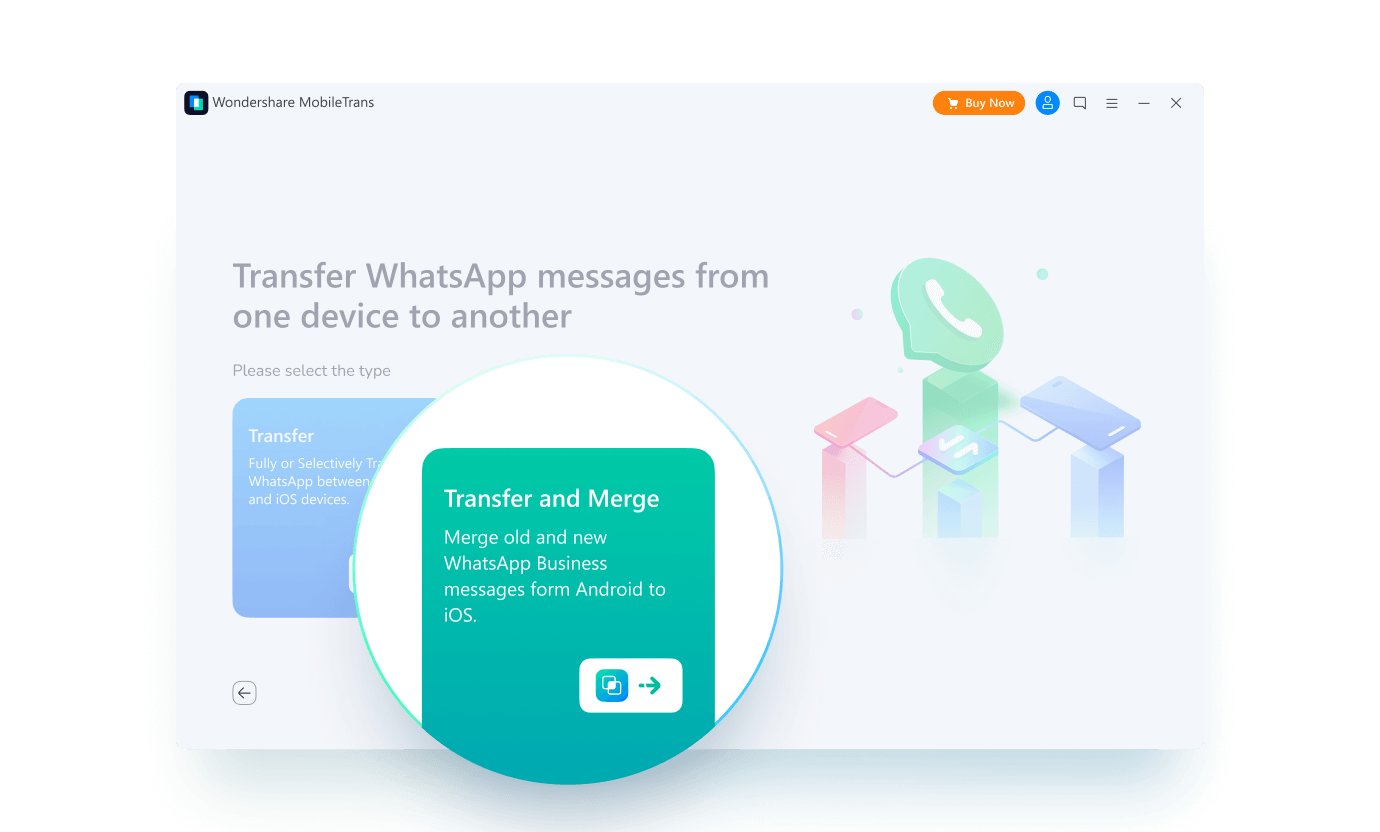
Then there’s Wondershare MobileTrans, which is aimed at a different situation entirely. It’s more about moving your entire digital life from one phone to another – photos, contacts, apps, even chat histories from WhatsApp, LINE, or Viber – across Android and iOS. It’s a broader migration tool rather than a file browser. The downside people often mention is the price; it’s on the expensive side compared to simple file transfer apps.
So it depends what you’re trying to do.
 Final Take
OpenMTP makes sense if you just need a straightforward way to move files between an Android phone and a Mac without paying for extra software. For everyday transfers – photos, a few videos, random documents – it generally does fine.
If you regularly move large batches of data or need something that feels more predictable under heavy use, it might be worth looking at other options. It’s functional, but not flawless. Whether that trade-off works for you really depends on how often you rely on it.
8 Likes
Short answer from my side: your issues are pretty normal for OpenMTP, not only your setup.
I agree with a lot of what @mikeappsreviewer wrote, but I’m a bit less forgiving with it, especially on Mac → Android transfers.
Here is how I’d break it down for your case.
- Check the obvious hardware stuff first
• Use a known good USB‑C or USB‑A cable, ideally the one that came with the phone or a data‑rated cable. Many charge‑only cables cause flaky MTP.
• Plug straight into the Mac, avoid hubs and cheap adapters. Those add random disconnects.
• Try a different port on the Mac. Some ports behave worse for MTP for no clear reason.
If you still see slow speeds and drops after that, it is not only the cable.
- Tweak the Android side
Some overlap with what others said, but with a bit more triage.
• In Developer options, turn on USB debugging, then reconnect and pick “File transfer / MTP” every time.
• On some phones, switching the default USB configuration to “File transfer” stabilizes things.
• Disable battery saver during big transfers. On a few OEM skins, aggressive power saving kills the MTP session.
If you plug in, start a 2–3 GB transfer, then touch nothing and it still drops, this is likely the MTP stack or OpenMTP itself, not your actions.
- How to work around the slow and flaky transfers
OpenMTP tends to be:
• Less painful for Android → Mac.
• Worse for Mac → Android, especially with folders full of mixed file types.
To reduce headaches:
• Split big moves. Instead of one 20 GB folder, send 2–3 GB chunks.
• Avoid crazy file names. Stick to letters, numbers, dash, underscore. No slashes, no super long names.
• Sort by size and move the huge files separately. If a 5 GB video fails, you know where it died.
• After a batch, quickly sort by date on the phone and Mac to spot missing items, instead of checking each file.
I disagree a bit with the idea that the UI is always clear. The dual pane view is simple, but some of the preferences and connection prompts confuse less technical users. If you already feel lost in the settings, you are not imagining it.
- When it is not worth fighting OpenMTP
From what you wrote
• Slow transfers
• Random disconnects
• Confusing settings
That combo usually means you are trying to do more than casual use, like:
• Regularly pushing multi‑GB video, music, or project folders.
• Expecting something “Finder like” where it stays stable for hours.
In that scenario, I would stop trying to bend OpenMTP to your will.
macOS + MTP is weak in general. OpenMTP sits on top of that, so even if it is open source and free, the foundation is shaky.
- Where MacDroid fits in
If you want this to feel closer to “plug in phone, treat it like a drive”, MacDroid is the first thing I would test.
It:
• Mounts your Android storage directly in Finder.
• Lets you use normal Finder copy, move, delete.
• Handles both internal storage and SD card.
For your use case, that means:
• No separate “transfer app” window to babysit.
• Better behavior on big, Mac → Android jobs in most reports and from my own use.
Downside, it is paid after the trial. So the decision is:
• If you do transfers once in a while and mostly pull photos off the phone, keep fighting with OpenMTP in smaller chunks.
• If you move stuff often or hate random drops, MacDroid is worth the cost because it removes a lot of the pain you described.
- Quick decision guide for you
If after doing:
• New or known good cable
• Direct port on the Mac
• USB debugging on, file transfer mode set
you still get:
• Transfer speeds that feel stuck around a few MB/s with pauses
• Disconnects on folders larger than a few GB
Then:
• Use OpenMTP for small one‑off pulls from phone to Mac.
• For any regular two way sync or big pushes to the phone, switch to something like MacDroid and treat OpenMTP as backup, not your main tool.
So no, it is not only your setup. Some of it might be, but a lot of what you see is how OpenMTP plus MTP on macOS behaves once you push it a little too hard.
Your symptoms are pretty much the “OpenMTP experience” once you stop doing tiny transfers, so it’s not just you or just the cable.
I mostly agree with @mikeappsreviewer and @reveurdenuit, but I’m a bit harsher on the “it’s fine if you keep it light” take. In my case, even medium‑sized batches (couple gigs of mixed photos + vids) were enough to expose the cracks.
Here’s the part I don’t totally buy: that OpenMTP’s UI is “not confusing.” The dual‑pane view is simple, sure, but the combo of random connect prompts, odd error behavior, and some weirdly worded settings makes it feel more fragile than it should. When an app already randomly disconnects, unclear feedback is the worst possible pairing.
A few angles that weren’t really covered:
- It’s not just MTP, it’s macOS + MTP specifically
On Linux or Windows, the same phone and same cable behave way better with MTP. On my Mac, the exact hardware + OpenMTP gives:
- Spiky transfer speeds (it bursts then stalls)
- “Ghost” disconnects where the device pane suddenly empties
So if you tested the phone on a Windows PC and it’s fine, that’s normal. The bottleneck is this weird three‑way relationship: Android MTP stack + macOS + OpenMTP sitting in the middle.
- Stability gets worse over time in one session
What I’ve noticed: the first one or two transfers after connecting are usually OK. The longer the device stays connected and the more operations you do, the more likely you are to hit a random drop or hang.
My workaround:
- Finish what I need in 1–2 runs
- If I must keep going, I literally disconnect and reconnect the phone to “reset” the session
Clunky, but it avoids that “it died on file 742 of 900” situation a bit more often.
- Folder depth matters more than file size sometimes
Everyone talks about large GB amounts, but nested folders cause issues too. Huge, deep trees (e.g. project folders, game ROM collections, etc.) blow OpenMTP’s mind faster than a single 8 GB video file.
If your stuff is deeply nested:
- Flatten it a bit on the Mac first or
- Zip a subfolder, send the zip, then extract on the phone with a file manager
Yeah, it’s ugly, but it bypasses a lot of mid‑tree failures.
- Confusing settings = decent sign you’re using the wrong tool
You mentioned the settings feel confusing. Honestly, that’s my personal cutoff:
- If I’m troubleshooting cables, toggling developer options, fiddling with app prefs and still getting unstable sessions, I treat that combo as a “wrong tool for the job” flag, not a “tune it harder” signal.
OpenMTP is fine as a fallback, not great as a main workflow, especially Mac → Android.
- Where MacDroid actually changes the game for this
Since you specifically want something that “just works” between Android and Mac, MacDroid is the first thing I’d try seriously. Not because it’s magical, but because:
- It mounts your Android storage directly in Finder
- You use normal copy / paste / drag like any other drive
- It handles big folders and long sessions more gracefully in real use
It still sits on top of MTP, but the implementation is tighter, and the Finder integration alone removes that “babysit the transfer window” stress. If you do regular transfers, MacDroid ends up feeling more like a core tool and less like a hacky workaround.
- When to keep OpenMTP vs when to walk away
I’d frame it like this:
Keep OpenMTP if:
- You mostly pull photos and a few files from the phone
- You do it once in a while
- You can live with “if it fails, I’ll just redo a smaller chunk”
Pivot to something like MacDroid if:
- You regularly push big folders or media libraries to the phone
- You want Finder‑style behavior and fewer mystery disconnects
- You’re tired of troubleshooting cables and settings every other session
So: your cable might be part of the problem, but the overall behavior you’re seeing is pretty much par for the course with OpenMTP on macOS. If you’re trying to make it your main sync tool rather than an occasional “rescue my photos” app, that’s where it starts to feel like forcing the wrong tool into a daily job.
You are not crazy and it is not just your cable. What you described is pretty much the pattern once OpenMTP is used for more than light, one‑off moves.
A few points that complement what @reveurdenuit, @nachtdromer and @mikeappsreviewer already said, without rehashing the same knobs and switches:
1. What your symptoms actually point to
Slow transfers + random disconnects + “what is this setting even doing” together usually mean:
- The MTP session is getting saturated or confused, not just a bad wire.
- OpenMTP is giving you very poor feedback when something goes wrong.
- macOS + MTP is adding its own quirks on top.
If a 2–3 GB, hands‑off transfer still blows up, you can stop blaming yourself. At that point you are working against stack limitations, not just setup mistakes.
2. Where I slightly disagree with others
-
I am less optimistic about “just keep OpenMTP for light use.”
Even mid‑sized mixed folders (a holiday’s worth of photos + videos) are enough to trigger its flaky side on some Macs. If you are already annoyed, it rarely gets better with time. -
I also do not fully buy the “UI is fine if you are used to dual panes.”
The layout is simple, sure, but the real confusion is:- Transfers silently failing or stalling with no clear reason
- Settings whose impact is invisible unless you are debugging MTP for fun
If an app makes you guess whether the transfer actually finished, the UX has already failed.
3. A different way to think about solutions
Instead of “how do I fix OpenMTP,” I would frame it as:
- Tool for archival / infrequent pulls from phone
vs - Tool for ongoing, somewhat reliable, 2‑way file work
OpenMTP sits solidly in the first bucket. You are trying to use it in the second.
Once you accept that, the goal shifts from “tune OpenMTP” to “pick the right class of tool.”
4. Where MacDroid realistically fits
Others already mentioned MacDroid as a more integrated option. From a practical standpoint, here is how it differs in day‑to‑day use, not just marketing:
Pros of MacDroid
- Mounts your Android storage directly in Finder
- Lets you use normal workflows:
- Copy / paste
- Drag folders in and out
- Use other apps against that mounted storage
- Handles longer sessions more gracefully for many people
- Makes it easier to see partial transfers because Finder itself shows progress and errors
Cons of MacDroid
- It is paid after the trial
- Still relies on MTP under the hood, so it cannot magically fix every phone or cable
- Not ideal if you only plug in a phone once every few months
- Another background component to install and occasionally update
If your pattern is “I regularly move multiple GB between Mac and Android in both directions,” then paying for MacDroid is not about luxury, it is about not wasting time babysitting OpenMTP.
If you mostly do tiny pulls (a few photos once in a while), then the cost may not justify itself and limping along with OpenMTP can be fine.
5. How I would decide in your exact situation
Given what you wrote:
- Already seeing random disconnects
- Already annoyed by the settings
- Already needing substantial Mac → Android transfers
I would:
- Keep OpenMTP installed only as a backup or for emergencies
- Trial MacDroid and try to reproduce your worst‑case workload:
- Same cable
- Same phone
- Same folders and sizes that kept breaking in OpenMTP
If MacDroid survives that scenario more than once in a row, you have your answer. If it behaves just as badly, then the problem is likely deeper in the chain (phone firmware, super flaky USB port, etc.), and no desktop app will completely hide that.
Bottom line: the problems you see are typical for OpenMTP once you push it, not a unique failure of your setup. The real choice now is whether to live within those limits or shift to something like MacDroid that is designed to feel more like a proper Finder‑level tool, with the tradeoff that you pay for that sanity.