I accidentally deleted a folder of family photos from my SD card while moving files to my laptop, and now I’m trying to get them back before anything gets overwritten. I’m new to photo recovery software and need beginner-friendly recommendations that are safe, effective, and easy to use for recovering deleted pictures from an SD card or hard drive.
I’ve had this happen more than once, and it still makes my stomach drop. You finish a shoot, or get back from a trip, plug in the SD card, and Windows throws up “Drive needs to be formatted.” Or you tap “Delete All” on the camera and feel your soul leave your body for a sec.
I tested a pile of recovery apps over time because losing paid work is not some abstract problem for me. Backups help, until they don’t. Sync apps copy deletions too. Sometimes the missing files are gone before your backup cycle even runs. At that point, recovery software is the only thing I’ve had left.
What I’d try first
If you want the one I’ve had the least trouble with, start with Disk Drill. I kept going back to it for one reason. It recovered files other tools found but couldn’t rebuild cleanly.
The app is easy to move through. No weird maze. No need to babysit every step. In published tests it has landed around a 91% recovery rate, which lines up with what I saw compared with the usual Windows freebies and older recovery tools.
The part I cared about most was video recovery. If you shoot on a GoPro, DJI, Canon, or similar gear, the card often stores video in fragments. A lot of apps detect the file entry, let you recover it, then you open it and get a broken clip, stuttery playback, or a file that won’t load at all. Disk Drill handles this better because its Advanced Camera Recovery tries to reassemble those split chunks into a usable file.
For photo work, it also recognizes a long list of RAW formats, including CR3, NEF, and ARW. If your workflow depends on RAW, this matters. You also get a small free recovery allowance, so you can test your card before paying for anything. I did this the first time because I didn’t want to buy blind.
If your budget is zero
PhotoRec is still the old reliable free option. It costs nothing, it’s open source, and it digs through damaged media better than some paid apps I’ve seen. The tradeoff is the interface. It feels old, because it is old. Mostly command line, sparse menus, no hand-holding.
Its method is different. It doesn’t depend much on the damaged file system. It scans the raw sectors of the card and looks for known file signatures, so JPEGs, RAW files, and other patterns. This is why it sometimes pulls images off media that looks totally dead.
The annoying part is organization. Since it ignores much of the original file table, your recovered files often come back renamed and dumped into generic folders. You get stuff like f12345.jpg, f12346.cr2, and then you spend the next few hours sorting by preview, timestamp, or file size. I’ve done it. It works, but it’s a slog.
There’s also QPhotoRec, which adds a simple visual interface. It helps a bit. It still feels clunky, and I wouldn’t hand it to someone who wants a smooth, guided process.
Other tools I’ve used for specific cases
DiskGenius is good if you’re comfortable poking around partitions, file systems, and disk structures. It’s fast and pretty capable with RAW image recovery. The interface looks old enough to vote. I got results with it, but I wouldn’t call it friendly.
DiskDigger made sense on Android when I needed to recover files straight from the phone. One catch. On non-rooted phones, you’re often pulling thumbnails, cache leftovers, or lower-res versions, not the full original photo.
Recuva is still worth keeping around on Windows for simple mistakes. If you deleted a few files from a healthy drive a few minutes ago, it’s quick and free. Once the card is corrupted or the damage goes deeper, I’d move on fast.
What to do before you make things worse
Stop using the card now. Don’t shoot more photos. Don’t copy more files onto it. Don’t format it “to see if it helps.” Every write raises the odds of overwriting the exact data you’re trying to recover. I learned this one the hard way.
When you recover files, save them somewhere else. Your desktop is fine. An external SSD is better. Do not write the recovered data back to the same SD card.
And if this is an SD card, use a dedicated card reader. Don’t connect the camera over USB if you can avoid it. A lot of cameras don’t expose the card cleanly enough for a proper low-level scan, and some recovery tools see less through the camera connection than through a plain reader. It sounds small. It isn’t.
My short version
If you want the highest odds with the least messing around, I’d start with Disk Drill. It has been the most consistent option I’ve used for mixed photo and video recovery, and it avoids the giant renamed-file mess you often get from free tools.
If money is tight and you don’t mind getting your hands dirty, PhotoRec still earns its place. It’s ugly, but it digs.
I hope your files are still there. Mine were, some of the time. Enough times for me to keep notes.
Stop using the SD card. That matters more than the software.
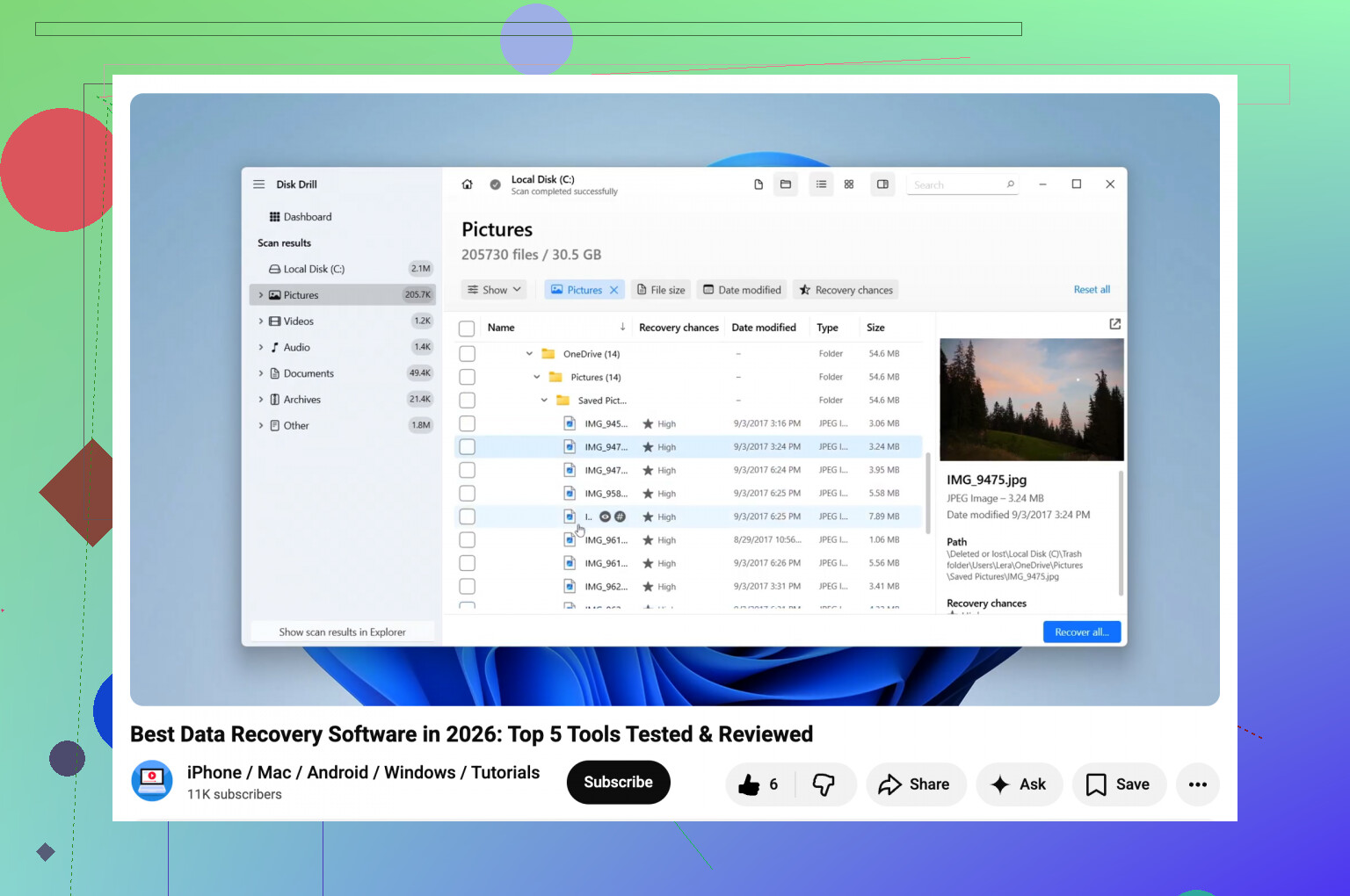
For a beginner, I’d pick Disk Drill first. It’s easier to follow than a lot of recovery apps, and the preview helps you see if your family photos are still there before you start saving files. For simple deletion from an SD card, that makes life easier. Save the recovered pics to your laptop, not back to the card.
I differ a bit from @mikeappsreviewer on one thing. I would not send a new user to PhotoRec first unless the card looks damaged or unreadable. It works, sure, but the file names and folders often come back as a mess. For family photos, that cleanup gets old fast.
Two other easy ones to look at:
EaseUS Data Recovery Wizard. Clean interface, simple scan flow, decent photo preview.
Recuva. Old, simple, free for basic deletes. I’ve had mixed results on SD cards, but for fresh deletions it’s worth a shot.
Best order for a beginner:
- Put the SD card in a card reader.
- Run Disk Drill.
- Preview files.
- Recover to the laptop.
- If it misses stuff, try Recuva or EaseUS next.
If you want a quick roundup of other image recovery tools, this vid is decent:
best photo recovery software options for deleted pictures
Do it soon. Every write to the card lowers your odds. Even opening the wrong app and clicking around too much is a bad ideaa.
If the card still shows up normally, I’d actually try R-Studio before some of the usual beginner picks. Slight disagree with @mikeappsreviewer and @sternenwanderer here. Disk Drill is easier, yeah, but R-Studio’s scan results can be cleaner when the folder structure matters and you want less chaos after recovery. The UI is not as pretty, but it’s still usable if you just stick to the basic scan and preview.
For pure beginner-friendly stuff, Disk Drill is still a safe choice because the photo preview is dead simple and it does not make you feel like you’re piloting a submarine. I’d use it if you want the least stress.
Another one nobody mentioned yet is Wondershare Recoverit. Bit more hand-holdy, very guided, decent for people who just want “scan card, click photos, restore.” I don’t love the pricing, but usability is solid.
Big thing: make an image of the SD card first if you can. That sounds advanced, but some apps let you do it in a few clicks. Then recover from the image, not the original card. Safer if you get nervious and click the wrong thing.
Also, if the card is acting weird or not showing up, this thread on how to recover photos from a microSD card your laptop won’t detect is worth a read.
Short version:
- easiest: Disk Drill
- more control: R-Studio
- most guided: Recoverit
And yeah, do not write anything else to that card. Not one file. Not even a “test” pic. Thats how people turn “deleted” into “gone.”