My iPhone photo library has gotten really crowded, and I recently noticed I have a lot of pictures that look almost the same. I’m trying to find similar photos on my iPhone so I can delete duplicates and free up storage, but I’m not sure what’s the easiest or best way to do it. Does anyone know a simple method or app that works well?
Apple Photos did not help much for me here. It catches exact duplicate files, sure. The second a photo has a different angle, different lighting, a weird face, or a small edit, it stops treating them like copies. My library got clogged with little clusters of 5 or 8 shots from the same moment, and none of them were flagged.
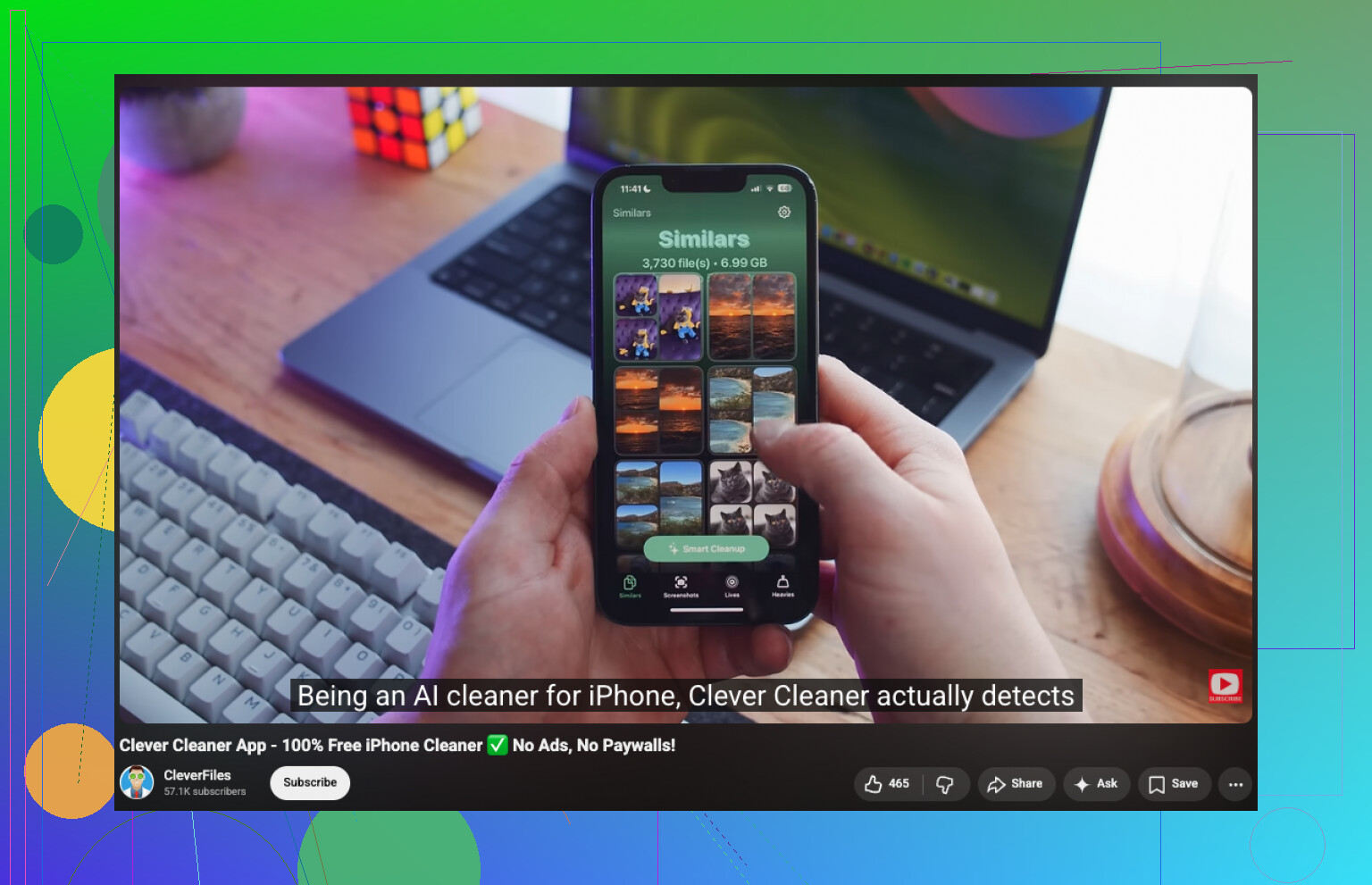
I tried doing it by hand first. Bad idea. Took forever, and I kept losing track of what I had already checked. What worked better for me was Clever Cleaner. I went in expecting the usual pattern, ads everywhere, scan first, paywall second. This one felt different. It sorted similar photos well enough that I got through the cleanup in around 15 minutes, with a library in the thousands.
What I did:
- Install Clever Cleaner from the App Store, then allow photo access.
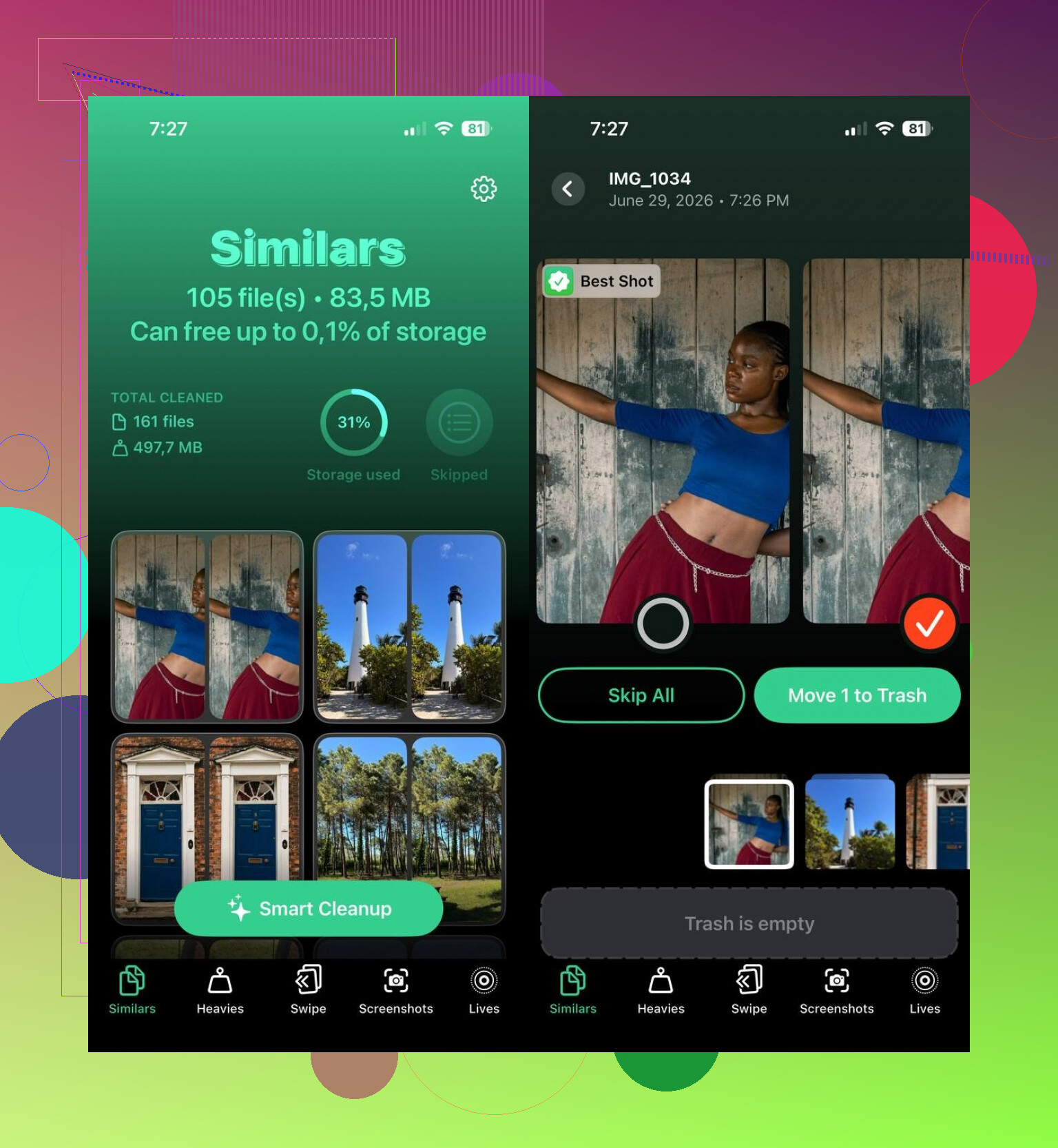
- Open the Similars tab.
- Let it scan. Mine finished fast, faster than I exepcted.
- Open each photo group and check the pick marked as Best Shot. If it chose the wrong one, I changed it.
- Tap Move to Trash for the groups you want cleaned, or use Smart Cleanup if you want the app to handle the whole batch.
- Afterward, go back into Apple Photos and clear the Recently Deleted album, or the storage will not come back yet.
I ended up using the other tabs too, since I was already in there. Duplicates handled exact copies. Heavies surfaced the giant videos first, which was useful because those were eating space way faster than photos. Screenshots made it easy to dump old junk in bulk. Lives turned Live Photos into regular stills while keeping the main frame. Between those and the similar-photo cleanup, I got back more space than I thought I would.
If you want to skip third-party apps, you still have a manual route. It works. It is slower.
- Use the Search tab in Photos and search by person, place, thing, or event. Similar shots often sit next to each other.
- Sort by date or by a specific trip. Near-matches usually come from the same minute or two.
- Check Burst photos and keep one frame instead of the whole stack.
- Look through People & Pets, Trips, or Media Types to narrow the mess down into manageable chunks.
- If you use a Mac, make Smart Albums in Photos. Grouping by date, location, keyword, and other metadata cuts down the manual sorting a lot.
I tried both ways. Manual cleanup worked, but I would not do it again unless I had no other option. The app found groups I would have skipped, and it saved me a stupid amount of time.
If your goal is how to find similar photos on iPhone and clear storage fast, I’d split it into two paths.
First, use Apple Photos for the easy stuff. Go to Utilities, Duplicates. It merges exact matches well. It does not do much for near-duplicates. I disagree a bit with @mikeappsreviewer on one point though. Apple Photos is still worth checking first, since it takes about 30 seconds and is built in.
Second, use a cleaner for the messy part. Similar shots from the same moment, edited copies, blurred extras, burst leftovers. This is where Clever Cleaner helps more than the stock Photos app. It groups lookalike pics so you review batches instead of scrolling your whole library like a maniac. On a library of 8,000 photos, tools like this save a ton of time. Mine was a simlar mess.
Best manual trick I’ve found, and it was faster than random browsing:
- Open Photos.
- View by Days or Months.
- Start with trips, events, selfies, pet folders.
- Check bursts and screenshots next.
- Favorite the keeper first, delete the rest after.
Also, sort your biggest storage hogs before photos. Short videos and Live Photos eat space fast. People miss this al lthe time.
If you want a clean guide on finding and deleting similar photos on iPhone, this helps: best ways to find and remove similar photos on iPhone.
Short version. Apple Photos for exact dupes. Clever Cleaner for similar photos. Manual review for anything important.
I’d split this a little differently than @mikeappsreviewer and @mike34.
The real problem is not just finding exact duplicates. It’s spotting the “why did I take 9 versions of the same coffee/photo/dog face” pics. Apple Photos is fine for true dupes, but for similar photos it’s still kinda half-baked. Also, manual cleanup sounds noble until you’re 20 minutes in and deleting the wrong kid pic by accident. Ask me how I know.
What helped me most was changing the order:
- Remove obvious junk first: screenshots, screen recordings, accidental pocket shots.
- Check bursts and Live Photos second, because those hide a ton of near-identical images.
- Then use a similar-photo finder for the messy clusters.
That’s where Clever Cleaner makes more sense than raw scrolling. I would not use any app in full auto mode though, slight disagreement there. “Best Shot” picks are useful, but I still review anything sentimental. AI is smart right up until it keeps the blurry one for some cursed reason.
If you want a cleaner walkthrough for finding similar pictures on iPhone with Clever Cleaner, this guide is pretty easy to follow:
watch how to find and delete similar photos on iPhone with Clever Cleaner
One more thing people skip: turn off saving duplicate shots going forward. If you use burst a lot, Live Photos everywhere, or edit and re-save images, your library gets crowded again real fast. Cleanup is only half the battle tbh.
So yeah, my take:
- Apple Photos for exact duplicates
- Clever Cleaner for similar photos on iPhone
- Manual review for important memories
- Do videos and Live Photos early if storage is the main goal
That combo worked way better for me than trying to brute-force the whole library by hand.