1. Clever AI Humanizer – My Take After A Lot Of Messing Around
I have been trying different “humanizer” tools on and off for school work, client stuff, and a few niche sites. Most of them either hit you with a paywall after a few tries or butcher the text so hard you need to rewrite it from zero.
Clever AI Humanizer ended up staying in my bookmarks for one boring reason. It lets me throw a lot of text at it without nagging me about credits.
Here is what I ran into using it.
What you get for free
The site gives you:
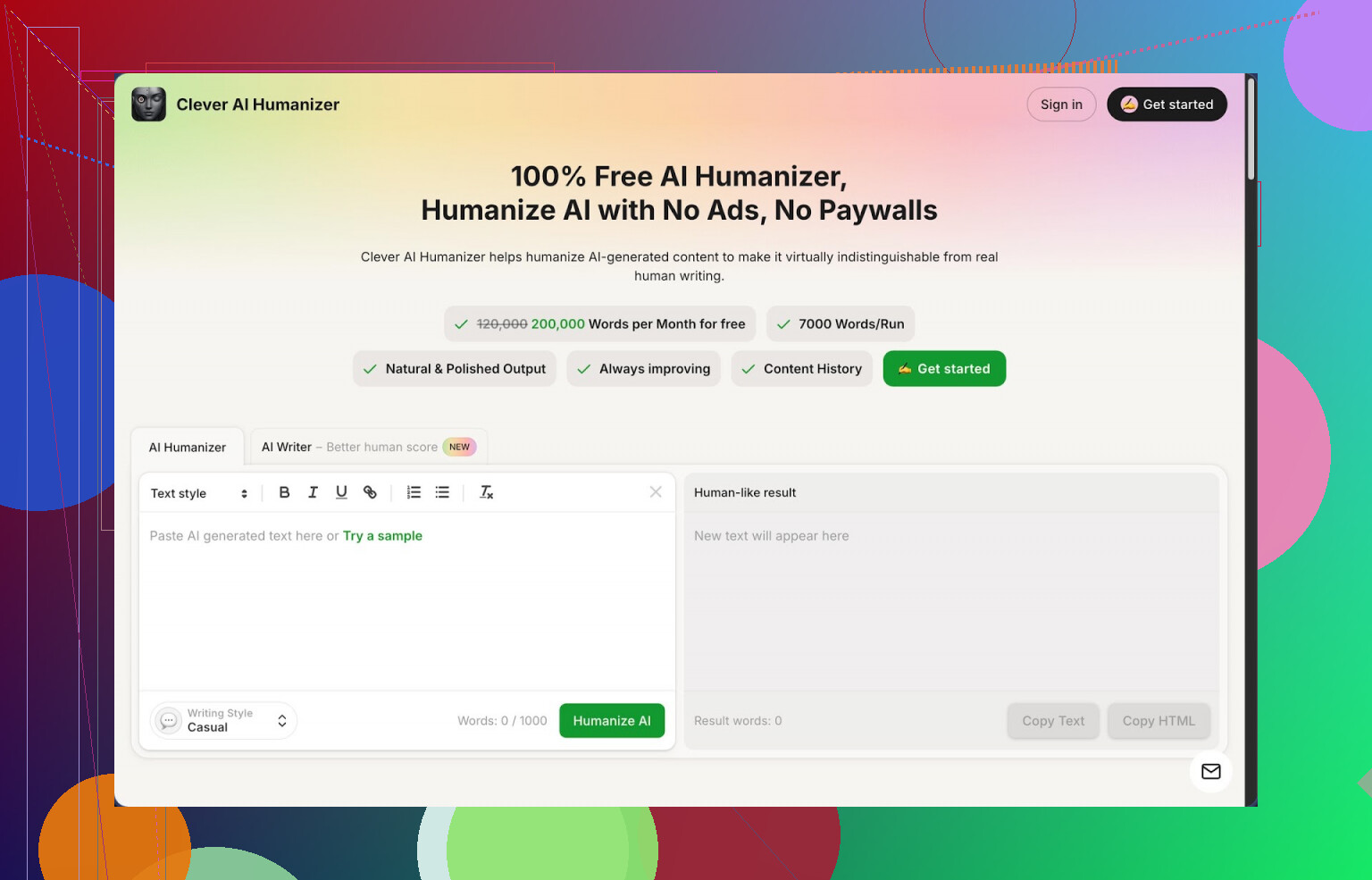
- Around 200,000 words per month for free
- Up to about 7,000 words in one run
- Three styles to pick from:
- Casual
- Simple Academic
- Simple Formal
- An AI writer glued into the same interface
No sign of a “trial” countdown or credit drain when I used it. It behaved like an actually free tool, at least at the time I tested it.
How it handled AI detection
I took three chunks of plain AI text and pushed all of them through the “Casual” style.
Then I ran the outputs through ZeroGPT and got 0 percent AI on each sample.
Link to ZeroGPT for context, if you want to try the same thing yourself:
https://www.zerogpt.com
I would not trust any single detector as a final judge, but the 0 percent score across all three runs was better than what I got from most paid tools I tried. Many of those still left some AI score even after heavy rewrites.
Important: other detectors can still flag it. I had one longer piece pass ZeroGPT and then get partial AI score on a different checker. So I treat these tools as a way to reduce risk, not pretend the text was written by a human from scratch.
Main module: “Free AI Humanizer”
This is the part I use the most.
What I did:
- Paste text from an AI generator.
- Pick a style:
- Casual reads like a normal forum post or blog.
- Simple Academic reads like a school essay without dense jargon.
- Simple Formal sits somewhere between work email and basic report.
- Hit the button and wait a few seconds.
What I noticed:
- It keeps the core ideas intact better than most rewriters I tried.
- It removes the repetitive filler that large models tend to love.
- It changes sentence length and structure enough that it does not look like “synonym spinning”.
Output tends to get a bit longer. For example, a 500-word input from ChatGPT turned into about 620–650 words after “humanization”. It adds short clarifying phrases and more varied transitions. That seems to help with detectors, but you end up with more text to edit.
For longer articles in the 3,000–5,000 word range, the 7,000-word limit per run was enough, so I did not have to split them.
Trying the extra tools inside the site
Clever bundles three more modules. I treated them as side utilities instead of the main reason to visit.
1) Free AI Writer
This one generates text from scratch, then you can send it straight into the humanizer.
How I used it:
- Typed a short topic like “benefits of offsite backups for small businesses”.
- Let it generate a draft.
- Immediately ran that result through the Casual humanizer.
The second step improved the human score on detectors and made the draft less stiff. On its own, the writer output still felt like regular AI text. Paired with the humanizer, the end result needed less editing.
Useful if you are starting with no draft at all and want everything in one place.
2) Free Grammar Checker
This did not try to be a full Grammarly clone, but it covered:
- Spelling
- Basic punctuation
- Clearer phrasing in clunky spots
I ran a few messy paragraphs through it, with missing commas and some typo spam. It cleaned them enough for a blog or email. I still prefer my usual grammar checker extension, but having this inside the same interface is convenient when you do not want to jump between tabs.
3) Free AI Paraphraser
This one is for rewording existing human text.
Use cases I tested:
- Turning a stiff draft into something easier to read.
- Adjusting tone for different readers, from “formal” to “neutral”.
- Rewriting an intro that sounded too close to a source I had open.
It changed sentence structures and expression patterns, but the original meaning stayed intact in my tests. For SEO stuff you still need to be careful with sources and originality, though. Tools help, they do not remove responsibility.
Workflow that ended up working for me
Here is the simple flow I settled on for client blog posts:
- Outline manually in bullet points.
- Use an external AI model or the built-in writer to create a rough draft.
- Run it through Clever AI Humanizer in Casual or Simple Academic style.
- Skim the output and trim any extra fluff that sneaks in.
- Run the final version through the grammar checker or your own tool.
- Double check with two different AI detectors if the client insists on that step.
This whole loop is fairly quick and keeps you from getting stuck editing robotic text line by line.
Things that bugged me
Not everything was perfect.
-
AI detectors are inconsistent
I had pieces that showed 0 percent AI on ZeroGPT, then partial AI score somewhere else. There is no magic tool that convinces every detector. If your school or client relies on a specific checker, test against that one. -
Output length increases
After humanization, the text often got longer. Some people see that as an advantage, I found it annoying when I was aiming for tight word counts. You might need to cut down repetitive sentences. -
Style has a “Clever Humanizer” fingerprint
After using it a lot, I started seeing similar rhythm and phrasing patterns across different outputs. It is still miles better than the original raw AI text, but it is not perfect camouflage.
On the upside, all of this was free during my tests, which made these flaws easier to accept.
Who I think it helps
From my experience, this tool is most useful for:
- Students who need AI assistance but want to reduce detection risk.
- Freelance writers juggling word-heavy projects where time is tight.
- Content folks handling bulk drafts and needing a faster first pass at “de-robotizing” them.
- Non-native English speakers who use AI for structure, then want more natural wording.
It is less ideal if:
- You want 100 percent guarantee of passing every AI detector. That does not exist.
- You want tiny, precise edits instead of broader rewrites.
Extra links and deeper review
Longer review with screenshots and AI detection proof is here:
https://cleverhumanizer.ai/community/t/clever-ai-humanizer-review-with-ai-detection-proof/42
YouTube review here:

Reddit thread on best AI humanizers:
https://www.reddit.com/r/DataRecoveryHelp/comments/1oqwdib/best_ai_humanizer/
Reddit discussion about humanizing AI text in general:
https://www.reddit.com/r/DataRecoveryHelp/comments/1l7aj60/humanize_ai